


This is the official plain PHP client to send tracking data to https://simplestats.io. It works with any PHP 8.2+ application, no framework required.
For Laravel applications, use the dedicated Laravel Client instead, which provides automatic middleware, observers, and queue integration.
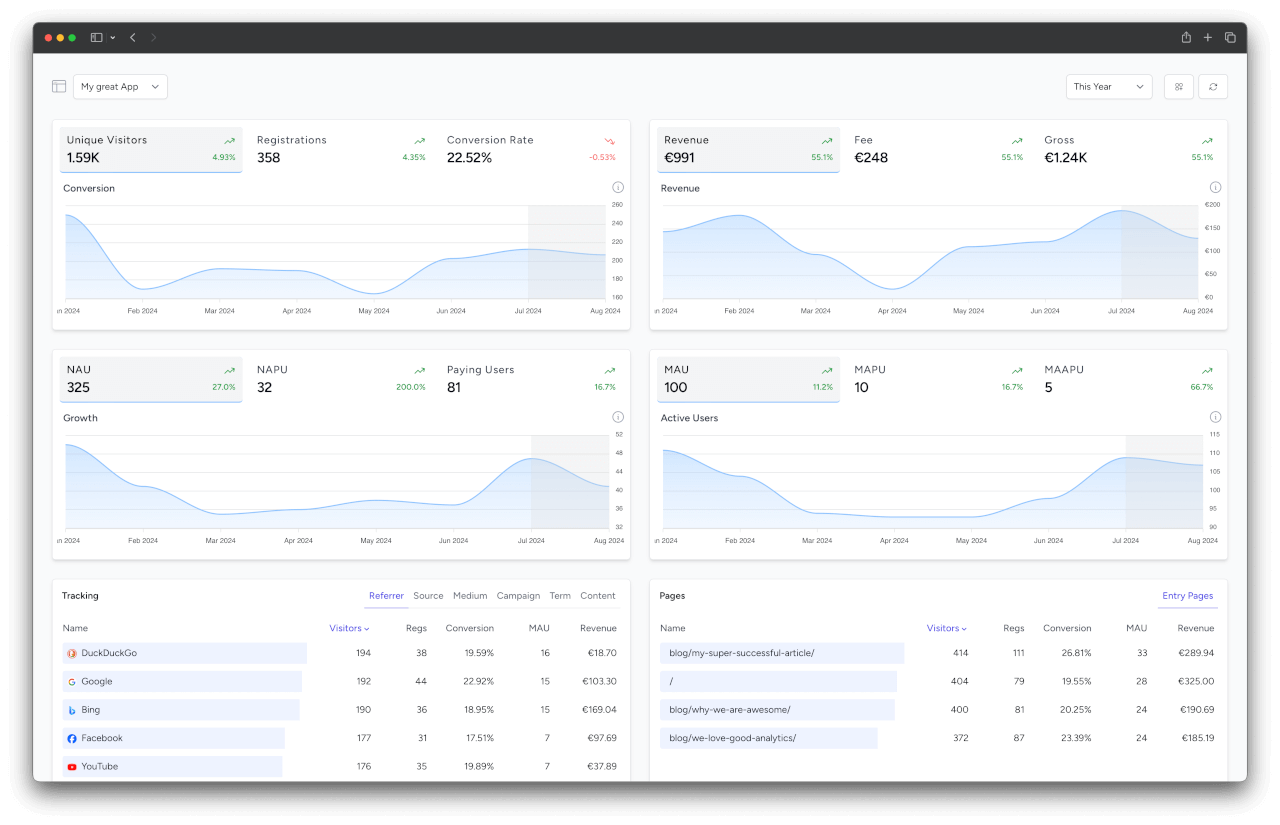
SimpleStats is a streamlined analytics tool that goes beyond simple page views. It offers precise insights into user origins and behaviors through server-side tracking. With default tracking and filtering via UTM codes, you gain detailed analysis of marketing campaigns, identifying which efforts drive revenue. Effortlessly evaluate campaign ROI, discover cost-effective user acquisition channels, and pinpoint the most effective performance channels. SimpleStats ensures full GDPR compliance and is unaffected by ad blockers since all tracking occurs server-side.
composer require simplestats-io/php-clientuse SimpleStatsIo\PhpClient\SimplestatsClient;
use SimpleStatsIo\PhpClient\TrackingData;
use SimpleStatsIo\PhpClient\VisitorHashGenerator;
$client = new SimplestatsClient([
'api_token' => 'your-api-token',
]);
// Generate a GDPR-compliant visitor hash
$visitorHash = VisitorHashGenerator::generate(
ip: $_SERVER['REMOTE_ADDR'],
userAgent: $_SERVER['HTTP_USER_AGENT'],
secretKey: 'your-secret-key'
);
// Auto-extract tracking data from the current request
$trackingData = TrackingData::fromGlobals(appUrl: 'https://yourapp.com');
// Track the visitor
$client->trackVisitor($visitorHash, $trackingData);Pass a configuration array when creating the client:
$client = new SimplestatsClient([
    'api_token'   => 'your-api-token',             // Required
    'api_url'     => 'https://simplestats.io/api/v1/', // Optional (default: SaaS URL)
    'timeout'     => 5,                             // Optional, seconds (default: 5)
    'max_retries' => 3,                             // Optional (default: 3)
    'enabled'     => true,                          // Optional (default: true)
]);| Option | Type | Default | Description |
|---|---|---|---|
api_token |
string | (required) | Your project API token from SimpleStats |
api_url |
string | https://simplestats.io/api/v1/ |
API base URL (change for self-hosted) |
timeout |
int | 5 |
HTTP request timeout in seconds |
max_retries |
int | 3 |
Number of retries on transient failures |
enabled |
bool | true |
Set to false to disable all tracking |
When tracking is disabled, all methods return an empty array without making any HTTP requests.
Track anonymous visitors with optional UTM parameters and metadata:
$client->trackVisitor(
    visitorHash: $visitorHash,
    trackingData: $trackingData,
    time: new DateTimeImmutable() // optional, defaults to now
);$client->trackUser(
id: $user->id,
registeredAt: new DateTimeImmutable($user->created_at),
trackingData: $trackingData, // optional
addLogin: true // optional, also track a login event
);$client->trackLogin(
userId: $user->id,
userRegisteredAt: new DateTimeImmutable($user->created_at),
ip: $_SERVER['REMOTE_ADDR'], // optional
userAgent: $_SERVER['HTTP_USER_AGENT'], // optional
time: new DateTimeImmutable() // optional, defaults to now
);Amounts must be in cents (e.g., 2000 = $20.00). Currency must be ISO 4217 (EUR, USD, GBP, etc.).
Associate a payment with either a user or a visitor:
// Payment linked to a registered user
$client->trackPayment(
    id: $payment->id,
    gross: 2000,
    net: 1680,
    currency: 'EUR',
    time: new DateTimeImmutable($payment->created_at),
    userId: $user->id,
    userRegisteredAt: new DateTimeImmutable($user->created_at)
);

// Payment linked to an anonymous visitor (e.g., guest checkout)
$client->trackPayment(
    id: $payment->id,
    gross: 2000,
    net: 1680,
    currency: 'EUR',
    time: new DateTimeImmutable($payment->created_at),
    visitorHash: $visitorHash
);$client->trackCustomEvent(
id: 'evt_123',
name: 'subscription_upgraded',
time: new DateTimeImmutable(), // optional, defaults to now
userId: $user->id, // optional
userRegisteredAt: new DateTimeImmutable($user->created_at) // optional
);The TrackingData class holds visitor metadata (IP, user agent, UTM parameters, referer, page entry).
$trackingData = TrackingData::fromGlobals(appUrl: 'https://yourapp.com');This automatically extracts:
- IP address from proxy-aware headers (Cloudflare, Akamai, X-Forwarded-For, X-Real-IP, REMOTE_ADDR)
- User agent from the request
- UTM parameters from query string (
utm_source,utm_medium,utm_campaign,utm_term,utm_content,ref,referer,referrer,adGroup,adGroupId) - Referer domain from the HTTP referer header (self-referrals excluded via
appUrl) - Page entry path (URI without query string)
$trackingData = new TrackingData(
    ip: '203.0.113.50',
    userAgent: 'Mozilla/5.0 ...',
    referer: 'google.com',
    source: 'google',
    medium: 'cpc',
    campaign: 'spring_sale',
    term: 'analytics tool',
    content: 'banner_ad',
    pageEntry: '/pricing',
);Generate GDPR-compliant anonymized visitor identifiers. The hash rotates daily to prevent long-term tracking.
use SimpleStatsIo\PhpClient\VisitorHashGenerator;

$hash = VisitorHashGenerator::generate(
    ip: $_SERVER['REMOTE_ADDR'],
    userAgent: $_SERVER['HTTP_USER_AGENT'],
    secretKey: 'your-secret-key',
    date: '2024-06-15' // optional, defaults to today
);
The generator creates a SHA-256 hash from IP + User-Agent + date + secret key, truncated to 32 characters. The daily date rotation ensures hashes are not persistent across days, keeping visitor tracking fully anonymous.
The client throws specific exceptions you can catch:
use SimpleStatsIo\PhpClient\Exceptions\ConfigurationException;
use SimpleStatsIo\PhpClient\Exceptions\ApiRequestFailed;

try {
    $client->trackVisitor($visitorHash, $trackingData);
} catch (ConfigurationException $e) {
    // Invalid configuration (e.g., missing api_token)
} catch (ApiRequestFailed $e) {
    // API request failed after retries
    $e->getMessage();    // Error description
    $e->statusCode;      // HTTP status code
    $e->responseBody;    // Raw response body
}
The HTTP client automatically retries on transient failures (connection errors, 429, 5xx) with exponential backoff.
By default, all tracking calls are synchronous and block the current request. In production, you should avoid adding latency to your user-facing responses. Here are a few strategies:
fastcgi_finish_request()(recommended for PHP-FPM): Send the response to the client first, then run tracking calls afterwards. Zero dependencies, works out of the box with PHP-FPM.- File/SQLite queue with cron: Write tracking data to a local file or SQLite database, then process it in the background with a cron job. Most reliable approach, but requires a worker setup.
- Guzzle async requests: Use Guzzle's
requestAsync()combined withfastcgi_finish_request()to run multiple tracking calls in parallel after the response is sent.
// Example: fastcgi_finish_request()
echo $responseBody;
fastcgi_finish_request(); // Response is delivered to the client

$client->trackVisitor($visitorHash, $trackingData); // Runs in the backgroundcomposer testPlease review our security policy on how to report security vulnerabilities.
The MIT License (MIT). Please see License File for more information.