This simple chatbot gets user data through a dyna-form and then creates (or updates) a Contact on Sendinblue.
To use this integration you need a Sendinblue API-KEY. Please follow the corresponding Sendinblue docs to learn how to create one.
The main block is askandsend.
This block uses a form to ask the follwing data, creating the corresponding chatbot attributes:
- User first name. Attribute: firstname
- User full name. Attribute: lastname
- User email. Attribute: userEmail
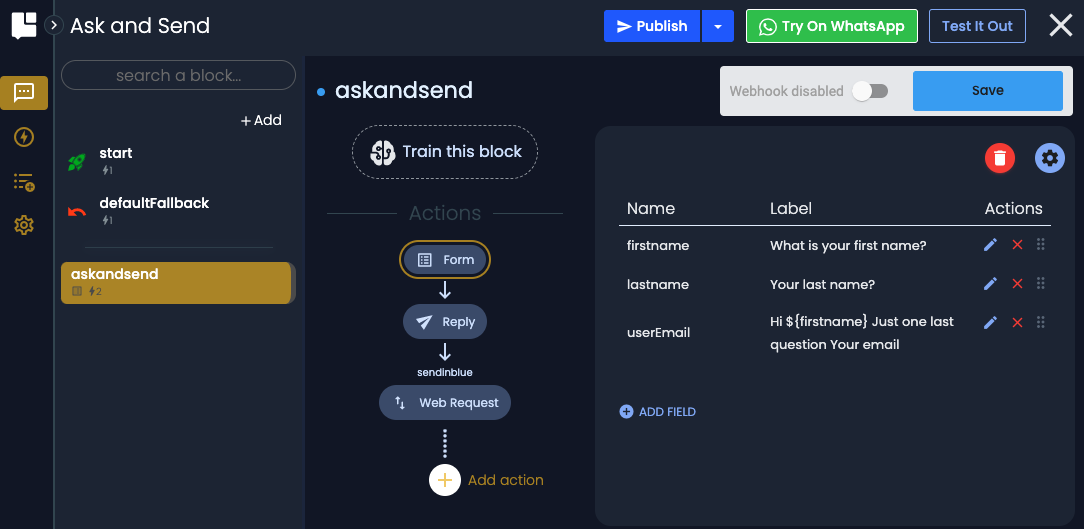
Once the form is configured you can move to the next step, sending contact's data to Sendinblue.
To achieve this goal first add a WebRequest Action from the side menu.
The WebRequest Action simply executes an HTTP call to the Sendinblue "create a contact" REST API (See related create a contact documentation)
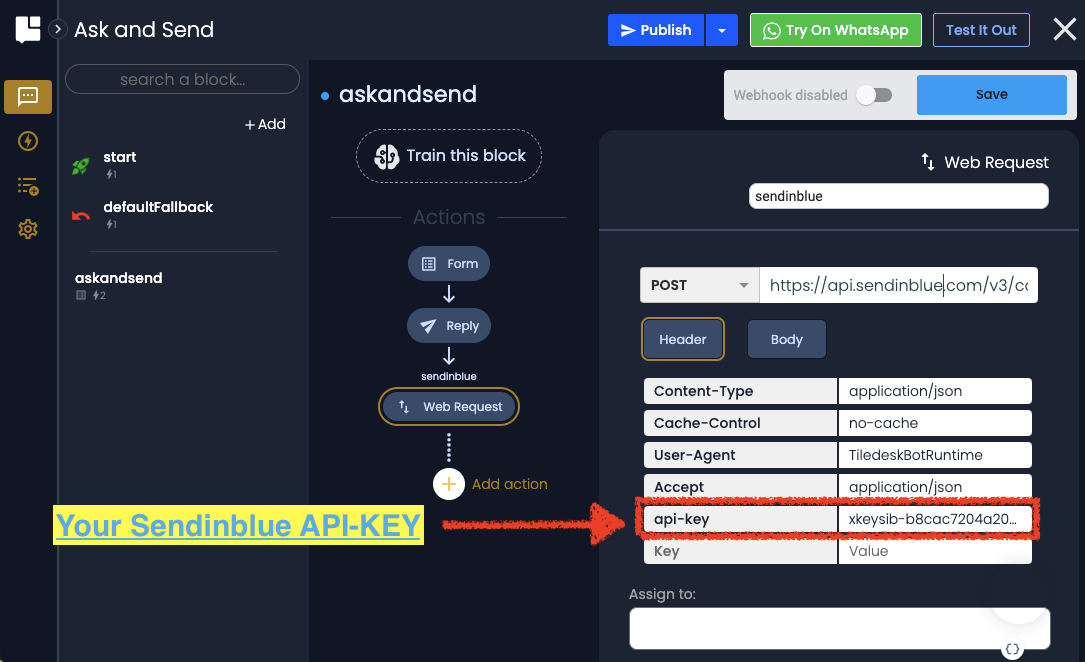
Setup the HTTP url with the documented API endpoint using the POST HTTP method.
https://api.sendinblue.com/v3/contacts
Then setup all the HTTP headers fields as in the picture, taking care to set the api-key header field with your own Seindinblue API-KEY.
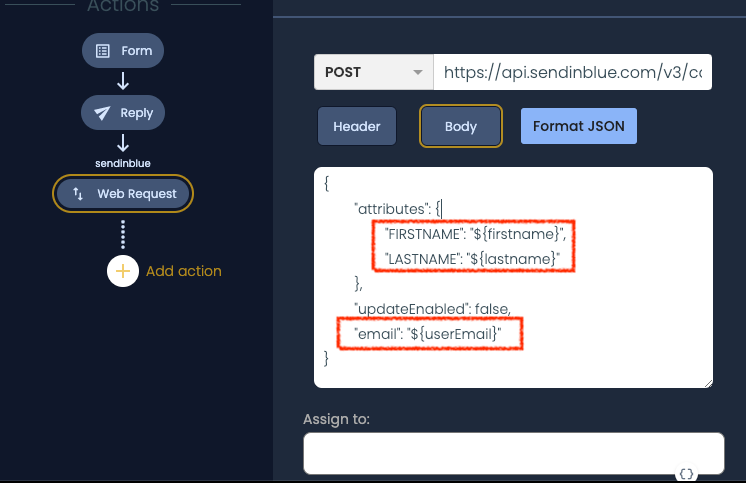
Now move to the body section and set the dyna-form related attributes in the Sendinblue JSON body, as shown in the picture:
Well, now press Test it out to see the chatbot in action:
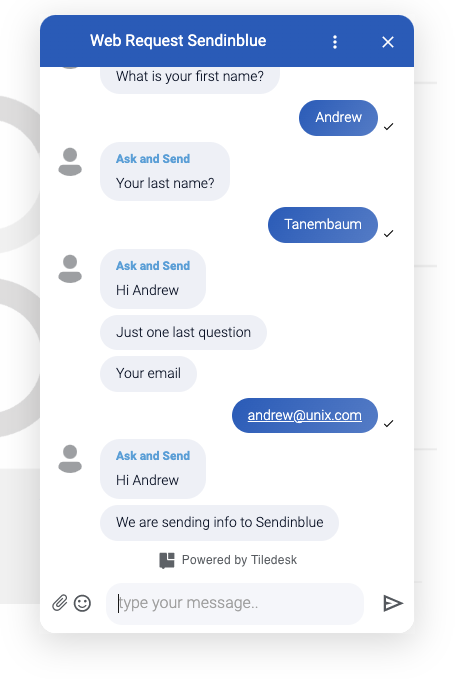
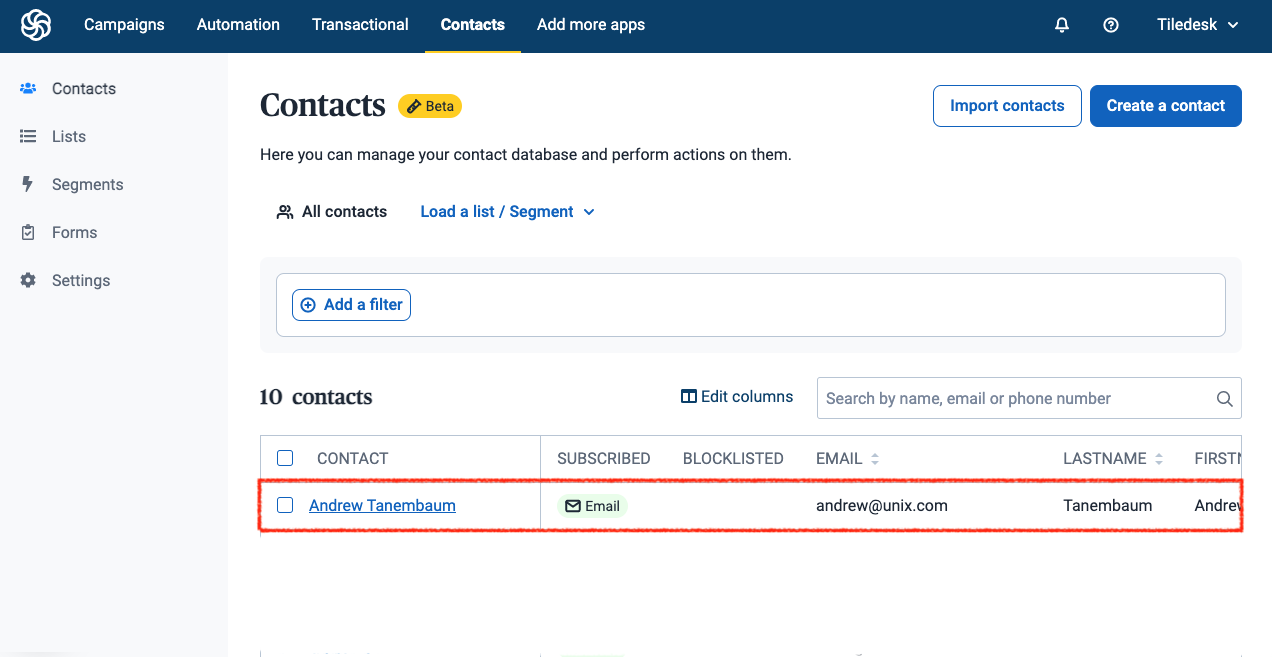
As soon as the conversation ends The WebRequest action sends all the contact data to Sendinblue Contacts. You we'll see your updated contact in the Sendinblue's Contact center:
Hope you enjoy this simple chatbot 🤖
If you need any help please feel free to contact me at andrea at tiledesk.com 🤓