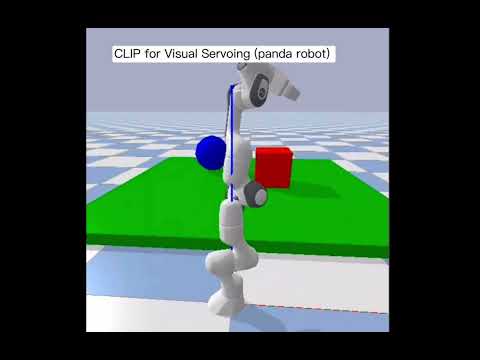
[Blog] [Paper] [Model Card] [Colab]
CLIP (Contrastive Language-Image Pre-Training) is a neural network trained on a variety of (image, text) pairs. It can be instructed in natural language to predict the most relevant text snippet, given an image, without directly optimizing for the task, similarly to the zero-shot capabilities of GPT-2 and 3. We found CLIP matches the performance of the original ResNet50 on ImageNet “zero-shot” without using any of the original 1.28M labeled examples, overcoming several major challenges in computer vision.
First, install PyTorch and torchvision, as well as small additional dependencies, and then install this repo as a Python package. On a CUDA GPU machine (CUDA 12.1), the following will do the trick:
$ pip3 install torch torchvision torchaudio --index-url https://download.pytorch.org/whl/cu121
$ pip3 install ftfy regex tqdm
$ pip3 install git+https://github.com/openai/CLIP.git
Replace pip3 install torch torchvision torchaudio --index-url https://download.pytorch.org/whl/cu121 with the appropriate CUDA version on your machine or cpuonly when installing on a machine without a GPU.
It is highly recommended to use PyBullet Python bindings for improved support for robotics, reinforcement learning and VR. Use pip install pybullet and checkout the PyBullet Quickstart Guide.
Installation is simple:
pip3 install pybullet --upgrade --user
python3 -m pybullet_envs.examples.enjoy_TF_AntBulletEnv_v0_2017may
python3 -m pybullet_envs.examples.enjoy_TF_HumanoidFlagrunHarderBulletEnv_v1_2017jul
python3 -m pybullet_envs.deep_mimic.testrl --arg_file run_humanoid3d_backflip_args.txt
If you use PyBullet in your research, please cite it like this:
@MISC{coumans2021,
author =   {Erwin Coumans and Yunfei Bai},
title =    {PyBullet, a Python module for physics simulation for games, robotics and machine learning},
howpublished = {\url{http://pybullet.org}},
year = {2016--2021}
}
$ git clone https://github.com/sttxd1/CLIP_for_Visual_Servoing_ECE276C.git -b main
$ cd CLIP_for_Visual_Servoing_ECE276C
$ python3 main.py
there will be instructions tell you things you need to enter:
Enter the object type (e.g., 'red cube', 'blue ball'): example: red cube
Enter 0 for static, 1 for dynamic: example: 0