Stringy weaves together the best of industry-standard open-source practices ✨ with a touch of friendliness ❤️, making your contributions meaningful and easy on the brain.
In the Stringy codebase, you'll find several "Contribution Stations". These are specially marked sections where we encourage contributions, particularly from those who are new to open source or to the project.
A Contribution Station is a segment of code, marked with a special comment, where we invite you to contribute functions or enhancements. Each station provides:
- A clear description of what's needed.
- An example input and the expected output.
- A placeholder where you can write your code.
### Example:
// 🔄 Contribution Station - Create a string Reverse function
function stringReverse(string) {
  // Input: 'Stringy'
  // Expected Output: 'Enhanced ygnirtS'
  // Write your code here and export it.
}→ Begin by looking for issues tagged as 'good first issue'. These are great for getting warmed up!
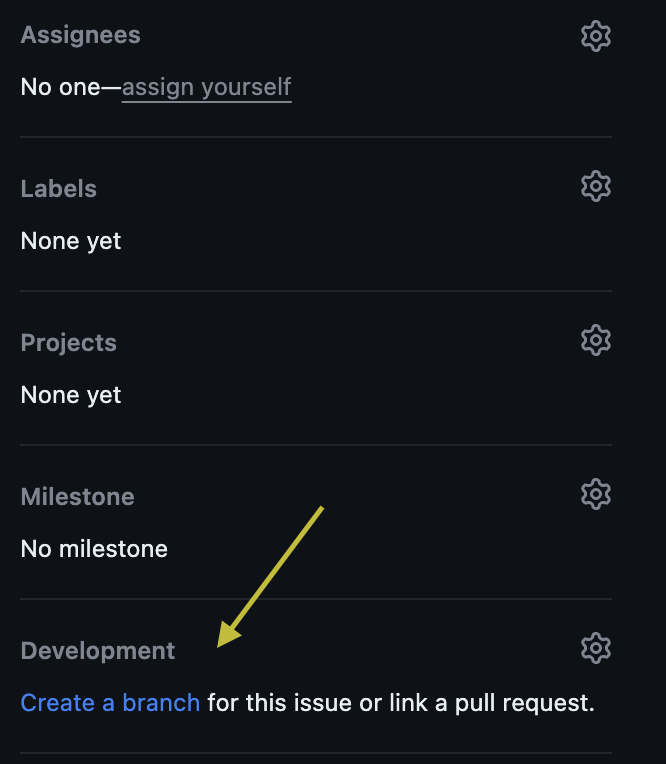
→ On the issue page, start by creating a branch. This keeps the main codebase safe while you make your changes.
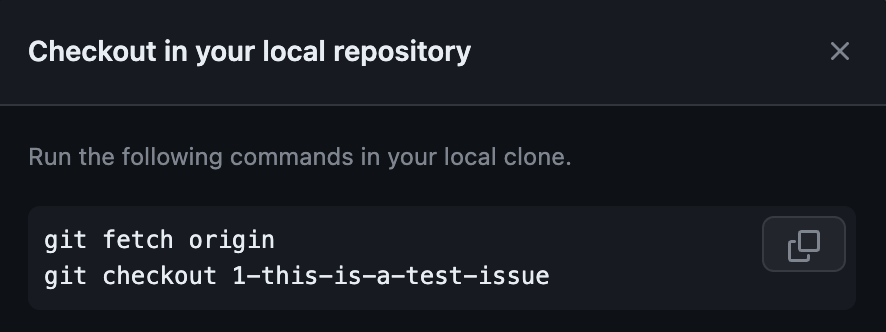
→ Clone the Stringy repository to your local machine and switch to your new branch to begin coding.
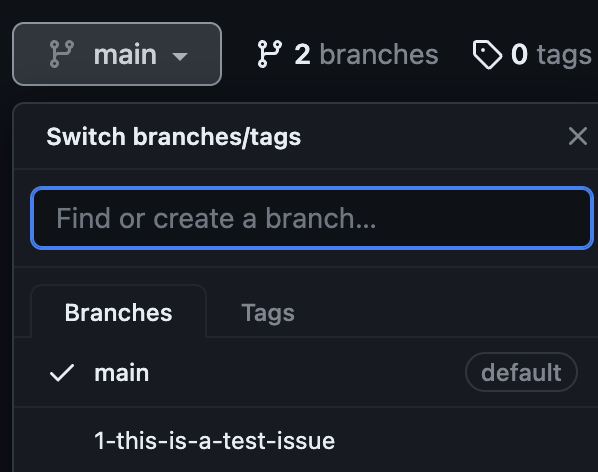
→ Your new branch will look like this on GitHub:
→ Time to save your changes with a good commit message. Don't worry, it's just your branch.
→ Push your commits to your GitHub branch.
→ Upon pushing your changes, you'll see an update in your repository with an option to create a Pull Request.

→ Now, let the world see your work. Click on the green button or follow the next steps to open a Pull Request.
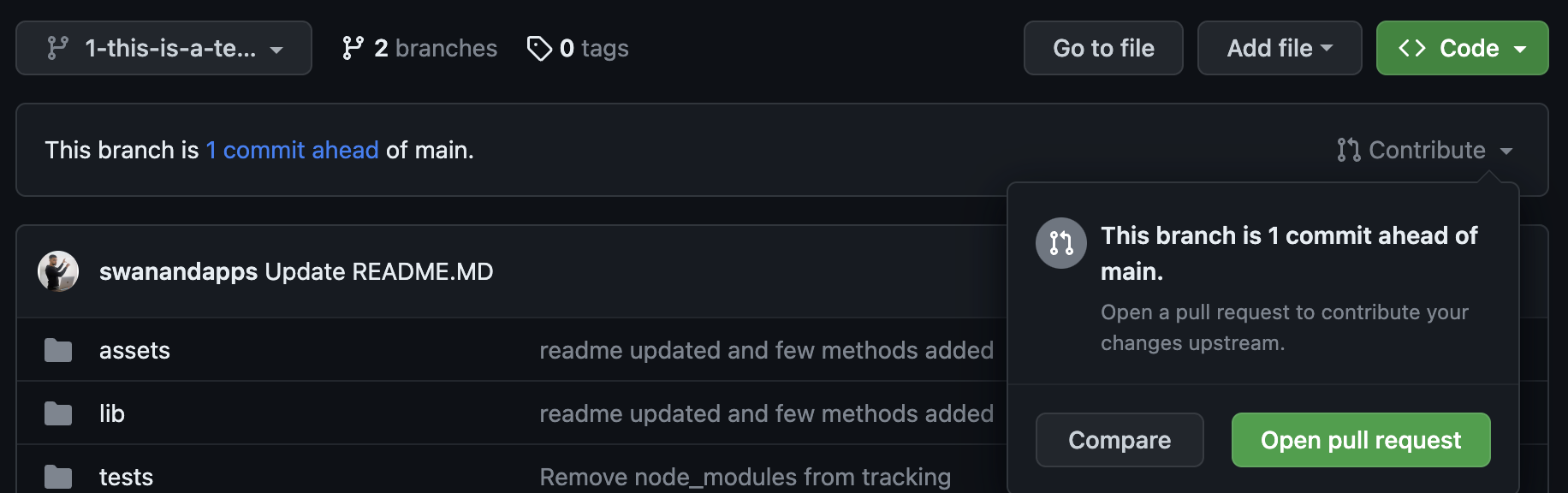
→ Detail your changes and submit your PR:
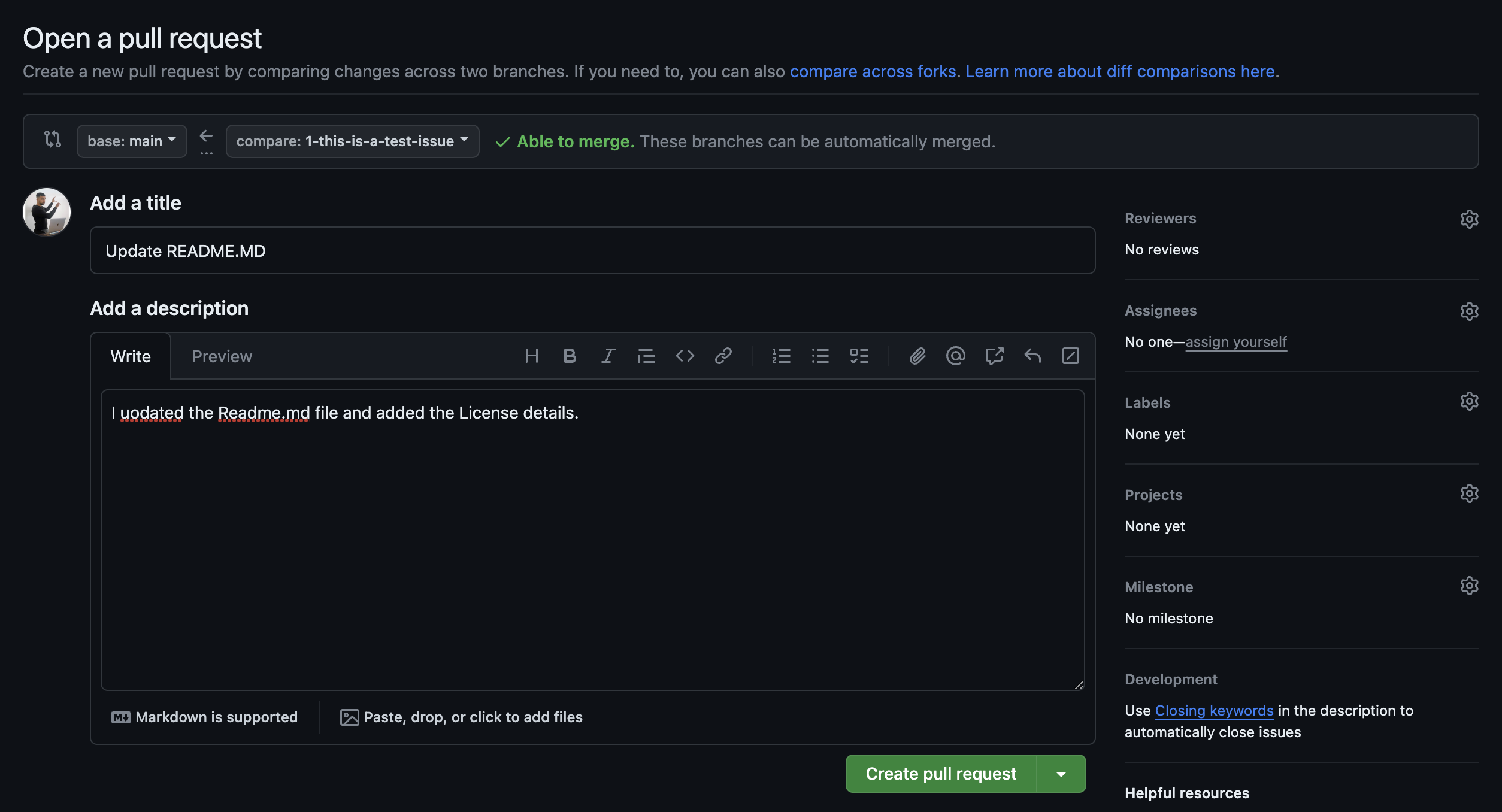
→ Your PR is now waiting for review. Nice work!
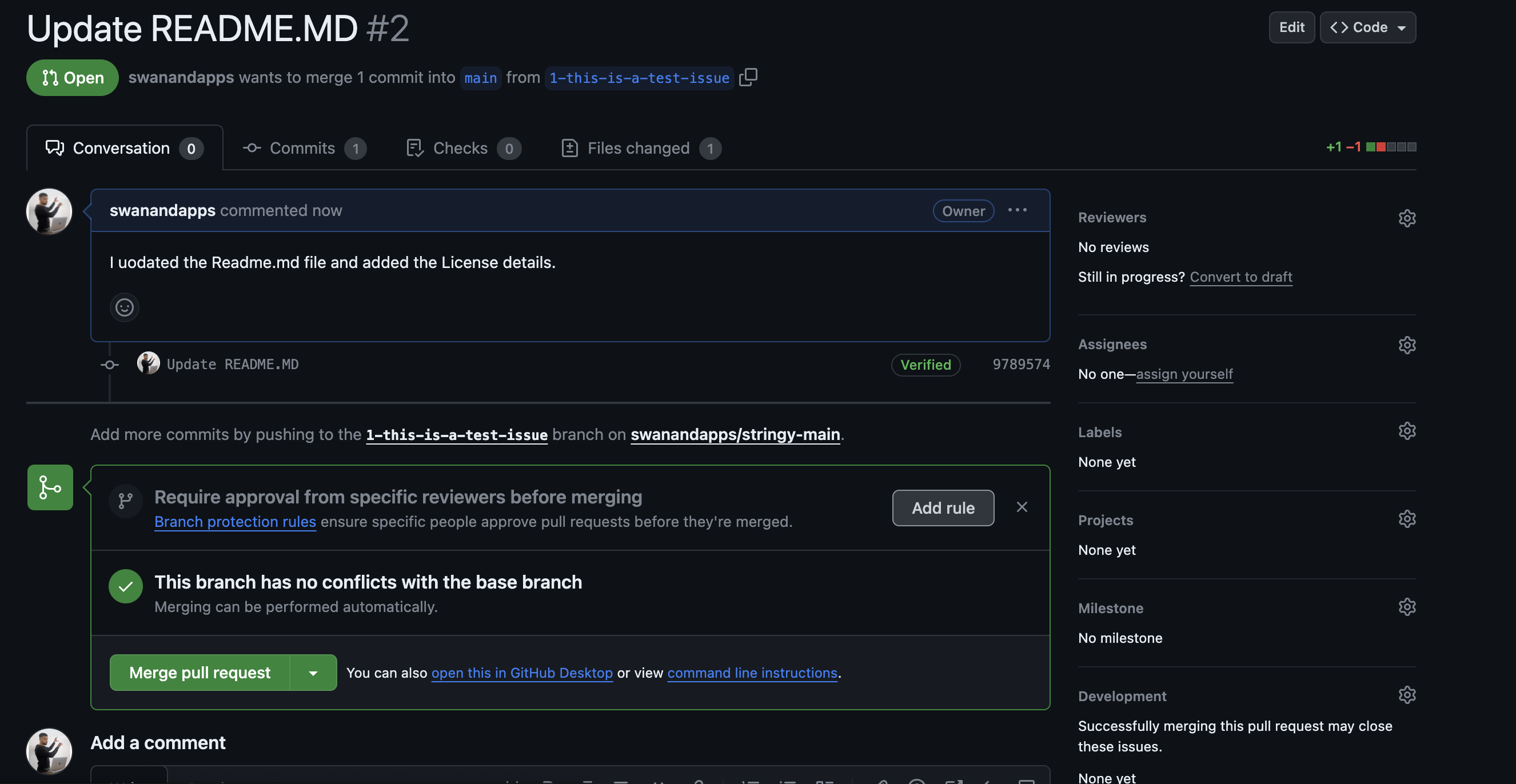
→ After your PR is reviewed and approved, it'll be merged. Congratulations, you're a Stringy contributor!
Now, take a moment like Pablo to enjoy your accomplishment. You've taken a big step in your open-source journey with Stringy. Keep it up! 🌟