Turn a concept or an article into original editorial illustrations — flat, bold-lined print-style scenes where a recurring mascot performs the idea. One image says one thing: a key judgment, a flow, a before/after, a trap. It's a deliberate house style, not a generic image generator — closer to a smart, deadpan print zine than to clip art or an infographic.
🌐 illo-skill.com — the friendly tour: live examples, the character gallery, and copy-paste installs. This README is the developer reference; the site is the two-minute version.
The methodology is the constant; the character pack and palette are yours
to set — and every character pack carries its own print style. Out of the
box the mascot is Blot, a deadpan ink-drop in risograph. A built-in
character builder designs your own mascot with you (interview — including
picking its look from the bundled library of sixteen (below) — then
model-sheet candidates → pick → install). Want the same
character in another look? Build a style variant pack (blot-woodcut):
one pack, one look, so a catalog of characters never turns into a grid of
combinations. Palettes stay per-image and resolve by destination: a
character defines where its accent lives, never the color. One plain-text
line in your palettes file — blog → notes — and anything headed for your
blog automatically wears notes, a palette built once by copying your
site's real CSS colors into hexes (background → paper, text → ink, link
color → accent; re-extract only if you rebrand). Same mascot, fluoro pink
on X, your blog's exact orange on the blog — never asked twice. Or pick a
named preset, or hand it one brand color and let it derive the rest.

Invoking: the skill answers to its name — say "illo" ("illo this post", "use illo: draw blip hauling a crate"). It deliberately won't hijack generic requests like "illustrate this post", and it can't know your installed characters' names up front — lead with "illo", then talk characters freely.
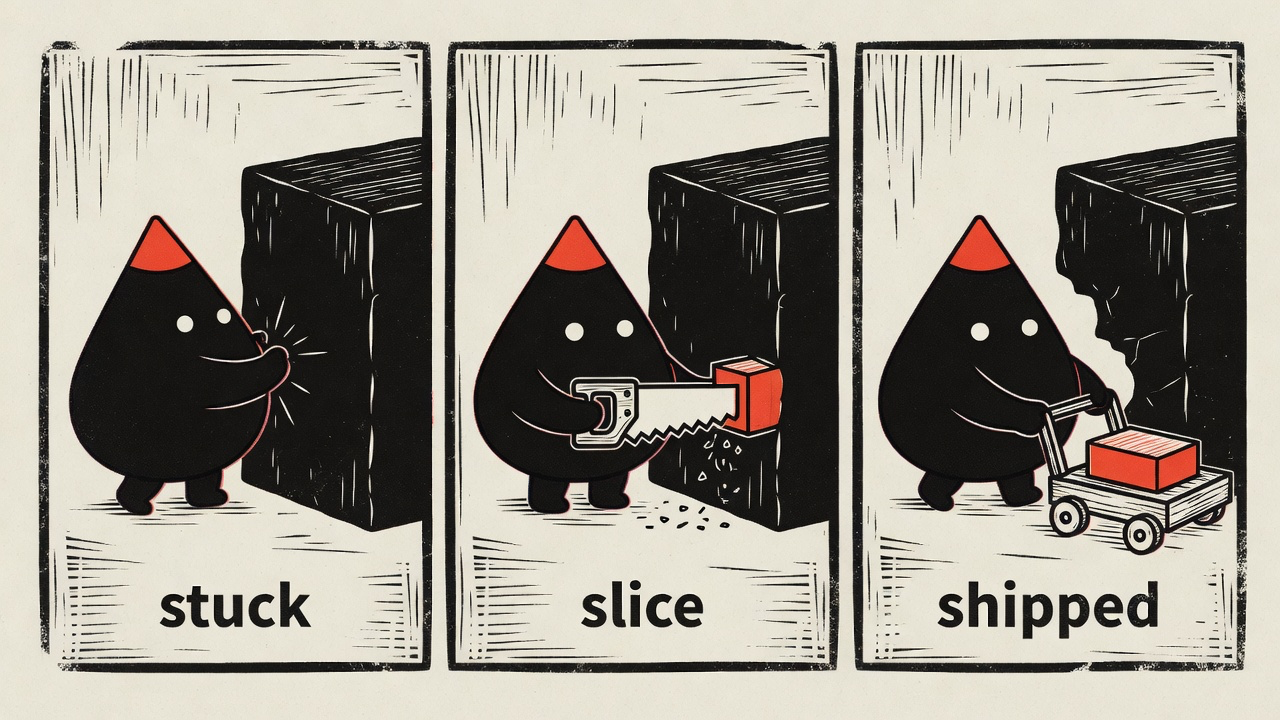
Same character, different voice — the bundled woodcut style telling a three-panel story:
And the day job — compressing an abstract concept into one scene that lands in about a second. Hand it "we replatform with zero downtime" and you get the bridge being rebuilt under live traffic:
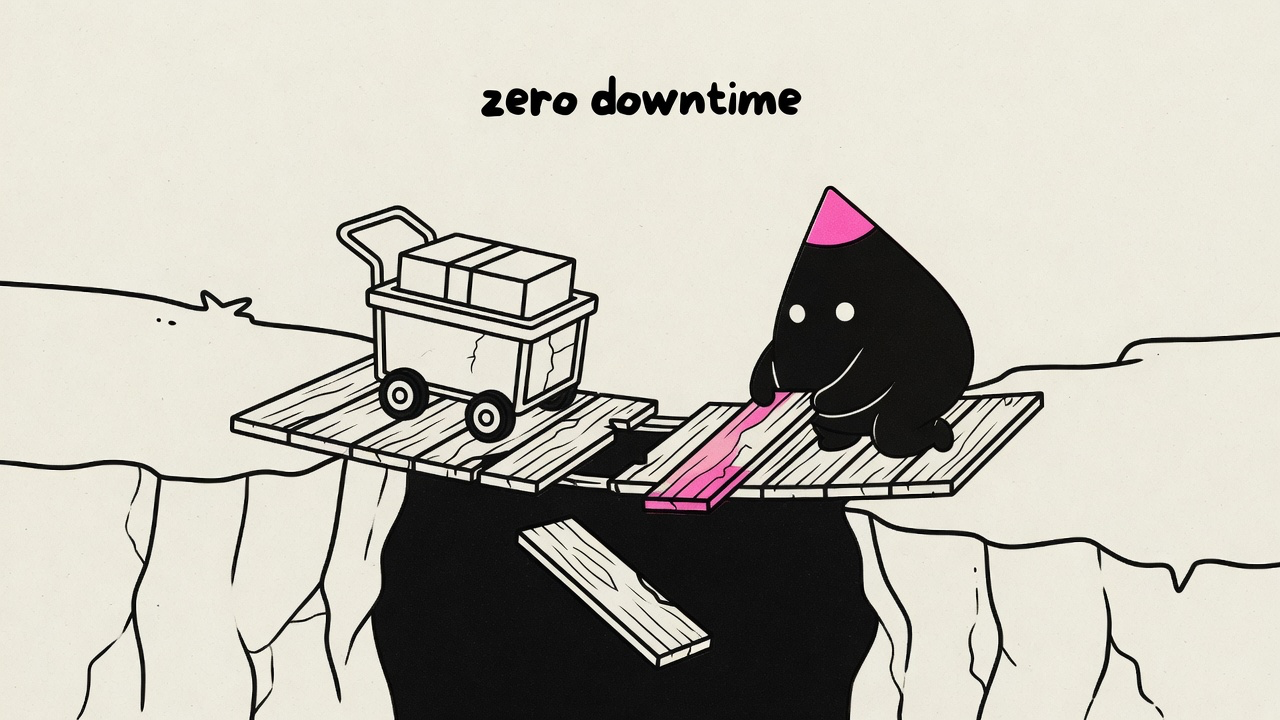
One idea per image, the mascot performing the move rather than decorating it, a few short hand-lettered labels — every render is held to that bar, and off-model results get re-rolled before you see them.
Every character pack picks exactly one look from the bundled library:
| Look | The voice |
|---|---|
| riso | Grainy halftone risograph — the house default |
| blueprint | White draftsman linework on deep blueprint blue |
| woodcut | Heavy carved relief print on warm cream |
| pixel | Chunky 4-color pixel art |
| clay | Matte stop-motion plasticine diorama |
| manila | Rubber-stamped ink on office manila paper |
| chalk | Dusty chalk on a deep slate board |
| phosphor | Glowing CRT trace on near-black glass |
| enamel | Hard-enamel pin cells with raised metal lines |
| gouache | Flat matte mid-century poster paint |
| felt | Layered hand-cut wool-felt craft |
| diorama | Watercolor-and-ink storybook tabletop diorama |
| sketchbook | Vintage sepia pencil-and-ink editorial sketch |
| bricks | Photoreal toy-brick set — the one photographic look |
| fizz | Psychedelic soda-pop skate-sticker screenprint |
| bloom | Flat cel character in a soft, atmospherically-lit cozy scene |
Looks are shared infrastructure, deliberately separate from characters: the
definitions live in this skill (references/styles/), and a character pack
just names one — so a fix to a look immediately improves every pack that
uses it, and adding a character never requires touching the skill. Want a
look that doesn't exist? Drop a custom style file in
~/.config/illo/styles/<name>.md and use it right away — and if it proves
out, PR it into the library here so packs everywhere can reference it.
Images are generated by a small bundled script (scripts/illo.py) through one
of three backends — python3 (standard library only, macOS/Linux) and
network access are the only hard requirements:
- Codex (free for Codex subscribers). If you already have the
Codex CLI installed and logged in
(
codex login), illo can generate through your Codex subscription at no per-image charge — it draws on your Codex usage quota instead. No API key and no token: illo only shells out to your own CLI. Detected automatically; gpt-image-2 is the model (no model selection); unsupported on Windows/WSL. - Grok (free for Grok/xAI subscribers). If you have the Grok CLI
installed and logged in (
grok login), illo can generate through your Grok subscription via its built-in image tool, drawing on your Grok usage quota — same key-free, token-free design as Codex. Handy when illo runs inside the Grok agent. Two limits: no model selection, and no transparent cutouts (Grok returns JPEG with no alpha) — cutouts auto-fall back to Codex or OpenRouter. - OpenRouter (paid, direct or explicit fallback). An
OpenRouter API key lets illo call OpenRouter's
image API directly — the path on a host without a subscription CLI.
Model-selectable — see Models & cost below. A failed
Codex/Grok render never spends money automatically: pass
--allow-paid-fallbackto explicitly permit that pay-per-image retry. Intentional cutout routing remains automatic.
For the OpenRouter backend, bootstrap the config file once — you type the key
at a hidden prompt, and nothing else ever reads or stores it. (The Codex and
Grok backends need no key; init offers each when a usable CLI is detected.)
python3 scripts/illo.py init                  # prompts for the key (hidden),
                                              # writes ~/.config/illo/config.yaml (mode 600)
python3 scripts/illo.py doctor                # check readiness
The config file is the only place the engine reads the key from —
deliberately: no environment variables (skill security scanners treat
secret-shaped env reads in community skills as exfiltration) and no
--api-key-style flags (command-line secrets leak into process listings
and shell history). The config (a commented
config.yaml) also holds non-secret defaults — model, defaultPalette,
defaultCharacter, aspect, and an optional watermark map for
attribution.
There is no built-in watermark; set your own so it's only ever yours:
python3 scripts/illo.py init --no-key \
  --watermark blog=yoursite.com --watermark x=@yourhandle
The config file is read via PyYAML when installed (
python -m pip install 'PyYAML==6.0.2'); without it a minimal built-in parser still reads the flat keys (apiKey,model, …) — only nested settings likewatermarkneed PyYAML. Either way, image generation itself needs no installs.
In ephemeral workspaces (Claude Code on the web, Codex cloud, GitHub
Actions, devcontainers) there's no interactive prompt and the home
directory doesn't persist — there, use the platform's own secrets
mechanism: add OPENROUTER_API_KEY to the environment's secrets, and
materialize the config in the environment's setup hook (Codex
environment setup script, devcontainer postCreateCommand, a CI step):
mkdir -p ~/.config/illo
printf 'apiKey: "%s"\n' "$OPENROUTER_API_KEY" > ~/.config/illo/config.yaml
chmod 600 ~/.config/illo/config.yaml
The key stays in the platform's secret store; each fresh workspace gets its config rebuilt at setup time, and the engine still reads only its own file. Adding the secret to the environment is the consent — it's scoped to that workspace and provisioned by you, deliberately, for the tools running there.
Cost depends on the backend. On the Codex and Grok backends there is no per-image charge — generation runs on your Codex or Grok subscription and draws on that quota (image turns consume it faster than text turns), and the image model is automatic (no model selection). On the OpenRouter backend generation is pay-per-image through your OpenRouter account — typically under ten cents per image, and a typical blog post (3–6 finals plus a few re-rolls) lands well under a dollar on the default model. Prices are OpenRouter's and drift — check openrouter.ai/models for current numbers. The model table below applies to the OpenRouter backend.
| Model | Why you'd pick it | Relative cost |
|---|---|---|
| Grok Imagine — default | The recommendation comes from testing, not loyalty: boldest riso texture, the strongest character lock from the reference sheet, honors 16:9 — and the cheapest of the set. | $ |
| Nano Banana 2 | The dependable fallback: fast, the most reliable label text, publicly catalogued. | $ |
| Nano Banana Pro | Richest detail — worth it for hero images. | $$ |
| GPT-5.4 Image 2 | Strong instruction-following, but pricey and tends to return square regardless of the requested aspect. | $$$ |
Worth knowing:
- The Grok default is API-reachable but not in OpenRouter's public model list — it works for accounts with access. If a render 404s with "no endpoints found", the skill knows to fall back to Nano Banana 2.
- Any other OpenRouter image-output model works too — name it in the request ("use Nano Banana Pro for the hero") and the skill maps it. Ask for a model comparison and it renders the same prompt across models into a side-by-side gallery with per-image costs.
Prefer the native lane for your runtime: it installs the same illo skill and
keeps you on that platform's managed update path. The generic skills CLI is
the fallback for runtimes without a native plugin/skill manager.
| Platform | Install | Update |
|---|---|---|
| Claude Code | /plugin marketplace add tmchow/illo-skill then /plugin install illo@illo-skill |
claude plugin update illo, or enable marketplace auto-update |
| Codex | codex plugin marketplace add tmchow/illo-skill then codex plugin add illo@illo-skill |
codex plugin marketplace upgrade |
| Grok | grok plugin marketplace add tmchow/illo-skill then grok plugin install tmchow/illo-skill --trust |
grok plugin update illo |
| Gemini CLI | gemini extensions install https://github.com/tmchow/illo-skill |
gemini extensions update illo |
| Copilot / GitHub CLI | gh skill install tmchow/illo-skill illo (cross-agent via --agent) |
gh skill update illo |
| Hermes | hermes skills install tmchow/illo-skill/illo |
hermes skills update illo |
| OpenClaw | openclaw skills install illo |
reinstall with the same command |
| Cursor | npx skills add tmchow/illo-skill --skill illo (Cursor Marketplace listing pending review) |
re-run the installer |
| Other agents / last resort | npx skills add tmchow/illo-skill --skill illo |
npx skills update |
From an interactive Hermes session:
/skills install tmchow/illo-skill/illo
/reload-skills
/skill illo
Use the directory identifier, not a raw
SKILL.mdURL — illo is a multi-file skill (engine script, references, character sheet), and the single-file URL form would install the instructions without the engine.
Releases are tagged v<version> and the version in every native manifest is
kept in lockstep with SKILL.md by Release Please and CI.
- Article illustrations — paste a post or doc; it finds the few load-bearing moments (never one image per paragraph), proposes a shot list, and produces a set you can interleave through the piece.
- A single concept — "illustrate you are the bottleneck" → one deadpan scene that lands one takeaway. If the idea is thin, it asks a couple of quick questions first instead of guessing.
- Surprise / random — "surprise me", "random", or scoped variants like "surprise me with art quote using bray": invents or fetches a safe, shareable saying (inspirational, educational, or interesting — not a two-word stub), including warm topical hooks when they fit, picks a random installed character unless named, and returns one image plus that caption-ready line. Built for casual prompts and scheduled agents alike.
- Mini-comics — a process, a before→after, a fail→fix told in 2–4 panels inside one image. The best shape when a sequence belongs together — and for social, where one self-contained image beats a thread.
- Explainer diagrams — when the point is the structure (a pipeline, a fan-out, a timeline, a loop, a layered stack), ask for "the flow" or "an explainer" and the same mascot and look draw it as a hand-built sketch-diagram: stations, one flow direction, short color-coded callouts — traceable, but never a PowerPoint flowchart. The scene stays the default; the diagram register is opt-in or earned by content whose thesis is the structure itself.
- Character cutouts — transparent PNG of the mascot alone (pose, optional contact objects in touch with the body) for slides, compositing, or handing off to another tool. Not for explaining an idea — that stays editorial.
- Your own mascot — the character builder interviews you (or starts from
art you already have), pressure-tests the concept against the house
guardrails, renders model-sheet candidates, and installs the winner as a
named character pack in
~/.config/illo/characters/<name>/. Keep several packs, set a default in the config, and switch per run by name ("use blot"). Every image stars the active character, kept on-model by a reference lock. - Community characters — browse and install packs from
illo-characters ("install the
blip character"); installs are pinned, and "update blip" pulls the repo's
current version when you want it. Or publish your own: the skill opens a PR there with your
model sheet and a scene render embedded for one-glance review. Companies
can point
packsRepoat a private pack repo instead. - Blog / brand-matched art —
~/.config/illo/palettes.mdholds your own named palettes (the skill builds one for you by reading your site's CSS: background → paper, text → ink, link color → accent) plus plain-text destination lines likeblog → notes. After that, blog posts wear your site's colors and X posts wear the bold house palette — same character, automatically. Or hand it one brand color and it derives a full palette around it. - Social-ready art — bold house palette, square or wide, with your handle hand-lettered in as an optional watermark (from your config; never a built-in default).
- Choosing between options — render variations or run the same prompt across multiple models, then get a self-contained comparison gallery showing each image's model, cost, and prompt.
Throughout, the mascot stays on-model via a reference lock, every image is self-checked against a quality bar (one idea per image, accent restraint, no stray titles, fresh metaphor every time), and aspect ratios cover article (16:9), social (1:1), and vertical formats.
- This style is intentionally not photorealism, logos, UI mockups, charts, or generic stock art.
- Image models approximate exact colors; the skill eyedrops and re-rolls off-target palettes.
MIT © Trevin Chow. Illo — including the Blot default character and the
bundled example artwork — is original work; if you redistribute or build on
it, please keep attribution. See NOTICE. Characters you create
with the character builder are, of course, yours.
SKILL.md is the agent-facing instructions — you don't need to read it to use
the skill.