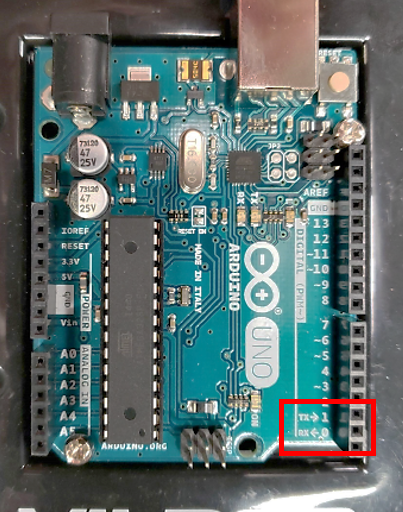
On Arduino UNO, the pin 0 and 1 are reserved for Serial pin Tx and Rx, which stands for transmit and receive, as shown below. These two pins are also internally wired to the USB port, which is used to communicate between the Arduino and the computer.
To use the serial communication, we start with Serial.begin(9600), which set the baud rate for the communication port at 9600 bit/s. Note that this value need to be matching for both ends of the communication.
This is example, a classic "Hello World!" is used. This message can be seen using the Arduino Serial Monitor, which can be opened using the button on the top right corner.

Make sure the serial monitor has the matching baud rate, or else the data will not be decoded properly.

void setup() {
  Serial.begin(9600);   // Set the baud rate at 9600 bit/s
  Serial.println("Hello World!"); // print the classic output
}

void loop() {

}This example will use the serial to output the reading from analog pin A0 in real time. Follow the previous tutorial to wire up a potentiometer.
void setup() {

  Serial.begin(9600);

}

void loop() {

  int reading = analogRead(A0); // read the analog voltage from A0
  double voltage = (double) reading/1023 * 5.0; // convert the ADC into voltage
  Serial.println(voltage);
  delay(100); // a small delay to make sure the monitor is showing at a human-readable speed

}