

-
|
Thanks for making this app. I've got the Chrome extension working, and wanted to try the desktop app. But no requests are appearing and I don't understand how it's supposed to work (the docs are a little light on this point). I get the impression that it will intercept all network traffic on my machine and scan for GraphQL queries. That sounds... very scary. Wouldn't it be better if the proxy just listened on a particular port and I could choose what traffic to send to it? In any case, how can I troubleshoot to figure out why no requests are detected in the desktop app, even though they are detected in the Chrome extension? |
Beta Was this translation helpful? Give feedback.
Replies: 3 comments 2 replies

-
|
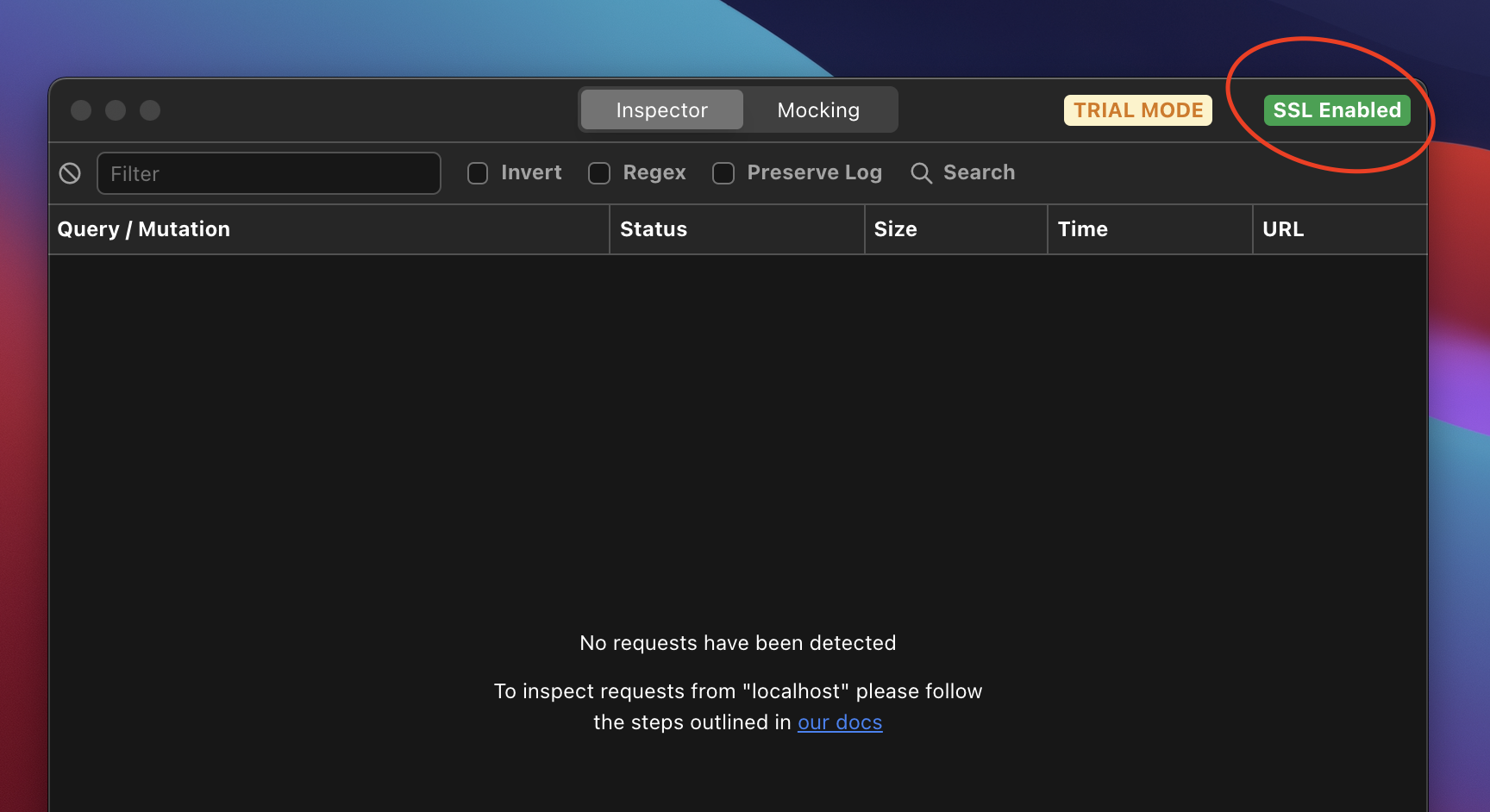
Hey @sgarner the desktop app works on the same principal as all other proxy tools like Charles Proxy. The only difference being we filter and display GraphQL traffic only. This happens all locally on your machine and data is never sent anywhere else, so it remains secure. The main benefit being that with desktop you can also intercept and modify in-flight requests. If you're proxying SSL traffic such as from a website like https://medium.com/ you'll need to enable SSL using the wizard in the top right corner of the app.
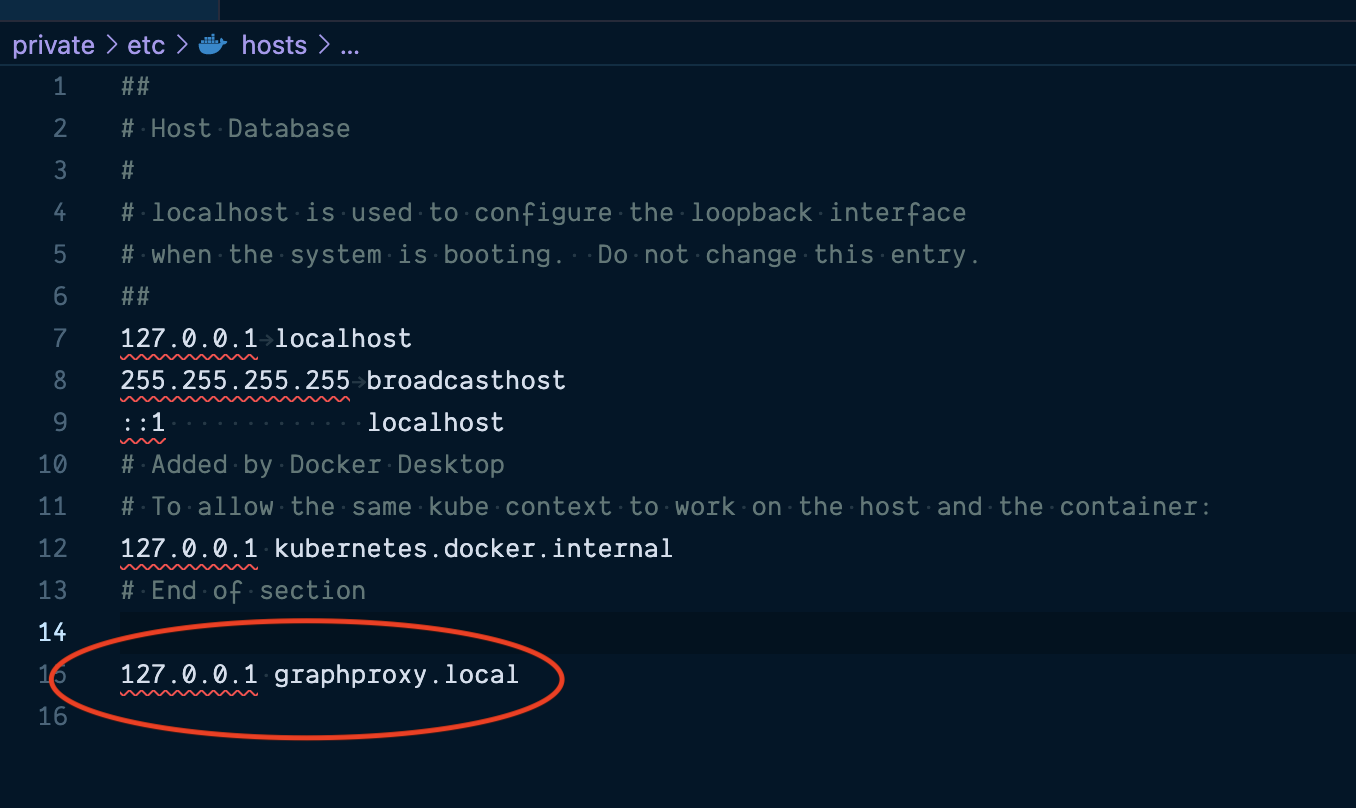
If you're using localhost mac does not proxy the traffic, so you need to add an entry to With this for example instead of visiting If you're having trouble I'd be happy to jump on a google meet with you. Thanks Warren |

Beta Was this translation helpful? Give feedback.
-
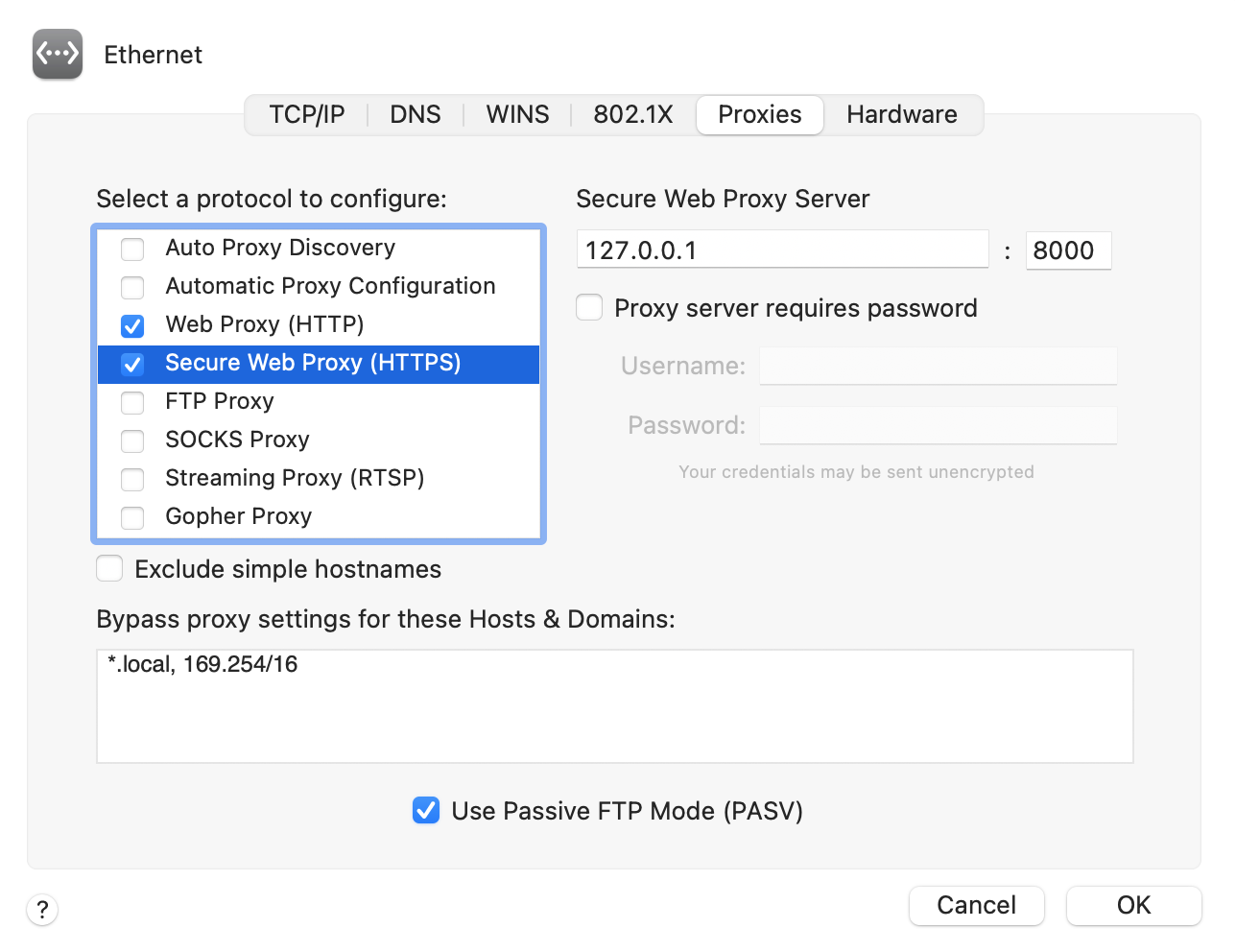
Ahh, okay, I get it now. So the configuration step that I was missing was to set the
It appears the installer did this automatically for my Wi-Fi connection, but not for my wired Ethernet connection. Since my Ethernet connection has higher priority, my internet traffic wasn't using the proxy until I copied the settings across. Now it is working.
Good to know. Thanks! |
Beta Was this translation helpful? Give feedback.

-
Correction: I notice the app enables and disables the proxy settings for Wi-Fi when the app is opened and closed. Without that functionality for Ethernet, I have to manually disable the proxy after closing the app or my internet stops working. So this should probably be considered a bug... |
Beta Was this translation helpful? Give feedback.

-
|
Ahh yes definitely a bug. All of the machines tested are on wifi so Ethernet was clearly missed. Thanks for the details, it really helps. I'll push an update shortly. Glad to hear you have it working in the meantime though. |
Beta Was this translation helpful? Give feedback.
-
|
Hey @sgarner i've pushed a fix to auto configure other network types. This should mean you no longer need to manually configure the proxy for ethernet or any other connection. You can grab the latest version here. |
Beta Was this translation helpful? Give feedback.


Ahh, okay, I get it now.
So the configuration step that I was missing was to set the
(Secure) Web Proxyto127.0.0.1:8000in macOS System Preferences > Network.It appears the installer did this automatically for my Wi-Fi connection, but not for my wired Ethernet connection. Since my Ethernet connection has higher priority, my internet traffic wasn't using the proxy until I copied the settings across. Now it is working.
Good to know. Thanks!