
Replies: 8 comments 11 replies

-
|
Hi @cyn8 - what kind of Mac do you have? |
Beta Was this translation helpful? Give feedback.

-
|
Thanks for the reply @waydabber, I have a 14-inch Macbook Pro with the M1 Max chip. The external monitor in question is an LG 38WN95C-W (if that helps). |
Beta Was this translation helpful? Give feedback.
-
|
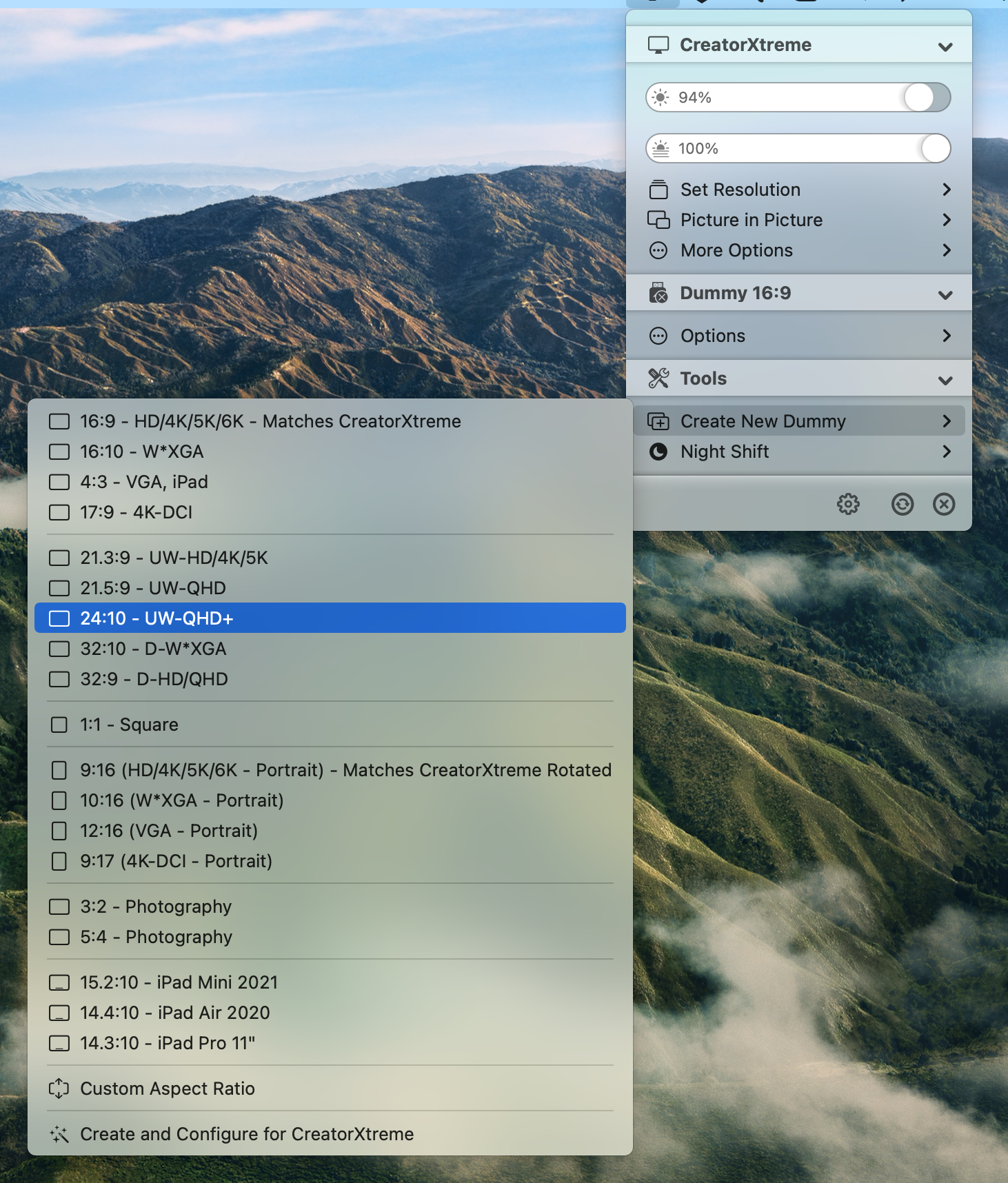
Well, you'll need to create a Dummy of 24:10 and mirror it to the LG 38WN95C-W in order to have flexible HiDPI resolutions.
|
Beta Was this translation helpful? Give feedback.
-
|
But 12.4 indeed introduced some changes which messed up resolution management. However there seems to be a way now to create native HiDPI resolutions in 12.4 on Apple Silicon as I described in #598 - I'll be adding this functionality in an upcoming beta. This will be useful for folks who don't need all the flexible resolution range of dummies but need a few specific HiDPI or scaled resolution. |
Beta Was this translation helpful? Give feedback.
-
|
I'll convert this one to a discusion now but let me know if you need any extra help with this! :) |
Beta Was this translation helpful? Give feedback.
-
|
Thanks for the help @waydabber! I spent a good couple of hours last night downgrading my system to 14.3.1, and regained the ability to force my display into HiDPI, so I'm happy for now 😄. The method of adding a dummy does work for me to get HiDPI, but unfortunately, my display is 120hz normally and looks a little strange when I set it to 60hz using a dummy right next to the 120hz display of the Macbook. I'll be keeping an eye on this for sure and will give it a go when custom scaled resolutions are added in 😊. Also made a small donation to help things out. Thanks again! |
Beta Was this translation helpful? Give feedback.
-
|
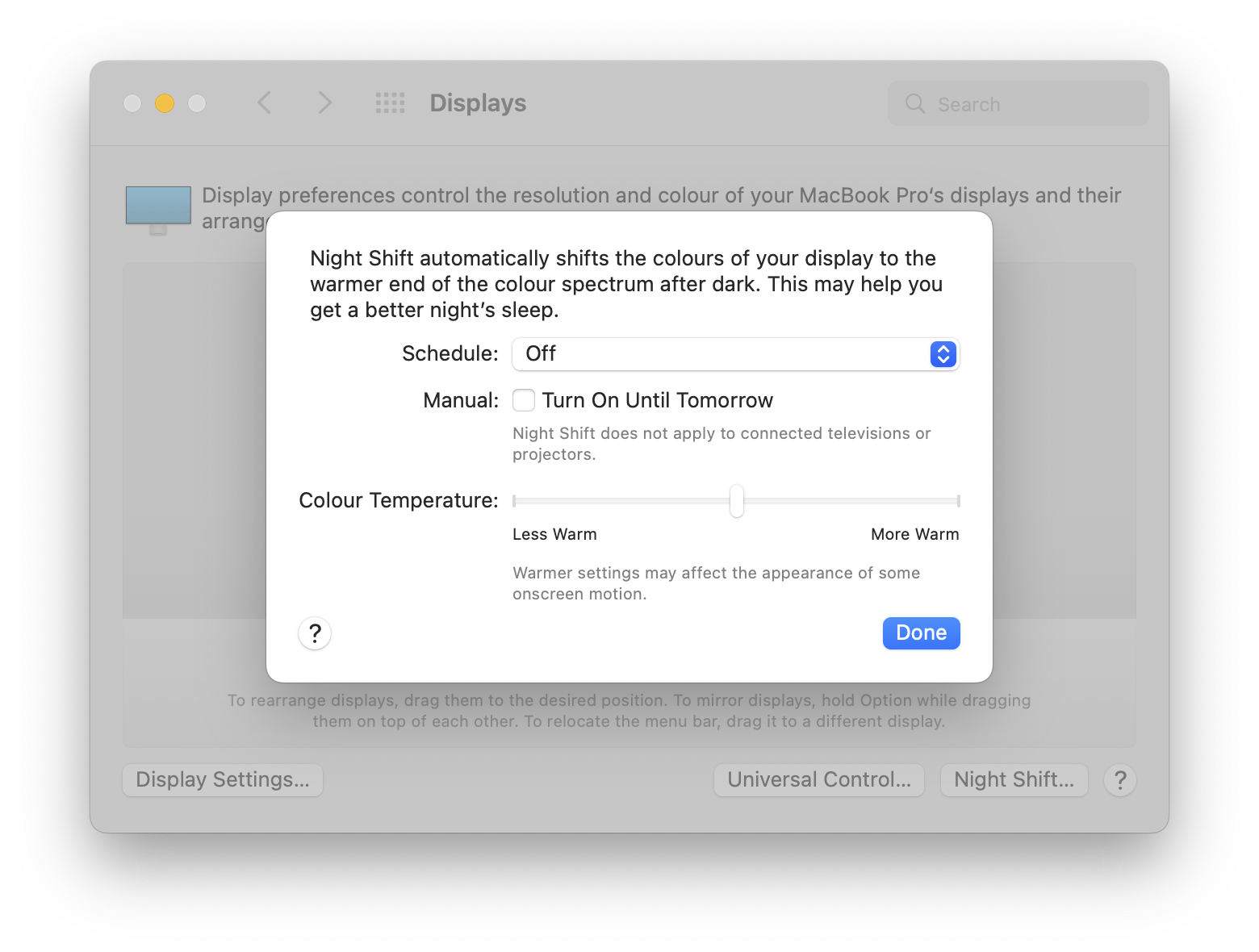
Hi there @waydabber! I made the update to 12.5, and am experiencing a few issues I'm hoping you can help out with 😅 Firstly and most simply, Night Shift on my external display just refuses to work. It worked on 12.3.1 but ceased to work after the update. I also experienced this the last time I updated. The configuration for Night Shift in the settings panel warns that it will not apply to "connected televisions or projectors", which only appears when I connect my display (maybe macOS thinks my monitor is a TV?).
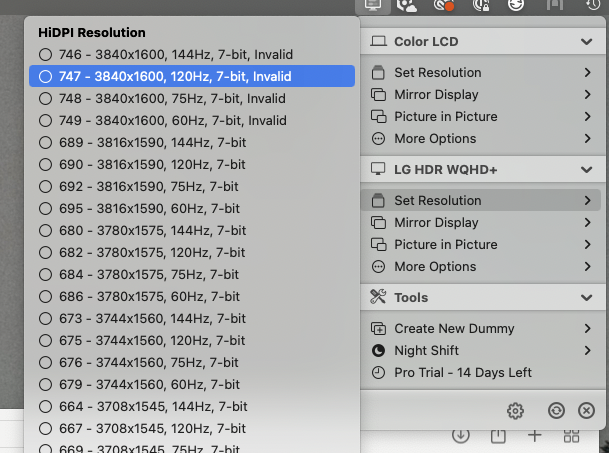
Secondly, I am still experiencing the issue where I cannot disable "Low Resolution Mode". It seems as well that the 3840x1600 HiDPI resolution is marked as "invalid", which was not the case prior to 12.4. I CAN get HiDPI by switching to the (slightly lower) 3816x1590 resolution below it, but it just seems so strange why I cannot select HiDPI 3840x1600 after 12.4.
Just curious as to what is going on here with my display, and if there are any solutions. Happy to provide any information from my system if needed 😄. Thank you so much for your hard work on BD. |
Beta Was this translation helpful? Give feedback.

-
|
Hi there, your display is probably detected as a TV. TVs are excluded from Night Shift, this was always the case, but with 12.5 Apple might have tweaked what is considered a TV as I got other reports regarding this. There is a fix for that, I'll be adding this feature to the v1.2.8 - development was a bit delayed a bit but hopefully I can wrap this up now quickly - #756 About the native resolution at HiDPI, this was a limitation in 12.4 as well. Native resolution is available only as LoDPI, not HiDPI. You can use 3816x1590 as that will result in basically the same GUI size and because of the almost 4x upscaling, quality should not be affected negatively. Btw, I see that you still have 14 days left for the trial. Is the trial counter stuck there? :) |
Beta Was this translation helpful? Give feedback.

-
|
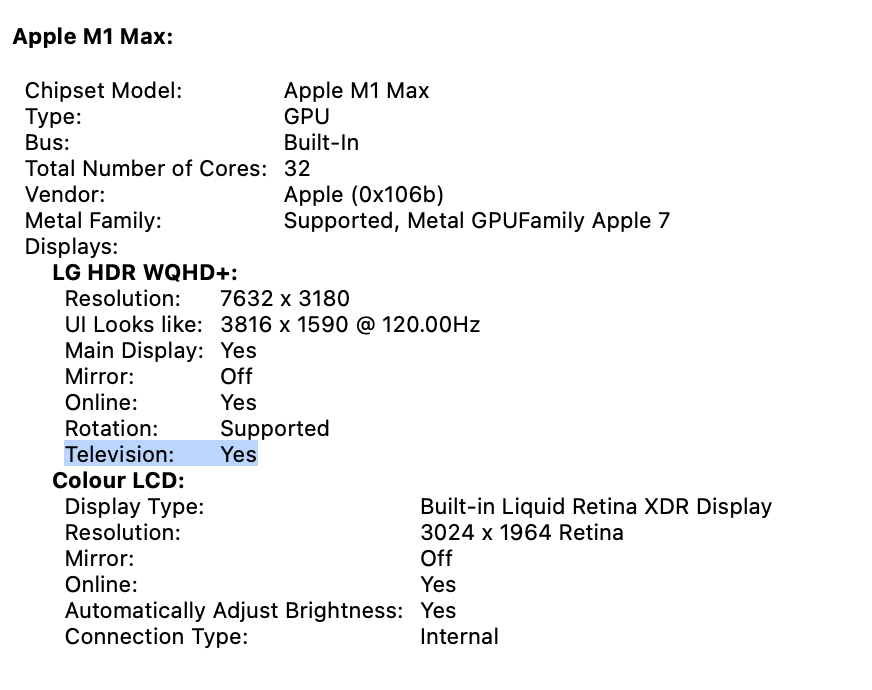
Thanks for the quick reply 😄. I can see my monitor is detected as a television in System Information, so I will just wait for v1.2.8 to get that resolved.
Regarding the native resolution, I don't mind using 3816x1590 as yes you are correct; it is an imperceivable GUI difference and is fine for my daily usage. However, I am just curious why 12.4+ changes this? When I updated to 12.5 from 12.3.1, I had 3840x1600 HiDPI still working. It's only after I change it to something else that I cannot change it back. Maybe there is some workaround possible? (or not, it is Apple after all). About the trial counter, I actually completely uninstalled 12.4 after posting that issue, as I use my computer for work and not using HiDPI on my monitor gave me a headache 😆. The screenshots are from today after just installing 12.5 and BetterDisplay. |
Beta Was this translation helpful? Give feedback.
-
|
I think that was 3840x1600 LoDPI before - but that should look fine on the display as that is the native resolution, so there won't be scaling involved and pixel ratio will be 1:1. Or you did use a dummy maybe instead of native smooth scaling? |
Beta Was this translation helpful? Give feedback.
-
|
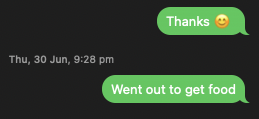
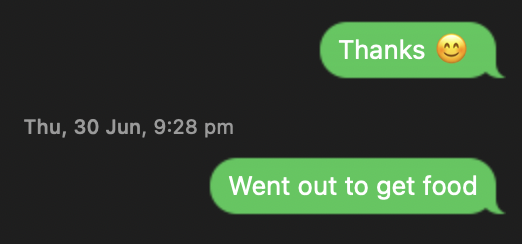
I'm not sure if it is just my monitor, but there is a massive difference between LoDPI and HiDPI at 3840x1600. When my monitor is in LoDPI at that resolution, text is rendered horribly, as such in the following screenshot in the Messages application:
Switching to HiDPI at the same resolution gives me the following:
Directly after the update to 12.5 from 12.3.1, I'm fairly certain I was in 3840x1600 HiDPI as text was being rendered like the latter, but I could be wrong. Could there be something else causing my text to render like this on 3840x1600 LoDPI? Or is is just the way macOS is? |
Beta Was this translation helpful? Give feedback.

-
|
Hey there, Chiming in on this discussion as I'm waiting on delivery of my own LG 38" tomorrow (38GN950-B), and I wanted to know if you have HiDPI working on your monitor, @cyn8. Did you have to make any changes? How's your setup working? Still on 12.3.1, or are you up to date on 12.5.1 now? Thank you for your time in advance. EDIT: Also, is macOS still detecting your display as a TV? |
Beta Was this translation helpful? Give feedback.
-
|
Yes, I've been using Ventura since dev beta1 and actually developing/testing the app on Ventura first. :) |
Beta Was this translation helpful? Give feedback.
-
|
Hey @gitbobbed, I made the update to 12.4+ and then 13.0 beta, and everything has been smooth. Unfortunately though after 12.4 I cannot set my 38WN95C-W to 3840x1600 HiDPI, but I can create a custom resolution in BetterDisplay at 3839x1599 and use that as HiDPI. It's an imperceivable difference compared to 12.3's 3840x1600 HiDPI honestly, but much needed as I genuinely cannot use this monitor in that native 3840x1600 low DPI mode as it gives me a migraine. Regarding macOS detecting the LG Monitor as a TV, it still does but I am able to change this with BetterDisplay. Hope everything goes well for you with the new monitor 😄 |
Beta Was this translation helpful? Give feedback.

-
|
Hey there, thanks for the update! Monitor has arrived and it's fantastic. I'm in 12.5.1 and have Retina at native resolution, but it's capped at 75 Hz for some reason. Not sure why, and not ideal (it's a 144 Hz monitor), but I'll keep investigating. I actually wasn't able to create a Custom Dummy either. I mean, I can create a Custom Dummy, but it's not possible to set a custom resolution (just an aspect ratio). I'll read the help documentation to see what I'm missing. |
Beta Was this translation helpful? Give feedback.
-
|
Hi, you should not create a dummy but enable native smooth scaling. Follow the https://github.com/waydabber/BetterDisplay#how-to-unlock-scaling-and-hidpi-for-my-display |
Beta Was this translation helpful? Give feedback.
-
|
Also, make sure you are using USB-C or DisplayPort, not HDMI. |
Beta Was this translation helpful? Give feedback.


Uh oh!
There was an error while loading. Please reload this page.
-
I have an LG Ultrawide with a resolution of 3840x1600, which behaves horribly on macOS under normal circumstances. Previously I was able to utilise RDM to force retina mode on my external display, but this stopped working after the update to macOS 12.4.
I tried to use BetterDummy to resolve my issues, and I noticed that I could not uncheck "Low Resolution Mode" for my external monitor. Clicking this menu item just closes the menu, and the box stays ticked when navigating back to it.
Hoping to figure out whatever issue is causing this so I can get hidpi back on my external monitor (and save my eyes from the horrible text).
Beta Was this translation helpful? Give feedback.
All reactions