
Replies: 3 comments 9 replies

-
|
Hmm. It is not clear to me why this is happening. I noticed however that when this happens, the display seems to be in HDR mode while when it does not happen, it is not. It might be that the display presents itself differently in HDR vs non-HDR mode? That would not make sense. You can try clicking the name of the display under Settings/Display to show some extra info and compare various identifiers when the issue is present and when it is not to see if there is any change. |
Beta Was this translation helpful? Give feedback.

-
@waydabber Oh I didn't know clicking the monitor name would reveal all those informations. I will get those screenshot when it happens again. However, regarding HDR, my home's monitor does support HDR mode and have it turned on, while the one at work doesn't have HDR, and this issue usually happens on home's monitor, when I get back home after working with the one at work. |
Beta Was this translation helpful? Give feedback.
-
|
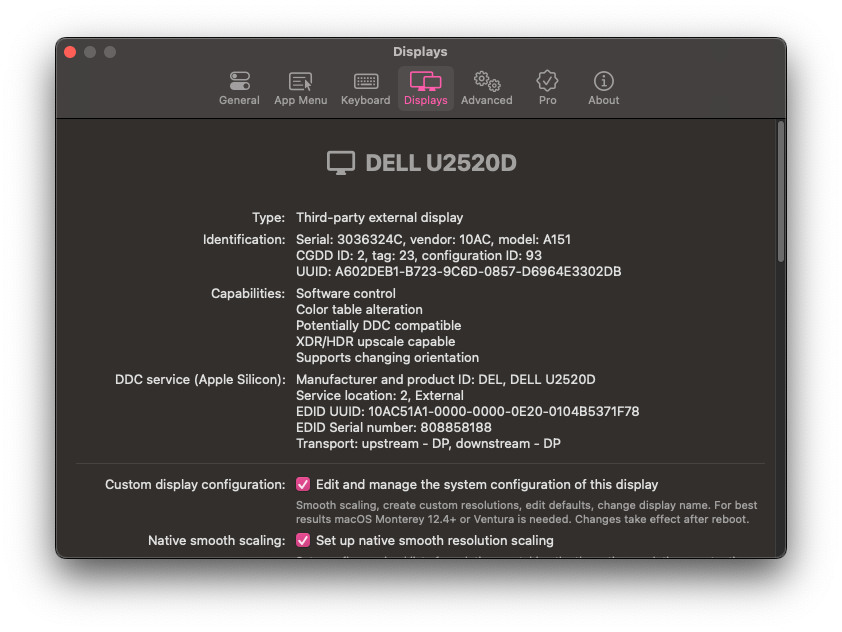
@waydabber I stumbled upon this issue again today. This is when the issue happens:
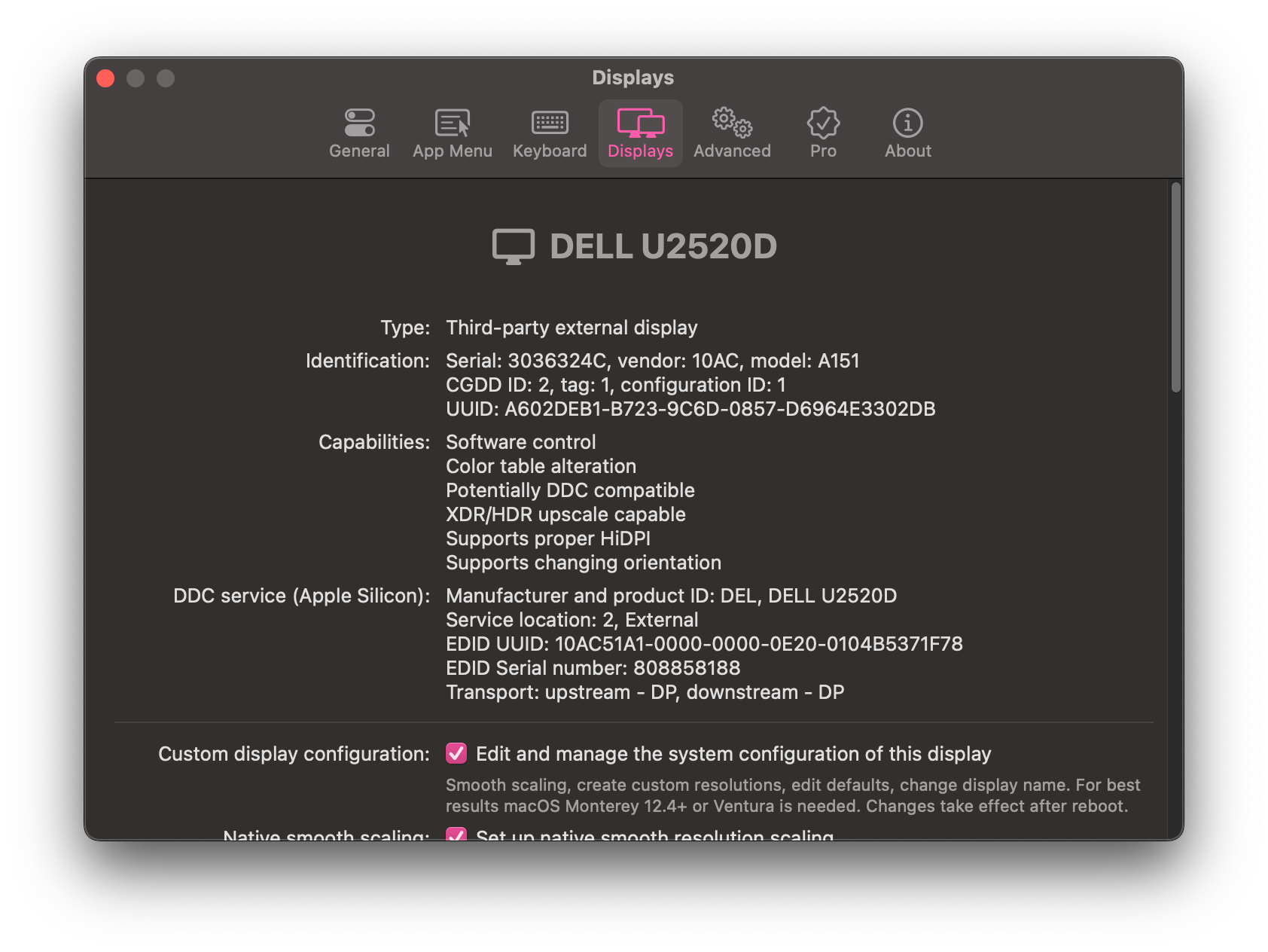
This is when everything is normal:
Everything is the same but monitor's |
Beta Was this translation helpful? Give feedback.

-
|
To be honest I don't have a clear idea why this happens. The display override file created by BetterDisplay should be read by the OS and indeed it is read but for some reason sometimes it seems like this is not the case. Even though the display properties seem unchanged. Just out of curiosity: only a restart fixes the problem or is it also fixed when you disconnect/reconnect the display? |
Beta Was this translation helpful? Give feedback.

-
|
Only a restart can fix the problem so far. I currently have some hypotheses about the causes. To list some:
It takes time to reproduce the problem, but I will try though. |
Beta Was this translation helpful? Give feedback.
-
|
When it happened today, I tried to unplug the monitor connection cable, then open my mbp's lid (which was closed from the beginning), then plug the cable in again. And voila, the resolution got fixed without restarting. |
Beta Was this translation helpful? Give feedback.
-
|
No, using a single cable for power and displayport signal is fine. |
Beta Was this translation helpful? Give feedback.
-
|
Today I tried to unplug it out and plug it in again, while the lid is still closing, and this fixes the problem. Without restarting, without opening the lid up. |
Beta Was this translation helpful? Give feedback.


Uh oh!
There was an error while loading. Please reload this page.
Uh oh!
There was an error while loading. Please reload this page.
-
Sometimes my resolution range gets lost, I need to restart my Mac to get back the whole resolution list.
My env:
P2418P2219 (at work) - 1920x1080When it happens
After restarting
My settings
Not sure whether it's because of my setup or bug.
Beta Was this translation helpful? Give feedback.
All reactions