
Replies: 3 comments

-
|
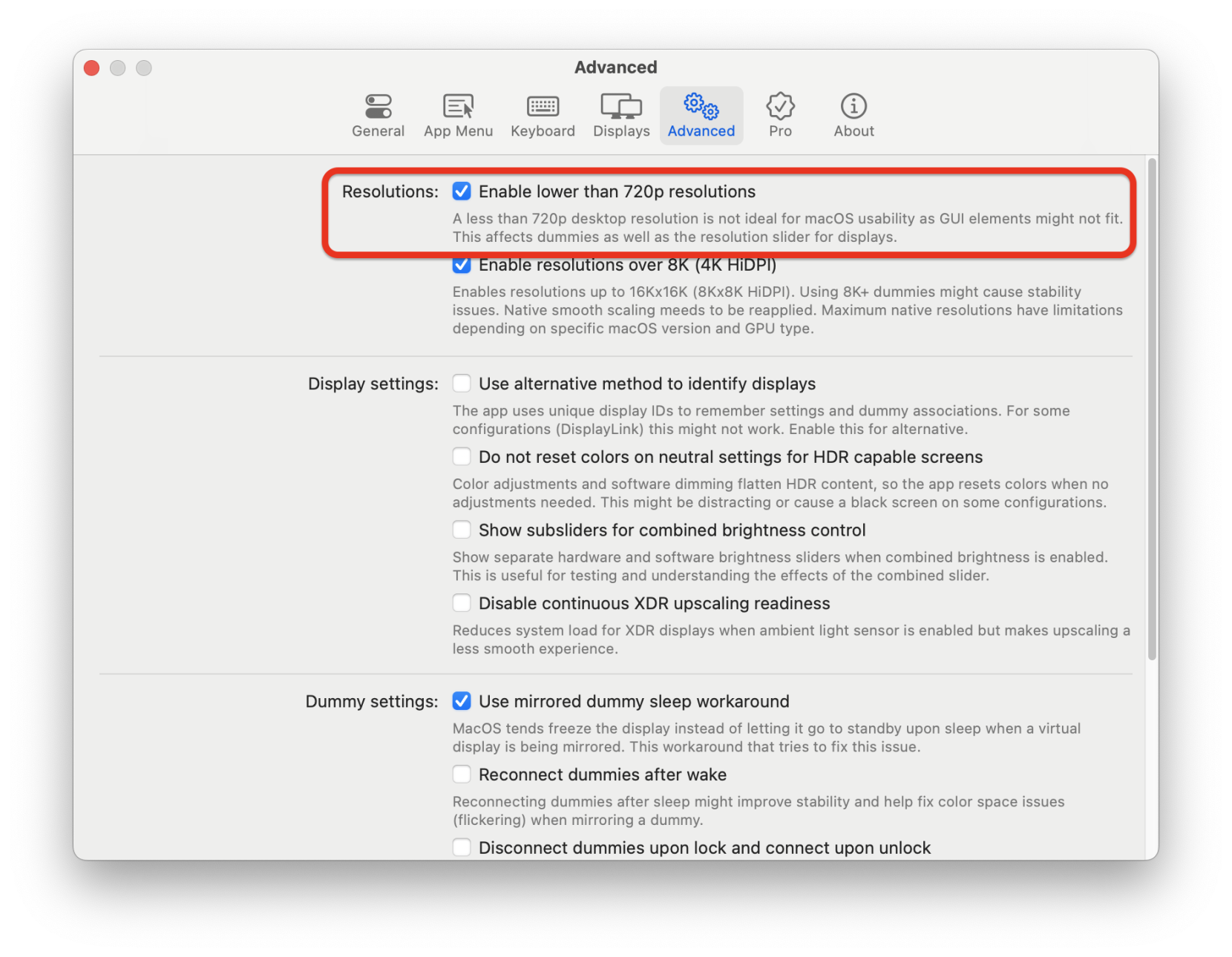
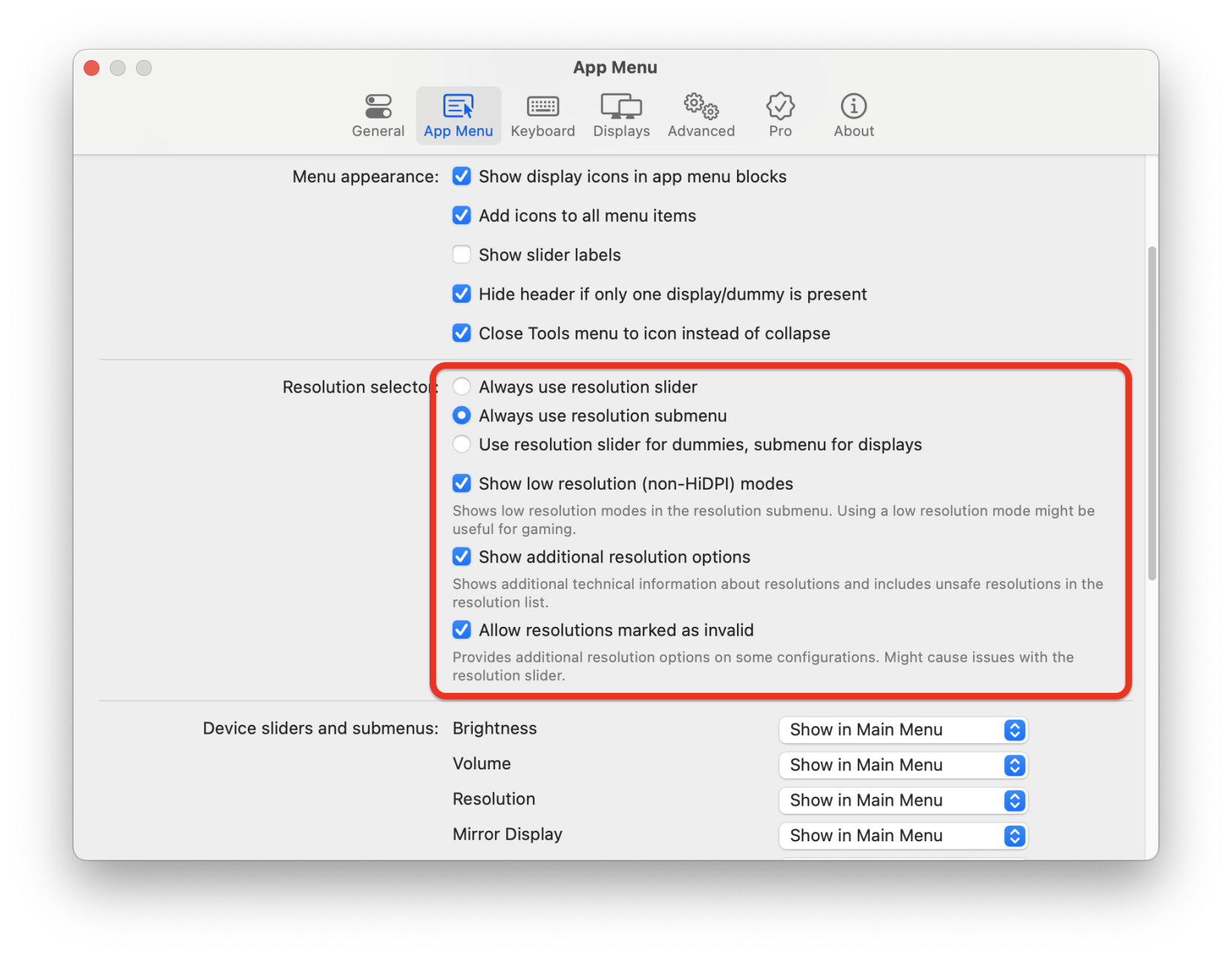
Hi there, You should try the following:
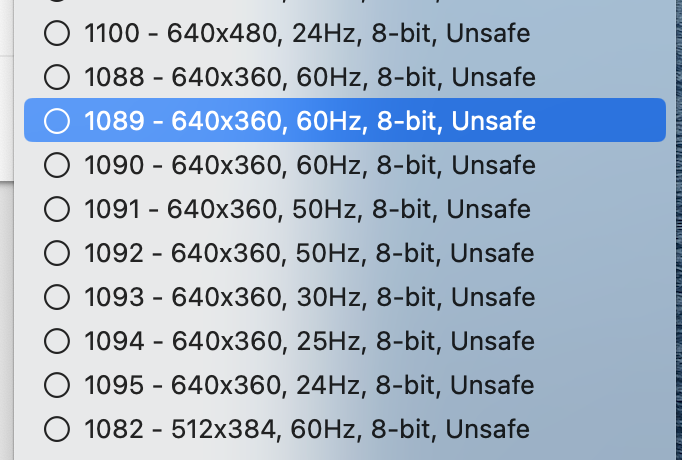
Then look in the resolution submenu for display modes with 360p resolution.
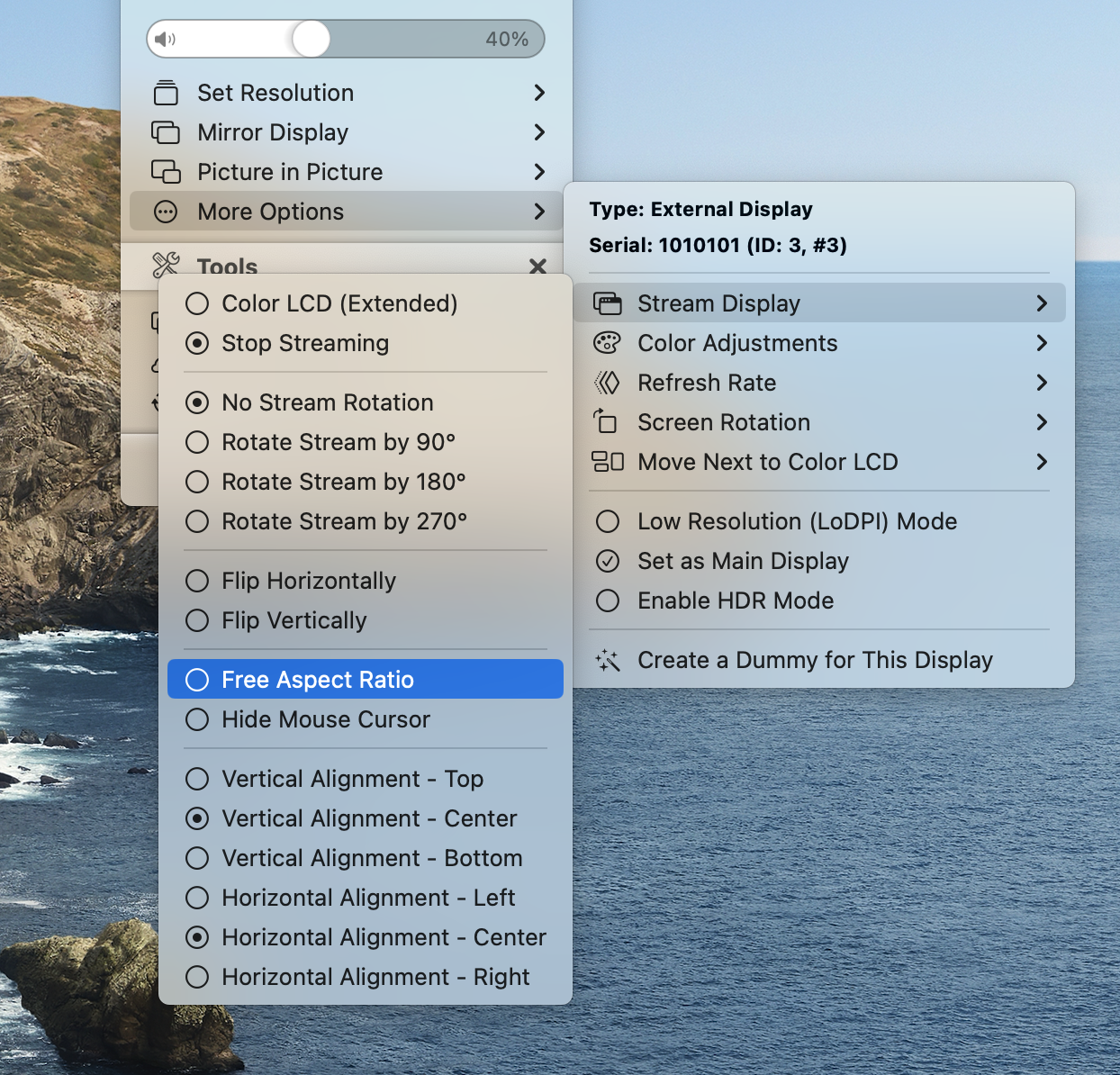
These should marked as unsafe probably and are not accessible in macOS via System Preferences. If you simply do not have the required resolutions, then the display's EDID does not expose them at all (which would be strange since then it would not work by default in Windows either). If that is the case, then you can still work with 1920x1080, since 1080p is exactly 3x of 360p,
and in the stream click on Free Aspect Ratio - that should stretch the 1920x360 dummy to the 1920x1080 output, which will be scaled back by the display to 1920x360 so things would result in being 1:1 Let me know if any of these approaches work! |
Beta Was this translation helpful? Give feedback.
-
|
All right, since this is not an actual app issue, I'll convert it into a discussion. Please let me know if you did succeed in making this work! Thanks! |
Beta Was this translation helpful? Give feedback.

-
|
solved on discord |
Beta Was this translation helpful? Give feedback.


Uh oh!
There was an error while loading. Please reload this page.
-
Hi, I recently bought a 1920360 screen from aliexpress (link) to build my arcade machine marquee.
If i connect it to my win10 nvidia pc, everything works out of the box, on my mac mini m1 it outputs a super distorted image (it recognises the screen as 19201080 and so the vertical axis of the screen is all squashed. I tried to force and create custom resolutions but i had no fortune. Can somebody help me out?
Beta Was this translation helpful? Give feedback.
All reactions