
Replies: 4 comments 5 replies

-
|
Are you using third party apps like f.lux, MonitorControl or anything else like that? Is this an entirely new behavior on 12.6 which started right after the update? I am on Ventura so I am unable to test it on 12.6 for now. Can you post a video by what do you mean it resets? |
Beta Was this translation helpful? Give feedback.

-
|
Hi there, oh you had right. It is f.lux. I'm using it since yesterday because Night Shift wasn't working for my main external screen. F.lux was the only possibility to allow that. Once I closed that app this brightness control is working above 100% and stay. Thanks for the hint! |
Beta Was this translation helpful? Give feedback.
-
|
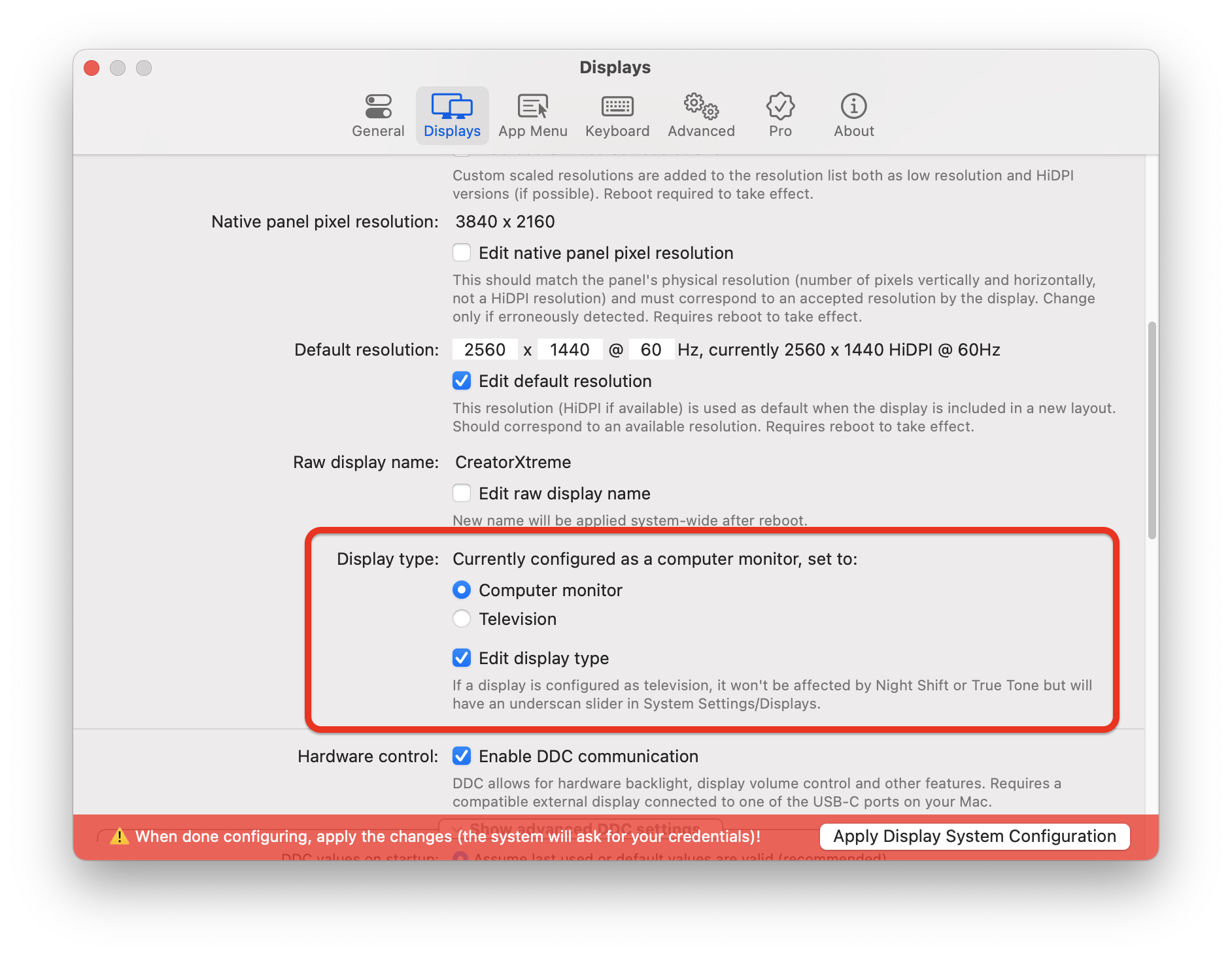
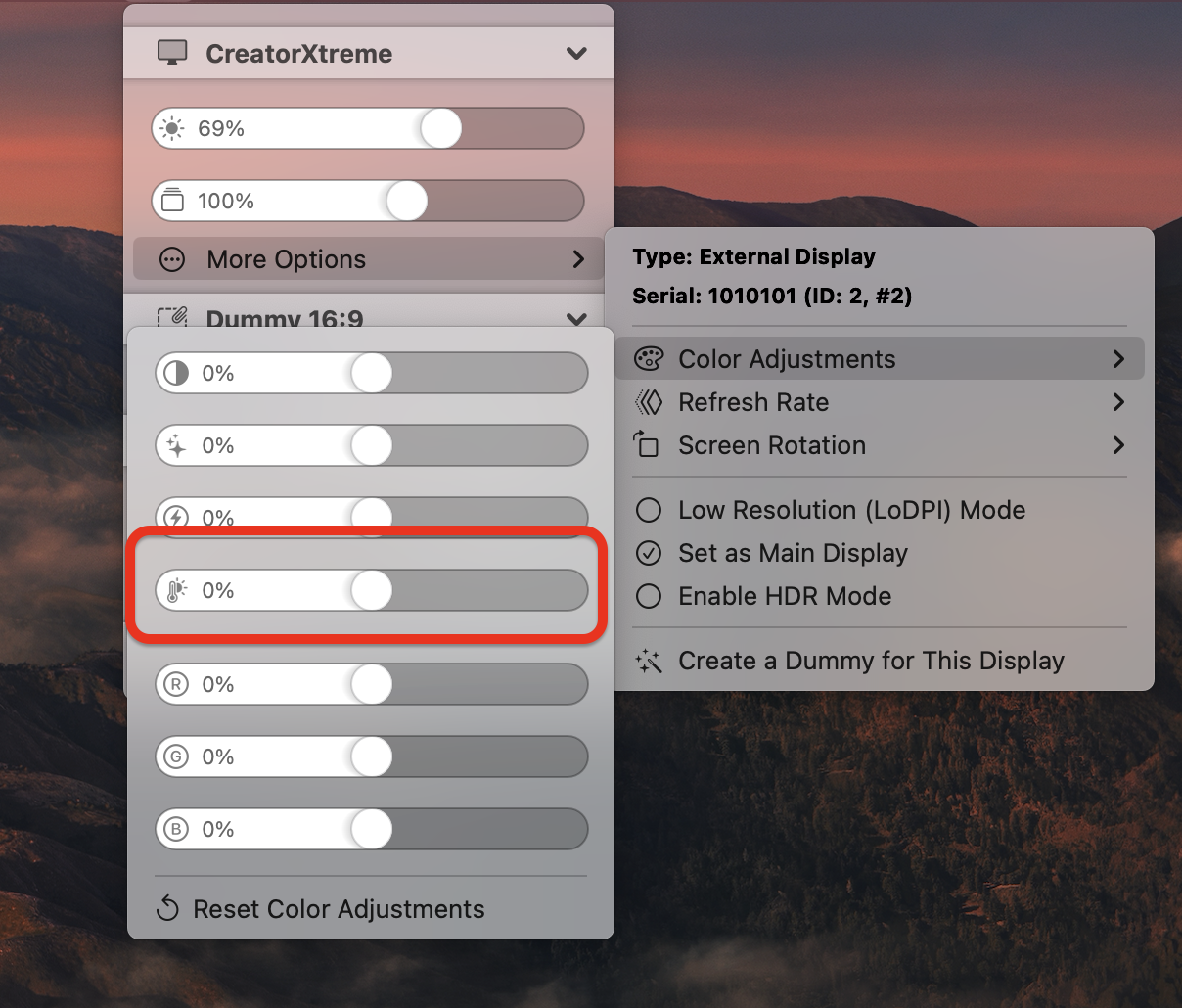
Cool! If your external screen is not Night Shift compatible, you have two options with BetterDisplay:
If you have a DisplayLink device and color correction is not available, you can force it to work with the latest driver under Settings/Displays. |
Beta Was this translation helpful? Give feedback.

-
|
cool thanks for the tip. It is always better to use just one app. 😉 Well the first option doesn't work as the Monitor is recognized as a Monitor and not TV: The second option would be great if this can be set automatically but as you said , it is in the making. 🙏🏻 |
Beta Was this translation helpful? Give feedback.
-
|
Well I don't know why, but finally with this option (display type to monitor by hand) it works. @waydabber is it possible to deactivate True Tone only on a specific monitor but not on the MBP (main device)? |
Beta Was this translation helpful? Give feedback.

-
|
No, True Tone is system-wide. I don't think this is entirely logical (imho it should only affect the internal display or at least there should be an option for it as different displays might have different output characteristics and true tone might look different on an external display versus the internal display), but this is how macOS works. |
Beta Was this translation helpful? Give feedback.
-
|
Thanks for the clarification and feedback. Unfortunately this is sad. My external screen is calibrated externally and this True Tone Settings changes this. For the MBP it works very well. |
Beta Was this translation helpful? Give feedback.
-
|
This leaves me to stay on flux and Better display unfortunately. |
Beta Was this translation helpful? Give feedback.
-
|
Why don't you simply turn True Tone off and use only Night Shift? True Tone is not really an essential feature and if I understand correctly you want Night Shift to affect your external screen (if you don't want it to be affected, you can change the display type to TV - that disables True Tone as well for the external display). |
Beta Was this translation helpful? Give feedback.


Uh oh!
There was an error while loading. Please reload this page.
-
Hi there,
I just recognized when I increase the brightness above 100%, the OS will reset it immediately afterwards. I'm not sure if this has something to do with the latest OS update.
I'm on Monterey 12.6 (21G115) on a MBP 14".
The setting seems to stay in the UI:
Beta Was this translation helpful? Give feedback.
All reactions