A VSCode extension for real-time monitoring of Trae AI usage statistics.


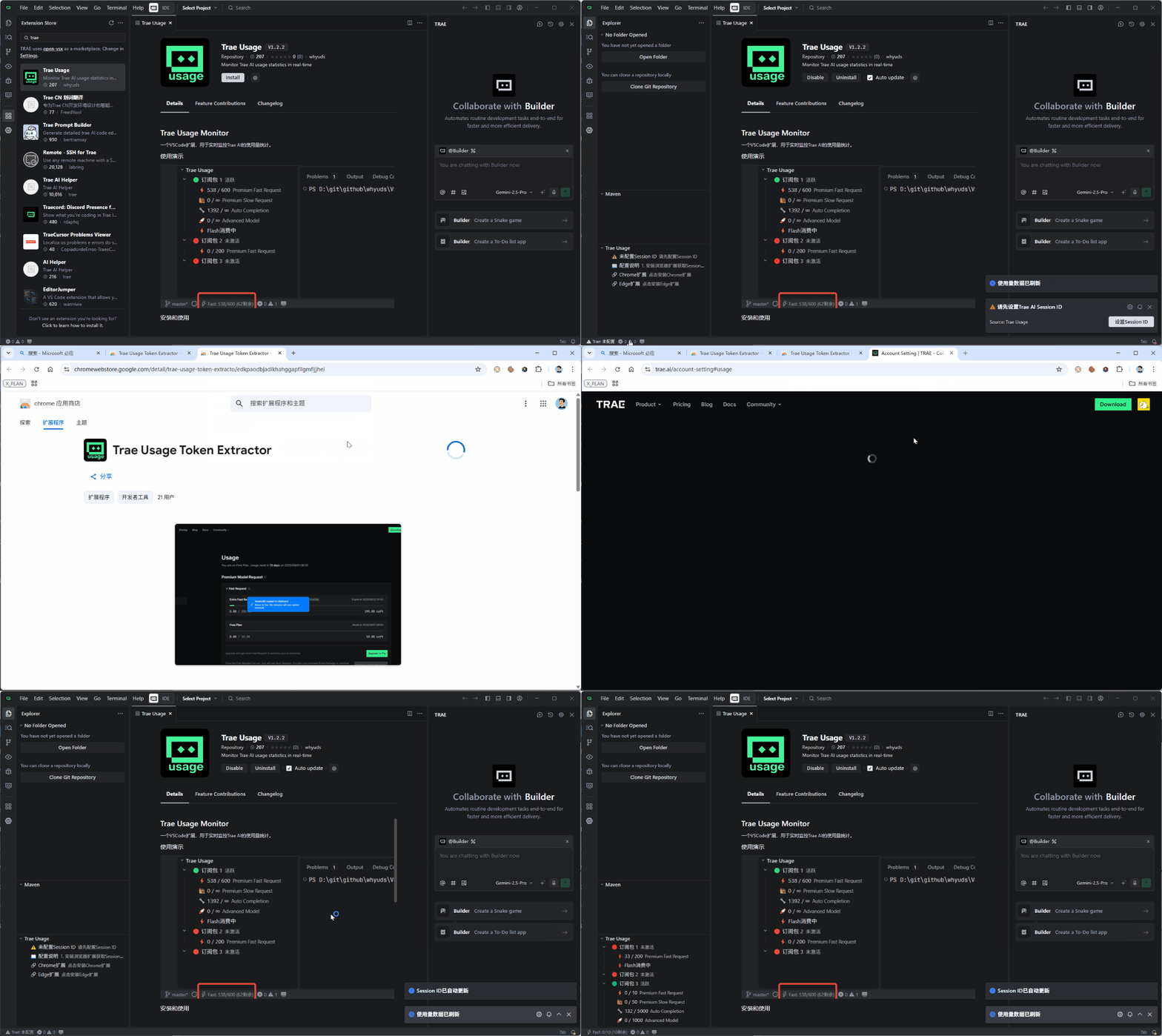
Using Browser Extension
Chrome Browser:
- Install Chrome Extension: Trae Usage Token Extractor
Edge Browser:
- Install Edge Extension: Trae Usage Token Extractor
Usage Steps:
- After installation, navigate to install Chrome extension through notifications or TraeUsage window settings
- After installation, click the Chrome extension icon in browser, then click the jump button to go to Usage page
- Login and browse the usage page to automatically get Session ID
- Click the Chrome extension icon to automatically copy Session ID to clipboard
- Return to Trae, the Trae Usage extension will automatically detect clipboard and configure Session ID
- Press Ctrl+Shift+P to open command palette, type TraeUsage: Collect Usage Details
After configuration, a "Trae Usage" view will appear in the VSCode Explorer panel on the left, displaying:
- ⚡ Premium Fast Request: Usage and remaining quota for fast requests
- 🐌 Premium Slow Request: Usage and remaining quota for slow requests
- 🔧 Auto Completion: Usage and remaining quota for auto completion
- 🚀 Advanced Model: Usage and remaining quota for advanced models
If you encounter any issues or have feature suggestions, please visit our GitHub project page:
🔗 Project Repository: https://github.com/whyuds/TraeUsage
💬 Issue Reporting: Please submit Issues on GitHub for any problems
MIT License