[Mobile Payments] Unclear error message when backgrounding the app during a payment #8624

Description

I looked at: cancel by backgrounding, cancel by receiving a call, cancel by turning off screen. I tried to look at cancelling by turning off wifi/connectivity via the control center (though I'm not sure I was able to actually target that or if it was just handled the same as backgrounding). I'd imagine the only issue that's specific to this PR is the grammar one -- let me know if you'd like the other two separated into their own GH issues.
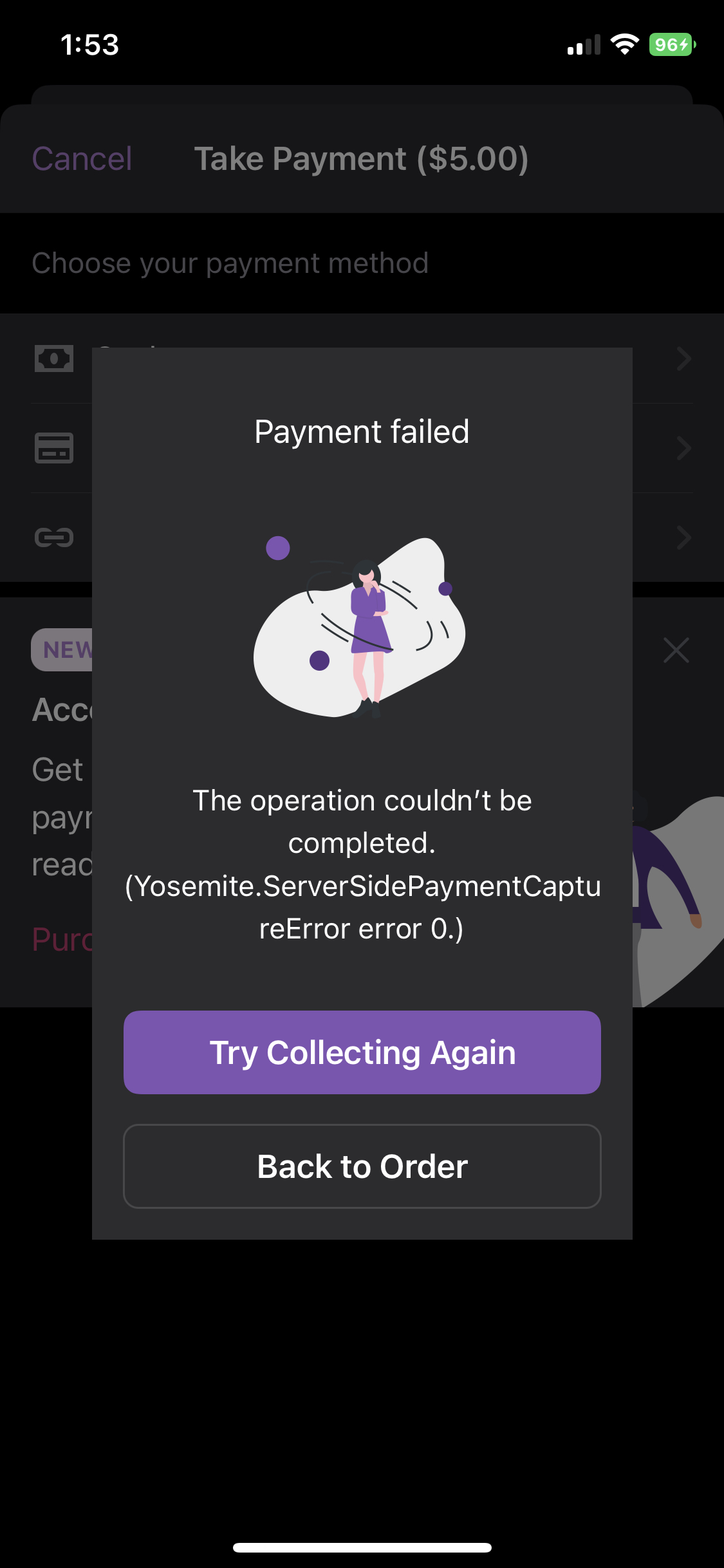
- If I cancel after I pay on the Apple screen by backgrounding or closing the screen, I get an error that payment wasn't processed but the order gets marked as completed. The error looks tech-y enough that I'd imagine the merchant would be wary, but it still seems really bad that they might re-initiate payment from the buyer or think they haven't received it.
Workflow:
- Collect Payment > Tap to Pay
- When you get to the Apple screen, pay using Stripe test card
- When Apple screen goes away, background app
- Return to Woo
- Note error
- Tap "Try Collecting Again"
- Note error
- Note order status is updated to Completed
RPReplay_Final1673553306.MP4
Originally posted by @lmischner in #8620 (comment)
Initial investigation
@lmischner Thanks for this one. When I repro it the order has actually been paid for: I checked in the Stripe dashboard and found the order was paid. I'll dig in to whether we know enough to change the error to be more descriptive, but I think given the order shows as paid correctly, it's a safe failure mode. I'll break this into a new issue and handle it separately.
Originally posted by @joshheald in #8620 (comment)