Analytics Hub: Integrate Custom Range Selector UI #8342
Conversation


 Ecarrion
added
the
category: tracks
Ecarrion
added
the
category: tracks

You can test the changes from this Pull Request by:
|


 rachelmcr
left a comment
rachelmcr
left a comment
rachelmcr
left a comment
There was a problem hiding this comment.
This is a nice solution and works great for the most part!
It's a little awkward because of how the checkmark selection appears (or rather, doesn't appear) when a custom date range is selected. It would be nice to improve that as much as possible.
| private func internalSelectionBinding() -> Binding<AnalyticsHubTimeRangeSelection.SelectionType> { | ||
| .init( | ||
| get: { | ||
| selectionType |
There was a problem hiding this comment.
This internal selection binding is really clever!
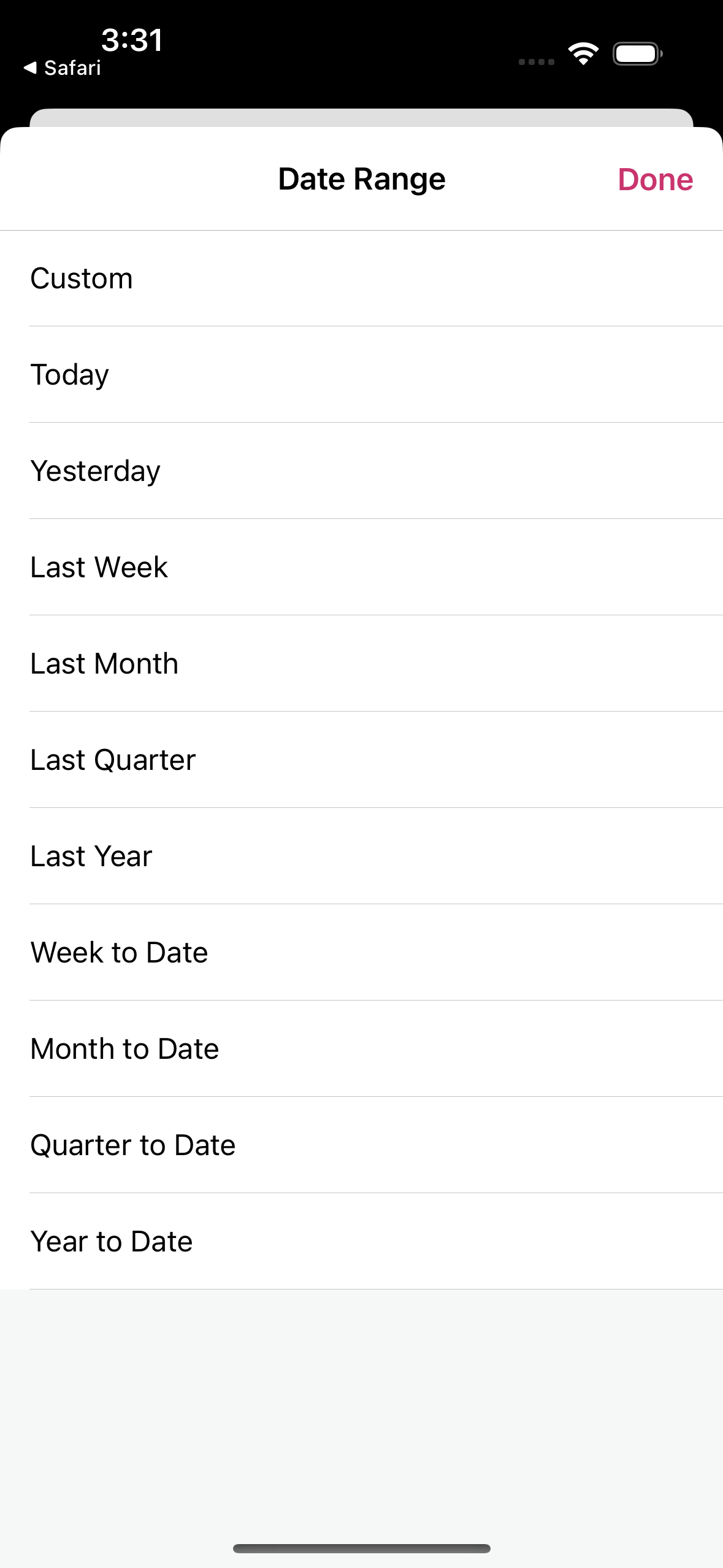
One small issue with this getter: Because the list is populated with AnalyticsHubTimeRangeSelection.SelectionType.allCases and the Custom row is defined as .custom(start: nil, end: nil), the Custom row never shows as selected in the list. If you select a custom date range, and then open the date range selector again, nothing is selected:
One solution could be to replace the getter with something like this:
| selectionType | |
| switch selectionType { | |
| // If a `custom` case is set return one with nil values so the Custom row is selected | |
| case .custom: | |
| return .custom(start: nil, end: nil) | |
| default: | |
| return selectionType | |
| } |
There was a problem hiding this comment.
I think this will be solved more elegantly once we decouple the Business options from the UI options.
I'll make sure handle that on #8340
There was a problem hiding this comment.
In the mean time, I've adopted to suggestion as it does not hunt to have it right now!

 Ecarrion
force-pushed
the
issue/8200-present-UI
branch
from
Ecarrion
force-pushed
the
issue/8200-present-UI
branch
from
6658e68 to
ff2b852
Compare

|
Thanks for the review @rachelmcr |
rachelmcr
left a comment
rachelmcr
left a comment
There was a problem hiding this comment.
That sounds like a great plan! 👍


Closes: #8200
Why
This PR connects the custom range selector and passes the selected ranges down to the view model.
How
Update Range Card View to present the custom range selector when the custom range type is selected.
Makes use of an internal binding in the range card view to track when the custom range type is pressed in order to not pass that immediately to the view model but to wait for the selected range.
Demo
Demo.mov
Testing
Note: There are two couple of known issues being tracked here
RELEASE-NOTES.txtif necessary.