Store creation M3: profiler question - optional category selector #8379
Conversation


…bout store category.
…nder the new feature flag, then show the selected category name in store summary.
…nd `StoreCreationCategoryQuestionHostingController`.
 jaclync
added
type: enhancement
jaclync
added
type: enhancement

You can test the changes from this Pull Request by:
|


There was a problem hiding this comment.
Overall this looks good to me! I spot a few minor differences with the design, though:
- The category name on the profiler screen is not capitalized like on the design.
- The title "Site Category" is not displayed when the list is scrolled up. I'm not sure if it's possible to handle it, given that the big title is different.
| Design | App |
|---|---|
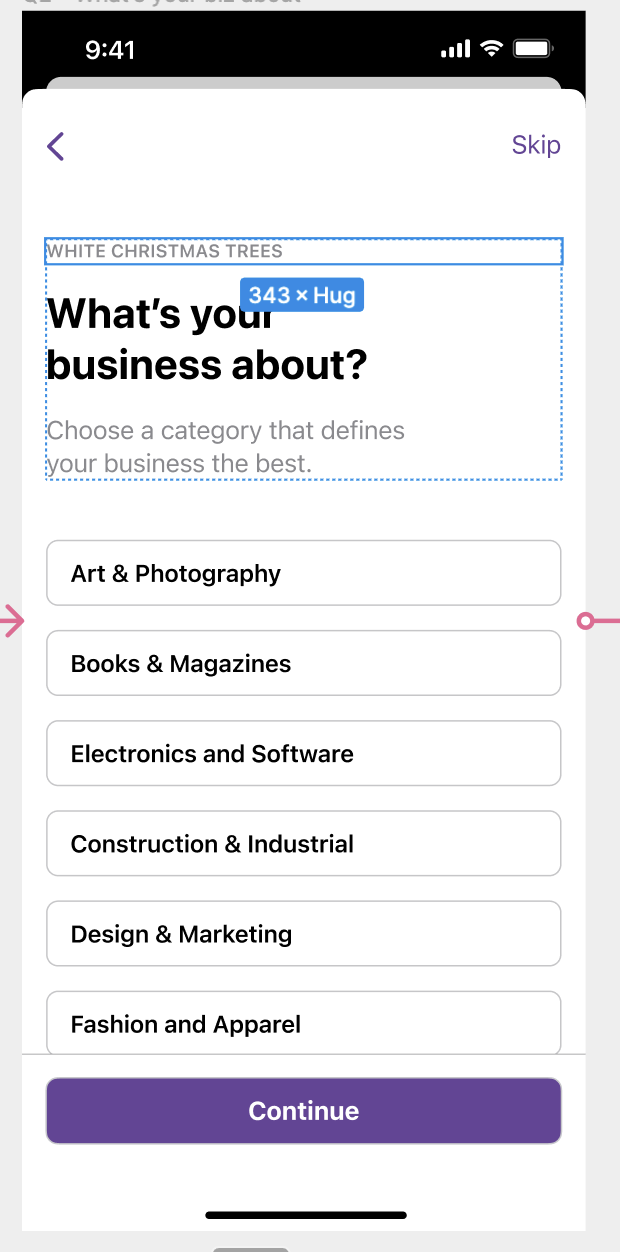 |
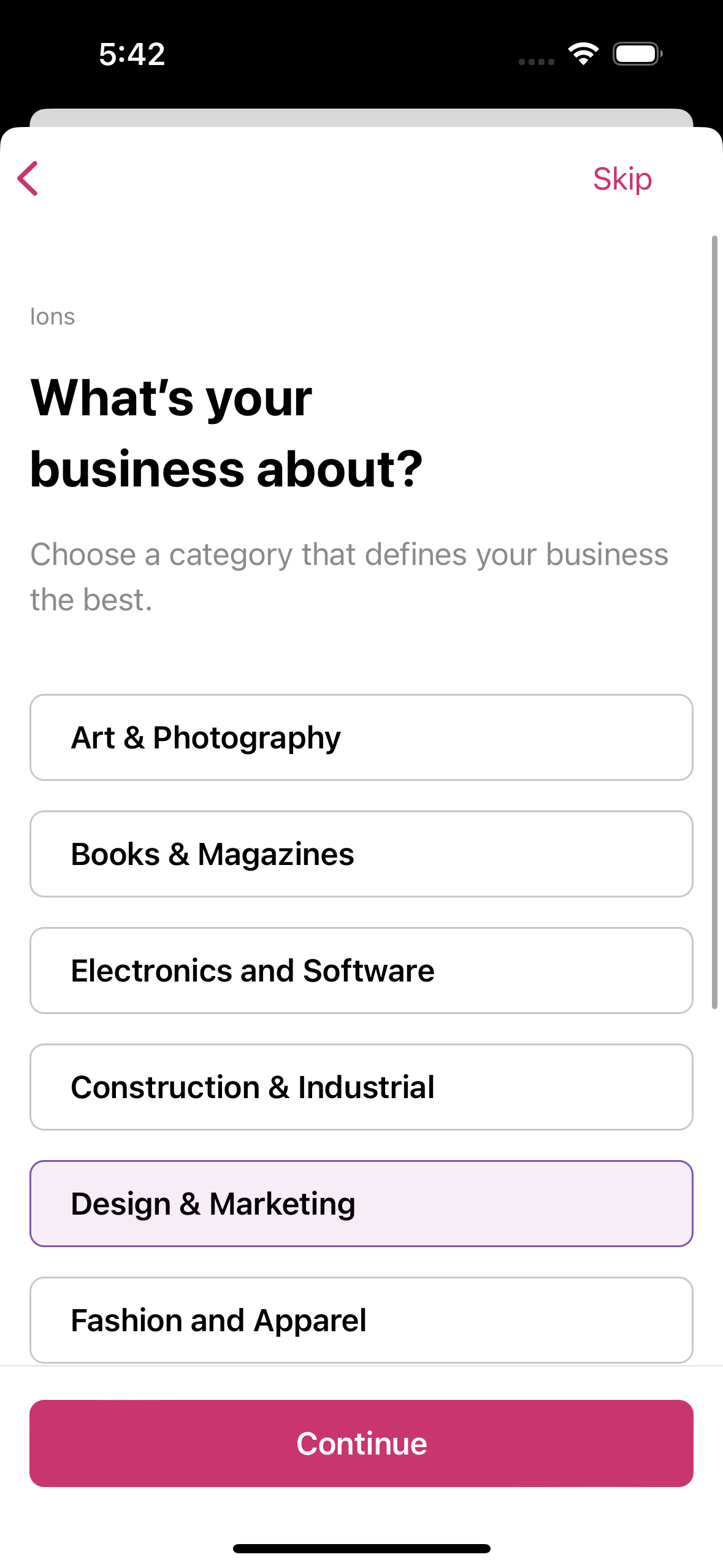 |
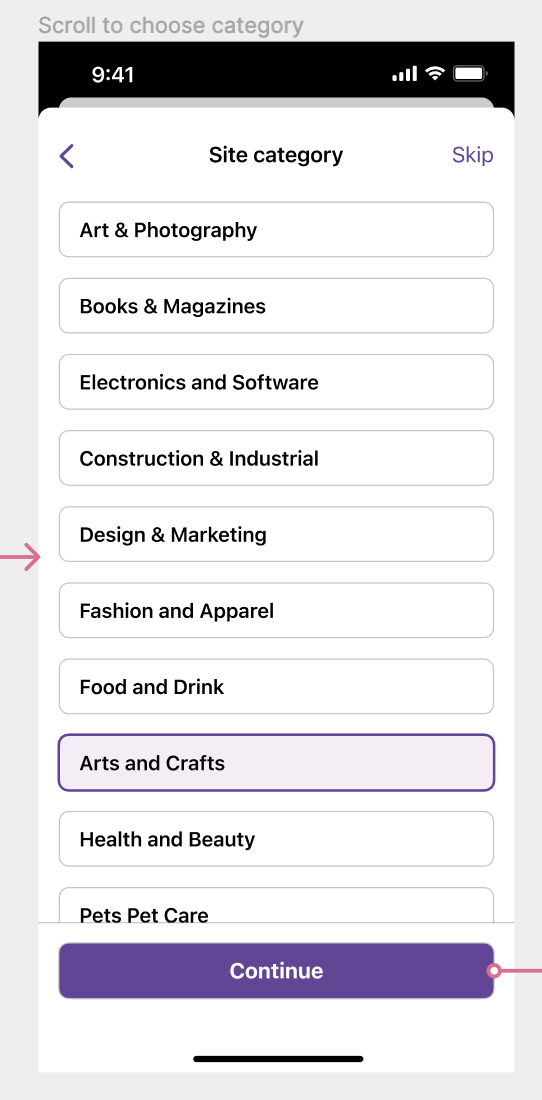 |
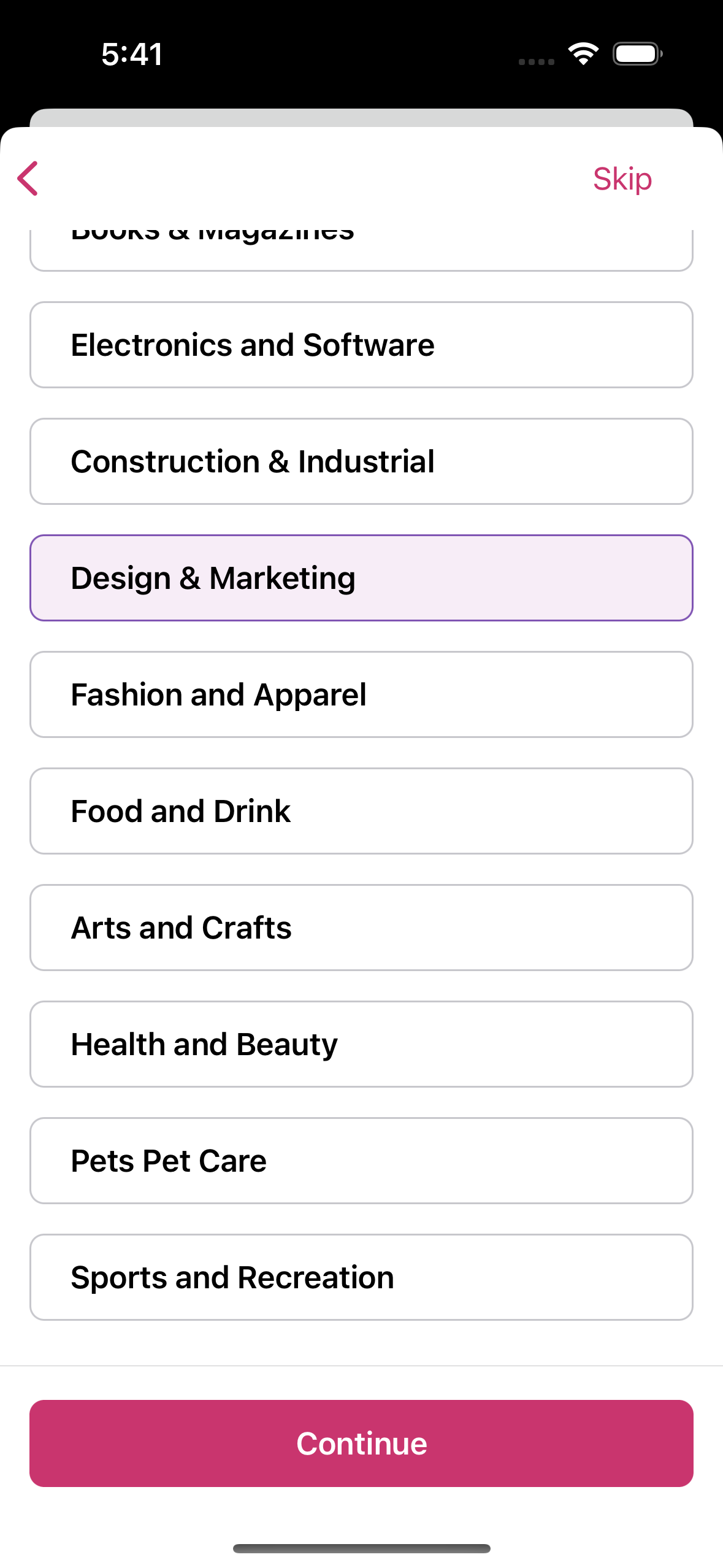 |
On an unrelated note, I realized that I could drag to dismiss on the summary screen, and there was no dialog to confirm before the view was dismissed. This may be troublesome because I don't think there's an entry point to continue payment after dismissing the flow. Please ignore this if there has already been a subtask for this.
| func configureNavigationBarAppearance() { | ||
| let appearance = UINavigationBarAppearance() | ||
| appearance.configureWithTransparentBackground() | ||
| appearance.backgroundColor = .systemBackground | ||
|
|
||
| navigationItem.standardAppearance = appearance | ||
| navigationItem.scrollEdgeAppearance = appearance | ||
| navigationItem.compactAppearance = appearance | ||
| } |
| .init(name: NSLocalizedString("Health and Beauty", | ||
| comment: "Option in the store creation category question."), | ||
| value: ""), | ||
| .init(name: NSLocalizedString("Pets Pet Care", |
There was a problem hiding this comment.
This was in the design and I had the same question, but we're also updating the list and separating it into two sections as the latest design after syncing with the Ghidorah team. There's a subtask to update the design in #8376, where the categories will be updated
* trunk: (43 commits)
  Compare visitors and views separately when sorting SiteVisitStatsItem
  Refactor: DRYed the code a bit by referring to a new extracted function.
  Rename function for reusability
  combine tap and type to enter text, assert product name
  Add temporary solution to preselect custom option
  Hide feature behind the feature flag
  Fix test
  Add migration test for Model 78 to 79
  Add views attribute to SiteVisitStatsItem in storage
  Add Core Data Model 79
  Compare visitors and views separately when sorting SiteVisitStatsItem
  Add views to SiteVisitStats
  8085 Explicit flag for cancellation source
  8085 Combine cancellation reasons in underlyingerror
  Update comments to fix grammar.
  Move ApplicationPasswordUseCase to Networking layer.
  Fix typo.
  Create `ApplicationPasswordUseCase` protocol.
  update product on orders mock files
  add simple physical product ui test
  ...

Great catch, updated in 7142d88
As you said, this isn't easily feasible since we aren't using large title as there is another label above the title. I clarified with Ann about this earlier this week, and the design was updated in HyVloP5FipZzyPVenH2euI-fi-3760%3A138977&t=gO7KflHr1ccRB4nZ-0
That's a good observation & suggestion, I disabled the interactive dismissal in 8a9ce6b. The user can still go back to the initial screen and dismiss the screen where a confirmation alert is shown. We could also re-enable interactive dismissal and show a confirmation alert later. Thanks for your feedback, I'll merge this when CI passes to make development easier for other profiler questions. |


Part of #8376
Description
Why
In order for WooCommerce to provide better customizations for the new store after store creation, we want to add a few questions to the store creation flow to understand more about the store profile. The first question is about the store category, which indicates the store's industry. This question is optional and can be skipped by tapping the
ContinueCTA without selecting an option or by tapping theSkipCTA.Changes
This PR only includes the UI part, as the API is still WIP (p1670825052838929/1670823717.177509-slack-C01SFMVEYAK). The profiler question is only shown behind a new feature flag
storeCreationM3Profiler, and the selected category is shown in the store summary screen.In order to share code in the 3 profiler questions (design in HyVloP5FipZzyPVenH2euI-fi-3066%3A144169&t=rYz8R7hZHuYF1IFo-0) where two are optional and one is required, I created a generic
StoreCreationProfilerQuestionViewfor just the main content view that can take in any question content along with shared UI that includes 3 labels at the top. Then, there'sOptionalStoreCreationProfilerQuestionViewthat wrapsStoreCreationProfilerQuestionViewwith 2 navigation CTAs - theContinueandSkipCTAs. When it's time to implement the required question #8378, I plan to create another wrapperRequiredStoreCreationProfilerQuestionViewwith only aContinueCTA with an observable boolean for whether the CTA is enabled.StoreCreationCategoryQuestionViewis the final category question view with a view modelStoreCreationCategoryQuestionViewModelthat implements the view model protocol for bothStoreCreationProfilerQuestionViewModelandOptionalStoreCreationProfilerQuestionViewModel. Any suggestions on this implementation are welcome!Testing instructions
Feature flag enabled
Switch store+ Add a storeCreate a new store--> the store name form should be shownSkipCTA at the top and aContinueCTA at the bottomSkip--> the domain selector should be shownContinue--> the domain selector should be shownFeature flag disabled
falsemanually forstoreCreationM3Profilerfeature flag inDefaultFeatureFlagServiceSwitch store+ Add a storeCreate a new store--> the store name form should be shownScreenshots
Screencast:
simulator.mov
RELEASE-NOTES.txtif necessary.