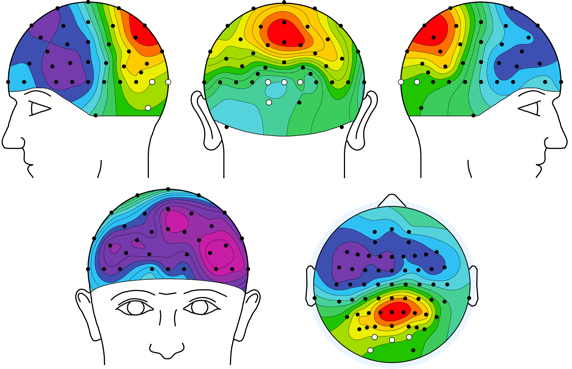
Useage:
Step1: added the toolbox into the path of MATLAB(e.g., via addpath(genpath('TheFileFolder'));
Or just run install3Dtopoplot to automatically install the toolbox.
Step2: >> topoplot_bcl % in the commandwindow of MATLAB to see the help info.
    Or

    >> help topoplot_bcl

    to see the help info.
A concise interpretation of the demo usage:
 %-------------------------------------------------------------------------------------
-
If your alreadly installed EEGLAB, then it is unnessary to download the "externBorrowedFuns" folder.
-
If you want to export the figure to vector format (e.g., pdf), we recommand to use the export_fig toolbox developed by Yair Altman (see details in https://github.com/altmany/export_fig). After installation of export_fig toolbox, you can export the figure by runing the following command:
>> export_fig('test3.pdf', '-painters', '-depsc', gcf); -
If you do think this function is usefull and have used it in your study, please cite our paper: Li A-S, Miao C-G, Han Y, He X and Zhang Y (2018) Electrophysiological Correlates of the Effect of Task Difficulty on Inhibition of Return. Front. Psychol. 9:2403.
A possible discription in your paper:
“The topographic map was generated with Yang's topoplot_bcl function based on EEGLAB's topoplot function”
Yang Zhang , yzhangpsy at suda dot edu dot cn , Department of Psychology , Soochow University