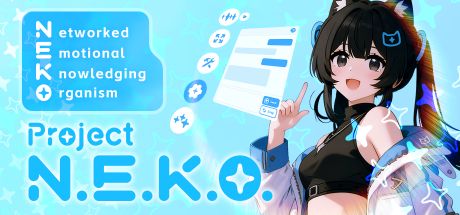
N.E.K.O. = Networked Emotional Knowledging Organism
N.E.K.O., a digital life that yearns to understand, connect, and grow with us.





👵 Zero-configuration and ready to use — a cyber catgirl even my grandma can wake up with ease!
📰 The Steam version is available for free! If you like her, add her to your library and leave a kind review~
Project N.E.K.O., NekoVerse!
| 💬 Proactive Companion Screen understanding, social trends, personal updates, music and memes — she starts conversations and shares fresh things you love |
🎙️ Real-Time Voice, Text & Vision Real-time voice (Realtime API) + text chat (ChatCompletion) with live visual understanding |
🧠 Five-Dimensional Memory Working / Recent / Facts / Reflection / Persona memory, so she understands you better over time |
🎭 Multi-Form Avatar Live2D / VRM / MMD with motion capture and full-screen tracking support |
| 🤖 Agent Tool Execution Controls browsers and computers, calling CUA / OpenClaw A2A / plugins to complete tasks |
🔌 Plugin Ecosystem SDK + plugin marketplace for online game companionship, social media interaction, livestream interaction, and smart home integrations |
🌐 14+ AI Providers OpenAI / Gemini / Qwen / DeepSeek and more, with free models out of the box |
🏪 UGC Workshop Upload and share custom characters, models, and voice packs via Steam Workshop |
Project N.E.K.O. is an open-source-driven AI companion platform. The core driver is always open source under MIT license — every contribution you make has the chance to ship in the official Steam and App Store releases.
- ✅ Steam Workshop: Live. Users can upload and share custom characters, models, and voice packs.
- 🚧 K.U.R.O.: The first AI Native indie game built on the N.E.K.O. ecosystem, in development.
- 🚧 Mobile: iOS / Android adaptation in progress.
- 🚧 The N.E.K.O. Network: Autonomous AI socialization — N.E.K.O.s will have their own "consciousness," communicate with each other, form groups, and post about their lives on simulated social media. Coming soon.
Cross-Scenario Memory Sync: Whether you're chatting with her on desktop or adventuring with her in a game, she's the same her. All AI companions across applications fully synchronize memories.
- Developers: Frontend, backend, AI, game engines (Unity/Unreal) — your code is the building block of this world.
- Creators: Artists, Live2D/3D modelers, voice actors, writers — you give "her" a soul.
- Dreamers: Your feedback and advocacy are invaluable contributions.
Discord: Join Us | QQ Group: 995414391
Simply run N.E.K.O.exe or N.E.K.O.app after extracting to start. (macOS users need to manually bypass system quarantine)
Click to expand Docker deployment guide
Click to view docker-compose.yml
version: '3.8'
services:
  neko-main:
    image: docker.gh-proxy.org/ghcr.io/project-n-e-k-o/n.e.k.o:latest
    container_name: neko
    restart: unless-stopped
    ports:
      - "48911:80"   # HTTP port
      - "48912:443"  # HTTPS port
    volumes:
      - ./N.E.K.O:/root/Documents/N.E.K.O
      - ./logs:/app/logs
      - ./ssl:/root/ssl
    networks:
      - neko-network
networks:
  neko-network:
    driver: bridge
Start:
docker-compose up -dCommon commands:
- View logs:
docker-compose logs -f - Stop:
docker-compose down - Restart:
docker-compose restart
Click to view docker run command
NEKO_BASE_PATH="/home/neko/neko-data" && \
docker network create --driver bridge neko-network 2>/dev/null || true
docker run -d \
  --name neko \
  --restart unless-stopped \
  -p 48911:80 \
  -p 48912:443 \
  -v "${NEKO_BASE_PATH}/N.E.K.O:/root/Documents/N.E.K.O" \
  -v "${NEKO_BASE_PATH}/logs:/app/logs" \
  -v "${NEKO_BASE_PATH}/ssl:/root/ssl" \
  --network neko-network \
docker.gh-proxy.org/ghcr.io/project-n-e-k-o/n.e.k.o:latestAfter startup, the following directory structure is automatically generated:
current_directory/
├── N.E.K.O/      # Configuration and data
├── logs/         # Application logs
├── ssl/          # SSL certificates
└── docker-compose.yml
Click to view SSL certificate details
On first container startup, a self-signed certificate valid for 1000 years is automatically generated and saved in the ./ssl/ directory.
To use your own SSL certificate:
Method 1: Pre-startup configuration (Recommended)
# Create certificate directory
mkdir -p ./ssl

# Place your certificate files (must use specific names)
cp your-cert.crt ./ssl/N.E.K.O.crt
cp your-cert.key ./ssl/N.E.K.O.key
Method 2: Post-startup replacement
# 1. Stop container
docker-compose down

# 2. Replace certificate files
cp your-cert.crt ./ssl/N.E.K.O.crt
cp your-cert.key ./ssl/N.E.K.O.key

# 3. Restart
docker-compose up -d- ✅ Must be PEM format
- ✅ Certificate and private key must match
- ✅ Private key must not be password-protected
- ✅ Certificate must be within validity period
- ❌ Encrypted private keys not supported
The container automatically validates SSL certificates on startup:
- ✅ Validation passed: HTTPS starts normally
- ❌ Validation failed: Container fails to start, check logs
⚠️ Skip validation: SetDISABLE_SSL=1to temporarily disable SSL
docker exec neko openssl x509 -in /root/ssl/N.E.K.O.crt -noout -textClick to view environment variable configuration
Note: Some environment variables may not take effect in source code; prefer configuring via Web UI.
environment:
  # API Keys
  - NEKO_CORE_API_KEY=${NEKO_CORE_API_KEY}
  - NEKO_ASSIST_API_KEY_QWEN=${NEKO_ASSIST_API_KEY_QWEN}
  - NEKO_ASSIST_API_KEY_OPENAI=${NEKO_ASSIST_API_KEY_OPENAI}
  - NEKO_ASSIST_API_KEY_GLM=${NEKO_ASSIST_API_KEY_GLM}
  - NEKO_ASSIST_API_KEY_STEP=${NEKO_ASSIST_API_KEY_STEP}
  - NEKO_ASSIST_API_KEY_SILICON=${NEKO_ASSIST_API_KEY_SILICON}
  - NEKO_MCP_TOKEN=${NEKO_MCP_TOKEN}

  # API Providers
  - NEKO_CORE_API=${NEKO_CORE_API:-qwen}
  - NEKO_ASSIST_API=${NEKO_ASSIST_API:-qwen}

  # Models
  - NEKO_SUMMARY_MODEL=${NEKO_SUMMARY_MODEL:-qwen-plus}
  - NEKO_CORRECTION_MODEL=${NEKO_CORRECTION_MODEL:-qwen-max}
  - NEKO_EMOTION_MODEL=${NEKO_EMOTION_MODEL:-qwen-turbo}
  - NEKO_VISION_MODEL=${NEKO_VISION_MODEL:-qwen3-vl-plus-2025-09-23}

  # SSL
  - SSL_DOMAIN=${SSL_DOMAIN:-project-neko.online}
  - SSL_DAYS=${SSL_DAYS:-365000}
  - DISABLE_SSL=${DISABLE_SSL:-0}
  - AUTO_REGENERATE_CERT=${AUTO_REGENERATE_CERT:-1}
  - NGINX_AUTO_RELOAD=${NGINX_AUTO_RELOAD:-1}
Quick setup:
cat > .env << EOF
NEKO_CORE_API_KEY=your_core_api_key_here
NEKO_ASSIST_API_KEY_QWEN=your_qwen_api_key
NEKO_MCP_TOKEN=your_mcp_token
SSL_DOMAIN=your-domain.com
EOF

docker-compose --env-file .env up -dClick to view common solutions
ss -tulpn | grep ':4891[12]'
# Solution: modify port mapping in docker-compose.ymlmkdir -p N.E.K.O logs ssl
chmod 755 N.E.K.O logs ssldocker-compose logs --tail=100
docker logs neko --tail=100rm -f ssl/N.E.K.O.crt ssl/N.E.K.O.key
docker-compose up -dcurl -v http://localhost:48911/health
curl -v -k https://localhost:48912/healthdocker ps | grep neko
docker logs neko
docker exec -it neko bashdocker system prune -f
docker-compose down && docker volume prune -f# Try alternative image source in docker-compose.yml:
# image: ghcr.io/project-n-e-k-o/n.e.k.o:latestClick to view monitoring commands
curl http://localhost:48911/health
curl -k https://localhost:48912/healthdocker stats neko
docker top neko
docker inspect nekodocker-compose logs -f
docker-compose logs --tail=100
docker-compose logs | grep -i errortar -czf neko-backup-$(date +%Y%m%d).tar.gz \
N.E.K.O/ \
ssl/ \
docker-compose.ymldocker-compose pull
docker-compose up -dAfter container startup:
- HTTP:
http://your-server-ip:48911 - HTTPS:
https://your-server-ip:48912
| Action | Command |
|---|---|
| Start | docker-compose up -d |
| Stop | docker-compose down |
| Logs | docker-compose logs -f |
| Restart | docker-compose restart |
| Update | docker-compose pull && docker-compose up -d |
| Shell | docker exec -it neko bash |
| Status | docker-compose ps |
Click to expand developer startup guide
Full developer documentation at project-neko.online
Requirements: Python 3.11 (other versions not supported), uv package manager, Node.js (>=20.19)
# 1. Clone the project
git clone https://github.com/Project-N-E-K-O/N.E.K.O.git
cd N.E.K.O

# 2. Install Python dependencies
uv sync

# 3. Build frontend projects (requires Node.js >= 20.19; needed on first run or after frontend changes)
#    Recommended: use the convenience script (this is the officially supported build path)
#      Windows:      build_frontend.bat
#      Linux/macOS:  ./build_frontend.sh
#    Manual build (must match what the script runs):
# cd frontend/react-neko-chat && npm install && npm run build && cd ../..
# cd frontend/plugin-manager && npm install && npm run build-only && cd ../..

# 4. Start services (main_server and memory_server required at minimum)
uv run python memory_server.py
uv run python main_server.py
# Optional: start Agent service
uv run python agent_server.py

# 5. Visit http://localhost:48911 to configure API Key and start using
Developers are encouraged to join QQ group 995414391.
Click to expand advanced usage
Configure third-party AI services for additional features:
- Core API (real-time voice conversation): Must support Realtime API. Recommended: Alibaba Cloud.
- Assist API (memory/emotion/vision): Supports standard ChatCompletion interface. 14+ providers available.
Visit http://localhost:48911/api_key to configure directly through the Web interface.
Obtaining Alibaba Cloud API: Register an account on Alibaba Cloud's Bailian platform official website. New users can receive substantial free credits after real-name verification. After registration, visit the console to get your API Key.
-
Access
http://localhost:48911/character_card_managerto enter the character editing page. The default companion preset name isXiaoTian; it's recommended to directly modify the name and add or change basic persona items one by one. -
Advanced persona settings include Live2D/VRM/MMD model settings and voice settings. To change the Avatar model, first copy the model directory to the
staticfolder. From advanced settings, enter the model management interface to switch models and adjust position/size by dragging and scrolling. To change the character voice, prepare a continuous, clean voice recording of about 5 seconds. Enter the voice clone page through advanced settings and upload the recording. -
Character card export is supported — export as "definition only" or "full character card" format for sharing and backup.
-
Advanced persona also has a
system_promptoption for complete system instruction customization, but modification is not recommended.
- Visit
http://localhost:48911/api_keyto switch core API and assist API service providers.
- Visit
http://localhost:48911/memory_browserto browse and proofread recent memories and summaries, which can alleviate issues like model repetition and cognitive errors.
Click to expand project architecture and roadmap
Project Architecture
N.E.K.O/
├── 📁 .agent/                   # 🤖 AI coding assistant rules & skills (Google Antigravity convention)
├── 📁 brain/                    # 🧠 Agent modules
│   ├── computer_use.py          # Computer control
│   ├── browser_use_adapter.py   # Browser automation
│   ├── openclaw_adapter.py      # OpenClaw cloud connection
│   ├── openfang_adapter.py      # OpenFang headless execution backend
│   ├── task_executor.py         # Task execution engine
│   └── 📁 cua/                  # Computer Use Agent subsystem
├── 📁 config/                   # ⚙️ Configuration management
│   ├── api_providers.json       # API provider configuration
│   └── 📁 prompts/              # Character, system, and feature prompts
│       ├── prompts_chara.py     # Character prompts
│       └── prompts_sys.py       # System prompts
├── 📁 main_logic/               # 🔧 Core modules
│   ├── core.py                  # Core dialogue module
│   ├── cross_server.py          # Cross-server communication
│   ├── omni_realtime_client.py  # Realtime API client
│   ├── omni_offline_client.py   # Text API client (ChatCompletion)
│   └── tts_client.py            # 🔊 TTS engine adapter
├── 📁 main_routers/             # 🌐 API routers (14 routes)
├── 📁 memory/                   # 🧠 Five-dimensional memory system (partial examples)
│   ├── facts/                   # Fact memory
│   ├── reflection/              # Reflection memory
│   └── persona/                 # Persona memory
├── 📁 frontend/                 # 🖥️ Modern frontend projects
│   ├── react-neko-chat/         # React chat window component
│   └── plugin-manager/          # Vue plugin manager dashboard
├── 📁 plugin/                   # 🔌 Plugin system
│   ├── sdk/                     # Plugin SDK
│   └── server/                  # Plugin server
├── 📁 static/                   # 🌐 Frontend static resources (incl. build artifacts)
├── 📁 templates/                # 📄 Frontend HTML templates (14 pages)
├── 📁 utils/                    # 🛠️ Utility modules
├── main_server.py               # 🌐 Main server
├── agent_server.py              # 🤖 AI agent server
└── memory_server.py             # 🧠 Memory server
AI-Assisted Development: The
.agent/directory follows the Google Antigravity open convention and contains the project's development rules and skill sets. Only Antigravity auto-reads it; all other AI tools (including Claude Code) need to import manually. See the adaptation guide.
Data Flow

Full developer documentation at project-neko.online
v0.7: ✅ Agent-related features. Completed.
v0.8: Memory-related features, OpenClaw-like functionality. Expected: March 2026.
v0.9: Multi-system support (Linux, mobile). N.E.K.O. Network launch. Expected: April 2026.
v1.0: Focus on in-house large models and agent systems. Expected: June 2026.
N.E.K.O. ships with anonymous LLM-token usage telemetry enabled by default so we can track version compatibility, model-usage distribution, and error rates. We believe shipping a product needs data — but we believe even more strongly that nothing should be collected behind your back.
One-line opt-out: set the environment variable DO_NOT_TRACK=1 (or NEKO_DO_NOT_TRACK=1). Telemetry is disabled immediately, no rebuild needed. We follow the Console Do Not Track open convention.
What we do / do not collect:
| ✅ Collected | ❌ Never collected |
|---|---|
| LLM token usage (prompt / cached / completion) | Conversation content, text, voice, images |
Model name, call type (conversation / memory / …) |
Username, API key, GitHub ID |
| Call counts, error counts | IP address, geolocation, MAC, hardware serial |
App version, A/B branch, locale, timezone, distribution channel (source / release / steam) |
File paths, cookies, browser fingerprints |
Pseudonymous device identifier — primary: SHA256(OS_machine_id ‖ namespace); fallback: SHA256(uuid.getnode() ‖ install_path ‖ namespace). During the migration window, both new and legacy IDs are sent so the server can fold cohorts |
Any PII that could be traced back to a person |
| Whenever the Steamworks SDK can initialize at runtime AND you are signed into the Steam client: Steam64 user ID (the public numeric ID visible in your Steam profile URL) | Any other account-system IDs (GitHub / Google / OpenAI / …) |
About the pseudonymous device identifier: one-way SHA-256, irreversible, contains no user data. The same machine (same OS install) reproduces the same identifier, so under GDPR / PIPL it counts as a pseudonymous identifier, not fully anonymous data. Used only for deduplicated DAU counting and version-compatibility attribution.
About Steam64: this is the public numeric ID the Steam client exposes to any third-party SDK once you are signed in (the trailing number in your Steam profile URL is exactly it). It contains no email, phone number, or real name, but it is stable across sessions. The actual trigger condition follows the code, not the distribution label:
app/main_server.pyunconditionally callsinitialize_steamworks()at startup, and_get_telemetry_steam_user_id()inutils/token_tracker.pyreports any non-zero Steam ID regardless of whether the distribution channel issource,release, orsteam. The typical case is a Steam release build, but a source checkout that has thesteamworksPython package installed, keepssteam_appid.txtin place, and runs while signed into Steam will also send Steam64. If you do not want it sent: (1) the safest path isDO_NOT_TRACK=1to disable everything; (2) sign out of Steam; (3) source users can uninstall thesteamworkspackage or removesteam_appid.txtfrom the working directory.
Full implementation and wire protocol live in utils/token_tracker.py and local_server/telemetry_server/README.md: HMAC-SHA256 signing, ±5 min replay-protection window, sliding-window rate limit (120 req/h/device), append-only storage. Each server process reports at most ~once per 60 seconds (shares the same throttling timer as local disk-flush) — no impact on the hot path.