
The Simple NTP Honeypot Server is a script designed for cybersecurity experts and enthusiasts to study NTP-based network interactions. Crafted in Python using the Twisted framework, this tool simulates an NTP server, effectively logging unauthorized access and interactions. It serves as an essential resource for understanding NTP security vulnerabilities and potential exploitation methods.
- Low-Interaction Honeypot: Imitates an NTP server, safely capturing and logging interaction data.
- Flexible Configuration: Customizable settings for host and port, adjustable via command-line parameters.
- Detailed Interaction Logging: Documents all NTP requests and responses, offering insights into potential threats.
- Real-Time Traffic Monitoring: Instantaneously logs NTP communication for quick anomaly detection and analysis.
- Educational and Research Utility: Excellent for exploring NTP security and network reconnaissance techniques.
- Raw Packet Telemetry: Logs capped raw packet previews (HEX + \x bytes) with SHA256 fingerprints for zero-day hunting.
- Input Handling: Drops empty/oversized packets and enforces maximum packet length to reduce scan/log flooding risk.
- More Wire-Accurate Responses: Generates proper 64-bit NTP timestamps (seconds + fraction) and realistic root delay/dispersion fields.
- Extended Mode Coverage: Responds to Client (mode 3) and Symmetric Active/Passive probes (modes 1/2).
- NTP Control Message Emulation: Handles Control Message (mode 6) and supports basic READVAR-style responses.
- Python 3.x
- Twisted Python library
To install and configure the NTP honeypot server, execute the following steps:
git clone https://github.com/0xNslabs/ntp-honeypot.git
cd ntp-honeypot
pip install twistedLaunch the server using the following command, with optional arguments for host and port. By default, the server binds to all interfaces (0.0.0.0) on port 123.
python3 ntp.py --host 0.0.0.0 --port 123The server logs all NTP interactions in ntp_honeypot.log, providing detailed accounts of requests and client information. In addition to the standard request lines, the server emits raw packet logs (NTP_RAW_META / NTP_RAW_HEX / NTP_RAW_BX) capped to a safe preview size and paired with SHA256 hashes for correlation.
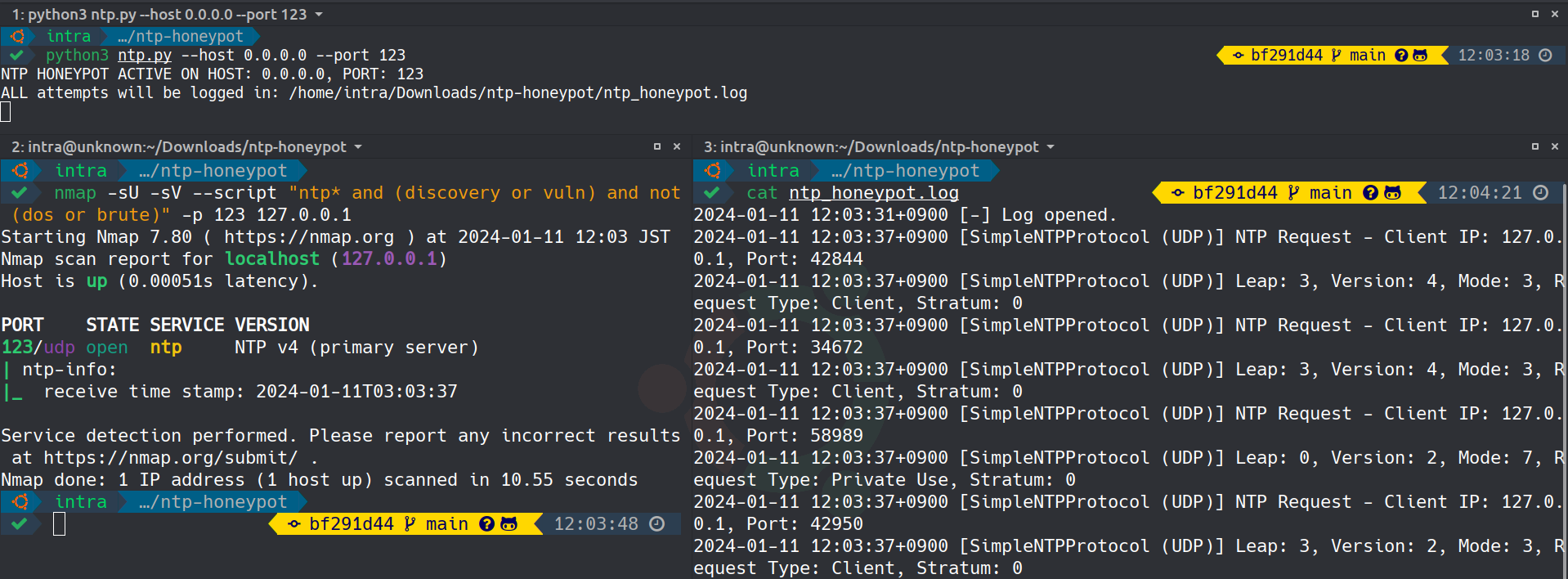 This image demonstrates the Simple NTP Honeypot Server in action, capturing real-time NTP requests and client interactions.
Check out the other honeypot services for monitoring various network protocols:
- DNS Honeypot - Monitors DNS interactions.
- FTP Honeypot - Simulates an FTP server.
- LDAP Honeypot - Mimics an LDAP server.
- HTTP Honeypot - Monitors HTTP interactions.
- HTTPS Honeypot - Monitors HTTPS interactions.
- MongoDB Honeypot - Simulates a MongoDB database server.
- NTP Honeypot - Monitors Network Time Protocol interactions.
- PostgreSQL Honeypot - Simulates a PostgreSQL database server.
- SIP Honeypot - Monitors SIP (Session Initiation Protocol) interactions.
- SSH Honeypot - Emulates an SSH server.
- TELNET Honeypot - Simulates a TELNET server.
- Caution: Utilize this honeypot in secure and controlled environments, primarily for educational and research purposes.
- Compliance: Ensure that deployment aligns with local and international legal and ethical guidelines.
This project is licensed under the MIT License. More details can be found in the LICENSE file.