This is the repository I use to render my YouTube videos.
SwapTube is built on FFMPEG, but most of the functionalities above the layer of video and audio encoding are custom-written. The project does not use any fancy graphics libraries, with a few exceptions for particular functionalities.
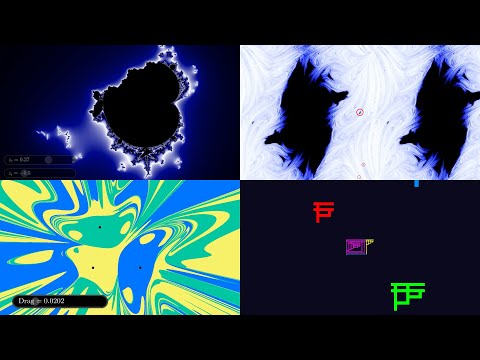
SwapTube is developed, and is known to compile and run on several Linux distributions. MacOS and Windows are untested.
The main compatibility constraint is availability of CUDA and an appropriate NVIDIA GPU for hardware-accelerated rendering. Most visually complex scenes require CUDA, and will look entirely black or grey if run on a machine without CUDA support. If you wish to run SwapTube on CPU alone, some scenes will work- for example, you should be able to use the CUDAFreePendulumDemo project and get working video output, yielding a video of a swinging double pendulum. Many (but not all) scenes will fail to render on systems without CUDA.
The following external dependencies are required for specific functionalities within the project. These dependencies must be installed if you want to use the related features.
| Item | What functionality is it needed for? | Used Where? | Used How? | Sample Ubuntu Installation |
|---|---|---|---|---|
| CMake | Everything | go.sh script | Compiles the project | sudo apt install cmake |
| FFMPEG 5.0 or higher, and associated development libraries | Everything | audio_video folder | Encoding and processing video and audio streams | sudo apt install ffmpeg libswscale-dev libavcodec-dev libavformat-dev libavdevice-dev libavutil-dev libavfilter-dev Note: compiling ffmpeg from source, it will likely be compiled with support for extra features detected on your system, which are not baked into my CMake config. I suggest installing a precompiled binary. |
| CUDA | Computationally intensive graphics | Video render loop | Various | Hardware-dependent |
| gnuplot | Debug plot generation | DebugPlot.h | Data dumped in out/ is rendered to a PNG | sudo apt install gnuplot |
| GLM | Graphs and 3D Graphics | 3d_scene.cpp, Graph.cpp | Vectors and quaternions to represent and rotate objects in space | sudo apt install libglm-dev |
| MicroTeX | In-Video LaTeX, LatexScene | visual_media.cpp | Converts LaTeX equations into SVG files for rendering | Instructions are here: https://github.com/NanoMichael/MicroTeX/ You should install MicroTeX in MicroTeX-master alongside the swaptube checkout. Instructions will be printed if not found. |
| RSVG and GLib | In-Video LaTeX | visual_media.cpp | Loads and renders SVG files into pixel data | sudo apt install librsvg2-dev libglib2.0-dev |
| Cairo | In-Video LaTeX | visual_media.cpp | Renders SVG files onto Cairo surfaces and converts them to pixel data | sudo apt install libcairo2-dev |
| LibPNG | PNG scenes | visual_media.cpp | Reads PNG files and converts them to pixel data | sudo apt install libpng-dev |
| nlohmann/json | Reading and writing json files in I/O | Connect 4 data structures, GraphScene | GraphScene can write graphs to disk in json, Connect 4 steady states and compute caches are read from json | sudo apt install nlohmann-json3-dev |
For easy deployment with all dependencies included, see the docker/README.md for containerized setup instructions. This is optional and community-made for Docker users. I (2swap) personally don't use or maintain it.
When you have created a project file Projects/yourprojectname.cpp, you can compile and run the whole project by executing:
./go.sh yourprojectname 640 360 30Some example code and demos can be found in src/Projects/Demos/. How to run a demo (code run from project root):
./go.sh LoopingLambdaDemo 640 360 30This indicates a 640x360 landscape resolution at 30FPS. Swaptube defaults to an audio sample rate of 48000 Hz- If you need to change that for whatever reason, they are specified in go.sh and record_audios.py.
You can validate your local installation with ./test.sh, which will compile and smoketest every "Demo" project (in src/Projects/Demos/) without rendering.
-
src/: Source folder structure is documented in the readme inside of it.
-
out/: Contains the output files (videos, corresponding subtitle files, data tables, and gnuplots) generated by swaptube.
- Each subfolder corresponds to a project, and under that project, each render is stored in a separate folder named by timestamp.
-
media/: Stores input media files used by the project. This includes script recordings, generated LaTeX, source MP4s, and source PNGs.
- You should not ever need to manually modify anything here, with the exception of placing source PNGs and MP4s. Audio should be recorded using
record_audios.pyafter rendering your project. Some_Project/: Put media for your project here.record_list.tsv: This will be generated by the program after rendering your project, and is read by therecord_audios.pyscript so that you can record your script easily in bulk.
- You should not ever need to manually modify anything here, with the exception of placing source PNGs and MP4s. Audio should be recorded using
-
build/: Contains, most importantly, the compiled binary. Caches and miscellaneous data products may also be dumped here, for example discovered connect 4 steady states and graphs, as well as CMake caches and the like. You should not need to ever enter this folder. Use the
go.shscript to start builds. -
record_audios.py: Reads the record_list.tsv file and permits you to quickly record all of the audio files for your video script.
-
go.sh: The program entry point! It compiles, smoketests, and runs your project file at a specified resolution and framerate.
-
play.sh: Plays back the most recently rendered video with the provided project name.
-
test.sh: Compiles and smoketests all demo projects.
Swaptube uses a 2-layer time organization system. At the highest level, the video is divided into Macroblocks, which can be thought of as atomic units of audio. In practice, a Macroblock usually corresponds to a single sentence in the video script. Macroblocks are divided into Microblocks, which represent atomic time units controlling visual transformations. Often a Macroblock only has one Microblock, but more complex Macroblocks may have multiple Microblocks to allow for visual transitions or animations to occur over the duration of the Macroblock. Such division permits the user to define a video with an in-line script, such that SwapTube will do all time management and the user does not need to manually time each segment of video. Furthermore, this permits native transitions: since a transition occurs over either a Macroblock or Microblock, Swaptube knows the duration of time over which the transition occurs, and can manage that transition automatically through State.
There are a few types of macroblocks: FileBlocks, SilenceBlocks, GeneratedBlocks, etc. FileBlocks are defined by a filepath to an audio file inside the media folder.
SilenceBlocks are defined by a duration in seconds, and GeneratedBlocks are defined by a buffered array of audio samples generated in the project file.
A macroblock can be created using yourscene.stage_macroblock(FileBlock("youraudio_no_file_extension"), 2); which stages the macroblock to contain 2 microblocks.
After a Macroblock has been staged with n microblocks, the project file will render each microblock by calling yourscene.render_microblock();. Be sure to call this function n times, or else SwapTube will failout.
In order to ensure that BOTH your time control is defined correctly (the appropriate number of microblocks are rendered) and that the project file does not crash due to a runtime error in the project file definition WITHOUT potentially kicking off a multi-hour render, Swaptube has a smoketest feature. By default, smoketest is always run on any Swaptube run.
Things that happen during smoketesting:
- One frame per microblock is staged and rendered
- DataObjects are modified as normal
- State transitions are performed as normal to test validity of state equation definitions
- The record_list.tsv file is re-populated, so you can record your audio script after smoketesting without performing a full render.
- Subtitles will be generated with incorrect timestamps reflecting one-frame-per-microblock timing.
Things that do NOT happen during smoketesting:
- No video or audio is encoded or rendered
- Since nothing is rendered, occasional frames are not drawn to stdout
- Video width, height, and framerate are ignored entirely except insofar as they affect State equations and DataObject modifications.
You can run ./go.sh MyProjectName 640 360 -s, using the -s flag to indicate "smoketest only". Using this flag merely skips the full render after the smoketest.
In addition to smoketesting, there is an additional exposed boolean variable FOR_REAL which can be toggled to true or false in the project file, effectively enabling smoketest mode for sections of a true render. This allows you to, say, work on the last section of a video without having to re-render the beginning each time.
The data structure that a single frame is rendered as a function of has three parts, roughly split up to differences in their nature:
- Scene: The Scene is the object which is constructed by the user in the project file. It fundamentally defines what is rendered. For example, a MandelbrotScene is responsible for rendering Mandelbrot Sets.
- State: State can be thought of as any numerical information used by the Scene to render a particular frame. This controls things such as the opacity of certain objects, or, following the Mandelbrot example, the zoom level of the Mandelbrot set. All scenes have a StateManager, and when the user whishes to modify the scene's state, they can do so by calling functions on the StateManager. Usually these will be
setandtransitionfunction calls. Since State uniquely contains numerical information, swaptube will handle all the clean transitions of state. - Data: Data is the non-numerical stateful information which is remembered by the Scene. A good example is the LambdaScene, which draws a Tromp Lambda Diagram, and stores as data that particular lambda expression. Similarly, a GraphScene needs to statefully track a Graph (of nodes and edges). This type of information is non-numerical, and cannot be naively interpolated as a transition, so it must be kept in a DataObject with an interface defined between the Scene and DataObject.


