
Notes from getting two large ComfyUI video-generation pipelines — LTX-2.5 (22B-param DiT, joint video+audio diffusion) and MiniMax-H3 — working reliably on a single RTX 3060 (12GB). Both are officially recommended for much bigger cards; neither ships guidance for a card this size. This documents the real bugs hit and the fixes that got them working, not just a "here's my config" dump.
Evidence:
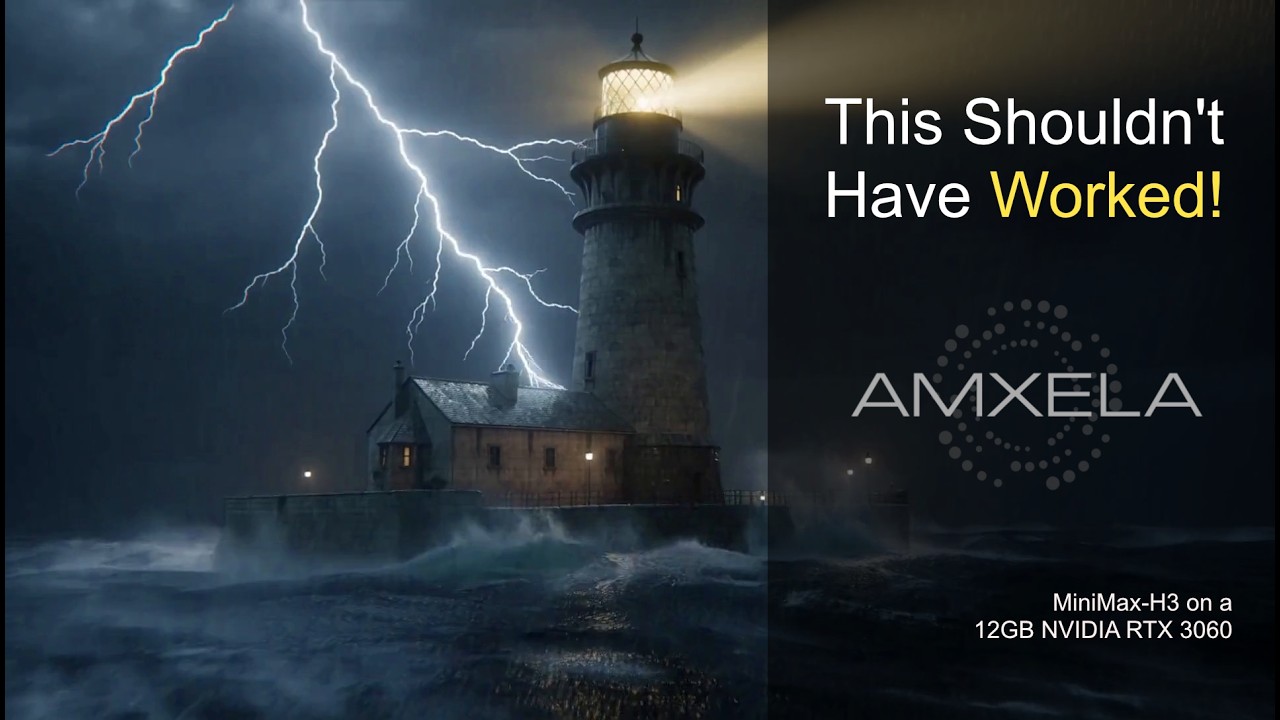
A MiniMax-H3 render at 1920×1088, 90 frames, rendered end-to-end on this 12GB card in 1h33m46s, no OOM, no manual intervention. Prompt was a single line — "a lighthouse at night during a storm" — expanded into a full cinematic shot description by a free-tier cloud LLM call (see below), then rendered locally. Raw output file is also in this repo: media/lighthouse_1080p.mp4.
- CPU: Intel Core i9-11900K
- RAM: 64GB
- GPU: NVIDIA RTX 3060, 12GB VRAM — this is the card both pipelines below run on
- A second GPU (AMD RX 6600, 8GB) is present in the same machine but not used by either pipeline in this writeup
- OS: Linux (Arch). Everything below — flags, allocator behavior, the CPU-offload timings — was tested on Linux only. The underlying fixes are almost all in ComfyUI/PyTorch itself, not the OS, so Windows and Mac should behave the same in principle, but that's not a guarantee — allocator behavior in particular (Fix 4 below) can differ by platform, and neither was tested here.
Model files: LTX-2.5-Distilled GGUF quants (realrebelai/LTX-2.5_GGUFs, Q2_K through Q8_0 available), the LTX-2.5-specific gemma4 text encoder fine-tune (elix3r/gemma4-12b-with-proj-ltx-2.5-GGUF — not a stock gemma4 checkpoint, this one has LTX-specific projection layers baked in), and the official video/audio VAEs.
ComfyUI-GGUF's loader (loader.py) gates text-encoder architectures behind a hardcoded allowlist, TXT_ARCH_LIST. As of testing, it didn't include "gemma4", so loading LTX-2.5's text encoder failed immediately with ValueError: Unexpected text model architecture type in GGUF file: 'gemma4'.
This is not a deep problem — ComfyUI core (comfy/sd.py) already has full native support for this exact checkpoint (TEModel.GEMMA_4_12B, keyed on the text_embedding_projection.video_aggregate_embed.weight tensor being present). The allowlist was just outdated. One-line fix:
# custom_nodes/ComfyUI-GGUF/loader.py
TXT_ARCH_LIST = {"t5", "t5encoder", "llama", "qwen2vl", "qwen3", "qwen3vl", "gemma3", "gemma4"}  # added gemma4
Worth a PR upstream rather than just a local patch.
Recent ComfyUI versions ship a newer heuristic VRAM allocator ("Dynamic VRAM"), on by default unless you pass one of --enable-dynamic-vram / --disable-dynamic-vram / --highvram / --gpu-only / --novram / --cpu. Per --lowvram's own --help text: "Doesn't do anything if dynamic vram is enabled."
This caused a completely non-obvious OOM during text encoding (Currently allocated: 9.29 GiB, Requested: 1.44 GiB) — Dynamic VRAM's sizing heuristic placed the 12B text encoder on GPU without accounting for its forward-pass dequantization buffer, and --lowvram (which should have forced it to CPU instead) was silently doing nothing.
Fix: pass --disable-dynamic-vram explicitly. This restores --lowvram's documented classic behavior. CPU text encoding of the 12B model takes ~2.5 minutes — slow, but reliable, and it's a one-time cost per render, not per sampling step.
Before finding Fix 2, --novram was tried as a blunter workaround. It got further (past text encoding and full two-pass sampling), which usefully proved the OOM was encode-specific — but then crashed at VAE decode:
RuntimeError: Expected all tensors to be on the same device, but got mat2 is on cpu, different from other tensors on cuda:0
Root cause: the LTX video VAE decoder (comfy/ldm/lightricks/vae/na_diffusion_decoder.py) has at least one attention block using a raw layer that isn't wrapped in ComfyUI's device-aware ops the way most of the codebase is. Under --novram's more aggressive partial-loading, that layer's weight got stranded on CPU while its input was on GPU. This looks like a genuine upstream bug in that VAE's --novram code path, not something fixable from the calling side — avoided entirely by using Fix 2 instead of --novram.
Moving from a comfortably-fitting quant to a bigger one (right at the edge of the ~11.6GB usable VRAM budget) caused intermittent OOMs at the same exact allocation point — worked once, failed twice, byte-identical failure signature each time. That pattern (works sometimes, fails at an identical point other times, on a razor-thin margin) is the signature of CUDA allocator fragmentation, not a real shortfall.
Fix: --disable-cuda-malloc (forces PyTorch's native segment allocator instead of the cudaMallocAsync backend ComfyUI defaults to on Torch 2.0+) combined with PYTORCH_CUDA_ALLOC_CONF=expandable_segments:True. Note expandable_segments is a no-op under cudaMallocAsync — you have to disable cuda-malloc first for it to take effect at all. (Verify it actually took: ComfyUI's /system_stats endpoint reports the device name as ... : native vs ... : cudaMallocAsync.)
Even with Fix 4, the bigger DiT quant leaves no headroom for the video VAE's decode-time activation buffer if the DiT is still resident when decode runs. The obvious fix — --disable-smart-memory, which forces full model eviction between loads — made things worse: it destabilized sampling itself (more reload churn between the classifier-free-guidance positive/negative passes), moving the OOM earlier, into the first sampling step. Don't use it here.
The actual fix: split the workflow into two separately-submitted ComfyUI jobs, with an explicit VRAM-purge call in between:
- Stage A (sampling only) — loaders → text encode → conditioning → empty latents → concat → two-pass sampling → ends at a custom
RawLatentSavenode. Seeworkflows/ltx25_q3km_stageA_sample.json. - Call ComfyUI's
/freeendpoint (or thefree_memoryMCP tool if you're driving this via comfy-mcp) between jobs to force a full purge. - Stage B (decode only) — custom
RawLatentLoad→ separate video/audio latents → VAE decode both → mux to video. Seeworkflows/ltx25_q3km_stageB_decode.json. The DiT is never loaded in this job, so the VAE gets the whole VRAM budget.
Why not ComfyUI's built-in SaveLatent/LoadLatent? Those serialize via safetensors with Stable-Diffusion-specific assumptions (a 0.18215 scale multiplier, a latent_format_version_0 key) baked in, and can't handle LTX-2.5's joint audio+video latent structure (a dict wrapping a NestedTensor of two differently-shaped tensors, plus extra metadata keys). custom_nodes/raw_latent_bridge.py is a trivial two-node pack — RawLatentSave/RawLatentLoad — that does plain torch.save/torch.load on the whole LATENT dict with zero interpretation. Fully transparent passthrough, works for any latent shape.
PYTORCH_CUDA_ALLOC_CONF=expandable_segments:True ./venv/bin/python main.py \
  --listen 0.0.0.0 --lowvram --disable-dynamic-vram --disable-cuda-malloc --reserve-vram 0
Then: submit Stage A → purge VRAM → submit Stage B.
Real settings that work: 960×544, 97 frames, euler_ancestral sampler, the official two-pass sigma schedule (see the workflow JSON — this is the exact schedule from ComfyUI's own bundled LTX-2.5 template, not the node's generic defaults), video_cfg=1.0, audio_cfg=1.0, 24fps. At the larger DiT quant, a 4-second clip takes ~255s total (sampling + decode, across the two jobs) — barely slower than the smaller/safer quant despite the two-job overhead.
If you run both LTX-2.5 and MiniMax-H3 out of the same ComfyUI install, don't assume one launch recipe covers both. LTX-2.5's recipe above OOM'd loading MiniMax-H3's CLIP encoder — it needs --disable-smart-memory and --reserve-vram 0.5 (not 0), both of which actively hurt LTX-2.5's Q3_K_M path (see Fix 5 above). Merged recipe that covers both, switch pipelines without relaunching:
PYTORCH_CUDA_ALLOC_CONF=expandable_segments:True ./venv/bin/python main.py \
  --listen 0.0.0.0 --lowvram --disable-dynamic-vram --disable-cuda-malloc \
--disable-smart-memory --reserve-vram 0.5MiniMax-H3's pipeline benefits from an LLM turning a short idea into a full cinematic shot description before rendering. Originally wired to a local model (Ollama, running on a second idle GPU in the box) — see custom_nodes/comfyui-openrouter/nodes.py for a small hand-written node (OpenRouterGenerate) that instead calls OpenRouter's free tier directly on your own account (as opposed to ComfyUI's built-in partner node, which routes through Comfy's own credit system). ~20 lines, no dependencies beyond requests and python-dotenv.
Deliberately kept the local Ollama path working alongside this rather than replacing it — the cloud path adds real value (bigger model, better prompt quality) but also adds a hard dependency on internet + API availability that the local one doesn't have. Additive, not a swap.
API key lives outside the ComfyUI install tree entirely (~/.config/openrouter/env, chmod 600), loaded via python-dotenv, never touches the repo.
width/height on MiniMax-H3's image-to-video node are step-32 constrained (same as LTX-2.5's latent nodes) — true 1080 isn't a valid value (1080 / 32 = 33.75). Used 1920×1088 (34×32), the same "round to the macroblock grid" convention video codecs use for 1080p anyway.
720p → 1080p is a 2.27× pixel-count increase; actual render-time increase was ~3.1× (29m07s → most of the 90-minute mark for sampling alone), consistent with attention-based transformer compute scaling worse than linearly with resolution. GPU sat at 100% utilization the entire run; VRAM usage stayed around 6.5-8GB of 12GB — comfortable headroom, no sign of a hard ceiling at this resolution. See workflows/minimax_h3_1080p_lighthouse.json for the exact working workflow, and the video at the top of this doc for the actual output.
If you're polling a long render through something like comfy-mcp's job(action="wait"), be aware it has a ~30-minute idle-abort ceiling, and a render like this one goes silent (no new log lines) for longer than that between steps. A wait call will spuriously report "failed" on a job that's actually still running fine. Check job(action="status") and the raw ComfyUI log directly before trusting a wait failure.
Both pipelines were also used for a recurring original character across many more render tests (image-to-video conditioning, style transfer, movement direction, etc.) — left out of this writeup entirely since it's unrelated to the technical setup and not something to publish. The fixes and recipes above are the complete, real, generalizable content.