
🧑💻 Developer: Adam Natad
https://gsuite.google.com/marketplace/app/foo/207001493947
https://github.com/AdamNatad/PageSizer/
https://github.com/AdamNatad/PageSizer/releases
Custom Page Sizer for Google Docs™
Freely set custom page sizes and margins in Google Docs™. Perfect for Amazon KDP Paperback and Hardcover trim sizes. Built for authors who love writing in Google Docs™. Made with
Page Sizer by Adam Natad is a lightweight Google Docs™ add-on (Apps Script) that adds a custom menu inside Google Docs, allowing you to set page width, height, and margins beyond the default limitations.
Install the add-on from the Google Workspace Marketplace:
👉 Install Page Sizer (Marketplace):
https://workspace.google.com/marketplace/app/page_sizer_by_adam_natad/207001493947
Alternative listing link:
https://gsuite.google.com/marketplace/app/foo/207001493947
- Set exact page width and height (in inches or centimeters)
- Adjust top, bottom, left, and right margins
- Choose from preset trim sizes or define your own
- Adds a custom menu:
Page Sizer by Adam Natad - Shows an animated success popup after applying changes
- Includes a guide dialog for first-time users
- Designed for authors and self-publishers (especially Amazon KDP)
All scripts are inside the AppScript folder:
- Open your Google Doc
- Go to Extensions → Apps Script
- Delete any existing code in the script editor
- Add the following files:
- Create a Script file named
Code.gs, then paste from:
AppScript/Code.gs - Create an HTML file named
PageSizeDialog.html, then paste from:
AppScript/PageSizeDialog.html - Create an HTML file named
SuccessDialog.html, then paste from:
AppScript/SuccessDialog.html - Create an HTML file named
GuideDialog.html, then paste from:
AppScript/GuideDialog.html
- Create a Script file named
- Enable the manifest file (
appsscript.json):- Click ⚙️ Project Settings
- Enable Show "appsscript.json" manifest file in editor
- Open
appsscript.jsonand replace its contents with:
AppScript/appsscript.json
- Save the project
- Authorize the app when prompted:
- The first time you run it (via the custom menu), Google will ask for authorization
- Reload your Google Doc
- You will see a new menu called
Page Sizer by Adam Natad - Click Start, enter your custom size and margins, then click Apply
When first used, Google will ask for authorization. The add-on uses:
-
https://www.googleapis.com/auth/documents.currentonly
Allows the add-on to modify only the currently open Google Doc (needed to apply custom page sizes and margins). -
https://www.googleapis.com/auth/script.container.ui
Allows the add-on to create UI inside Google Docs (custom menu + dialogs).
All images are stored in the Previews folder.

The custom menu "Page Sizer by Adam Natad" appears at the top of your Google Doc.

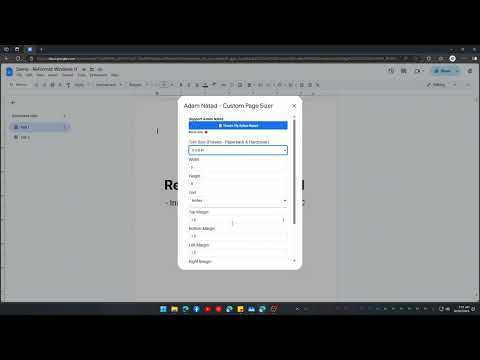
The main dialog where you enter custom dimensions and margins.

Quickly choose a preset trim size configuration.

The section containing the Apply button.

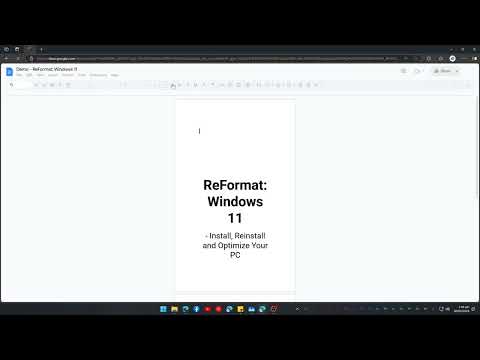
Animated popup confirming your changes were applied.

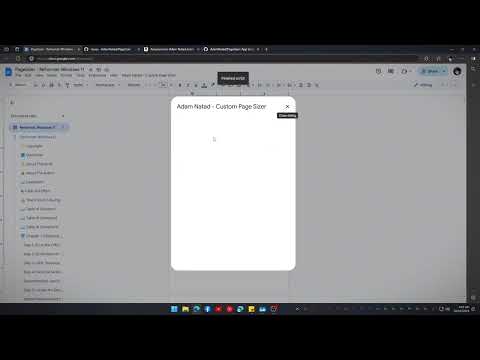
A first-time guide dialog showing how to use the tool.
All videos are hosted on YouTube - Adam Natad
- Google Docs® is a registered trademark of Google LLC
- NatadTech® is a registered trademark of NatadTech Solutions OPC
► Facebook: @AdamNatadFB
► Instagram: @AdamNatad
🌐 Website: https://natadtech.com
📧 Email: adam@natadtech.com
This project is licensed under the MIT License. See the LICENSE file for details.
🧑💻 Developer: Adam Natad