Releases: AdguardTeam/AdguardForAndroid
4.12 Beta 1

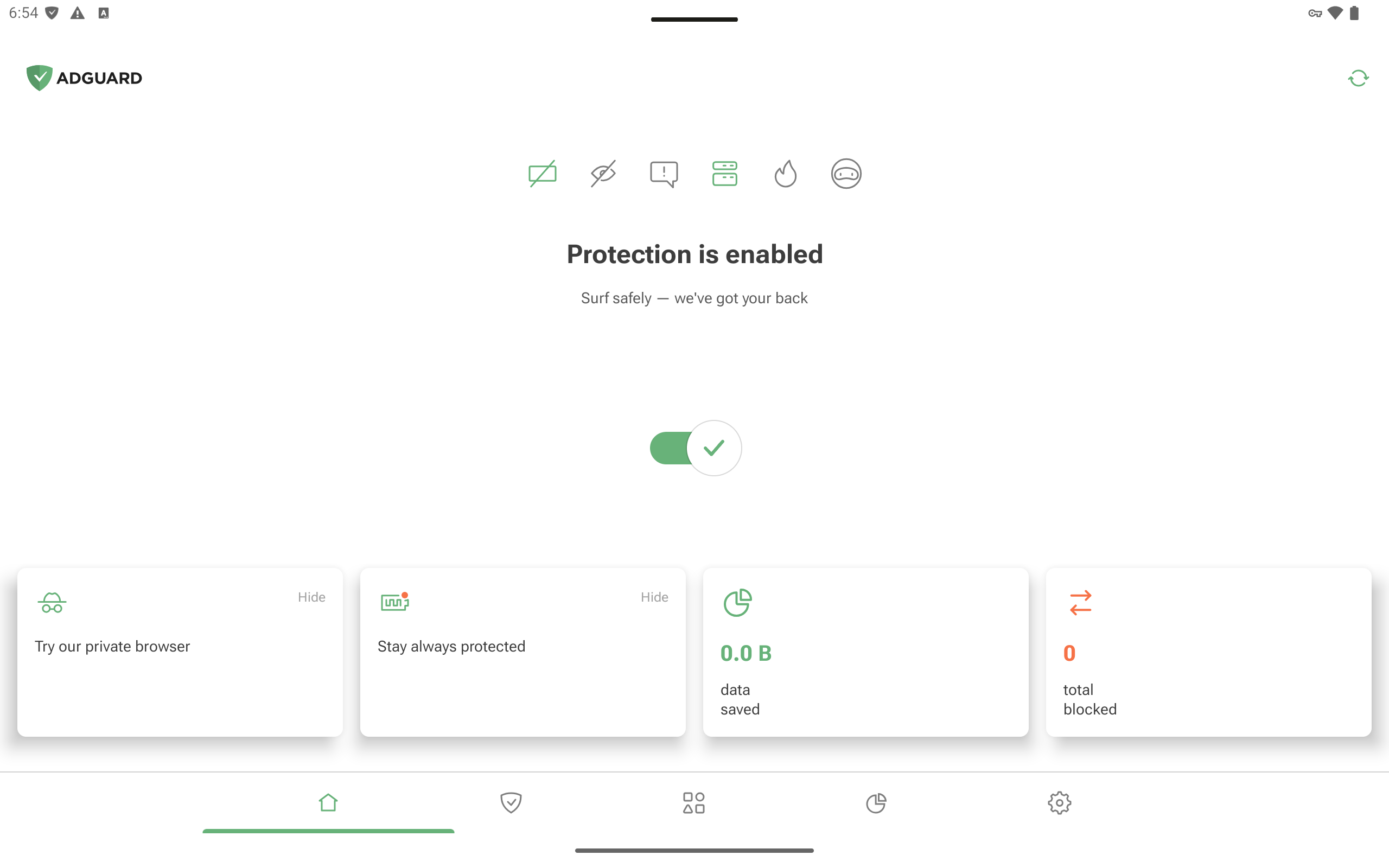
As we always say, your feedback is really important to us, and this time we’ve added one of the most requested features — landscape mode. Using AdGuard on a tablet is now even more convenient.
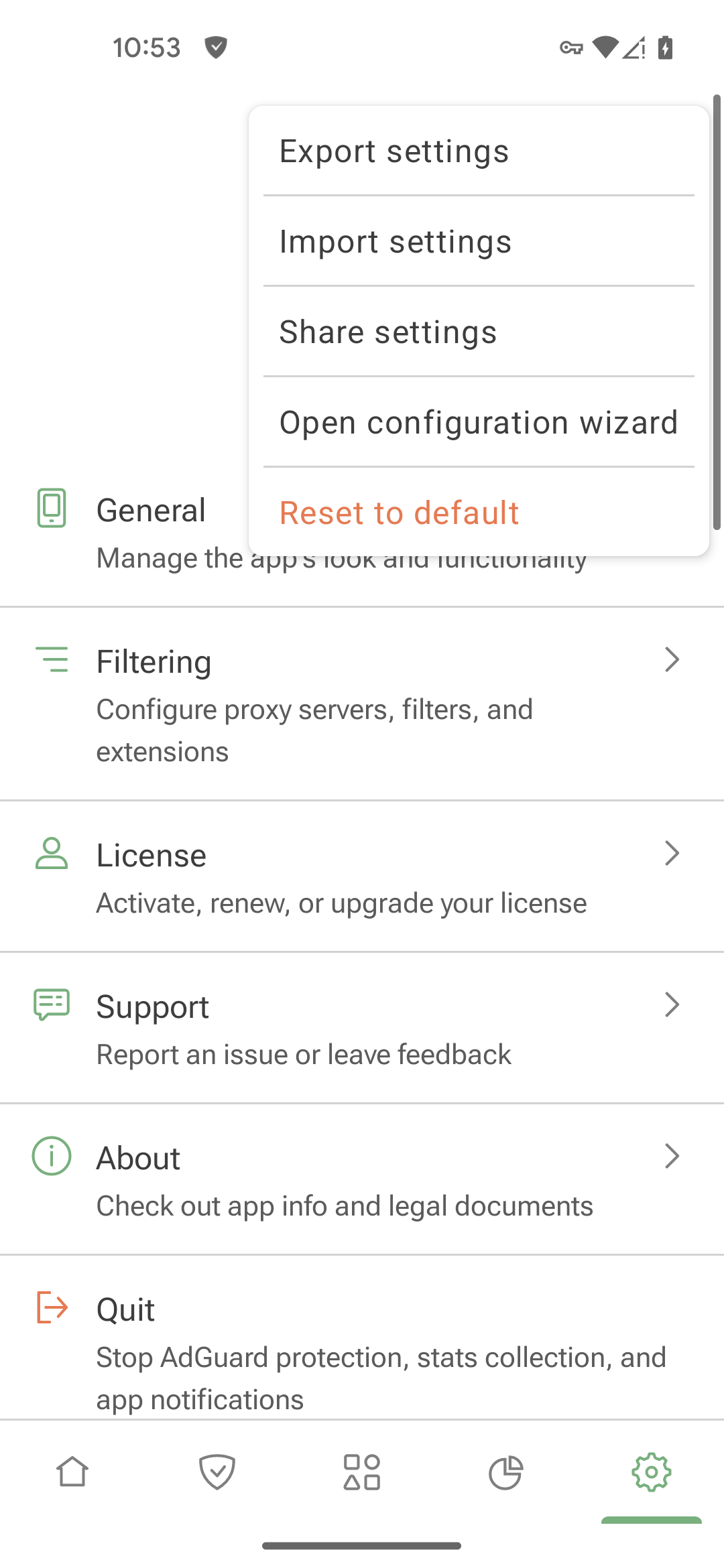
We’ve also introduced settings import via link. This feature saves you time: no need to reconfigure everything on a new device or spend time describing your setup when reporting missed ads — just share a link.
Changelog
Improvements
- Disabled “Route traffic through AdGuard” option for com.bKash.customerapp to ensure the app works correctly #5788
Fixes
- CA certificate installation instructions are not relevant for Honor #5779
- Impossible to add app-specific HTTPS exclusion #5290
- Custom DNS filter is not shown in the Update section #5821
- Tapping the cross on the snackbar about downloading a new app version doesn’t stop the download #5760
- Some images are missing in a banking app due to AdGuard filtering #5819
- Unable to connect to proxy server #5794
- DNS filters do not apply #5851
CoreLibs (Filtering engine)
- Updated CoreLibs to v1.19.28 #5830
Improvements
- Improved the
$appmodifier: added support for wildcards and regexps
1906 - Added support for ALPS extension 1987
Fixes
- Wrong tracking protection option shown in the log #5739
- Filtering disabled on some websites due to performance warnings (new.lewd.ninja) 1994
- "Use FakeDNS" option in Proxy Server interrupts the connection of bypassed apps 5355
- Some extensions do not work after update to v2.17 1993
- XHR timeout with the
immersivetranslateuserscript 2000 - Content-type modifiers do not work with the
$urltransformmodifier 1978
DnsLibs (DNS filtering engine)
- Updated DnsLibs to v2.6.20 #5834
Scriptlets (JavaScript enhancement for filtering rules)
- Updated Scriptlets to v2.2.9
Improvements
- Added a new scriptlet — 'trusted-replace-argument' 405
Fixes
- 'prevent-element-src-loading' — TrustedScriptURL is not defined in Firefox 514
- 'trusted-replace-node-text' — quotes are escaped incorrectly 517
- Compilation error in Safari 15 due to unsupported regex lookbehind 519
AdGuard for Android direct download links:
AdGuard for Android TV direct download links:
4.11 Beta 1
This beta includes some under-the-hood improvements, a substantial number of bug fixes, and a CoreLibs update. As a result, overall app stability has been significantly improved.
Changelog
Fixes
- The Create button overlaps the checkbox on the trial activation screen #5039
- AdGuard player doesn’t open when sharing a video from the YouTube app #5780
- AdGuard identifies AdGuard VPN as a third-party VPN in Integration mode #5567
- Apps excluded by UID are routed through AdGuard #5731
- Invalid filter update date format for Japanese, Korean, and Chinese #5703
- Missing string for private browser notification #5741
- Private browser onboarding is displayed twice #5752
- Private browser crashes after tapping browser settings #5781
- The “Nothing found” warning is missing on some screens #5038
- The “Apps operating through proxy” screen is displayed in gray in Integration mode #5732
- The app asks for permission to run in the background even though permission has already been granted #5560
- Titles and descriptions of DNS servers, extensions, and filters are translated into the system language if a different language is selected in AdGuard #5709
- Two similar graphs can be displayed at the same time #4915
- The app icon does not fill the designed area on the Amazon Fire TV Stick 4K Max #5476
com.carsheringis broken when routed through AdGuard #5464- Rules don’t get removed from the firewall after tapping “Remove rule” #5613
CoreLibs (Filtering engine)
- CoreLibs updated to v1.18.28 #5792
AdGuard for Android direct download links:
AdGuard for Android TV direct download links:
4.10 Beta 1

This beta introduces important improvements to the HTTPS certificate installation process, making it more intuitive and accessible for users.
When you install AdGuard and launch the app for the first time, you’re prompted to install an HTTPS certificate. This step is essential because the certificate plays a key role in ensuring effective ad filtering in browsers. Without it, filtering quality is significantly reduced. That’s why it’s crucial for all users, beginner or advanced, to be able to complete the installation without difficulty.
We knew there was room for improvement in the whole process — the previous instructions often didn’t reflect the actual settings found on devices from different manufacturers, and there was also a bug that prevented users from returning to the instructions after switching away from the app.
To address these issues, we’ve added in-app video guides for the most common devices — including Google Pixel, Samsung, Huawei, Xiaomi, and OnePlus — with adjustments based on Android OS version and user locale. We’ve also fixed the bug mentioned above.
Changelog
Improvements
- Added HTTPS filtering by default for the Lemur browser #5577
Fixes
- AdGuard gets disabled when WebView is stopped or updated #5537
- After integration with Tor, Tor via Orbot isn’t the default proxy #4908
- Updated filters aren’t displayed after the app is restarted #5638
- QUIC filtering is disabled for WeChat and AliExpress #5497
- WeChat is excluded from HTTPS filtering by default #5689
- The app is not fully translated #5418
- Filtering status is not saved if it’s changed twice #5701
- Recent activity log lags when scrolling slowly #5369
- Some parameters are not included in the link when reporting an incorrect blocking #5520
- When opening a link in a browser, two AdGuard apps appear in the list of browsers, and one of which does not work as expected #5592
CoreLibs (Filtering engine)
- CoreLibs updated to v1.17.157 #5725
Fixes
- Naver Smartstore cannot be accessed properly #1971
- Some React-based websites aren’t loaded correctly due to a
Minified React error#1953 - User rule for domains does not block the request completely #5539
DnsLibs (DNS filtering engine)
- DnsLibs updated to v2.6.6 #5724
Scriptlets (JavaScript enhancement for filtering rules)
- Scriptlets updated to v2.1.7
Improvements
- ’prevent-addEventListener’ — added ability to match specific element #480
AdGuard for Android direct download links:
AdGuard for Android TV direct download links:
4.8
We continue to unify the code base of our products, and AdGuard for Android is no exception. Updates will now be more stable and new features will be added faster. Also, in the new version we have accelerated the loading of large amounts of data in Statistics, as well as updated CoreLibs and DnsLibs.
From this version, AdGuard for Android only supports Android 9 or higher.
Changelog
Fixes
- Beeline Wi-Fi calls do not work #5583
- The CPU background value increases drastically after a few series of quitting/starting the app #5504
- Custom DNS does not work after importing settings #5618
CoreLibs (Filtering engine)
- CoreLibs updated to v1.17.88 #5620
DnsLibs (DNS filtering engine)
- DnsLibs updated to v2.5.63 #5607
Improvements
- Added
matter._tcp.default.service.arpato the list of default exclusions #230 - Block RFC9462 (_dns.resolver.arpa) queries #228
- Use
pretty_str()in errors reported inDnsRequestProcessedEvent#223
Fixes
- Long waiting time for response when blocking by DNS #1887
$dnsrewrite=IPv4rule does not block IPv6 resolution #224
UserscriptsWrapper
- UserscriptsWrapper updated to v2.0.1
Scriptlets (JavaScript enhancement for filtering rules)
- Scriptlets updated to v2.1.4
Improvements
trusted-click-element— check forcontainsTextof all matched selectors #468
Fixes
trusted-click-element— element was removed and added again before it was clicked #391
AdGuard for Android direct download links:
AdGuard for Android TV direct download links:
4.8 RC 2
Ad blocking was compromised, but not for long: we fixed an annoying bug reported by users and updated our libraries while we were at it.
AdGuard for Android direct download links:
AdGuard for Android TV direct download links:
4.8 RC 1
We continue to unify the code base of our products, and AdGuard for Android is no exception. Updates will now be more stable and new features will be added faster. Also, in the new version we have accelerated the loading of large amounts of data in Statistics, as well as updated CoreLibs and DnsLibs.
From this version, AdGuard for Android only supports Android 9 or higher.
Changelog
Fixes
- Beeline Wi-Fi calls do not work #5583
CoreLibs (Filtering engine)
- CoreLibs updated to v1.17.82 #5610
DnsLibs (DNS filtering engine)
- DnsLibs updated to v2.5.63 #5607
Improvements
- Added matter._tcp.default.service.arpa to the list of default exclusions #230
- Block RFC9462 (_dns.resolver.arpa) queries #228
- Use
pretty_str()in errors reported in DnsRequestProcessedEvent #223
Fixes
- Long waiting time for response when blocking by DNS #1887
- Rule
$dnsrewrite=IPv4does not block IPv6 resolution #224
AdGuard for Android direct download links:
AdGuard for Android TV direct download links:
4.8 Beta 1
We continue to unify the code base of our products, and AdGuard for Android is no exception. Updates will now be more stable and new features will be added faster. Also in the new version we have accelerated the loading of large amounts of data in Statistics and updated CoreLibs.
Changelog
Fixes
- Beeline Wi-Fi calls do not work #5583
CoreLibs (Filtering engine)
- CoreLibs updated to v1.16.58 #5579
AdGuard for Android direct download links:
AdGuard for Android TV direct download links:
4.7.1
In this update we've improved the stability of the app and fixed some minor bugs.
AdGuard for Android direct download links:
AdGuard for Android TV direct download links:
4.7
Today’s version is exactly what we love: it introduces a fresh feature we couldn’t wait to see on the app. And it’s no small release – we’re introducing an in-app privacy browser to the app! Let’s take a closer look at what’s new.
AdGuard v4.7 is the last version that supports Android 7 and 8. Starting with the next release, we will only offer support for Android 9 or higher.
A private browser, because there’s no such thing as too much privacy
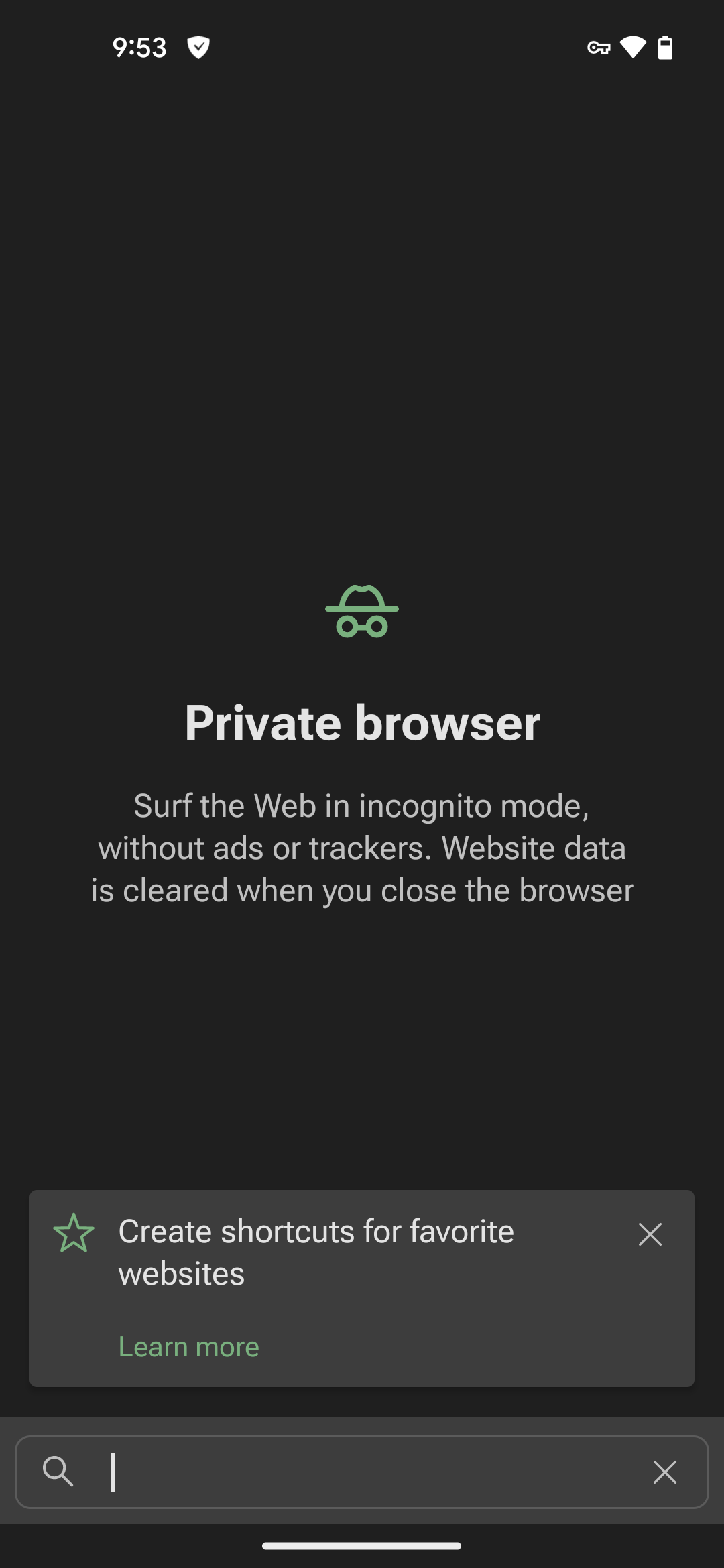
Keeping privacy in mind while browsing has become an essential part of many users’ everyday life. We want our app to be part of that routine, and that’s why we’re rolling out the AdGuard private browser, bringing an extra layer of privacy to your daily web experience.
So, what’s so cool about this browser?
- Ad and tracker blocking (of course!)
- Easy history deletion with a visible, accessible button. Also, your browser history is automatically cleared when you close the browser
To explore this new feature, tap Try our private browser on the app's home screen. You can also access the browser through the Protection tab, where you can set a default search engine and even create a browser widget.
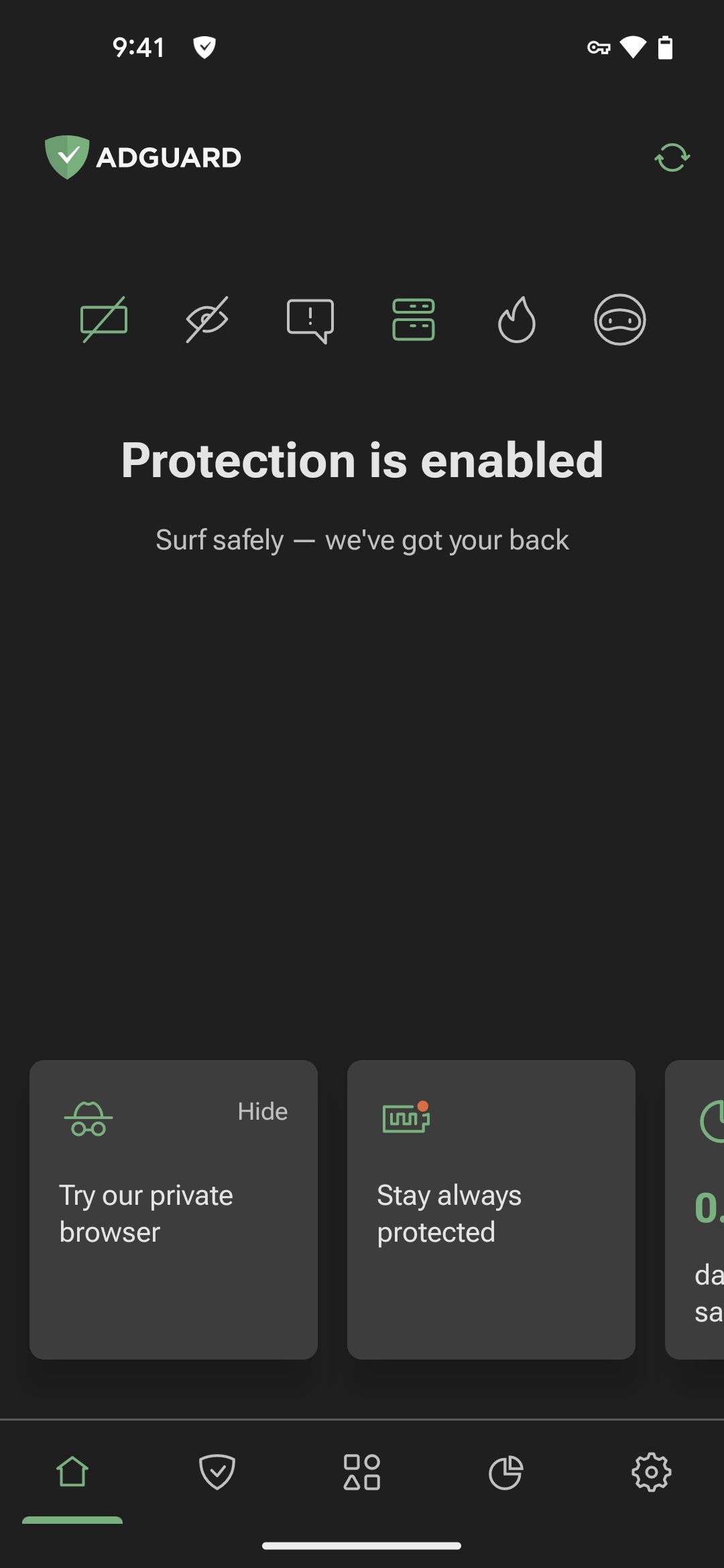
Just a heads-up: our private browser is still in the early stages of development and has a few limitations, like the inability to handle multiple sessions at once. In the future, we’ll offer a more comprehensive browsing experience, but for now, we suggest using it as a supplement to your usual browser’s Incognito Mode, rather than a replacement. Sounds good?
Changelog
Improvements
- Incorrect translation of Fanboy's Annoyance List description #5423
Fixes
- “Allow app usage access” popup does not disappear after enabling the corresponding switch in the system settings on Android 9 #4906
- Almost all apps are no longer logged as filtered #5426
- Cursor barely visible at search bars in the Dark theme #5397
- Enabling/disabling the switch “Trusted filter” doesn’t make protection restart #5202
- Incorrect error message when trying to send a report with an invalid email on the Report a bug screen #5160
- Magenta color of AdGuard notification if protection is paused #5449
- Routing for problem apps in groups is enabled when you turn on this option for problem-free apps #4918
- TCP keepalive for outgoing sockets screen doesn't scroll #5415
- The user rules are positioned in the middle of the editor #5422
- Translations are missing for Annoyances blocking notice #5388
- The app crashes when Android WebView is unloaded #5521
Other
it.labfabrici.hubdoes not work when protection is working #5284
AdGuard for Android direct download links:
AdGuard for Android TV direct download links:
4.6.5

Minor improvements to the statistics module.