
RoGuard is a security analysis plugin for Roblox Studio designed to help developers identify potentially unsafe or malicious scripts within their workspace.
YouTube video showcasing RoGuard
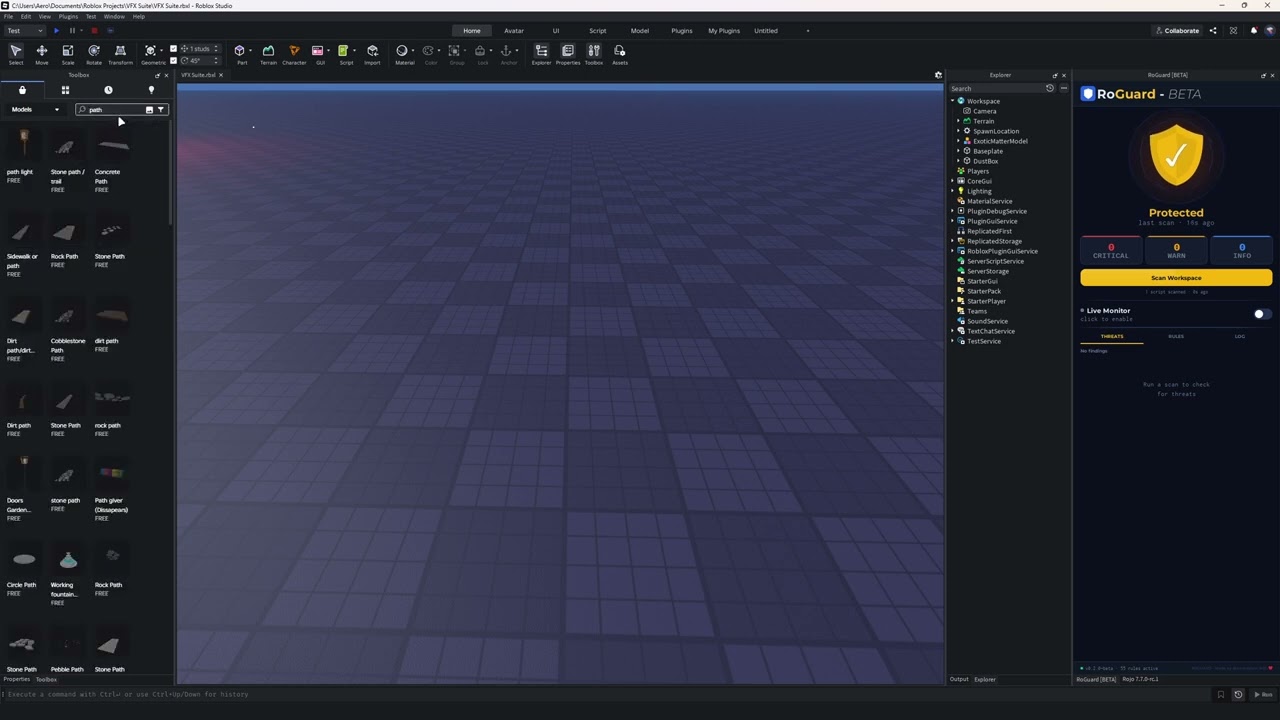
- Full workspace scanning:
- ServerScriptService
- ReplicatedStorage
- StarterPlayer
- StarterGui
- Workspace
- Live monitoring (optional)
- 50+ detection rules
- Severity levels:
- Info
- Warning
- Critical
- Detailed results:
- Script paths
- Line numbers
- Suggested fixes
Some features may change or added in the upcoming releases!
RoGuard analyzes scripts for patterns such as:
- Obfuscation techniques
- Suspicious module usage (
require) - Risky execution patterns (
loadstring, etc.) - Network-related behavior
- Known backdoor signatures
RoGuard is designed with safety and transparency in mind:
- ❌ Does NOT send data externally
- ❌ Does NOT collect or store user data
- ❌ Does NOT modify or inject code into scripts
- ✅ All analysis is performed locally inside Roblox Studio
RoGuard was created to help developers, especially beginners identify unsafe scripts, particularly from toolbox assets, and improve overall project security.
As I understand the solution is to not import anything from toolbox which I advise that you shouldn't at all and make your own assets. RoGuard is used primarily for backup if you are unsure on what assets/models you are importing.
RoGuard is a detection tool and does not guarantee complete security. Developers should always manually review scripts, modules and assets.