
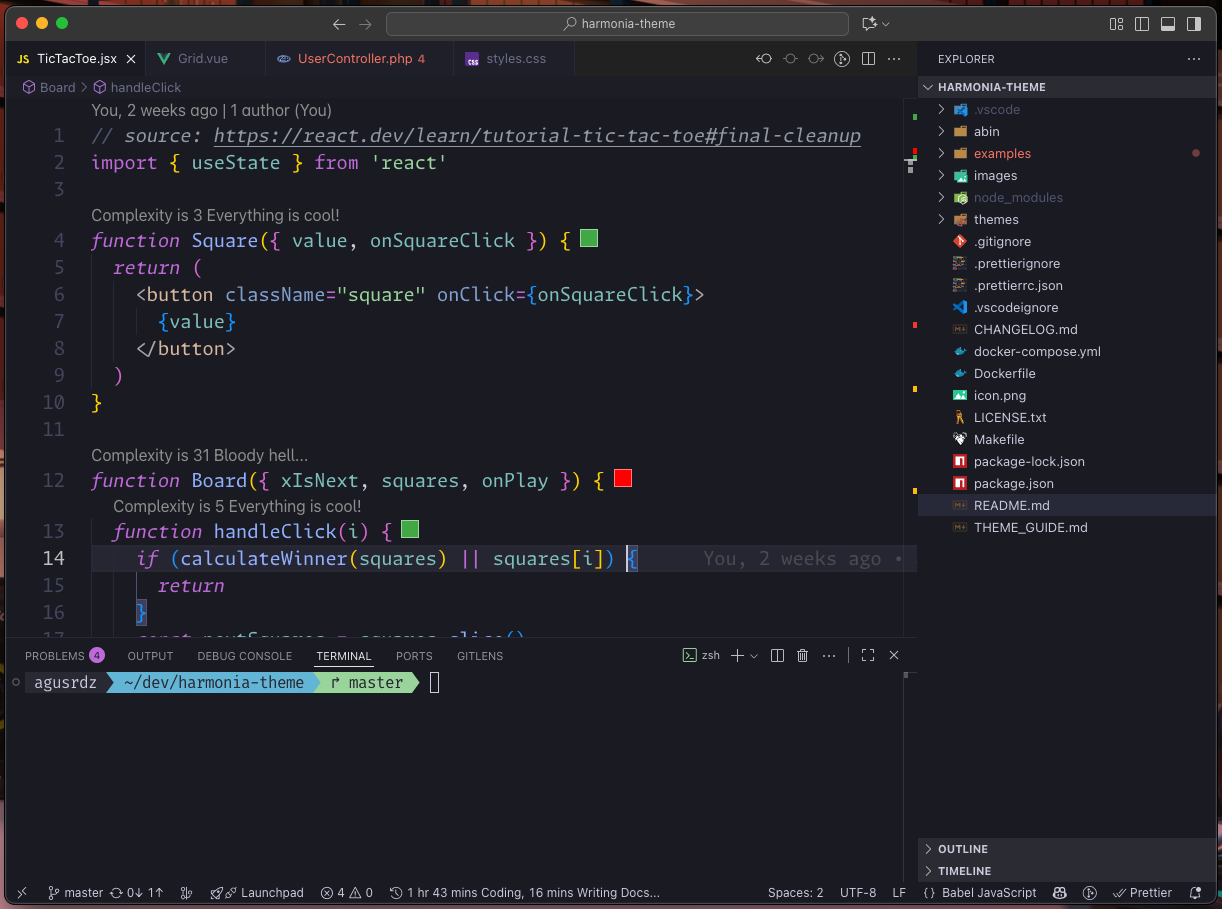
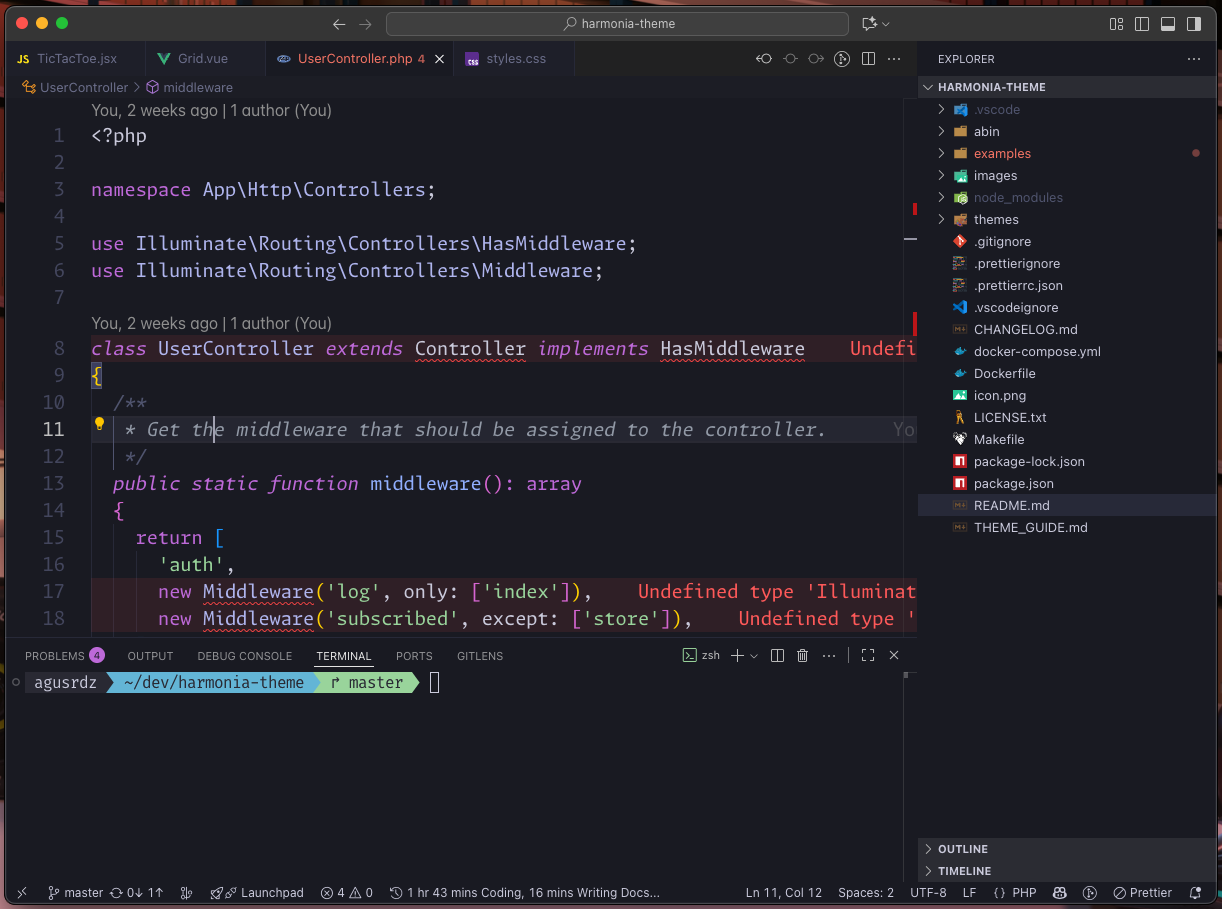
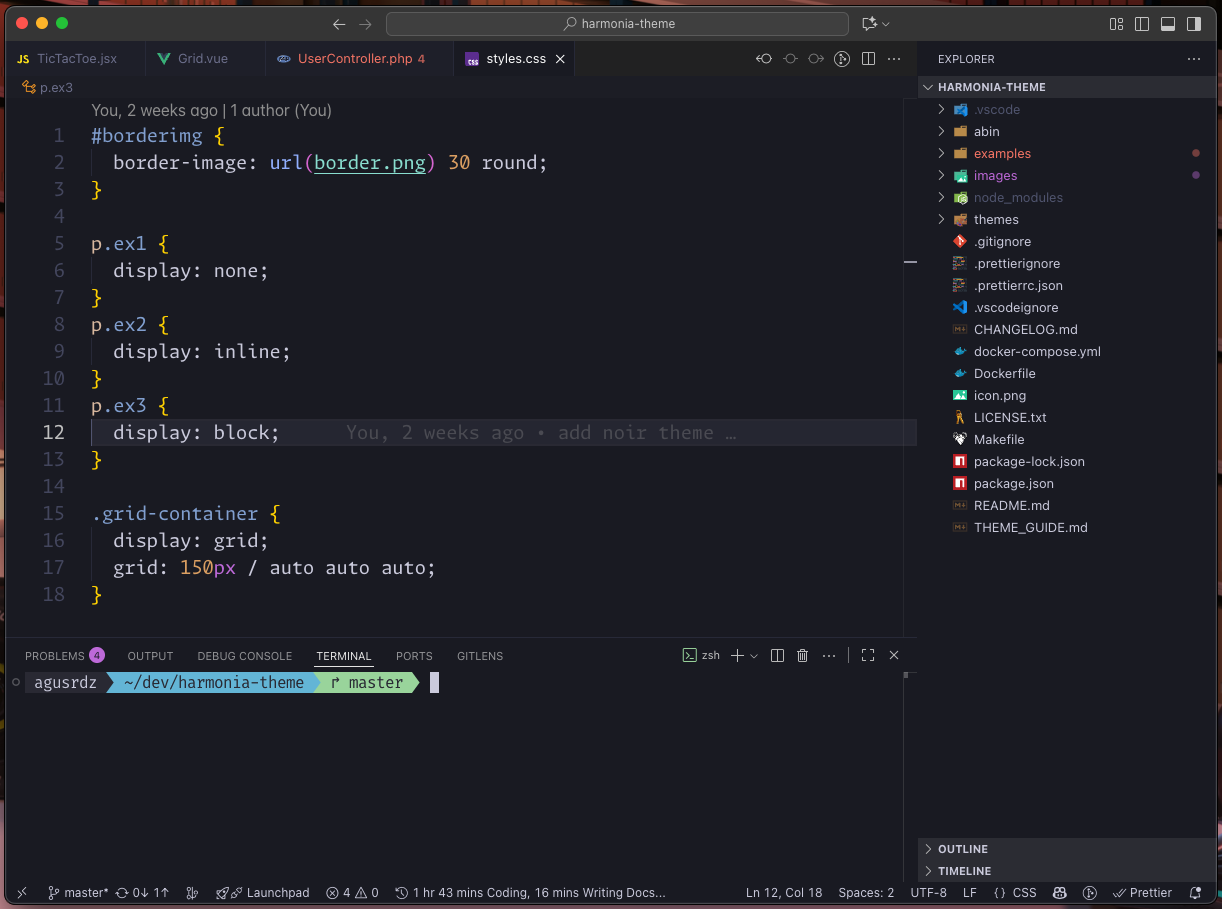
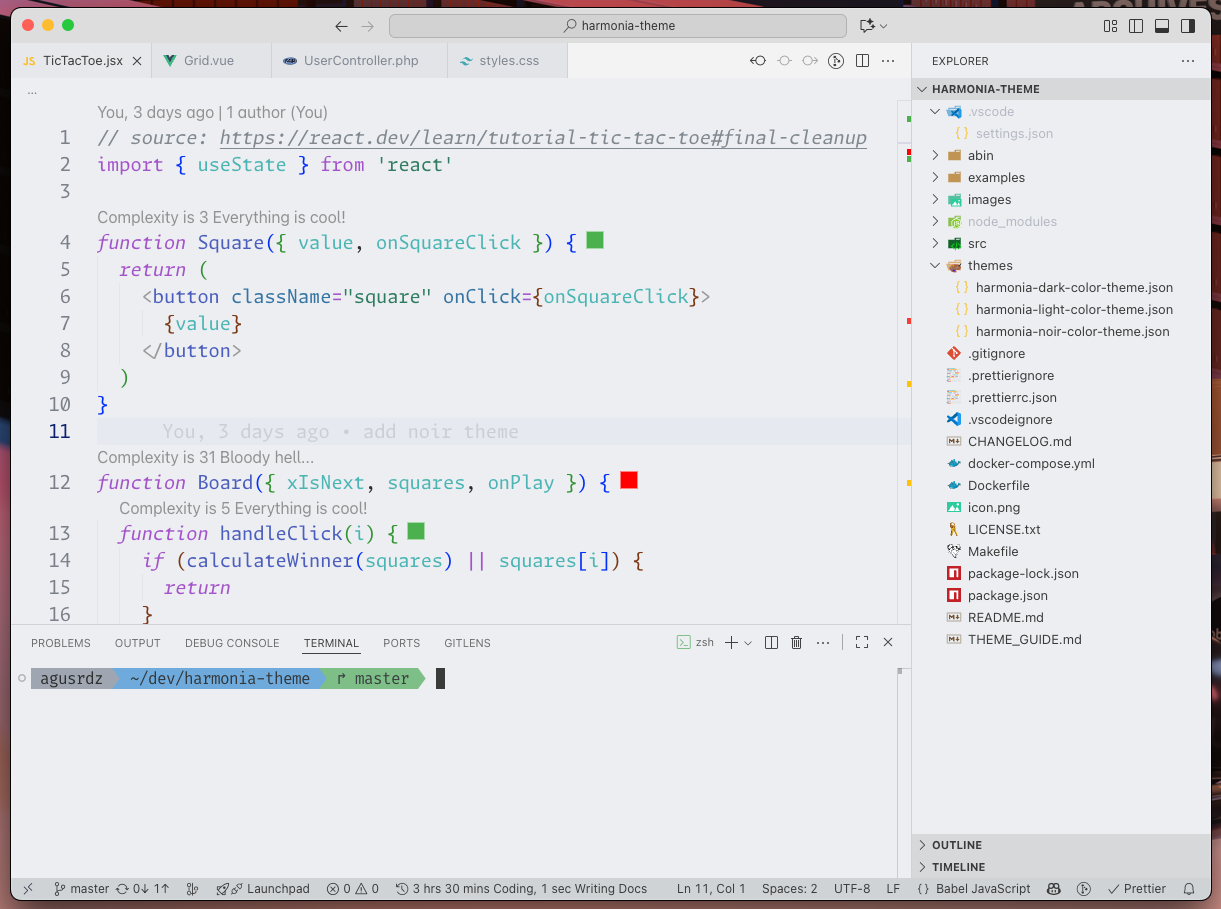
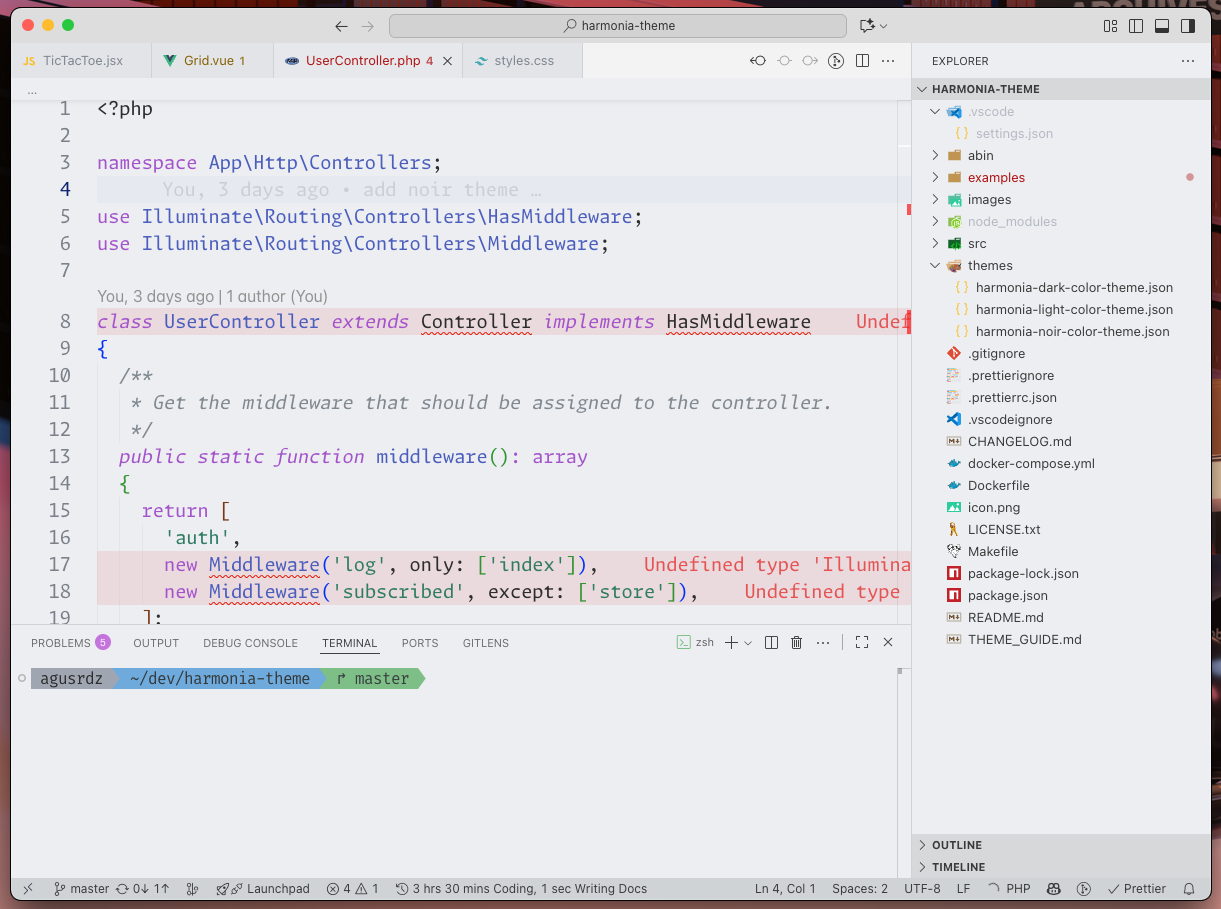
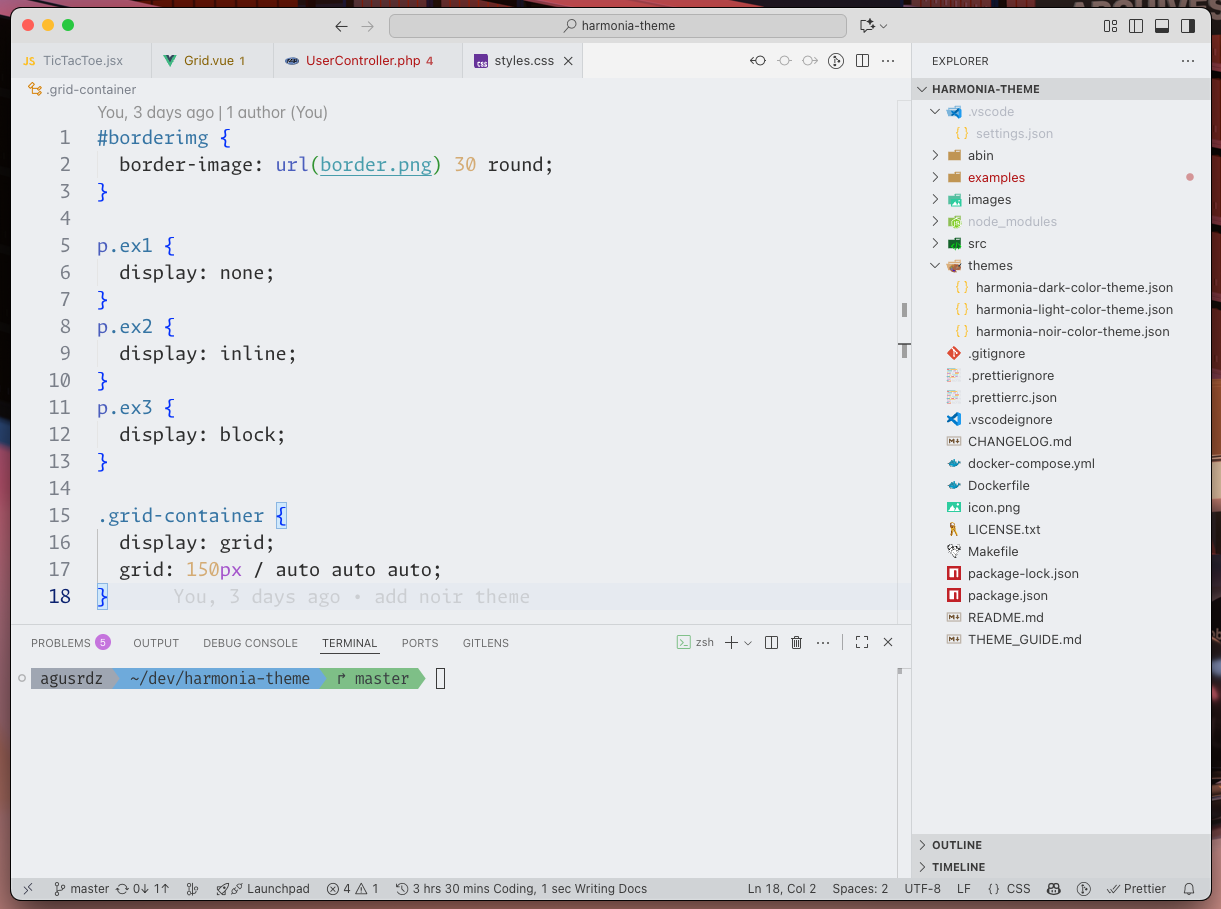
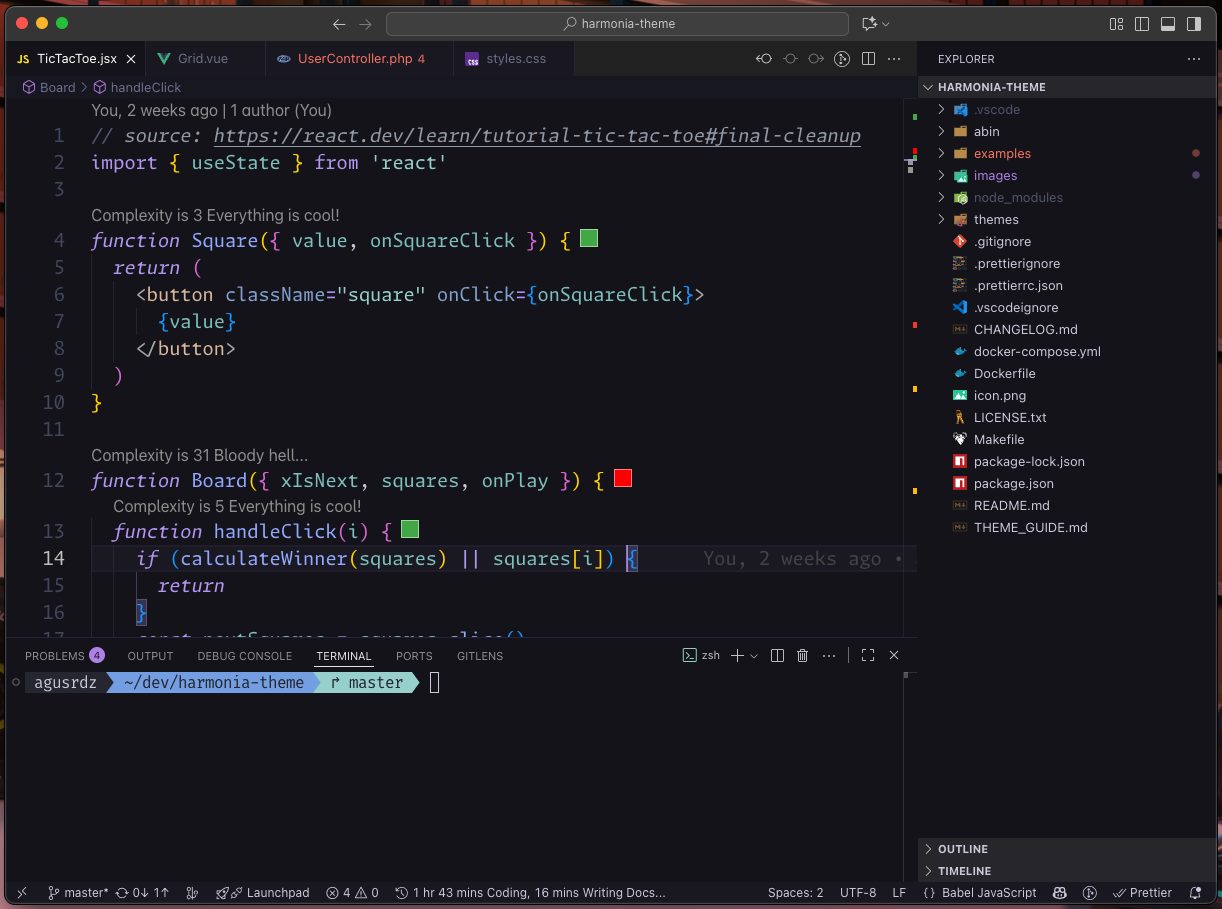
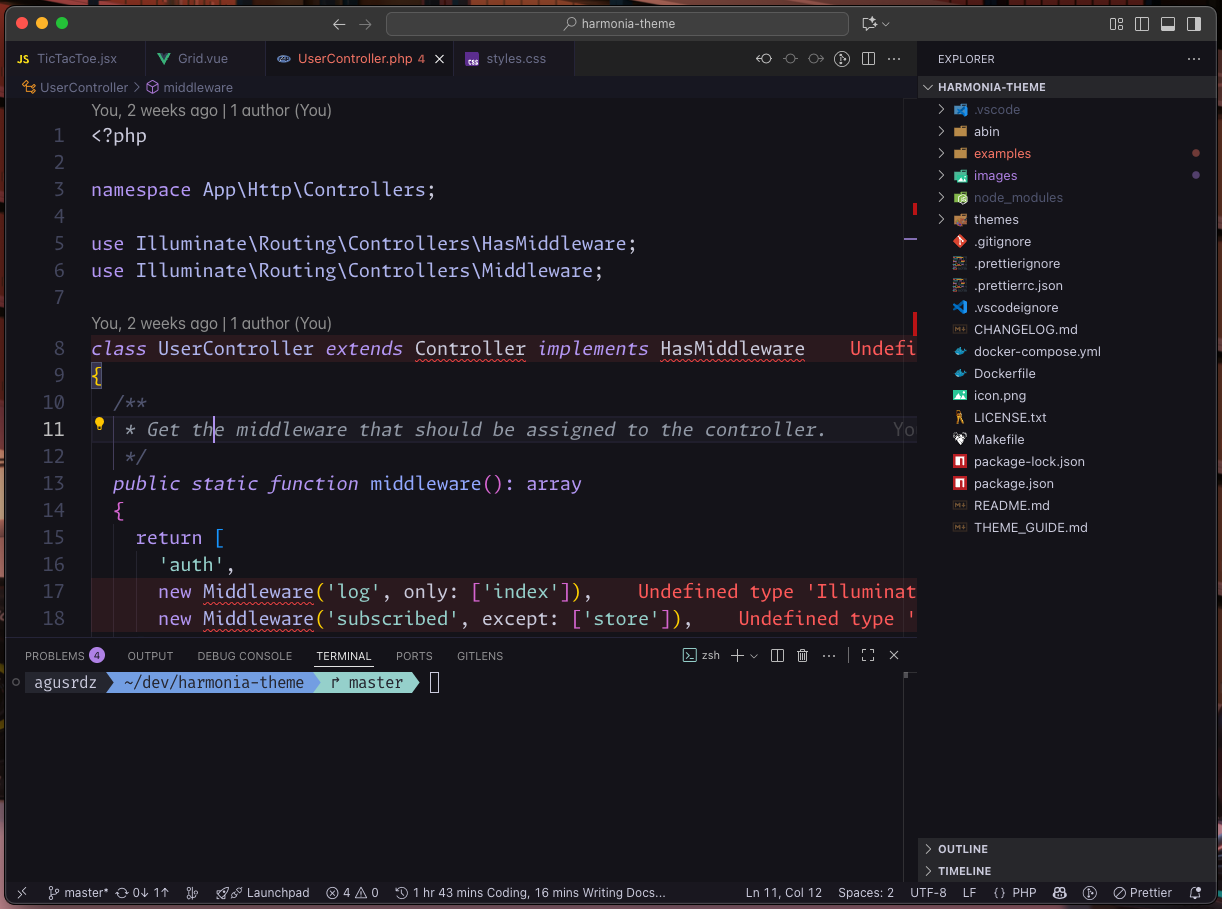
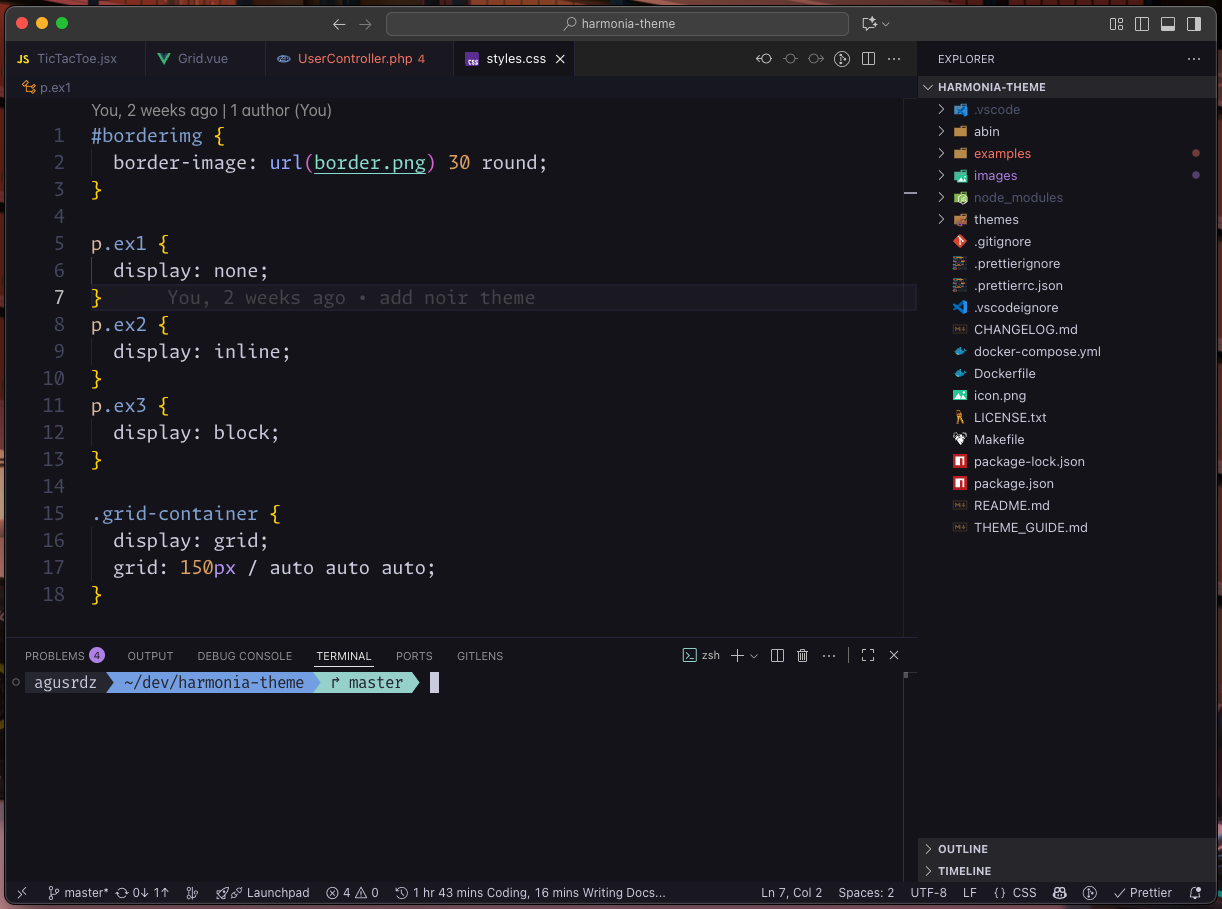
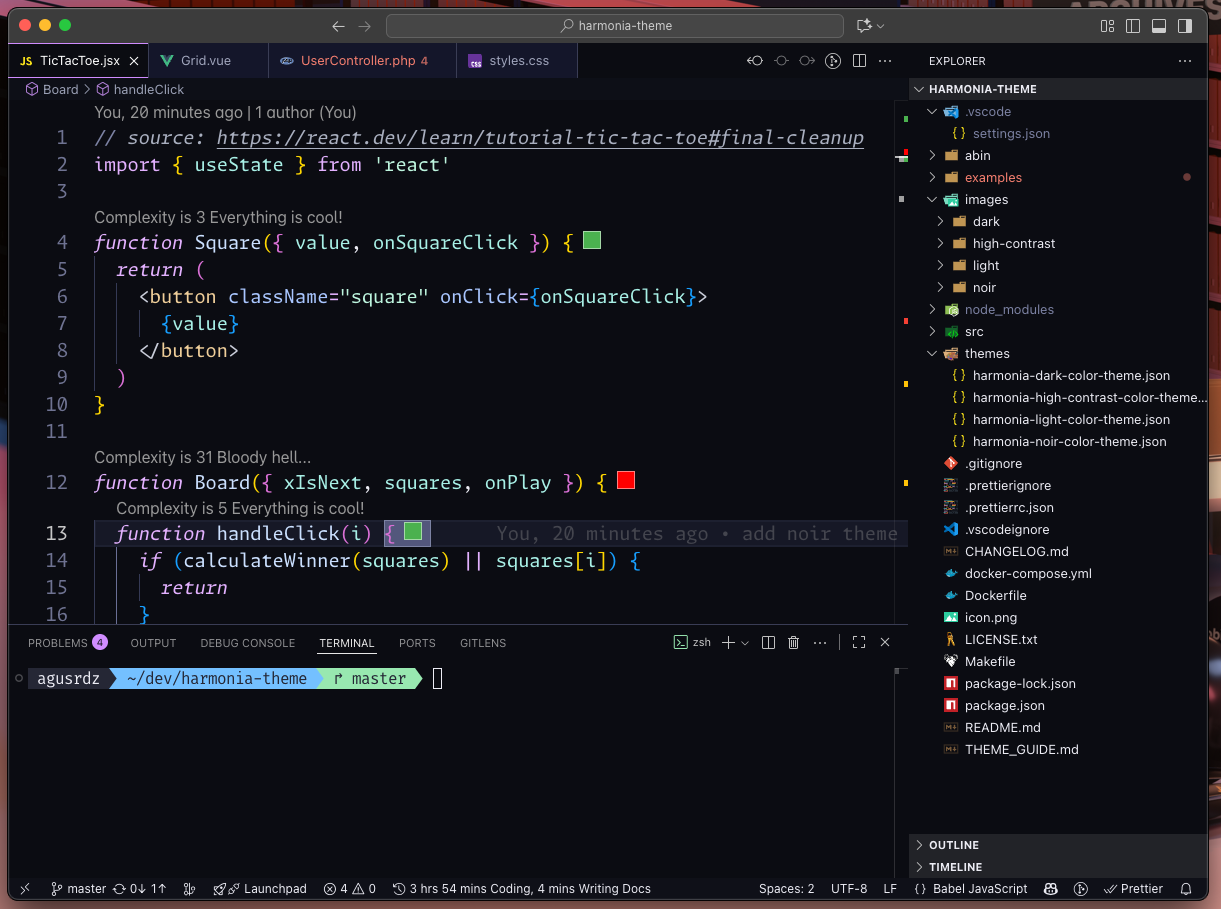
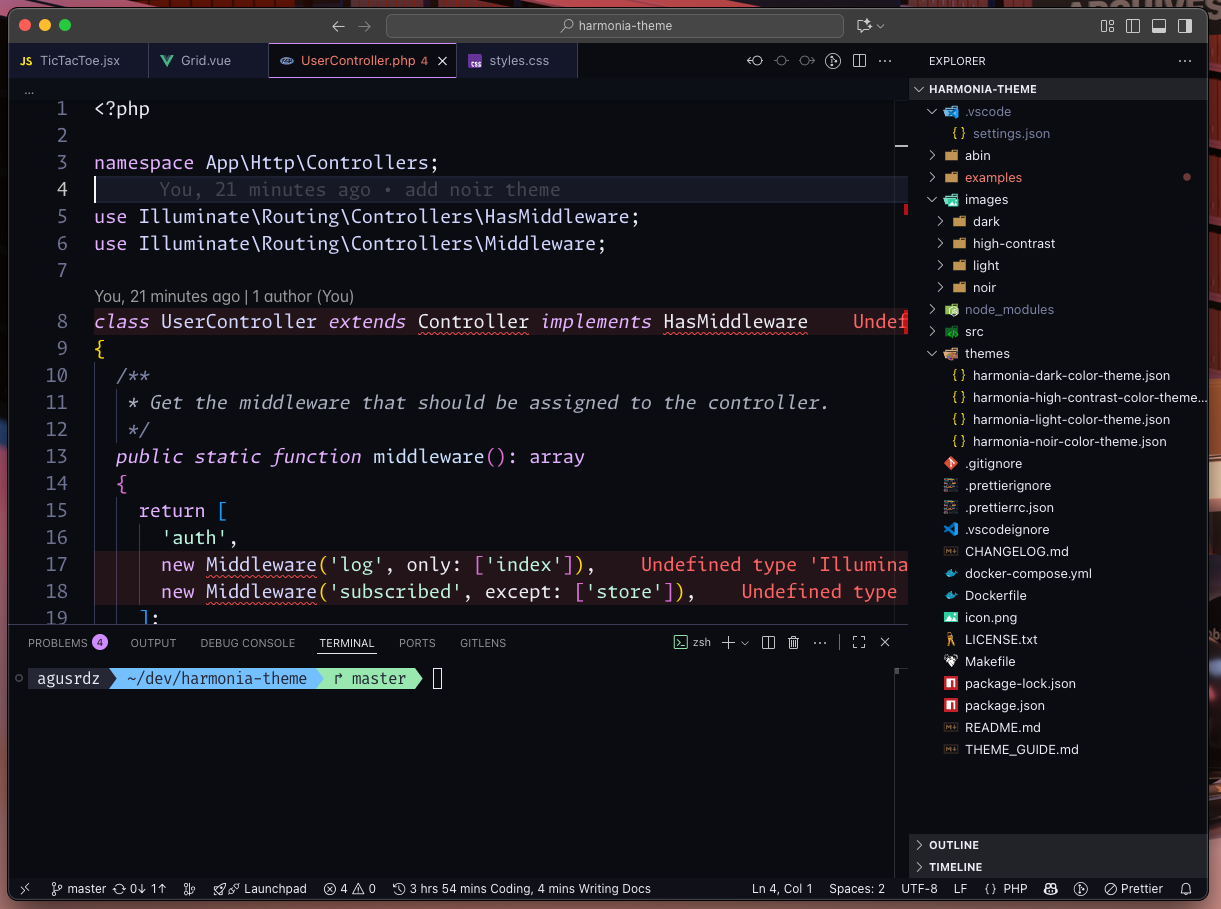
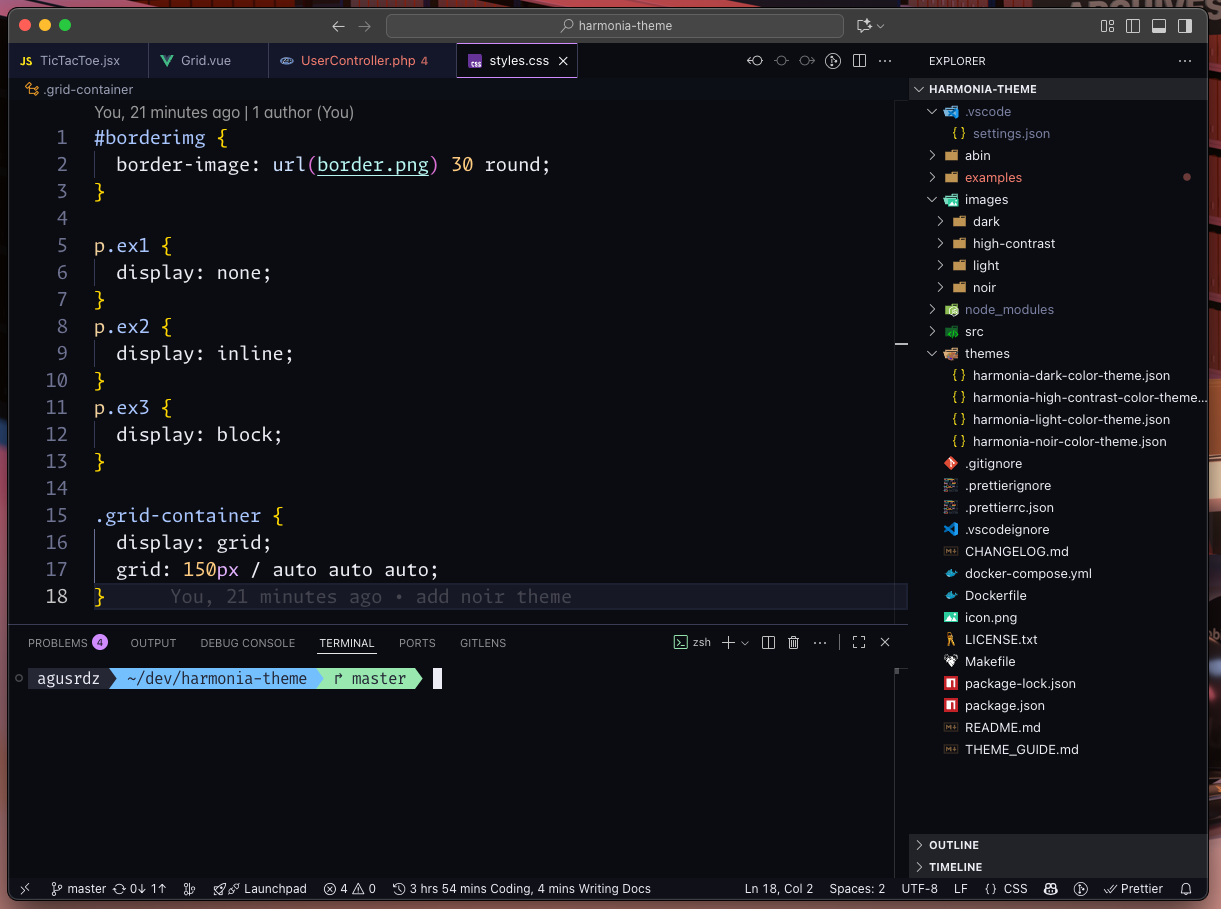
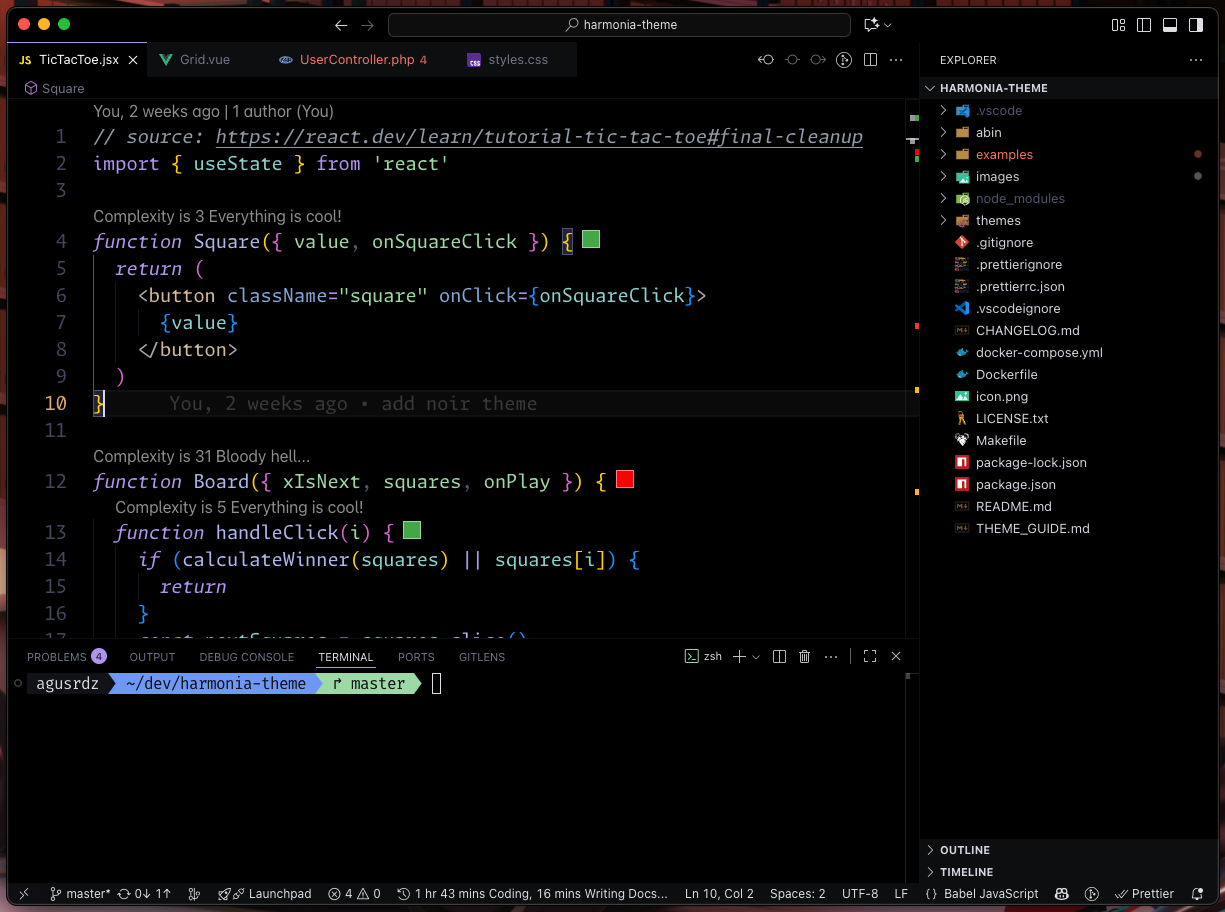
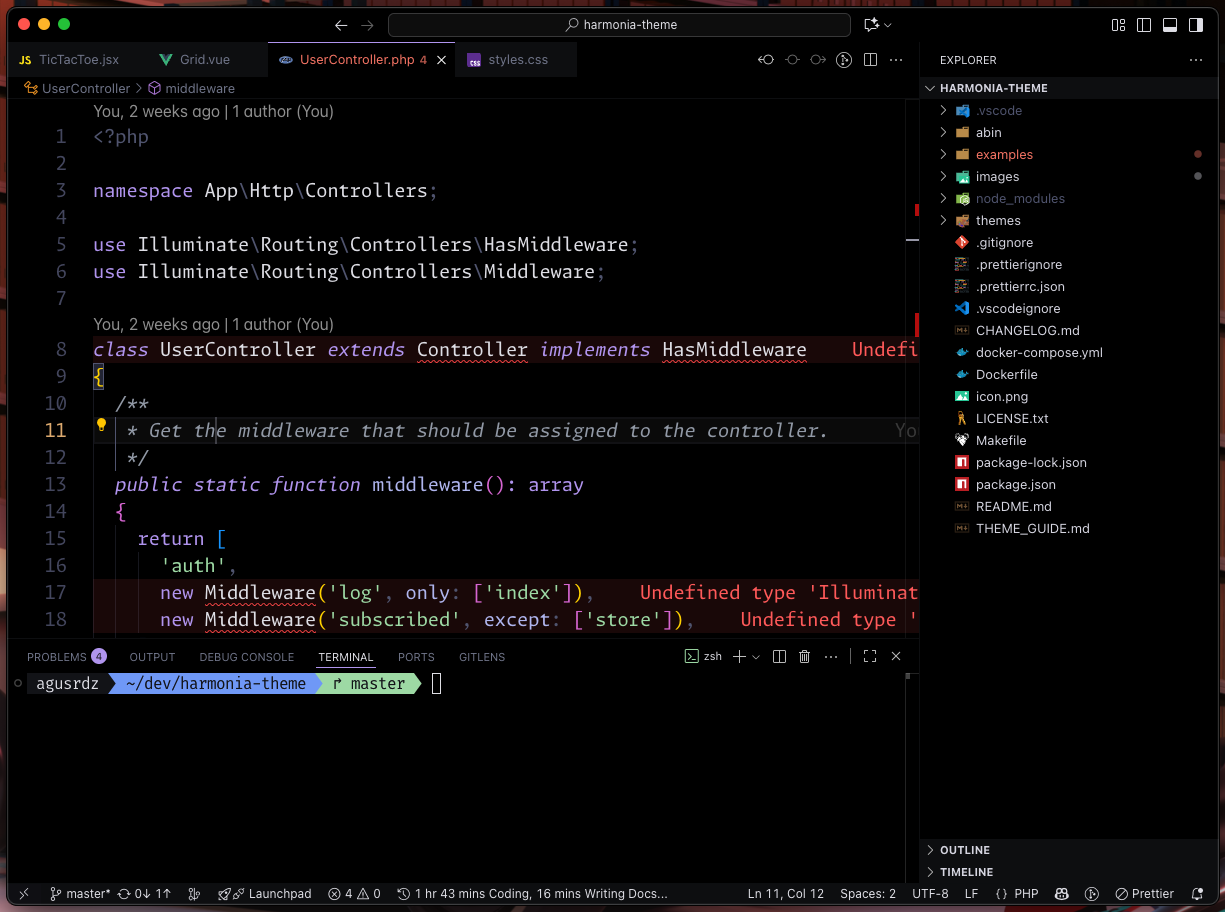
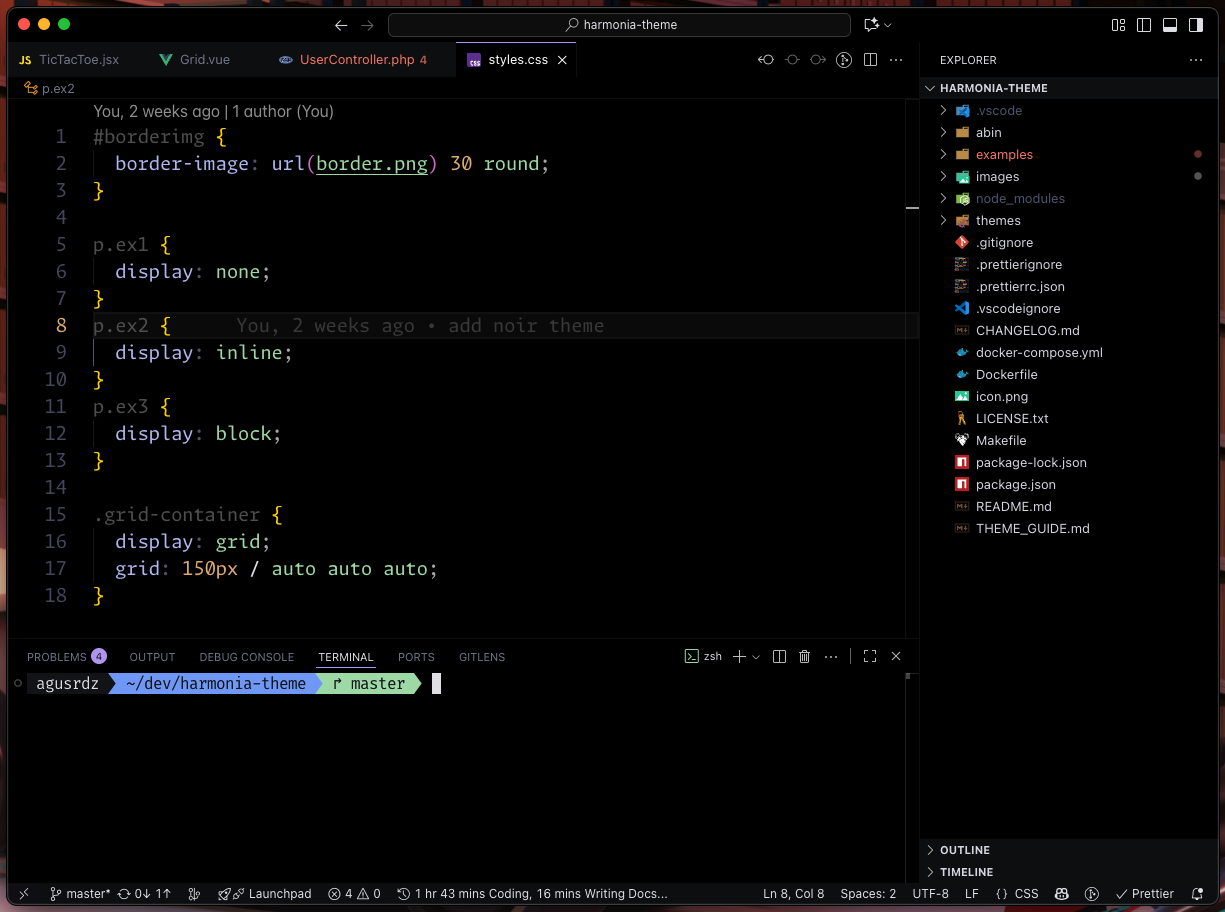
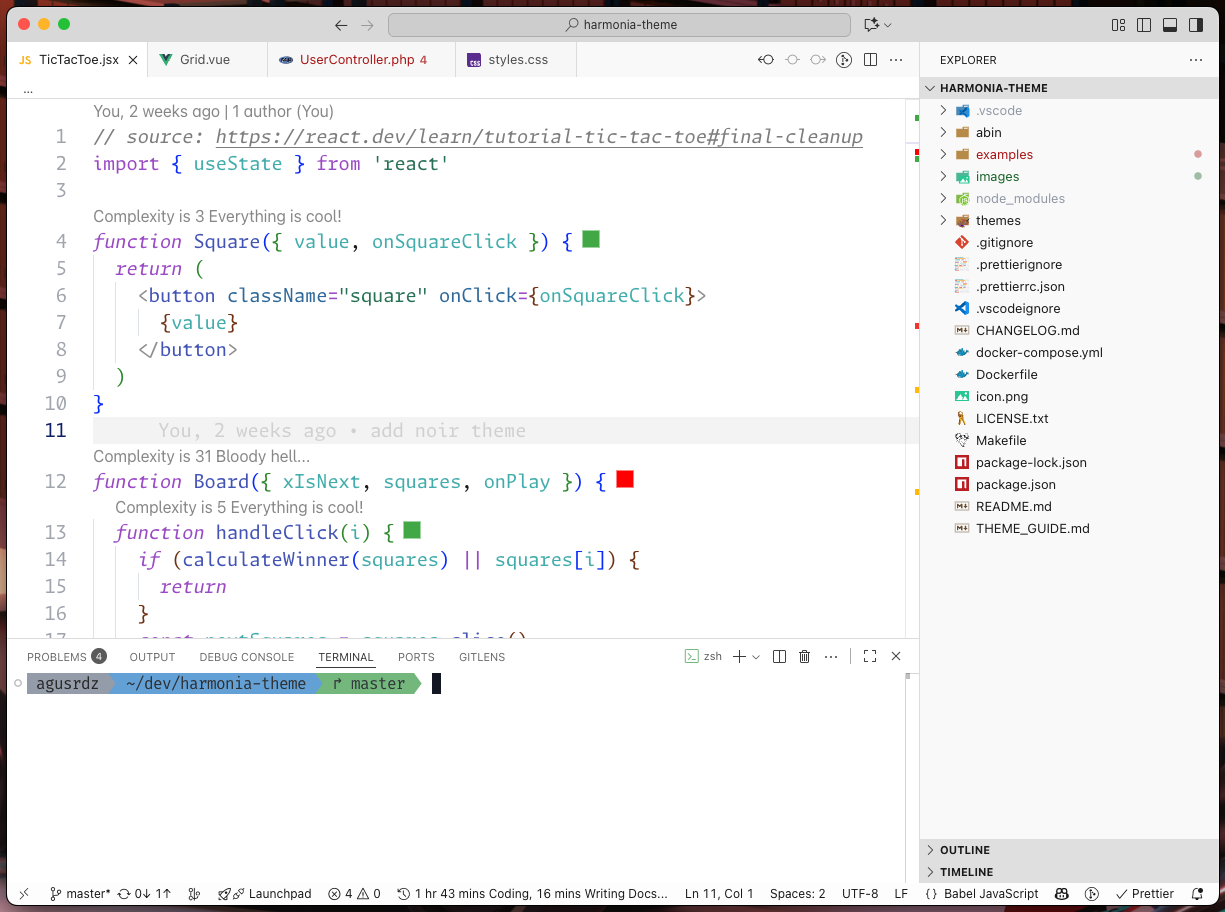
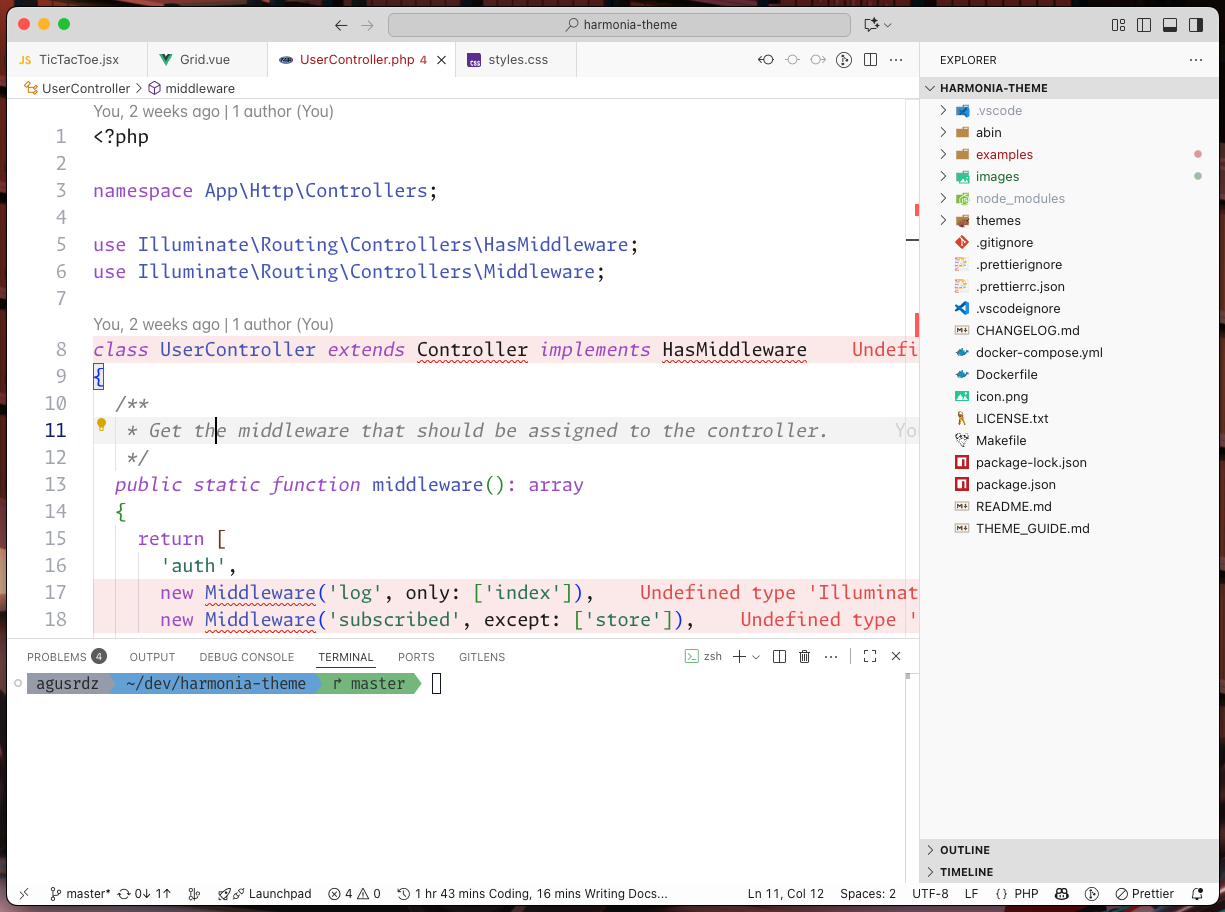
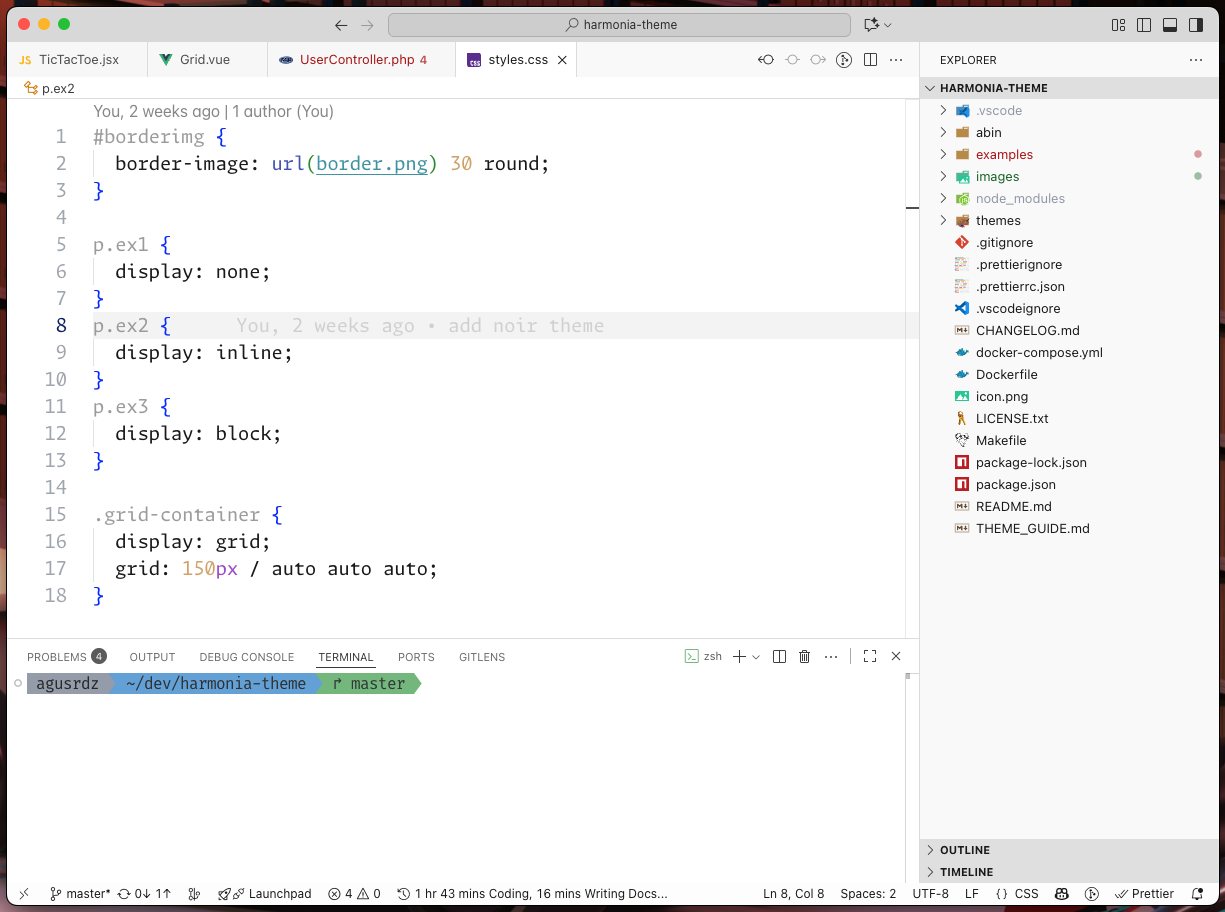
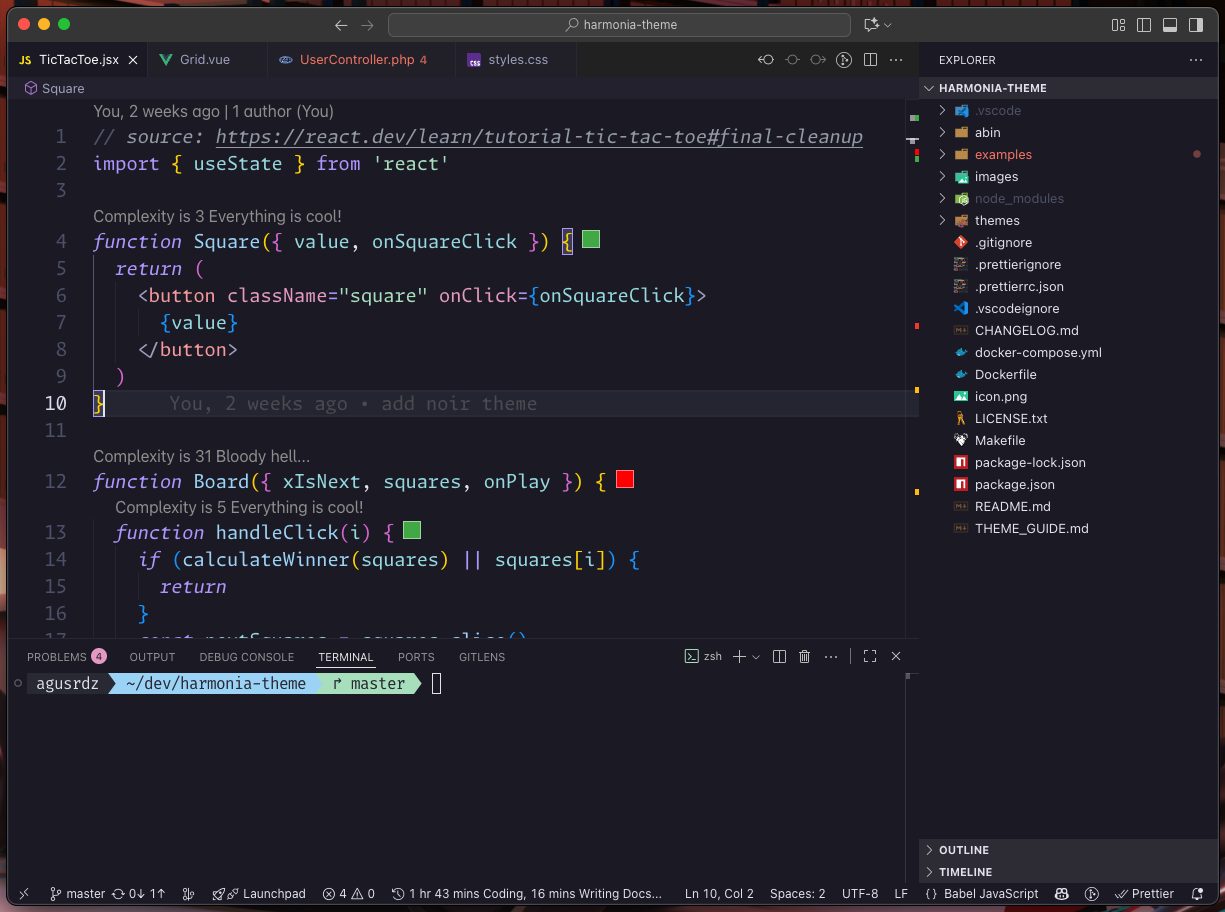
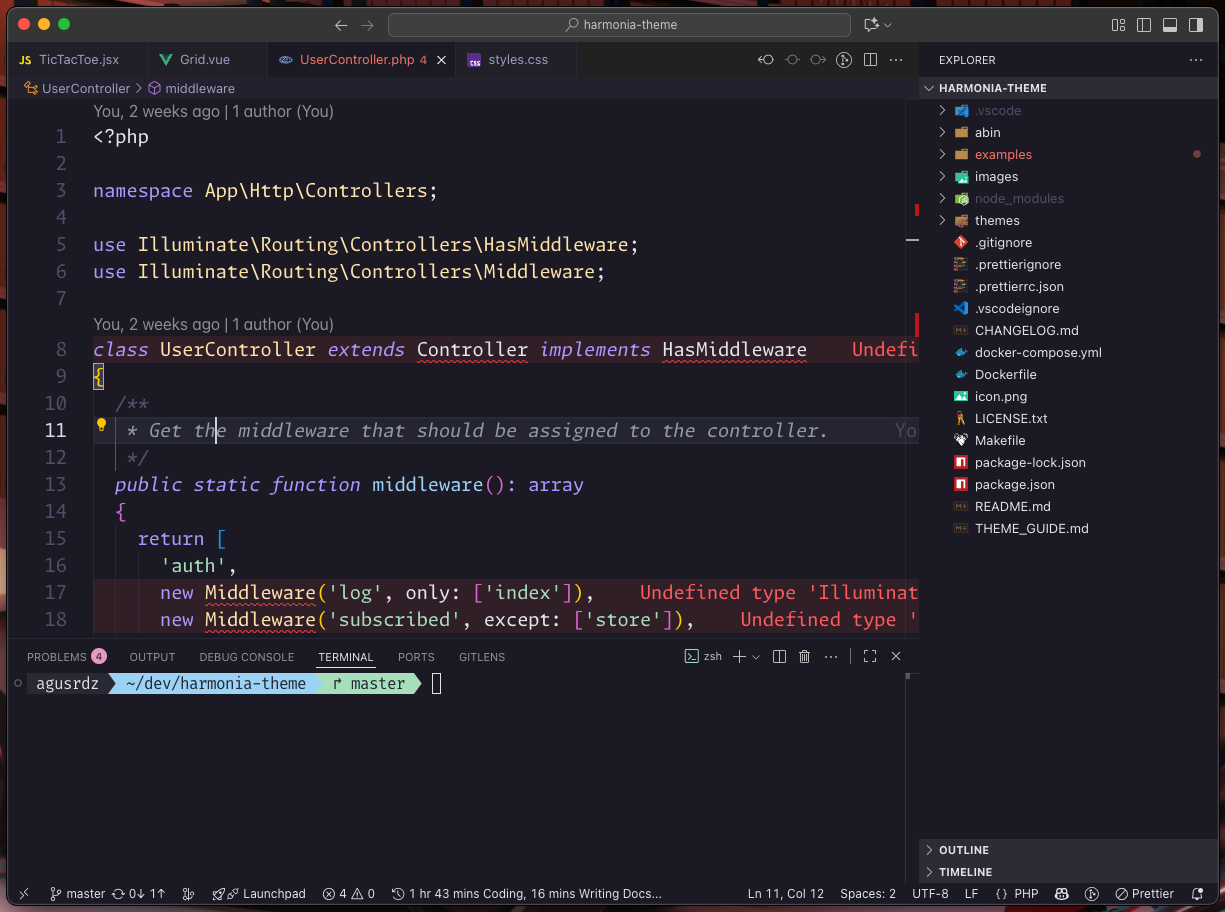
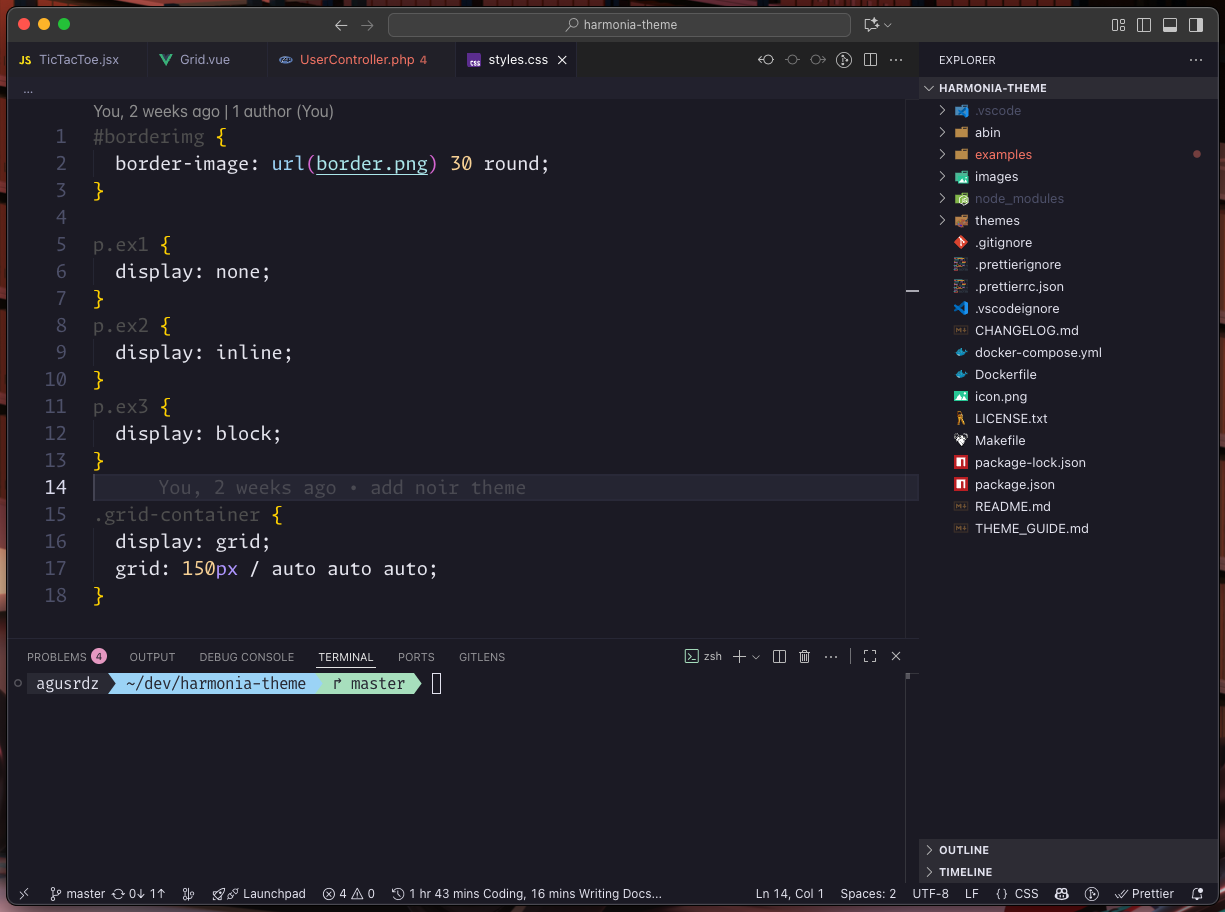
Harmonia is a carefully crafted theme suite for Visual Studio Code. All variants are designed for long, focused coding sessions with soft, thoughtful visuals and semantic clarity.
| Variant | Mode | Description | Palette |
|---|---|---|---|
| 🌑 Dark | Dark | Technical, focused, and balanced. | #1a1b26, #9CB8FF, #a3d9a5 |
| 🌌 Noir | Dark | Elegant, moody, and cinematic. | #14121A, #a788de, #9BCAD9 |
| 🌙 Moonlit | Dark | Serene, blue-focused, and calm. | #1a1b26, #4493F8, #a3d9a5 |
| 🌈 Aurora | Dark | Soft, colorful, and relaxing. | #1d1c28, #E8A2C8, #9dd5b8 |
| 💎 High Contrast | Dark | Sharp and vivid for accessibility. | #0B0C12, #c296e8, #a0dec0 |
| 🖤 OLED True Black | Dark | Pure black for OLED screens. | #000000, #a68edb, #98d1b8 |
| ☀️ Light | Light | Clean, balanced, and neutral. | #eceef1, #4B5EBD, #2F7C61 |
| 🌅 Daybreak | Light | Gentle, blue-accented, and clear. | #eceef1, #4493F8, #2F7C61 |
| 📄 Paper White | Light | Print-like and ultra-readable. | #ffffff, #9650c0, #2F7C61 |
With version 1.6.3, the Harmonia core collection is now complete with 9 carefully crafted variants. Each theme - from Dark to Daybreak - represents a unique balance of clarity, comfort, and visual personality, forming a complete spectrum designed for long, focused coding sessions across all environments and preferences.
Harmonia will continue to receive:
- Minor refinements for contrast, readability, and accessibility.
- Adjustments to stay in sync with new VS Code tokens and UI updates.
- Occasional explorations under Harmonia Elements, a sub-family of experimental palettes inspired by natural tones (e.g. Teal, Sand, Rose).
Harmonia is no longer expanding - it’s maturing. Its philosophy of visual harmony, comfort, and balance remains at the core of every update.
🌿 Thank you for helping Harmonia grow into a complete family of colors, trusted by developers who value focus, serenity, and timeless design.
Harmonia was created for developers who want:
- Visual peace over visual noise
- Focused, low-glare interfaces in both light and dark modes
- Clear, consistent syntax highlighting
- A UI that supports your work instead of distracting from it
- 🎨 Cohesive color palettes - expressive accents with balanced backgrounds
- 🧠 Semantic clarity - functions, variables, parameters, and keywords all distinct
- 💬 Readable comments - styled to fade gently but never disappear
- 📄 Enhanced Markdown - blockquotes, headers, inline code, separators styled for clarity
- 💻 Terminal harmony - ANSI colors tuned to match the theme mood
- 🧩 Language-first design - tuned for PHP, JS, JSON, Docker, configs, logs, and more
#1a1b26- soft, deep background (never pure black)#d0d0e0- consistent, low-contrast foreground text- Accents:
#9CB8FF,#88c6c3,#c574dd--- expressive yet quiet - Structure:
#5a5f7afor dividers, quotes, and spacing
#eceef1- soft, light background (never pure white)#2d2d2d- clean, readable foreground text- Accents:
#c574dd,#86c591,#83bde7--- elegant without harshness - Structure:
#c1c1c1and#c3c7cefor subtle guides and dividers
#14121A- rich violet-black background for deep focus#d0d0e0- soft, neutral foreground text- Accents:
#C2A0F5,#A8E0D2,#e0a96d- sophisticated, moody tones - Structure:
#4C4665and#2A2835for subtle depth and guides
#0f0f0f- stronger, pure background#ffffff- crisp, accessible foreground text- Accents:
#ff4081,#00e5ff,#76ff03- high-contrast, vivid highlights - Structure:
#888888,#444444- clear borders and guides
#000000- true black background for OLED panels (power efficient)#d0d0d0- soft neutral text for comfort- Accents:
#ff79c6,#50fa7b,#8be9fd- vivid, high-energy highlights - Structure:
#44475a,#282a36- careful borders and subtle guides
#ffffff- bright, paper-like background for a clean and natural workspace#2d2d2d- crisp, comfortable foreground text- Accents:
#AA0000,#000088,#005500,#660066- vivid ink-like hues inspired by print media - Guides & dividers: soft grays (
#E0E0E0,#DDDDDD) for balanced separation without visual noise
#9e8aeb- gentle violet for keywords and logic#f7a3a8- warm rose for HTML/JSX tags#9dd5b8- soft mint for strings and class names#92c8ed- cool blue for functions and utilities#e6c58a- subtle amber for numbers and constants
Highlights:
- Balanced pastels with clean contrast - colorful yet easy on the eyes.
- Inspired by sunrise tones: a midpoint between Dark and Light.
- Perfect for relaxed creative coding or front-end design work.
#1a1b26- soft, deep background matching Dark#d0d0e0- consistent, balanced foreground text- Accents:
#4493F8,#94E2D5,#a3d9a5- serene blue-focused palette - Structure:
#2c2e40for dividers and subtle guides
Highlights:
- Blue-centric variant with cool, calming tones.
- Ideal for developers who prefer blue over purple accents.
- Maintains Dark's restrained aesthetic with a different color temperature.
#eceef1- soft, light background matching Light#2d2d2d- clean, readable foreground text- Accents:
#4493F8,#4AB5B4,#2F7C61- sky-blue and teal palette - Structure:
#d0d3d6for subtle guides and dividers
Highlights:
- Light variant with gentle blue accents instead of purple.
- Clear, bright, and optimized for daytime coding.
- Complements Moonlit as the light counterpart to its blue-focused philosophy.
Each variant is designed to reduce fatigue, keep code readable, and make your editor feel like a calm workspace.
{
  "workbench.colorTheme": "Harmonia Dark",
  "editor.fontFamily": "'Monaspace Argon', 'Fira Code', 'MonoLisa', 'JetBrains Mono', 'DejaVu Sans Code', 'monospace'",
  "editor.fontLigatures": "'calt', 'ss01', 'ss02', 'ss03', 'ss04', 'ss05', 'ss06', 'ss07', 'ss08', 'ss09', 'cv01' 2, 'liga'",
  "editor.fontSize": 16,
  "editor.lineHeight": 0,
  "editor.cursorBlinking": true,
  "editor.renderWhitespace": "none",
  "editor.minimap.enabled": false,
  "terminal.integrated.fontFamily": "'Fira Code', monospace",
  "terminal.integrated.fontSize": 16
}Harmonia works out of the box, but you can take advantage of VS Code's customization options to fine-tune your experience.
"workbench.colorTheme": "Harmonia Noir"Always start VS Code with Harmonia Noir. Change to "Harmonia Dark" or "Harmonia Light" as needed.
"workbench.preferredDarkColorTheme": "Harmonia Noir",
"workbench.preferredLightColorTheme": "Harmonia Light",
"window.autoDetectColorScheme": true
Automatically switch between Light and Dark variants based on your operating system theme.
VS Code allows overriding colors per theme without editing the theme itself. Official docs: Customize a Color Theme
"workbench.colorCustomizations": {
  "[Harmonia Dark]": {
    "editor.background": "#1a1b26",
    "editor.foreground": "#d0d0e0",
    // other tweaks...
  },
}
This example tweaks line numbers differently for each variant. You can use the same method to adjust highlights, borders, or any UI color.
If you frequently review pull requests or work with diffs, you can increase the diff highlighting intensity:
"workbench.colorCustomizations": {
  "[Harmonia Dark]": {
    "diffEditor.insertedTextBackground": "#A3D9A525",
    "diffEditor.removedTextBackground": "#EC727925"
  },
  "[Harmonia Light]": {
    "diffEditor.insertedTextBackground": "#A3D9A530",
    "diffEditor.removedTextBackground": "#EC727930"
  }
}
This makes added/removed code more prominent during code review sessions while preserving Harmonia's restrained aesthetic for normal coding.
Harmonia pairs well with these fonts, chosen for clarity and comfort during long sessions:
| Font | Link |
|---|---|
| Monaspace Argon | monaspace.githubnext.com |
| Fira Code | github.com/tonsky/FiraCode |
| MonoLisa | monolisa.dev (the free version is enough) |
| JetBrains Mono | jetbrains.com/lp/mono |
| DejaVu Sans Code | dejavu-fonts.github.io |
| monospace | (System fallback - no installation needed) |
Harmonia is released under the MIT License. Use, modify, and share it freely.
Feedback is always welcome! This started as a personal project for my own daily coding, and I'm happy to share it with anyone who finds it useful. Suggestions are appreciated - updates are not guaranteed, but the theme will continue to evolve with time.