Conversation


Updated README to enhance clarity on AI stack and workflows.
Revise README for AI stack and Zen MCP details

Summary of ChangesHello @Ujjwal0110, I'm Gemini Code Assist1! I'm currently reviewing this pull request and will post my feedback shortly. In the meantime, here's a summary to help you and other reviewers quickly get up to speed! This pull request primarily focuses on enhancing the clarity and conciseness of the project's Highlights
🧠 New Feature in Public Preview: You can now enable Memory to help Gemini Code Assist learn from your team's feedback. This makes future code reviews more consistent and personalized to your project's style. Click here to enable Memory in your admin console. Using Gemini Code AssistThe full guide for Gemini Code Assist can be found on our documentation page, here are some quick tips. Invoking Gemini You can request assistance from Gemini at any point by creating a comment using either
Customization To customize Gemini Code Assist for GitHub experience, repository maintainers can create a configuration file and/or provide a custom code review style guide (such as PEP-8 for Python) by creating and adding files to a Limitations & Feedback Gemini Code Assist may make mistakes. Please leave feedback on any instances where its feedback is incorrect or counter productive. You can react with 👍 and 👎 on @gemini-code-assist comments. If you're interested in giving your feedback about your experience with Gemini Code Assist for Github and other Google products, sign up here. You can also get AI-powered code generation, chat, as well as code reviews directly in the IDE at no cost with the Gemini Code Assist IDE Extension. Footnotes
|
![gemini-code-assist[bot]](https://avatars.githubusercontent.com/in/956858?s=60&v=4)

There was a problem hiding this comment.
Code Review
This pull request significantly refactors the README.md to be more concise. While the new version is cleaner, it removes crucial information for new users, such as the Quick Start guide and links to documentation, and also introduces a formatting issue. My review focuses on reintroducing these essential elements and fixing the formatting to improve the project's usability without sacrificing the new, cleaner design.
| [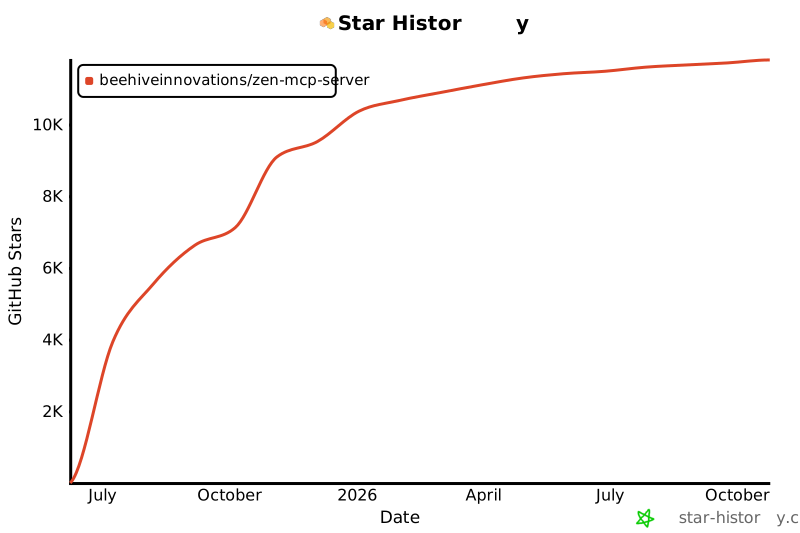](https://www.star-history.com/#BeehiveInnovations/zen-mcp-server&Date) | ||
| # Consensus across models → Implementation handoff | ||
| Use consensus with gpt-5 and gemini-pro to decide: dark mode or offline support next | ||
| Continue with clink gemini - implement the recommended feature |
There was a problem hiding this comment.

The new README is much more concise, which is great for a quick overview. However, I've noticed two issues:
- The
bashcode block starting on line 57 is missing its closing backticks (```), which will cause rendering issues. - Essential information for new users, like how to get started or where to find more documentation, has been removed. It's important to provide these entry points.
I've combined a fix for both issues in the suggestion below, which closes the code block and adds back 'Quick Start' and 'Documentation' sections.
| Continue with clink gemini - implement the recommended feature | |
| Continue with clink gemini - implement the recommended feature |
🚀 Quick Start
For detailed installation and configuration, please see the Getting Started Guide.
📚 Documentation
Explore the full documentation to learn more about Zen MCP:
- Tools Reference: Detailed information on all available tools.
- Advanced Usage: Power-user features and complex workflows.
- Configuration: All environment variables and options.
1 participant

PR Title Format
Please ensure your PR title follows Conventional Commits format:
Version Bumping Types (trigger semantic release):
feat: <description>- New features → MINOR version bump (1.1.0 → 1.2.0)fix: <description>- Bug fixes → PATCH version bump (1.1.0 → 1.1.1)perf: <description>- Performance improvements → PATCH version bump (1.1.0 → 1.1.1)Breaking Changes (trigger MAJOR version bump):
For breaking changes, use any commit type above with
BREAKING CHANGE:in the commit body or!after the type:feat!: <description>→ MAJOR version bump (1.1.0 → 2.0.0)fix!: <description>→ MAJOR version bump (1.1.0 → 2.0.0)Non-Versioning Types (no release):
build: <description>- Build system changeschore: <description>- Maintenance tasksci: <description>- CI/CD changesdocs: <description>- Documentation onlyrefactor: <description>- Code refactoring (no functional changes)style: <description>- Code style/formatting changestest: <description>- Test additions/changesDocker Build Triggering:
Docker builds are independent of versioning and trigger based on:
Automatic: When PRs modify relevant files:
*.py),requirements*.txt,pyproject.tomlDockerfile,docker-compose.yml,.dockerignore)Manual: Add the
docker-buildlabel to force builds for any PR.Description
Please provide a clear and concise description of what this PR does.
Changes Made
Testing
Please review our Testing Guide before submitting.
Run all linting and tests (required):
tests/simulator_tests/Related Issues
Fixes #(issue number)
Checklist
source venv/bin/activate && ./code_quality_checks.shAdditional Notes
Any additional information that reviewers should know.