

This project is inspired by stealthnote.xyz. Our goal is to build on the core idea of StealthNote while significantly enhancing performance and user experience using Mopro. By leveraging native execution, our implementation achieves at least ~10× faster performance compared to the browser-based version — as demonstrated in our benchmarks.
-
Sign in with Google OAuth: When a user signs in with Google on StealthNote, an ephemeral key is generated. The platform then requests a JWT from Google OAuth to prove ownership of the user's email address, using the hash of the ephemeral key as a nonce. A Noir proof is generated to attest to the validity of the JWT and the nonce, and this proof is submitted to the server. Upon verification, the server creates a membership record tied to the user's organizational email.
-
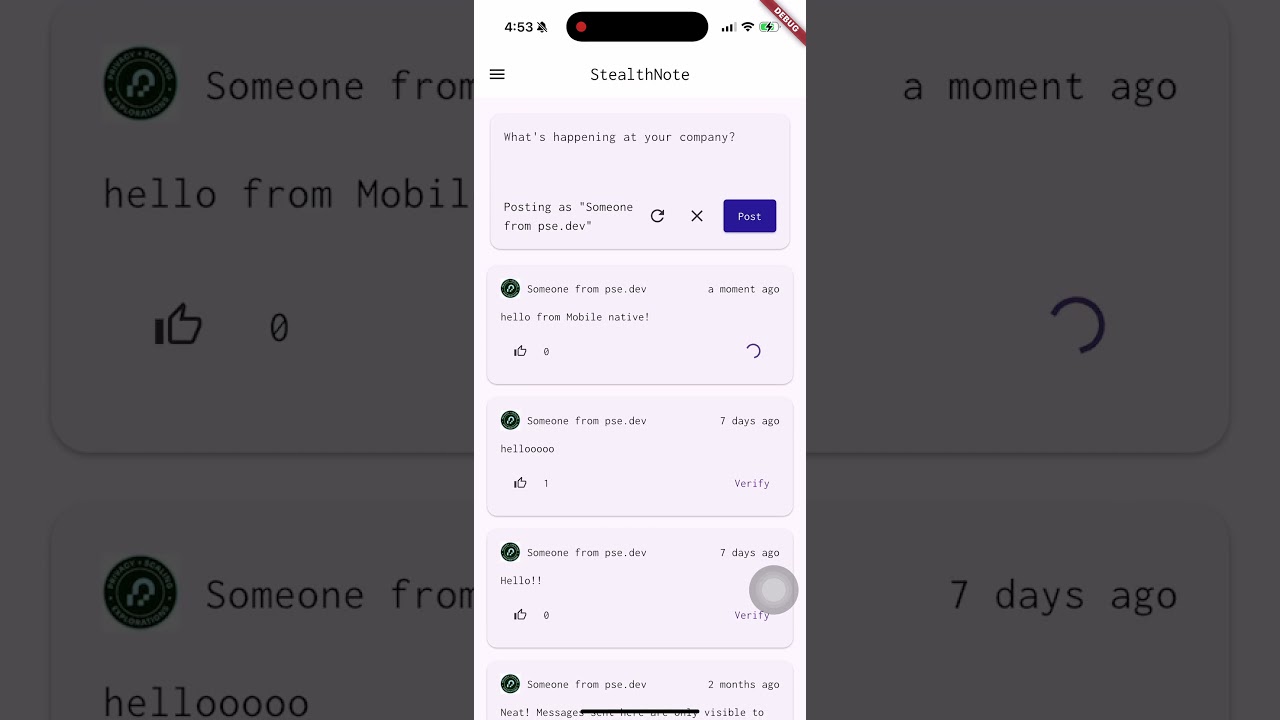
Create note: After signing in with Google OAuth and storing the ephemeral key, users can use the key to post content on the platform.
-
Toggle likes: Just like creating a note, users can use their ephemeral public key to toggle likes on the platform.
-
Verify proofs: Each message box includes a "Verify" button, allowing any user to verify the corresponding Noir proof stored in the database and confirm its authenticity via Google OAuth.
-
Internal chat: Internal chats are visible only to members of the same organization who choose to post internally. Stealthnote uses the user's ephemeral public key to authenticate message posting and retrieval.
-
Rust: All cryptographic functions are implemented in Rust, as the ecosystem offers a richer set of libraries and better performance compared to Flutter. Below is an overview of our implementation.
generate_ephemeral_key(): Stealthnote uses an ephemeral key for performing actions and verifying membership. We implemented Ed25519 signature functionality and hashes in Rust to ensure secure and efficient cryptographic operations.prove_jwt(): Theprove_jwtfunction extracts the necessary data for the Noir circuit and invokes the noir-rs proof generation function to produce a valid Noir proof.verify_jwt_proof(): Theverify_jwt_prooffunction retrieves inputs from the database, formats them for the Noir circuit, and uses noir-rs to verify the corresponding proof.
-
Mopro: Mopro generates native bindings for iOS and Android, allowing the Flutter app to call Rust-defined functions simply by replacing the generated bindings.
-
Flutter: Flutter is used to build our cross-platform frontend. It handles the Google authentication flow to obtain a JWT, and communicates with the Stealthnote.xyz APIs to interact with the backend.
Mopro simplifies generating native mobile bindings through the mopro CLI. The following example demonstrates how to update the bindings when changes are made to the underlying Rust functions. This allows developers to focus solely on maintaining the Rust functions, while automatically ensuring cross-platform support.
cargo install [email protected]Run
mopro buildand select aarch64-apple-ios
Activate android-compat feature in Cargo.toml.
- noir = { git = "https://github.com/zkmopro/noir-rs", features = ["barretenberg"] }
+ noir = { git = "https://github.com/zkmopro/noir-rs", features = ["barretenberg", "android-compat"] }
Run
mopro buildand select aarch64-linux-android
Copy the generated files into your Flutter project:
cp -r MoproiOSBindings flutter/mopro_flutter_plugin/ios && \
cp -r MoproAndroidBindings/uniffi flutter/mopro_flutter_plugin/android/src/main/kotlin && \
cp -r MoproAndroidBindings/jniLibs flutter/mopro_flutter_plugin/android/src/mainFollow the instructions to open the development tools
-
Go to
flutterdirectorycd flutter -
Check flutter environment
flutter doctor
-
Install Flutter Dependencies
flutter pub get
-
Run the app (Please turn on emulators before running the command)
flutter run
Stealthnote Mobile supports a variety of Markdown features for rich text formatting in your notes. You can use common Markdown syntax to create headers, lists, bold and italic text, links, and more.
Below is an example of how Markdown is rendered in the app:

Stealthnote Mobile Support Markdown
The following benchmarks were conducted on iPhone and Android in release mode:
| JWT Operation | Prove | Verify |
|---|---|---|
| Browser | 37.292 s | 0.286 s |
| Desktop (Mac M1 Pro) | 2.02 s | 0.007 s |
| Android emulator (Pixel 8) | 4.786 s | 3.013 s |
| iPhone 16 Pro | 2.626 s | 1.727 s |