
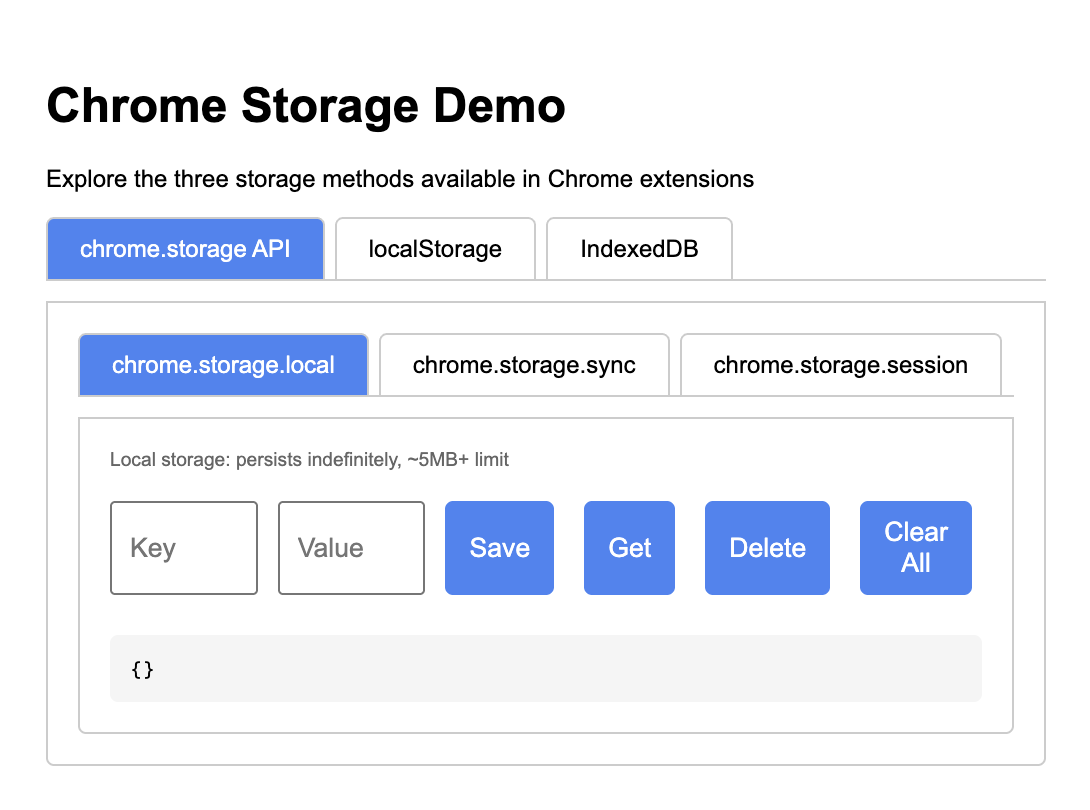
This Chrome extension demonstrates the three main storage methods available to Chrome extensions:
- chrome.storage API (local, sync, and session)
- localStorage
- IndexedDB
To install this extension in developer mode:
- Open Chrome and navigate to
chrome://extensions/ - Enable "Developer mode" using the toggle in the top-right corner
- Click "Load unpacked" and select the
/Users/jlumbroso/CascadeProjects/chrome-storage-demodirectory - The extension should now appear in your extensions list and toolbar
Click on the extension icon in your toolbar to open the popup interface.
The first tab demonstrates the three variants of Chrome's storage API:
- chrome.storage.local: Persists indefinitely, ~5MB+ storage limit
- chrome.storage.sync: Syncs across devices where you're signed in, ~100KB limit
- chrome.storage.session: Only persists during the browser session
For each type, you can:
- Enter a key and value
- Save data
- Retrieve specific data by key
- Delete data by key
- Clear all data
This tab demonstrates the Web Storage API's localStorage. Like chrome.storage.local, it:
- Persists indefinitely
- Has a ~5MB limit
- Is synchronous (potentially blocking)
This tab demonstrates IndexedDB, which:
- Handles complex data structures
- Has large storage capacity
- Is fully asynchronous
- Supports structured data
In this demo, data is stored with:
- A numeric ID (key)
- A value (can be a JSON object)
- A timestamp
| Storage Method | Persistence | Size Limit | Sync/Async | Best For |
|---|---|---|---|---|
| chrome.storage.local | Permanent | ~5MB+ | Async | General extension data |
| chrome.storage.sync | Permanent + device sync | ~100KB | Async | User preferences, settings |
| chrome.storage.session | Browser session only | Memory | Async | Temporary state |
| localStorage | Permanent | ~5MB | Sync | Simple storage, compatibility |
| IndexedDB | Permanent | Large (100MB+) | Async | Complex data, large storage |
- Empty placeholder icons are included and should be replaced with real icons for a production extension
- This is a technology demonstration and can be extended with more features as needed