
The Simple Desktop Email Receiver




Papercut SMTP is a 2-in-1 quick email viewer and built-in SMTP server for development. Point your application at localhost:25 and every email it sends is caught, displayed instantly, and never delivered anywhere — body, HTML, headers, attachments, and raw bits included.
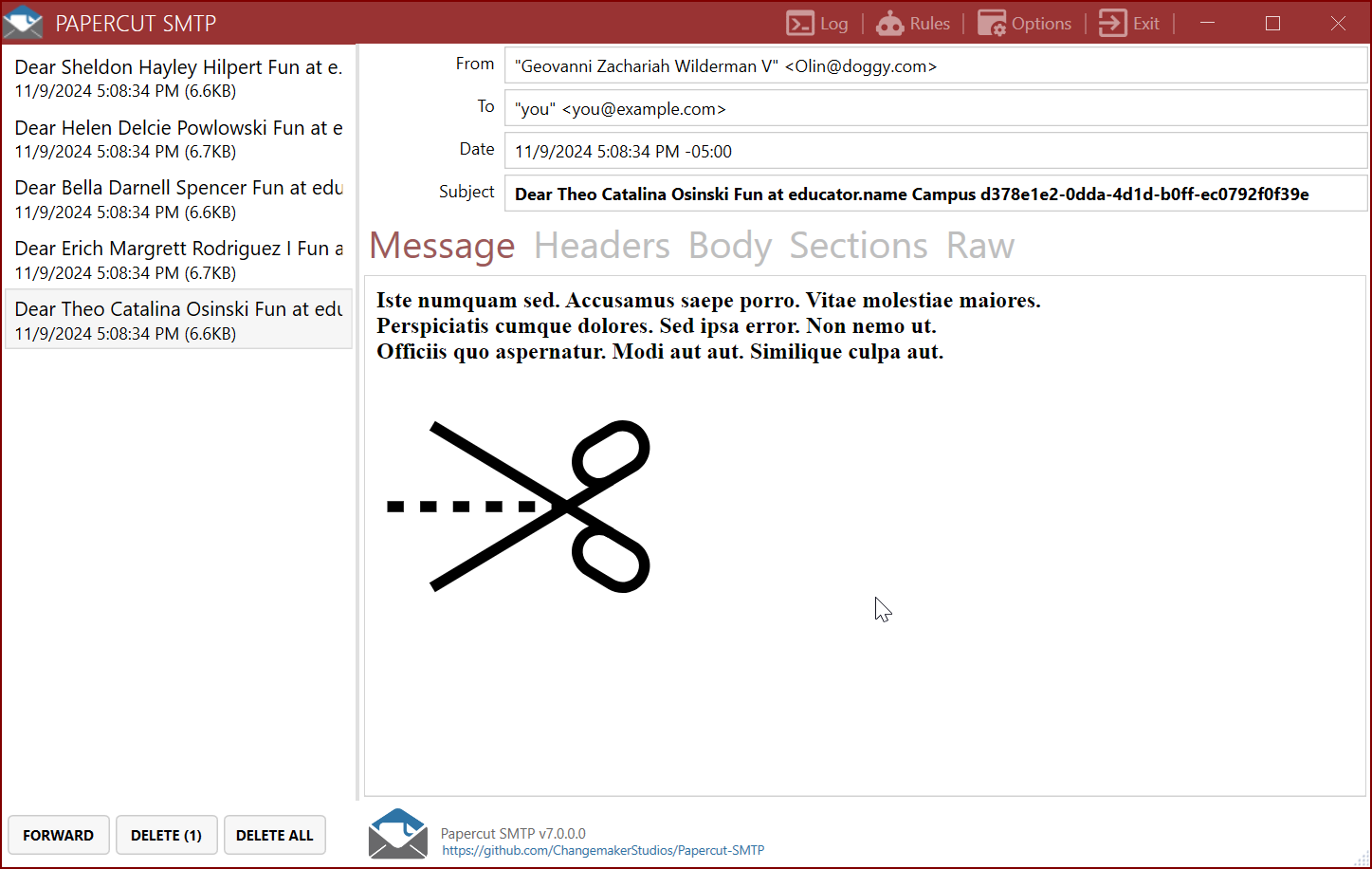
Download the desktop installer (always the latest version):
- 64-bit: PapercutSMTP-win-x64-stable-Setup.exe
- 32-bit: PapercutSMTP-win-x86-stable-Setup.exe
- ARM64: PapercutSMTP-win-arm64-stable-Setup.exe
Or via WinGet (may lag behind the latest release):
winget install ChangemakerStudios.Papercut-SMTPRun it — Papercut is immediately listening on 127.0.0.1:25. Configure your app to send there and you're done.
docker run -d -p 8080:8080 -p 2525:2525 changemakerstudiosus/papercut-smtp:latestWeb UI at http://localhost:8080, SMTP on localhost:2525. Details on Docker Hub.
The Papercut Service includes an optional Model Context Protocol server, so AI agents like Claude Code can inspect the email your app sends — list messages, assert on bodies and headers, verify attachment content, and clean up between test runs. Off by default; enable it with the EnableMcpServer setting, then connect:
claude mcp add --transport http papercut http://localhost:8080/mcpSee the MCP Server documentation for setup and the full tool reference.
www.papercut-smtp.com — full documentation:
- How It Works — what Papercut is (and isn't), in two minutes
- Getting Started — install, first run, first test email
- Send Email from Your App — copy-paste config for .NET, Node, Python, PHP, Java, Ruby
- Desktop App · Service & Web UI · MCP Server · Docker · TLS & Auth
- Troubleshooting
See ReleaseNotes.md for the full release history.
Papercut SMTP is free and open source. If it saves you time, consider sponsoring the project — sponsorships go directly toward project costs like the annual code-signing certificate that keeps the installer trusted by Windows.
Papercut SMTP is licensed under the Apache License, Version 2.0.