Build beautiful games with high-quality 3D assets using Thrixel and Claude Code.
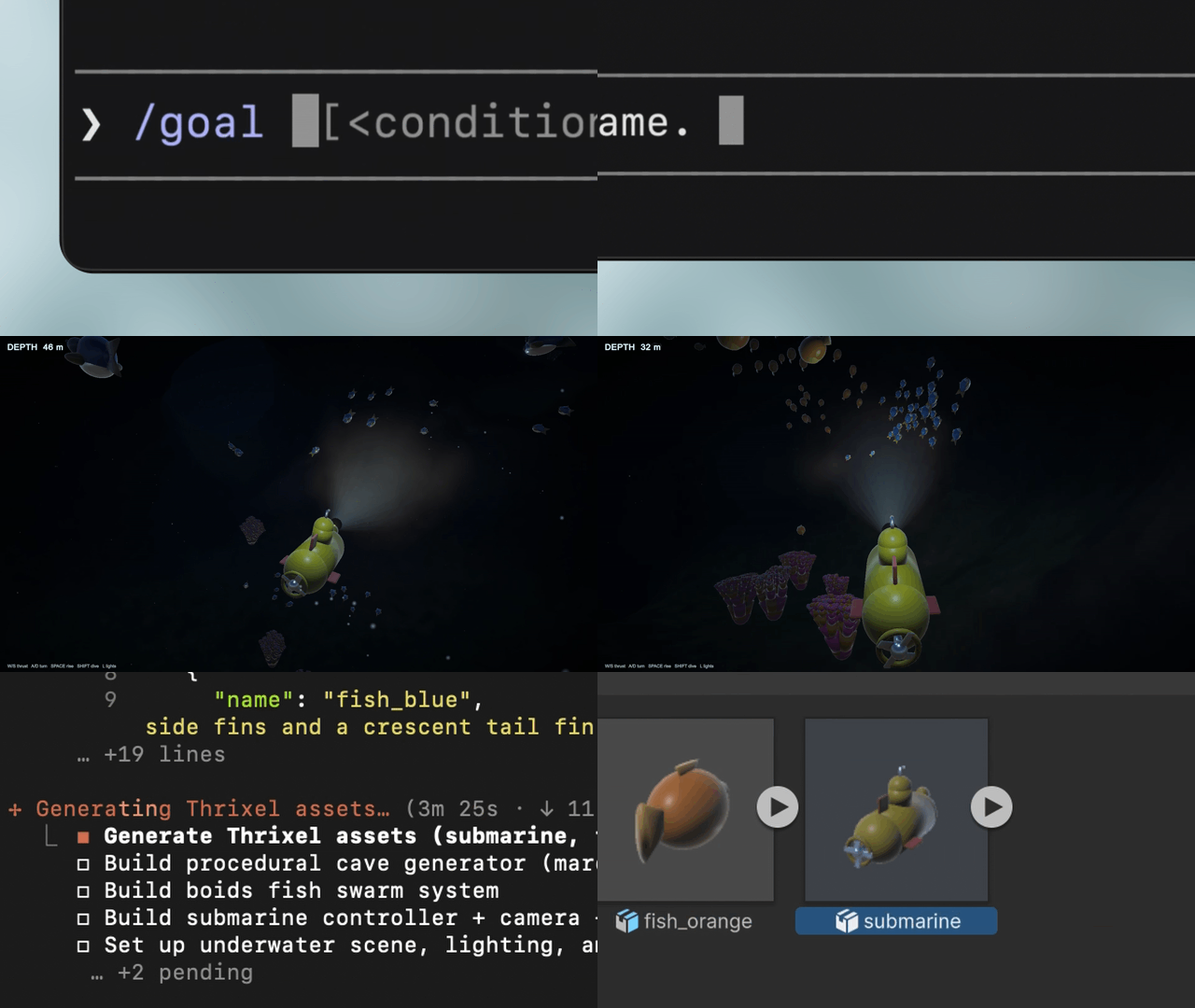
Claude Code handles the game logic and scene setup. Thrixel generates, organizes, and manages the 3D assets. Thrixel processes 3D creation in parallel so you can build your scene faster.
Goal to Game currently supports Unity and Three.js and was tested with Claude Code. Other coding agents that can read repository instructions and run commands inside a project, such as Codex, are expected to work as well, but the instructions below use Claude Code.
Steps 1 and 2 are once per machine. After that, a new game is just step 3.
claude --version
uv --version
Both print a version? Skip to step 2.
Not installed? Install commands here
macOS, Linux, WSL
curl -fsSL https://claude.ai/install.sh | bash    # the agent that writes your game
curl -LsSf https://astral.sh/uv/install.sh | sh   # runs the Thrixel connector
Windows PowerShell
irm https://claude.ai/install.ps1 | iex
irm https://astral.sh/uv/install.ps1 | iexcommand not found.
macOS, Linux, WSL
# 1. Sign up and log in. Opens a page with a code, click Approve. The only manual step here.
uvx thrixel-mcp@latest login

# 2. Install the Thrixel connector. --scope user covers EVERY project, not just this folder.
claude mcp add --scope user thrixel -- uvx thrixel-mcp@latest

# 3. Install the skill. Clone, not download, so it can update itself later.
git clone https://github.com/thrixel/goal-to-game ~/.claude/skills/goal-to-game
Confirm both landed. Same two commands on every platform:
claude mcp list        # thrixel -> Connected
ls ~/.claude/skills/   # goal-to-game listed
If either is missing, Claude will build your game without Thrixel and never mention it.
Windows PowerShell
Same three commands. Only the path differs: ~ is not reliably expanded when PowerShell passes it
to git, and a skill that lands anywhere else is invisible to Claude.
uvx thrixel-mcp@latest login

claude mcp add --scope user thrixel -- uvx thrixel-mcp@latest

git clone https://github.com/thrixel/goal-to-game "$HOME\.claude\skills\goal-to-game"# Run this wherever you keep projects. Claude makes the project folder itself.
claude --permission-mode autoThen type this into Claude Code (not the terminal) and specify the engine (three.js or Unity):
/goal build a submarine exploration game in three.js set in a bright, vibrant tropical sea with coral and fish
We recommend setting /model to Opus 5 or a more capable model, with effort set to high or above.
Claude checks your Thrixel account and starts building. Keep talking to it in plain English to change things.
Something went wrong
"command not found" - open a new terminal. Fixes it almost every time. If a fresh terminal
still fails, run export PATH="$HOME/.local/bin:$PATH" (PowerShell:
$env:Path = "$HOME\.local\bin;$env:Path").
Claude has no Thrixel tools - check claude mcp list for thrixel. If missing, re-run the
claude mcp add line, then restart Claude.
Claude says you need to sign in - re-run uvx thrixel-mcp@latest login and click Approve. No
restart needed, just tell Claude to continue.
"Out of cubes" - cubes are Thrixel's generation credits. Claude shows you what is built, marks missing assets as labelled blocks, and asks how you want to continue.
Every asset generated through the Thrixel API is saved to your Thrixel workspace.
Manage and Edit: Visit Thrixel Web App to view, manage, and edit your assets. If you make changes in the web app, ask your coding agent to pull the updated versions back into your game.
Engine Agnostic: Because your assets are managed in Thrixel rather than tied to one codebase, you can also reuse them across projects and engines. For example, you can prototype in Three.js and later ask your agent to rebuild the game in Unity using the same asset library.
Parallel Processing: Thrixel can manage and process jobs in parallel. Your coding agent can farm out parallel jobs to Thrixel while building out the logic of the game. Each plan has a different concurrency limit.
You can test this workflow using the free Thrixel Cubes included with your Starter account. However, building a full-scale game generally requires a wider variety of assets and rapid iteration that usually exceeds Starter limits. Upgrading to a Paid Plan unlocks higher parallel job processing capacity and higher generation limits, allowing you to bring your most ambitious ideas to life. You can keep track of your remaining Cubes anytime in Account Settings.
Learn more about Thrixel at thrixel.com.