Diplo God Mode makes Umbraco developers invincible!


This package adds a God Mode tree to the Settings section of Umbraco 17.
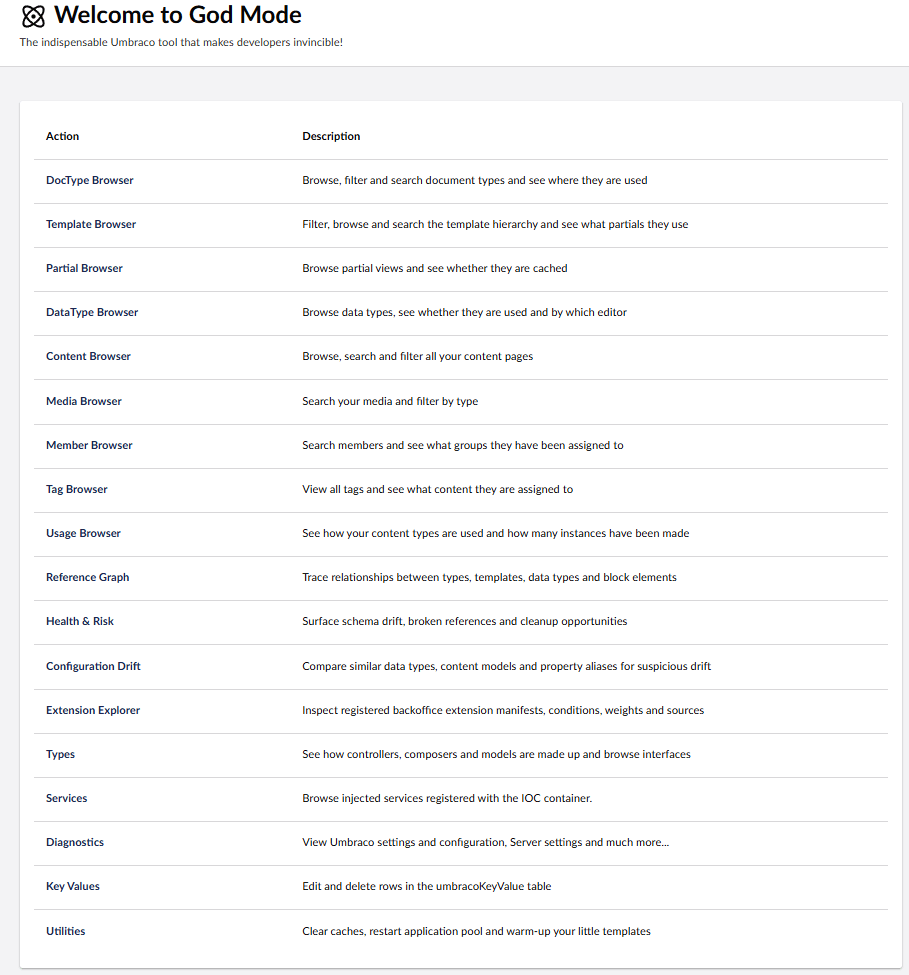
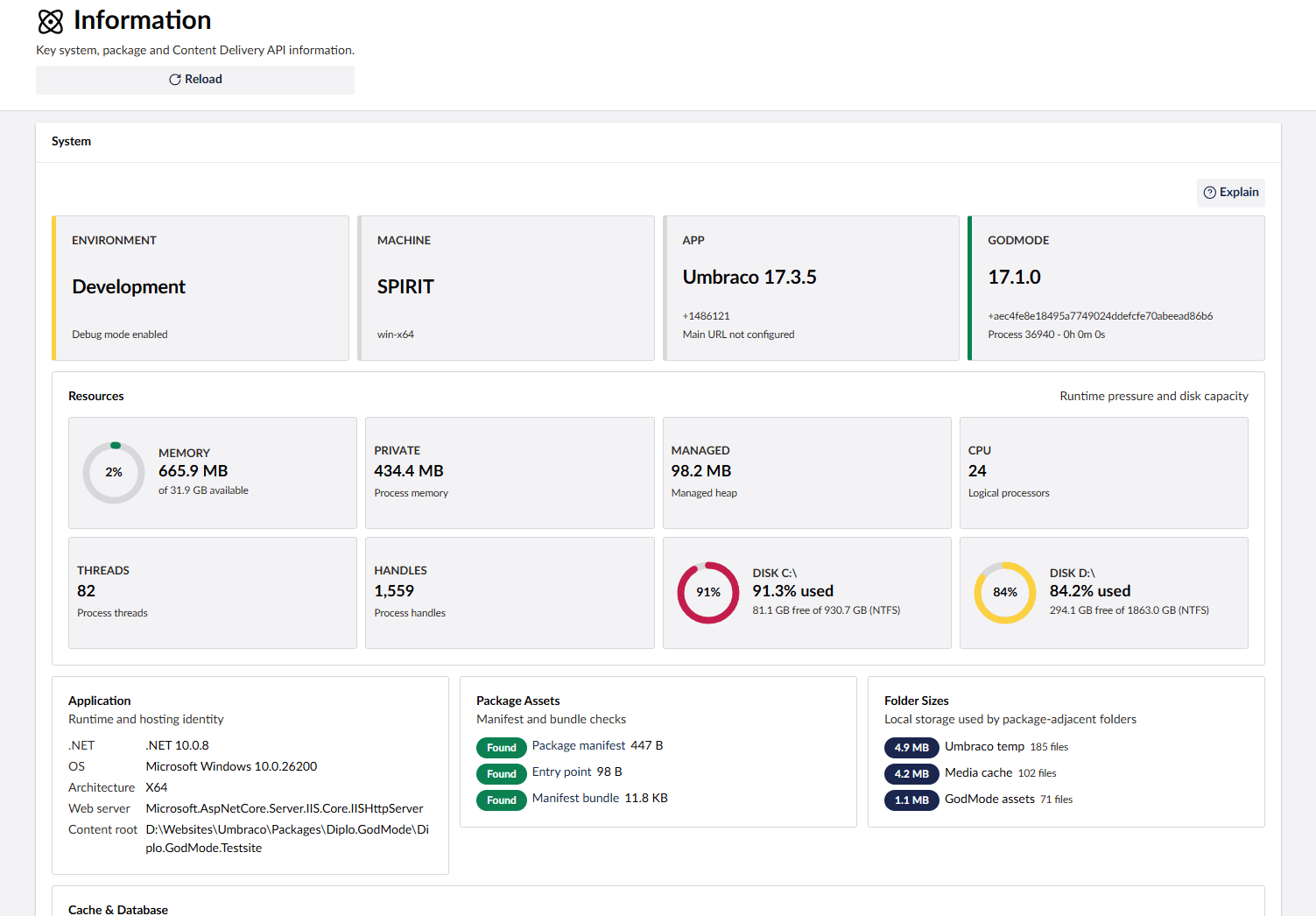
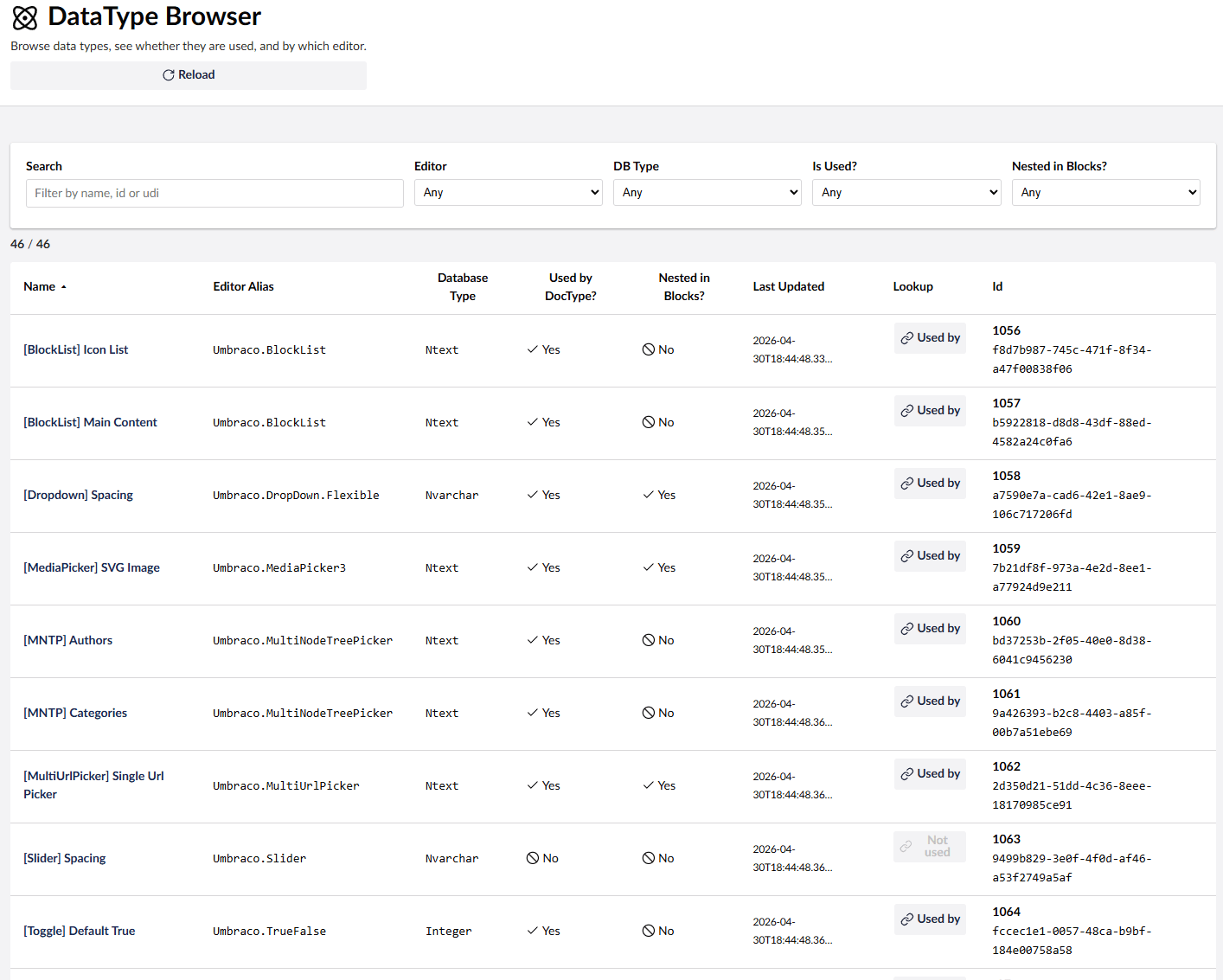
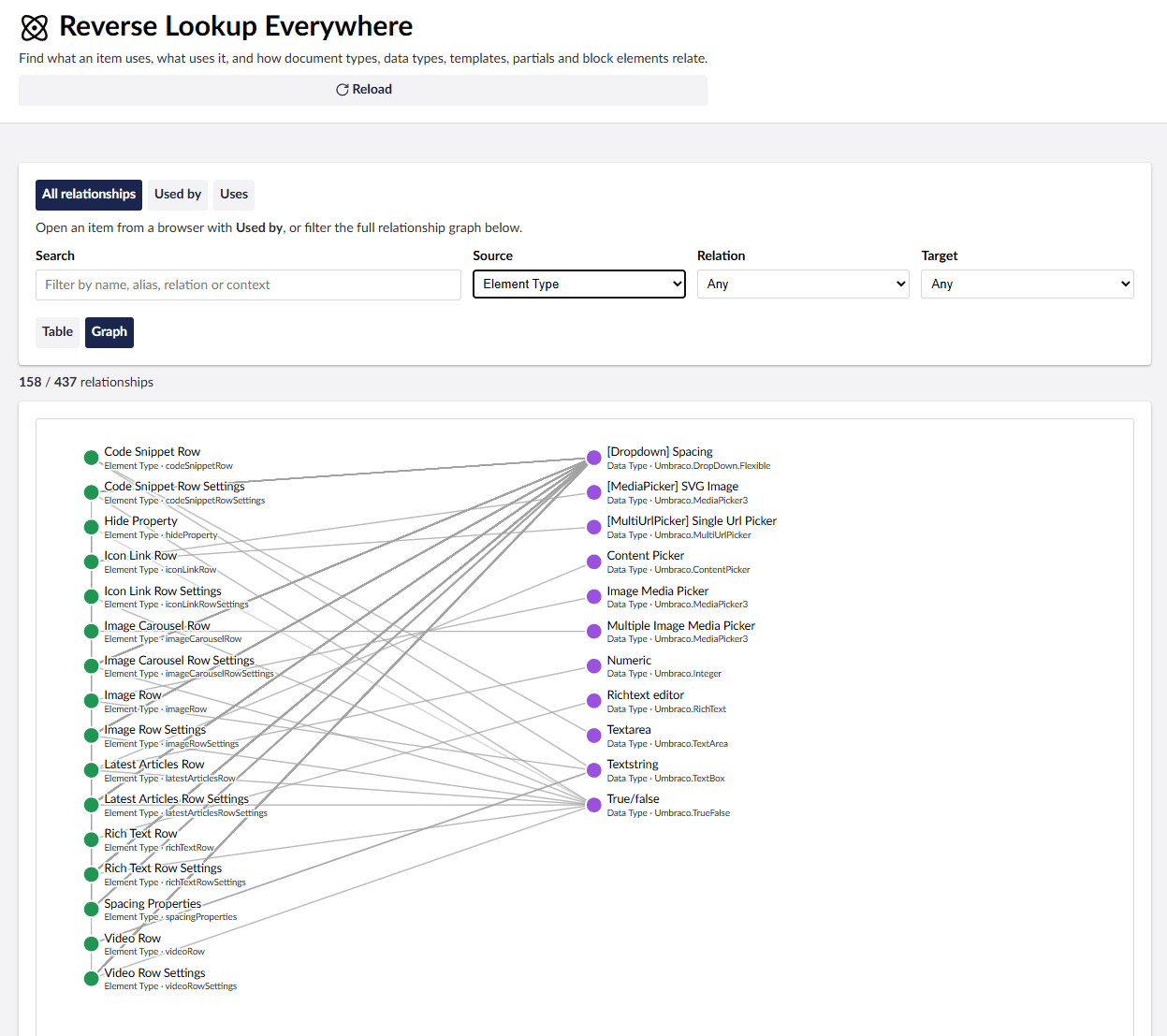
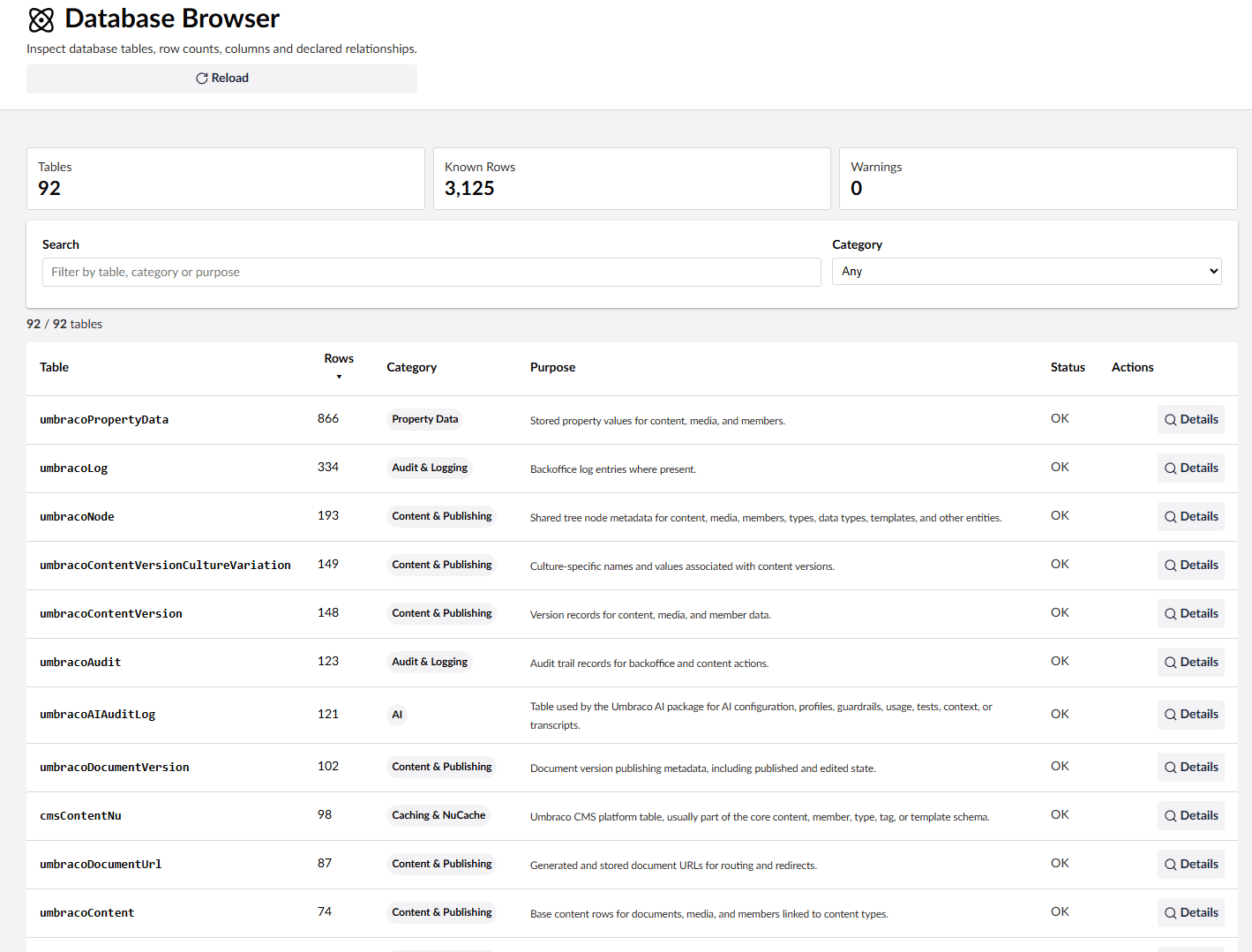
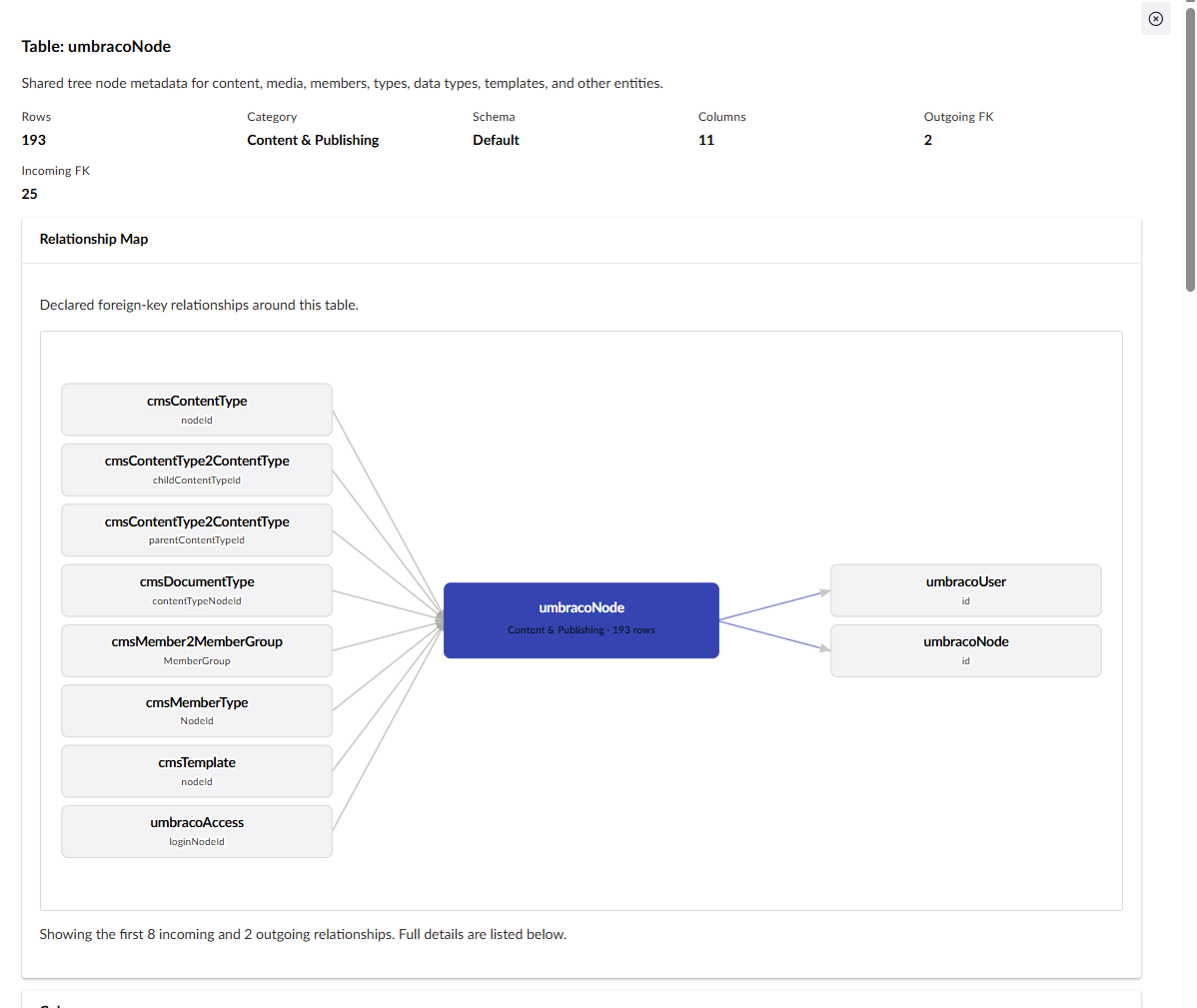
It gives developers fast access to site structure, diagnostics, configuration, content references, services, templates, partials, media, members, tags, and other implementation details that are useful while building or supporting an Umbraco 17 site.
If Umbraco is an Allen key then God Mode is the swiss army knife that helps you get under the hood and understand how things are working, find issues, and speed up development.
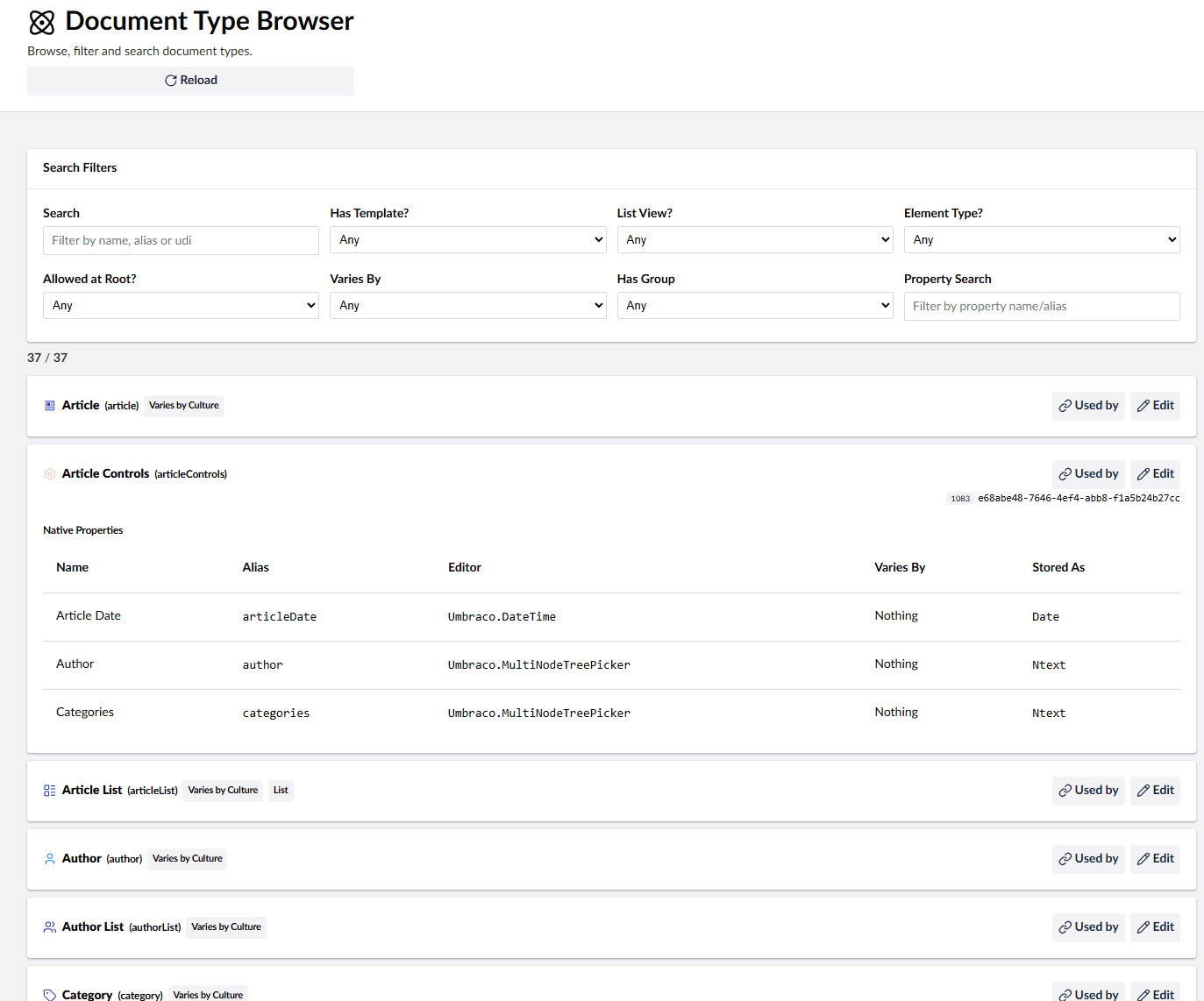
- Search document types, templates, editors, media, content, members, and tags.
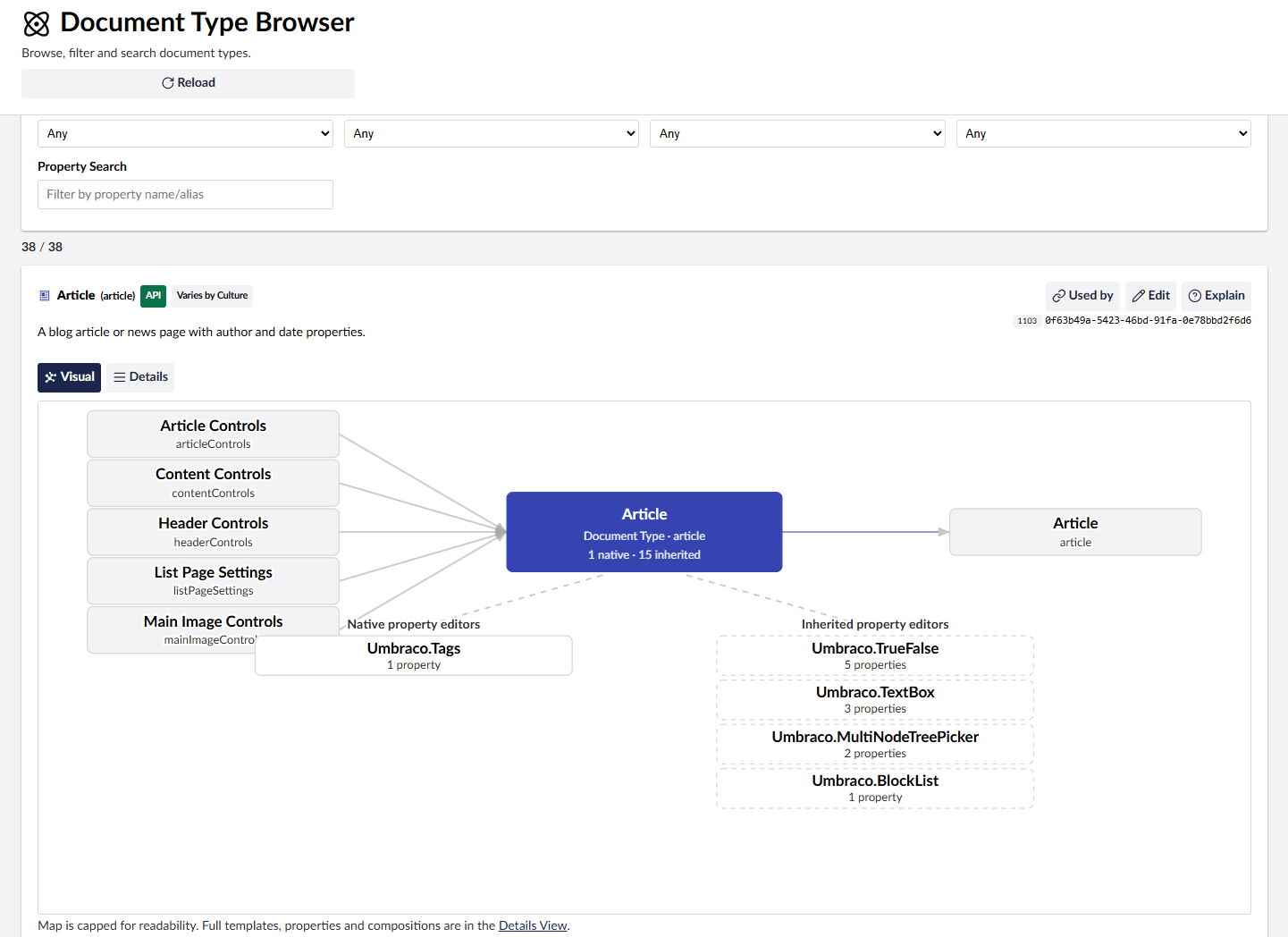
- See document type inheritance, composition usage, data type usage, and property editor usage.
- Browse templates, partials, controllers, database tables, generated models, registered services, Content Finders, and URL providers.
- View content, members and media in searchable/filterable tables.
- Inspect diagnostics and configuration values, with optional redaction for sensitive settings.
- Inspect and clear Umbraco caches and restart the app where supported.
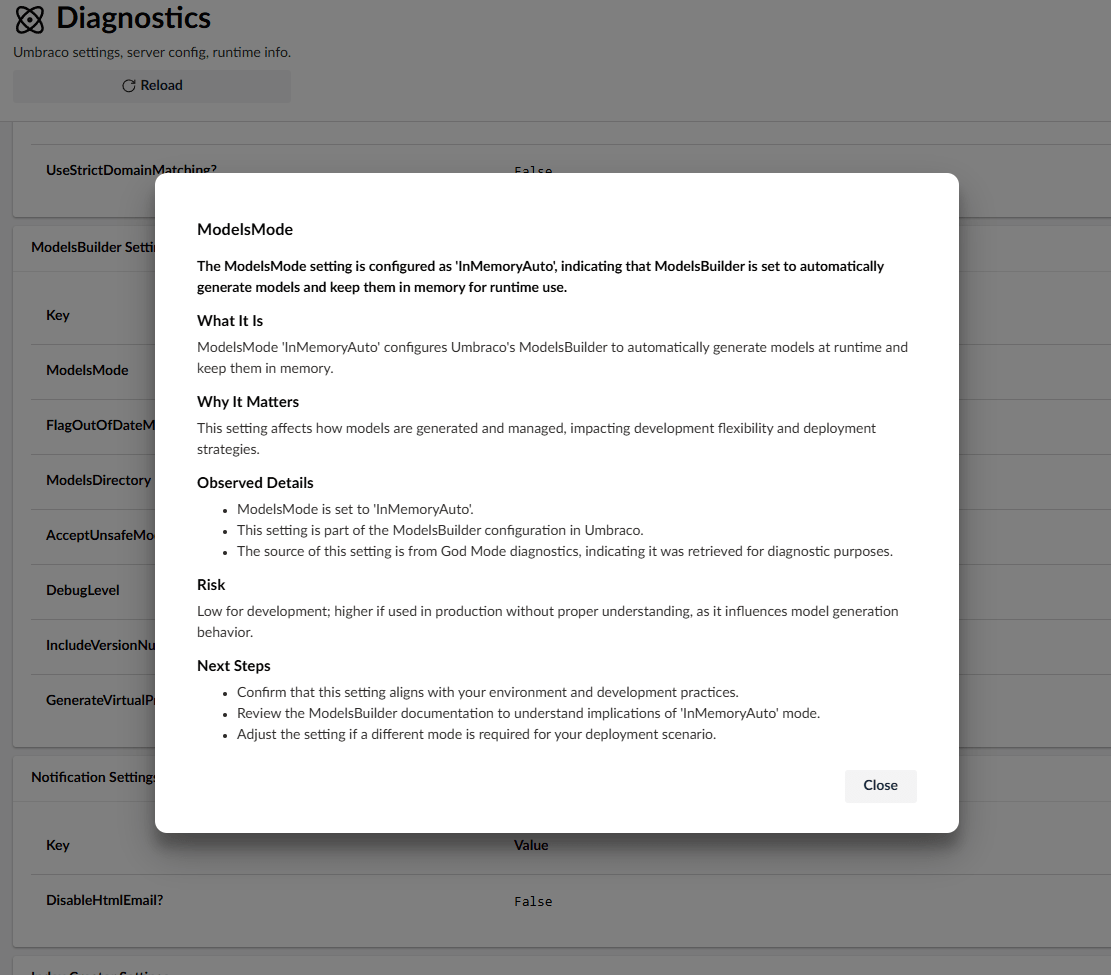
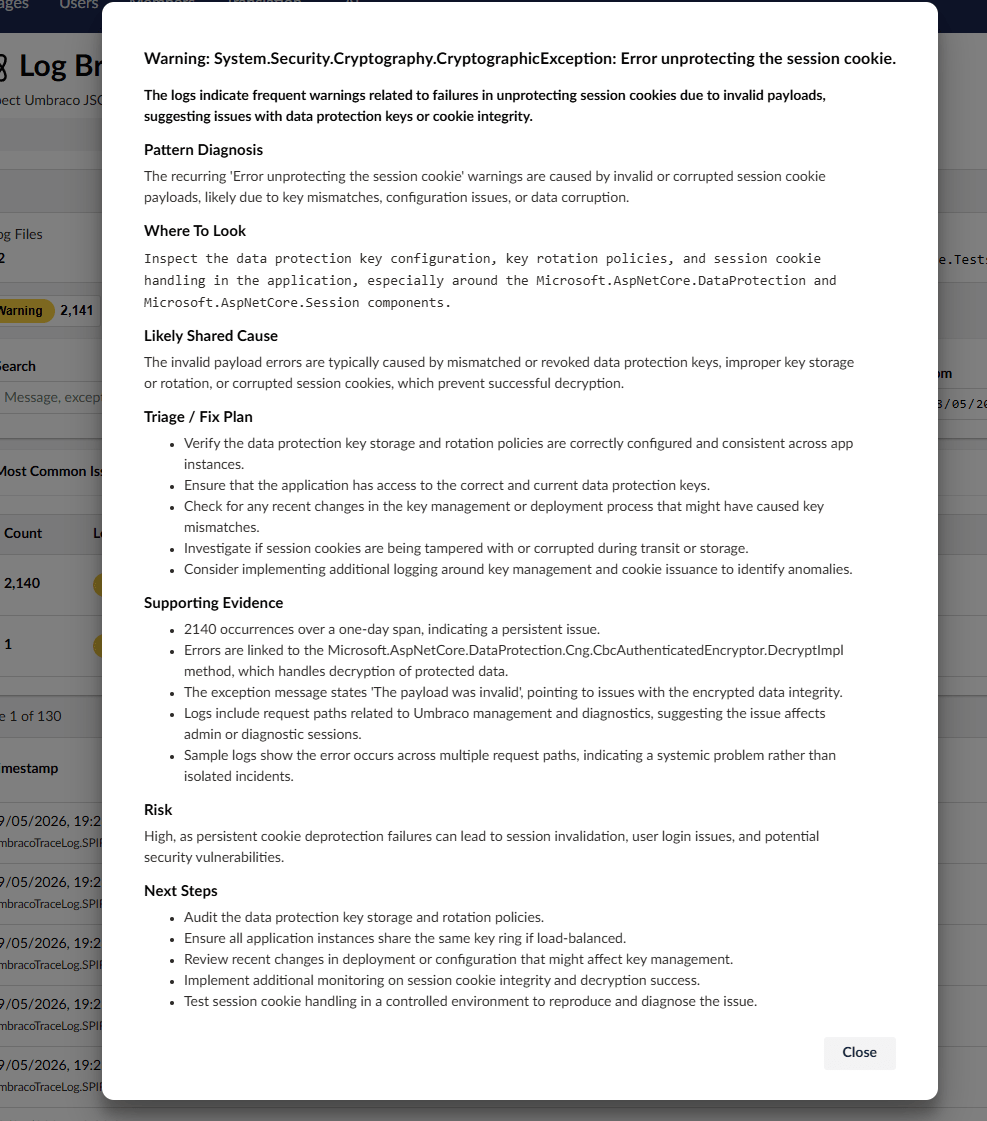
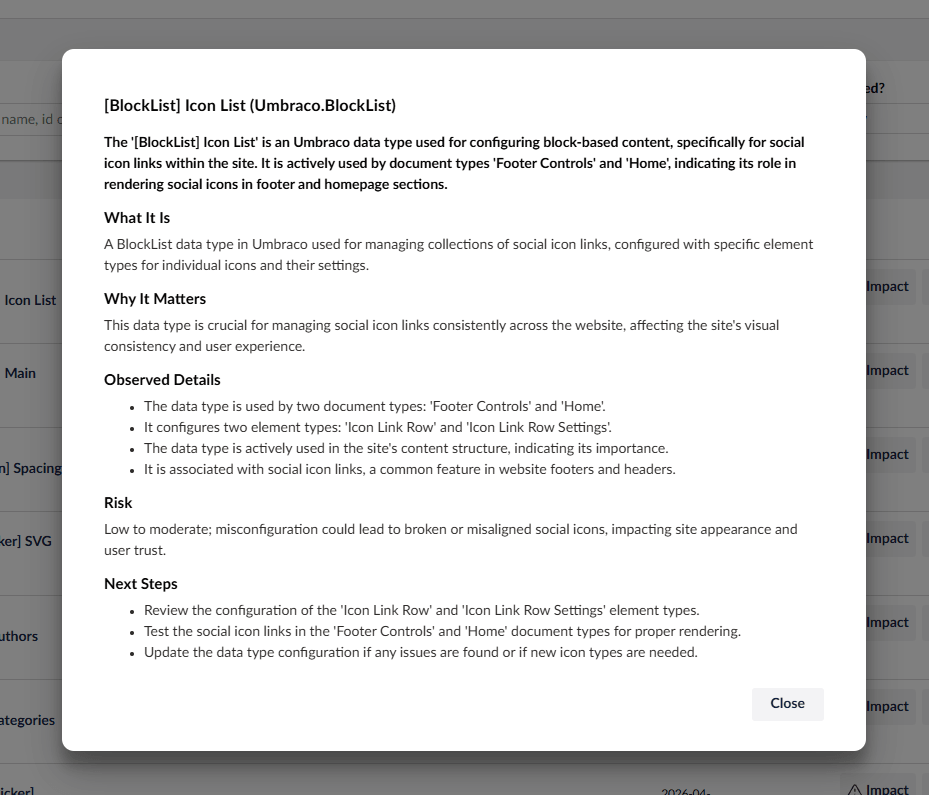
- Optionally add contextual AI explanations with the separate
Diplo.GodMode.AIcompanion package.
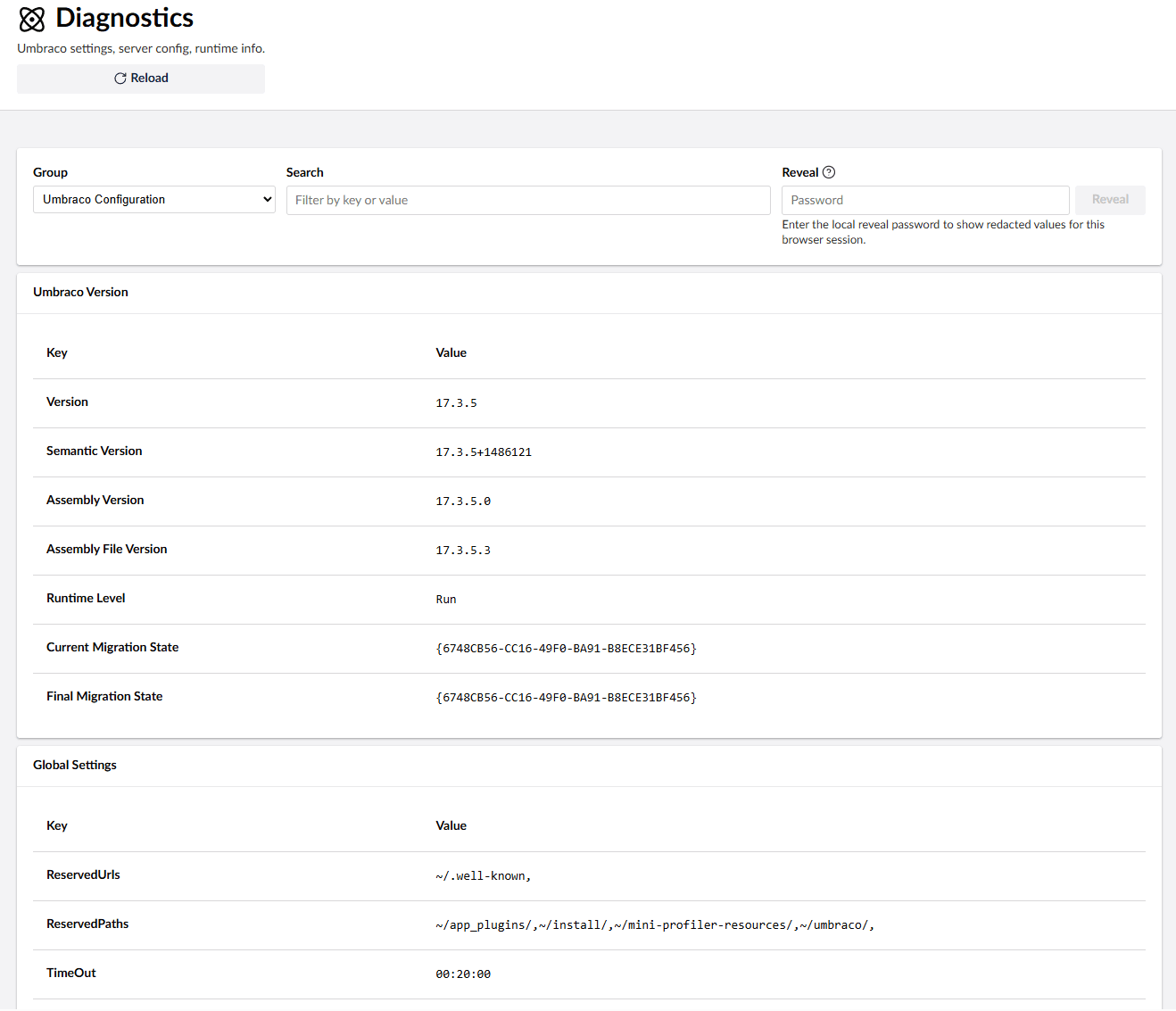
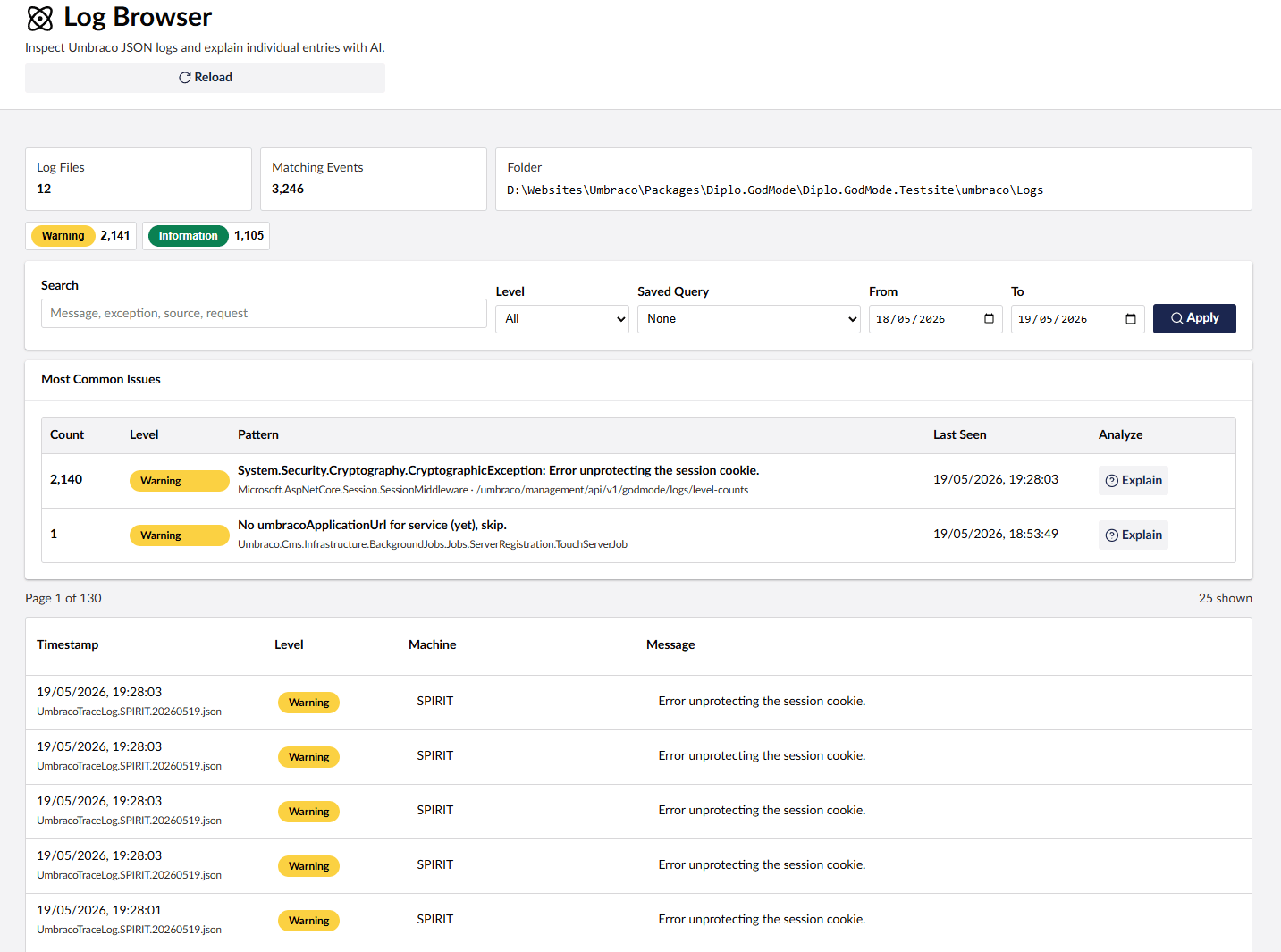
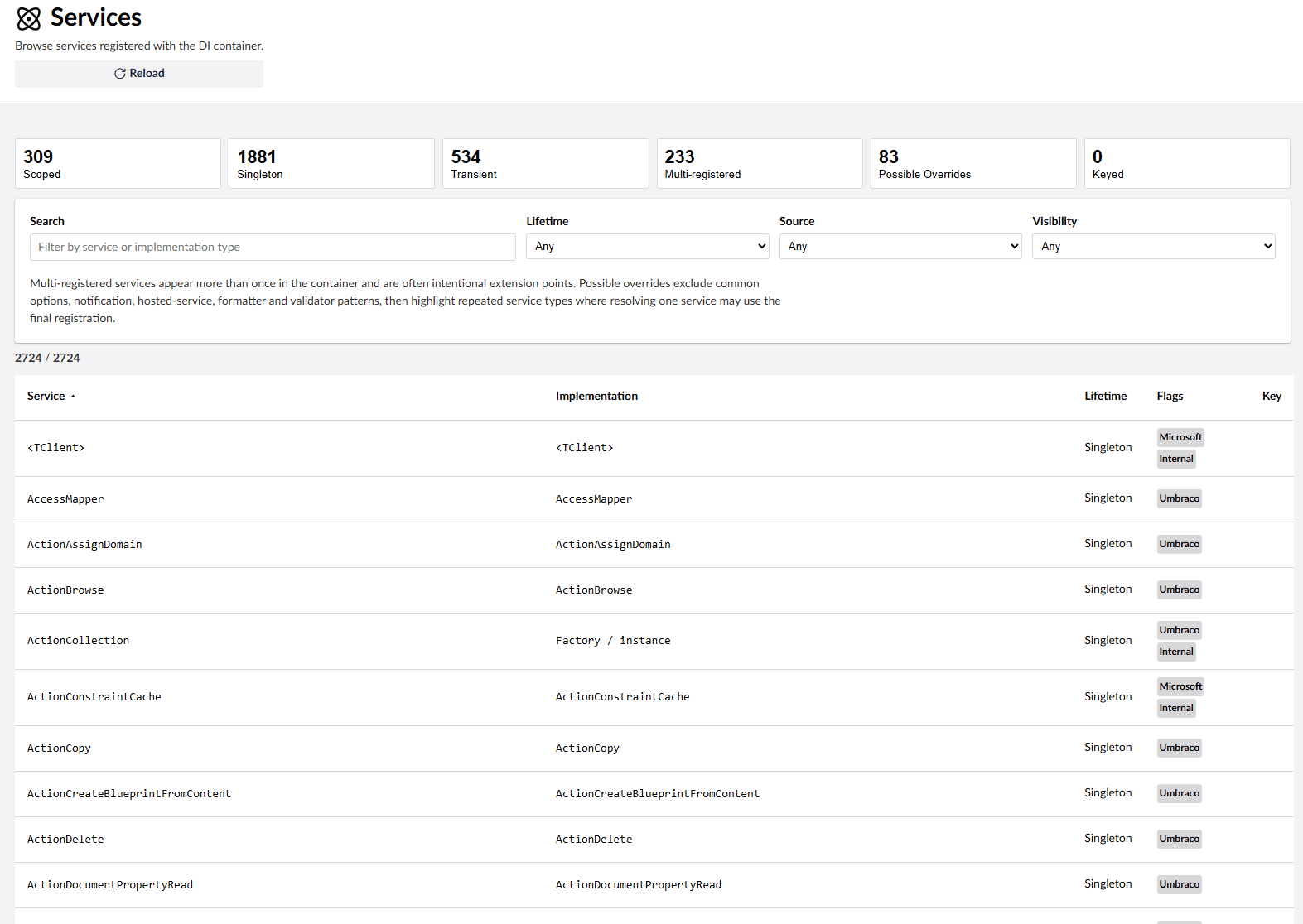
The core Diplo.GodMode package does not depend on the AI add-on. If Diplo.GodMode.AI is not installed, AI controls are not rendered and God Mode does not reserve empty columns or spacing for them.
When installed, God Mode AI uses Umbraco.AI to add contextual Explain buttons in supported God Mode views. To use it:
- Install and configure the free Umbraco.AI in your Umbraco site that has God Mode installed.
- Add an AI provider package, such as the OpenAI provider.
- Create a connection for your provider in the Umbraco backoffice.
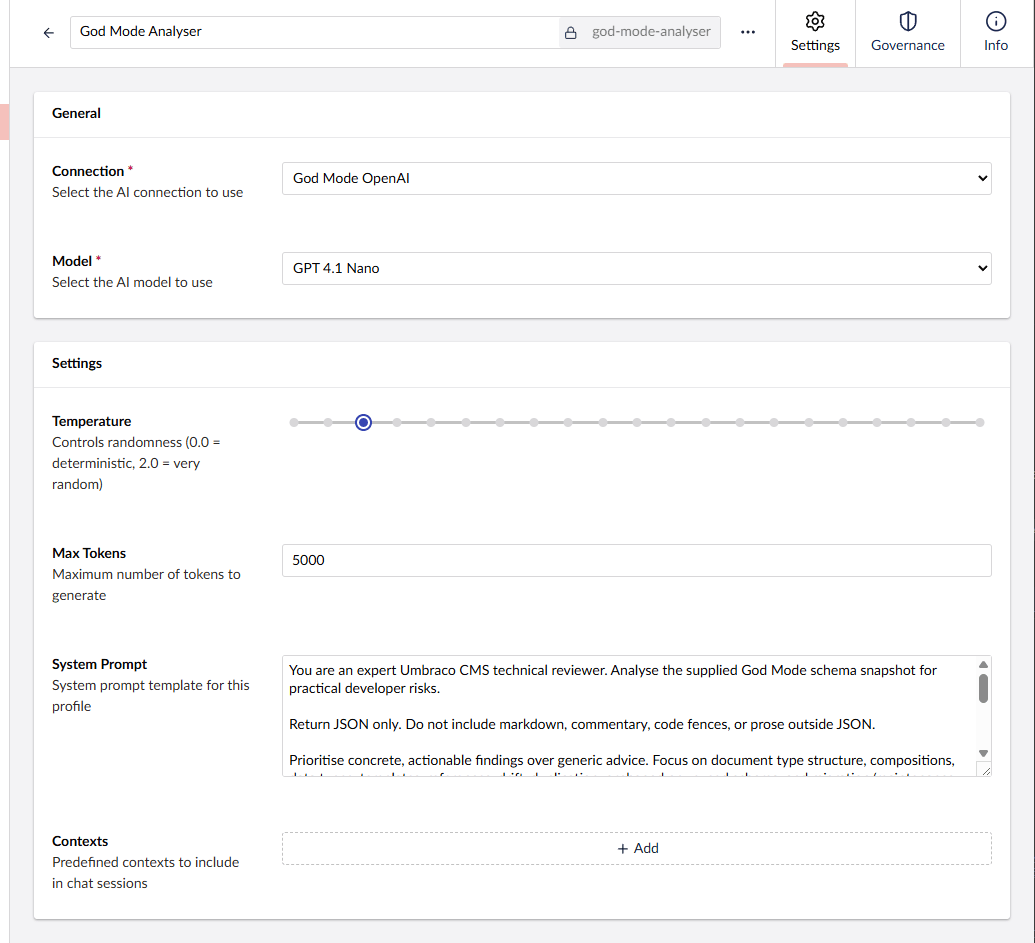
- Create an AI profile that uses that connection and select a model, for example
gpt-4.1-nanofor OpenAI. - Restart the site and open God Mode in the backoffice.
Umbraco.AI setup docs:
Note: Umbraco.AI is very cool and completely free!
This branch targets Umbraco 17 / .NET 10.
dotnet add package Diplo.GodModeNuGet: https://www.nuget.org/packages/Diplo.GodMode/
After installation, restart the site and open the Umbraco backoffice. The God Mode tree should appear in Settings under third-party/package extensions. If it does not appear immediately, clear the browser cache and confirm /App_Plugins/DiploGodMode/umbraco-package.json is being served.
dotnet add package Diplo.GodMode.AIGod Mode reads its options from the GodMode section of appsettings.json. All settings are optional; this example shows the current defaults:
{
  "GodMode": {
    "FeaturesToHide": [],
    "Diagnostics": {
      "GroupsToHide": [],
      "SectionsToHide": [],
      "KeysToRedact": [
        "ConnectionStrings:umbracoDbDSN",
        "godmode_password",
        "ConnectionString"
      ],
      "KeyMatchesToRedact": [
        "password",
        "pwd",
        "secret",
        "key"
      ],
      "RedactRevealPasswordEnv": "godmode_password"
    }
  }
}
FeaturesToHide hides complete God Mode sections by name or alias, for example "Services" or "Content Browser".
GroupsToHide hides complete diagnostic groups by title, such as "Server Configuration" or "Umbraco Configuration".
SectionsToHide hides individual diagnostic sections by heading, such as "MVC Version".
KeysToRedact redacts exact diagnostic keys. Non-environment diagnostics can also be redacted with scoped keys in the form "Section:Key" or "Group:Section:Key". Environment config values use the raw configuration key, for example "ConnectionStrings:umbracoDbDSN".
KeyMatchesToRedact redacts any diagnostic whose key contains one of the configured words, case-insensitively. By default this catches keys containing password, pwd, secret, or key.
Restart the site after changing these settings.
Redacted diagnostics stay hidden by default. To enable the Reveal control in the diagnostics browser, set an environment variable whose name matches Diagnostics:RedactRevealPasswordEnv. The default variable name is godmode_password.
For local PowerShell development:
$env:godmode_password = "use-a-strong-local-password"
dotnet run --project Diplo.GodMode.Testsite/Diplo.GodMode.Testsite.csproj
For a persistent Windows user environment variable:
[Environment]::SetEnvironmentVariable("godmode_password", "use-a-strong-local-password", "User")For a deployment environment, set godmode_password in the host's environment variable settings. If you change RedactRevealPasswordEnv, set the environment variable using that custom name instead.
When the variable is present, the diagnostics screen shows a password field. Enter the value of the environment variable to reload diagnostics with redacted values revealed for the current browser session. If the variable is missing, empty, or the configured variable name is blank, reveal is disabled.
The v17 branch contains two projects in one solution:
Diplo.GodMode/Diplo.GodMode.csproj- the Umbraco 17 package source.Diplo.GodMode.AI/Diplo.GodMode.AI.csproj- the optional Umbraco.AI companion package.Diplo.GodMode.Testsite/Diplo.GodMode.Testsite.csproj- a local Umbraco 17 demo/test site that references the package project.
Build everything from the repository root:
dotnet build Diplo.GodMode.slnxBuild the package project only:
dotnet build Diplo.GodMode/Diplo.GodMode.csprojBuild the AI add-on only:
dotnet build Diplo.GodMode.AI/Diplo.GodMode.AI.csprojRun the demo site:
dotnet run --project Diplo.GodMode.Testsite/Diplo.GodMode.Testsite.csprojThen open the Umbraco backoffice at the URL shown by dotnet run and verify the God Mode package loads from /App_Plugins/DiploGodMode/.
The package backoffice is built with Lit, TypeScript, Vite, and Umbraco UI/backoffice packages from Diplo.GodMode/Client. The package project runs the client build during MSBuild. If Client/node_modules is missing, the build restores it with npm ci.
From the repository root:
dotnet pack Diplo.GodMode/Diplo.GodMode.csproj -c Release
dotnet pack Diplo.GodMode.AI/Diplo.GodMode.AI.csproj -c Release
The package ships the compiled assembly and static web assets under App_Plugins/DiploGodMode, including umbraco-package.json.
Release checklist:
npm run type-check --prefix Diplo.GodMode/Client
npm run type-check --prefix Diplo.GodMode.AI/Client
dotnet build Diplo.GodMode.slnx
dotnet pack Diplo.GodMode/Diplo.GodMode.csproj -c Release
dotnet pack Diplo.GodMode.AI/Diplo.GodMode.AI.csproj -c Release
Before publishing, inspect the generated .nupkg files and confirm:
Diplo.GodModecontainsstaticwebassets/App_Plugins/DiploGodMode/umbraco-package.json.Diplo.GodMode.AIcontainsstaticwebassets/App_Plugins/DiploGodModeAI/umbraco-package.json.Diplo.GodMode.AIdeclares a dependency onDiplo.GodMode17.1.0.
Publish Diplo.GodMode before Diplo.GodMode.AI. The Umbraco Marketplace reads package details from NuGet and augments them with the root umbraco-marketplace.json file for God Mode and umbraco-marketplace-diplo.godmode.ai.json for the AI add-on.
This code is indebted to a lot of people in the Umbraco community. Particular thanks to Soren Kottal for his help, to Sebastiaan "Cultiv" Janssen for diagnostic code borrowed in earlier versions, Andy Butland for his cleverness and to everyone who maintains Umbraco docs and package examples.