menu items
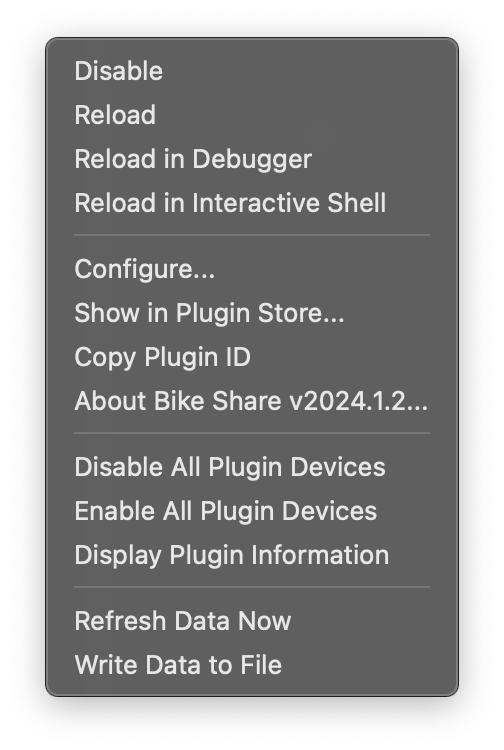
The following description assumes that you have the plugin enabled in Indigo.
Select this option to disable the plugin.
Select this option to reload the plugin.
Select this option to reload the plugin in debugging mode. This option will only appear when debugging menus are activated from the Indigo "Manage Plugins" menu.
Select this option to load the plugin in interactive shell mode. This option will only appear when debugging menus are activated from the Indigo "Manage Plugins" menu.
Select this option to open the plugin configuration dialog.
Select this option to navigate to the Indigo Plugin Store page for the BikeShare plugin. If the Indigo client instead says "Incompatible Version Available", that means that the latest version of the BikeShare plugin within the Indigo Plugin Store is not compatible with your version of Indigo.
This will copy the plugin's Indigo ID to the clipboard. (It's com.fogbert.indigoplugin.bikeShare)
(or whatever version you're running.)
Clicking that menu item will send you to this wiki.
This menu item writes information about the plugin environment (version, Indigo version, system info, etc.) to the Indigo Events log.
These two menu items can be used to quickly enable (or disable) all Bike Share plugin devices.
This menu item will cause the plugin to initiate a refresh cycle outside the scheduled update.
This menu item will reach out to the bike sharing service, download the latest JSON data, and write it to a file on the server machine. The file name and location will be written to the Indigo log.