




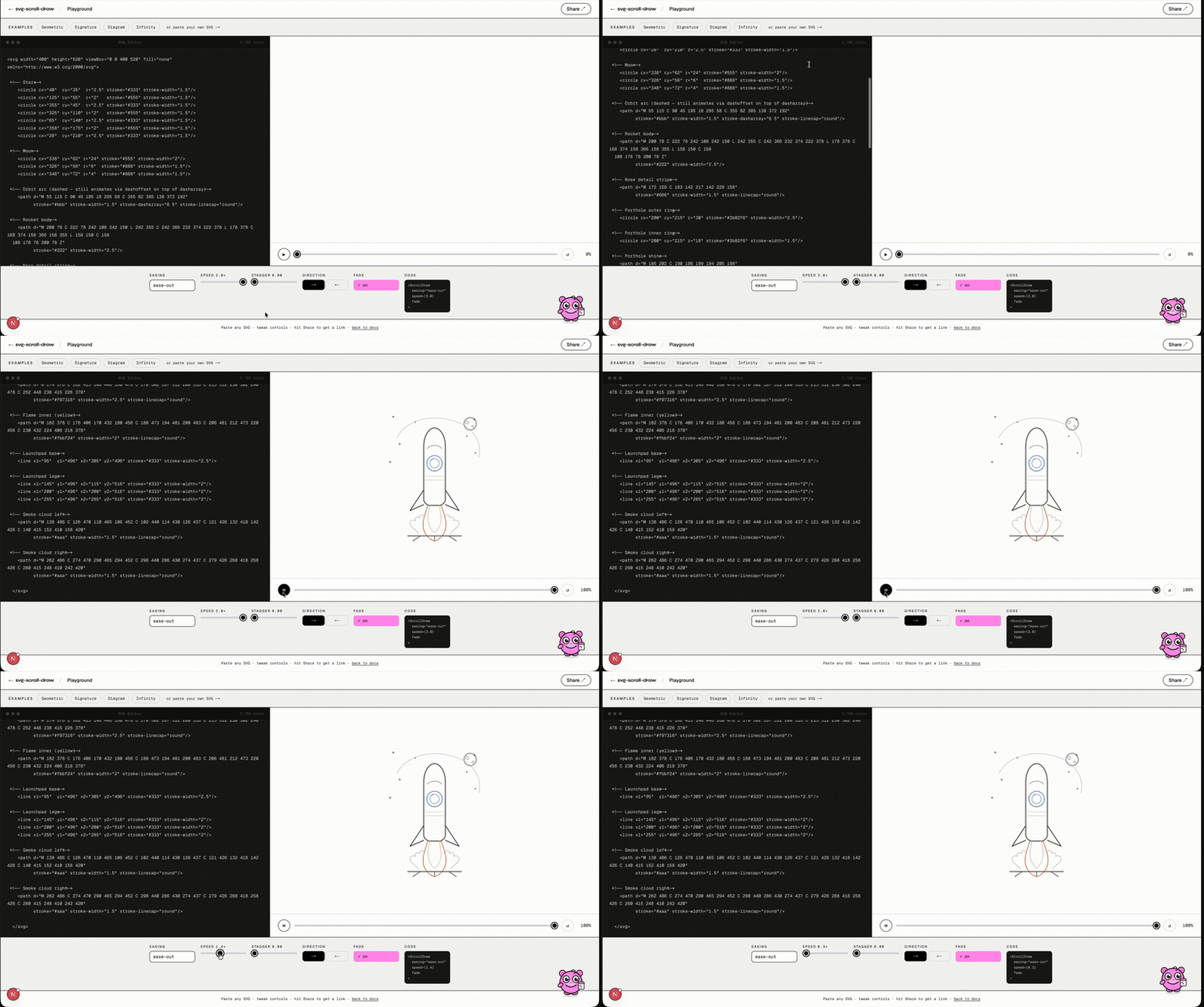
Animate SVG paths as you scroll. ~4.4 KB gzipped. Zero dependencies. Native CSS fast path on modern browsers.
Live Demo · 13 Examples · Docs · ⚡ Playground · npm
Works in React · Next.js · Vue 3 · Svelte · Solid · Angular · Nuxt · Astro · CDN / vanilla JS — a single tiny package with first-class wrappers for every major framework.
- ~4.4 KB gzipped — 8–10× smaller than GSAP DrawSVG or Framer Motion
- Native CSS fast path — on Chrome/Edge/Firefox 115+ the draw runs as
animation-timeline: view()with zero per-frame JavaScript; falls back to the JS engine automatically - Zero dependencies — no GSAP, no ScrollTrigger, no heavyweight runtime
- Full playback API —
pause,resume,seek,replay,getProgress,destroy - Presets —
{ preset: 'reveal' }for instant one-liner setup; five named presets:sketch,reveal,typewriter,cinematic,spring - CLI scaffolder —
npx svg-scroll-draw initgenerates a ready-to-use starter file for your framework - 30+ options — easing, stagger, fade, stroke color/width lerp, fill opacity, clip reveal, morphTo, velocityScale, waypoints, callbacks, repeat, autoReverse, and more
- Group / Sequence / Timeline APIs — animate multiple containers simultaneously, one-after-another, or on independent scroll windows with
loopfor auto-looping after scroll completion - CSS custom property —
--scroll-draw-progressis set on every frame so you can drive any CSS animation without a callback - 272 tests across 8 suites — engine, options, group, timeline, framework wrappers, cinematic
- Install
- Why this exists
- Quick start
- Native CSS rendering
- Options
- Instance methods
- CSS custom property
- createSpring
- Group & Sequence APIs
- Timeline API
- useScrollDrawProgress
- Bundle sizes
- Browser support
npm i svg-scroll-draw
# pnpm add svg-scroll-draw
# yarn add svg-scroll-draw
# bun add svg-scroll-draw
Or scaffold a starter file for your framework:
npx svg-scroll-draw initAsks for your framework (React/Vue/Svelte/Solid/Vanilla), preset, easing, and SVG selector — writes a ready-to-use component file.
The stroke-dashoffset trick for drawing SVG paths on scroll is well-known — but every existing solution is broken in a different way:
| Tool | Problem |
|---|---|
| GSAP DrawSVG | ~40 KB+, requires a paid Club GreenSock license for commercial use |
| Framer Motion | ~35 KB+, React-only, heavy runtime for one animation effect |
| scroll-svg | ~2 KB but abandoned — targets individual path IDs, crashes in Next.js |
svg-scroll-draw fixes all three pain points: tiny, MIT-licensed, works everywhere.
import { scrollDraw } from 'svg-scroll-draw';

const instance = scrollDraw('#my-svg-container', {
  easing: 'ease-out',
  speed: 1.2,
  fade: true,
  once: true,
});

// Full playback control
instance.pause();
instance.resume();
instance.seek(0.5);   // jump to 50%
instance.replay();
instance.destroy(); // clean up on unmountimport { ScrollDraw } from 'svg-scroll-draw/react';
export default function Hero() {
return (
<ScrollDraw speed={1.2} easing="ease-out" fade once>
<svg viewBox="0 0 500 200">
<path d="M10 80 C 40 10, 60 10, 95 80" stroke="black" fill="none" />
</svg>
</ScrollDraw>
);
}Or use the hook directly for ref control:
import { useScrollDraw } from 'svg-scroll-draw/react';

function Hero() {
  const ref = useScrollDraw({ easing: 'ease-out', once: true });
  return <div ref={ref}><svg>…</svg></div>;
}<script setup>
import { ScrollDraw } from 'svg-scroll-draw/vue';
</script>
<template>
<ScrollDraw easing="ease-out" :speed="1.2" fade once>
<svg>…</svg>
</ScrollDraw>
</template>Or use the composable:
import { useScrollDraw } from 'svg-scroll-draw/vue';

const containerRef = useScrollDraw({ easing: 'ease-out', speed: 1.2 });<script>
import { scrollDraw } from 'svg-scroll-draw/svelte';
</script>
<div use:scrollDraw={{ easing: 'ease-out', fade: true, once: true }}>
<svg>…</svg>
</div>Or use createScrollDraw for instance access:
<script>
  import { createScrollDraw } from 'svg-scroll-draw/svelte';
  const { action, getInstance } = createScrollDraw({ easing: 'spring', once: true });
</script>

<div use:action><svg>…</svg></div>
<button on:click={() => getInstance()?.replay()}>Replay</button>import { useScrollDraw } from 'svg-scroll-draw/solid';
function Hero() {
const ref = useScrollDraw({ easing: 'ease-out', fade: true, once: true });
return <div ref={ref}><svg>…</svg></div>;
}Or use createScrollDraw for instance access:
import { createScrollDraw } from 'svg-scroll-draw/solid';

function HeroWithReplay() {
  const { ref, getInstance } = createScrollDraw({ easing: 'spring', once: true });
  return (
    <>
      <div ref={ref}><svg>…</svg></div>
      <button onClick={() => getInstance()?.replay()}>Replay</button>
    </>
  );
}import { ScrollDrawRef } from 'svg-scroll-draw/angular';
export class HeroComponent implements AfterViewInit, OnDestroy {
@ViewChild('container') containerRef!: ElementRef<HTMLElement>;
private draw = new ScrollDrawRef();
ngAfterViewInit() {
this.draw.init(this.containerRef.nativeElement, { easing: 'ease-out', once: true });
}
ngOnDestroy() { this.draw.destroy(); }
}import { ScrollDraw } from 'svg-scroll-draw/nuxt';
// or globally via plugin:
import { createScrollDrawPlugin } from 'svg-scroll-draw/nuxt';<div
data-scroll-draw
data-scroll-draw-options='{"easing":"ease-out","fade":true,"once":true}'
>
<svg>…</svg>
</div>
<script>
import { initScrollDraw } from 'svg-scroll-draw/astro';
initScrollDraw(); // finds all [data-scroll-draw] on the page
</script><script src="https://unpkg.com/svg-scroll-draw/dist/cdn/svg-scroll-draw.global.js"></script>
<scroll-draw easing="ease-out" speed="1.2" fade once>
<svg>…</svg>
</scroll-draw>On Chrome 115+, Edge 115+, and Firefox 110+ the simple draw case runs as a native
animation-timeline: view()
animation — zero per-frame JavaScript, no scroll or resize listeners, compositor-driven.
// Native path is used automatically — nothing extra to configure
scrollDraw('#logo', { easing: 'ease-out', fade: true });

// Force the JS engine if you need to (e.g. for testing or debugging)
scrollDraw('#logo', { easing: 'ease-out', native: false });
The library falls back to the JS engine automatically when:
- The browser doesn't support
animation-timeline - The config uses features CSS can't express:
stagger,onProgress/onStart/onComplete/waypoints,morphTo,velocityScale,autoReverse,once,repeat, a custom trigger, a customscrollContainer,speed ≠ 1,spring/custom-function easing, or animated color/width/fill
The full instance API — pause, resume, seek, replay, getProgress, destroy — works identically on both paths.
| Option | Type | Default | Description |
|---|---|---|---|
preset |
'sketch' | 'reveal' | 'typewriter' | 'cinematic' | 'spring' |
— | Named option bag as base config — user options always override |
selector |
string |
"path, polyline, line, polygon, rect, circle" |
CSS selector for child elements to animate |
speed |
number |
1 |
Scale factor — values above 1 complete faster |
easing |
string | fn |
"linear" |
linear, ease-in, ease-out, ease-in-out, spring, bounce, elastic, or a custom (t: number) => number |
fade |
boolean |
false |
Animate opacity 0 → 1 in sync with the draw |
stagger |
number |
0 |
Delay between each path as a fraction of the scroll range |
direction |
"forward" | "reverse" |
"forward" |
reverse starts fully drawn and erases on scroll |
once |
boolean |
false |
Lock at max progress — don't erase when scrolling back |
trigger.start |
string |
"top bottom" |
When animation begins — accepts anchor strings or percentages |
trigger.end |
string |
"bottom top" |
When animation ends |
autoReverse |
boolean |
false |
Automatically reverse direction when scrolling back up |
axis |
"x" | "y" |
"y" |
Scroll axis — use "x" for horizontal scroll containers |
scrollContainer |
string | Element |
— | Custom scroll container (defaults to window) |
delay |
number |
0 |
Milliseconds before the engine starts observing |
strokeColor |
string | [string, string] |
— | Static color or interpolate [from, to] as the path draws |
strokeWidth |
number | [number, number] |
— | Static width or animate [from, to] |
fillOpacity |
number | [number, number] |
— | Animate fill opacity — [0, 1] floods fill in sync with the stroke draw |
clip |
boolean | "left" | "right" | "top" | "bottom" | "center" |
— | Reveal using CSS clip-path instead of stroke — works on any content, not just SVG paths |
morphTo |
string |
— | Target SVG d attribute to morph toward as the animation progresses |
velocityScale |
boolean | number |
false |
Scale speed by scroll velocity — faster scrolling draws faster |
repeat |
number | "infinite" |
0 |
Repeat the animation N times after completion |
repeatDelay |
number |
0 |
Milliseconds between repeats |
waypoints |
Record<number, () => void> |
— | Fire callbacks at specific progress thresholds, e.g. { 0.5: fn } |
onProgress |
(alpha: number) => void |
— | Called every animation frame with current draw progress (0–1) |
onStart |
() => void |
— | Fires once when the animation begins |
onComplete |
() => void |
— | Fires once when all paths reach full draw progress |
native |
boolean |
true |
Use the native CSS fast path when supported. Set false to always use the JS engine |
debug |
boolean |
false |
Render a visual overlay showing trigger zones (dev only) |
threshold |
number |
0 |
IntersectionObserver threshold |
rootMargin |
string |
"0px" |
IntersectionObserver rootMargin |
scrollDraw('#logo', {
  trigger: {
    start: 'top bottom',   // top of element hits bottom of viewport
    end:   'bottom top',   // bottom of element hits top of viewport
  }
});

// Percentage shorthand
scrollDraw('#logo', { trigger: { start: '20%', end: '80%' } });
Available named anchors: top, center, bottom.
const instance = scrollDraw('#svg', { easing: 'spring' });

instance.pause();          // pause at current progress
instance.resume();         // resume from where it stopped
instance.seek(0.5);        // jump to 50% and pause
instance.getProgress();    // returns current 0–1 value
instance.replay();         // reset and play from the beginning
instance.destroy(); // disconnect observer, cancel rAF, remove listenersEvery instance sets --scroll-draw-progress on the container element on every frame. Use it to drive any CSS animation without a JS callback:
.hero-text {
  opacity: var(--scroll-draw-progress);
  transform: translateY(calc((1 - var(--scroll-draw-progress)) * 24px));
}
// No onProgress needed — the CSS variable is set automatically
scrollDraw('#hero-svg', { easing: 'ease-out', once: true });Three parameterizable easing factories for spring, bounce, and elastic effects. All are available as named strings ('spring', 'bounce', 'elastic') with default parameters, or as factory functions for custom tuning.
import { scrollDraw, createSpring } from 'svg-scroll-draw';

scrollDraw('#svg', { easing: 'spring' });                                      // named string (default params)
scrollDraw('#svg', { easing: createSpring({ tension: 4, friction: 3 }) });     // snappy
scrollDraw('#svg', { easing: createSpring({ tension: 1.5, friction: 1.2 }) }); // slow and wobbly| Param | Default | Description |
|---|---|---|
tension |
2.5 |
Oscillation frequency — higher = more bouncy |
friction |
2.2 |
Damping — higher = settles faster |
Rises to 1 and then makes N dips back down before settling — like a ball landing.
import { scrollDraw, createBounce } from 'svg-scroll-draw';

scrollDraw('#svg', { easing: 'bounce' });                                        // named string (default params)
scrollDraw('#svg', { easing: createBounce({ bounces: 5, decay: 0.4 }) });        // more bounces, faster decay
scrollDraw('#svg', { easing: createBounce({ bounces: 2, decay: 0.6 }) }); // fewer, softer bounces| Param | Default | Description |
|---|---|---|
bounces |
3 |
Number of bounces after the initial approach |
decay |
0.5 |
Amplitude reduction per bounce (0–1) |
Overshoots past 1 and oscillates back — like a rubber band snapping. Can produce values outside [0, 1].
import { scrollDraw, createElastic } from 'svg-scroll-draw';

scrollDraw('#svg', { easing: 'elastic' });                                       // named string (default params)
scrollDraw('#svg', { easing: createElastic({ amplitude: 1.5, period: 0.3 }) }); // larger overshoot, faster
scrollDraw('#svg', { easing: createElastic({ amplitude: 1, period: 0.6 }) }); // gentle oscillation| Param | Default | Description |
|---|---|---|
amplitude |
1 |
Overshoot magnitude (≥1) — default overshoots to ~1.25 |
period |
0.4 |
Oscillation period in scroll-time (smaller = faster oscillations) |
import { scrollDrawGroup } from 'svg-scroll-draw/group';

const group = scrollDrawGroup(
  ['#hero-svg', '#logo', '#diagram'],
  { easing: 'ease-out', fade: true, once: true }
);

group.replay();
group.destroy();Each container starts only after the previous one fully completes.
import { scrollDrawSequence } from 'svg-scroll-draw/group';

const seq = scrollDrawSequence(
  ['#step-1', '#step-2', '#step-3'],
  {
    easing: 'spring',
    onComplete: () => console.log('all steps done'),
  }
);

seq.replay();
seq.destroy();Named option bags for common patterns. User options always override the preset:
import { scrollDraw, PRESETS } from 'svg-scroll-draw';

scrollDraw('#logo',    { preset: 'reveal'     }); // fade + ease-out, once
scrollDraw('#diagram', { preset: 'sketch'     }); // staggered ease-in
scrollDraw('#text',    { preset: 'typewriter' }); // fast linear stagger
scrollDraw('#hero',    { preset: 'cinematic'  }); // slow fade ease-in-out
scrollDraw('#icon',    { preset: 'spring'     }); // spring easing

// Override any preset value
scrollDraw('#logo', { preset: 'reveal', easing: 'spring' });

// Inspect preset defaults
console.log(PRESETS.reveal);
// { easing: 'ease-out', fade: true, speed: 1.2, once: true }| Preset | Sets |
|---|---|
'sketch' |
easing: 'ease-in', stagger: 0.1, speed: 0.9 |
'reveal' |
easing: 'ease-out', fade: true, speed: 1.2, once: true |
'typewriter' |
easing: 'linear', stagger: 0.05, speed: 1.5 |
'cinematic' |
easing: 'ease-in-out', fade: true, speed: 0.75 |
'spring' |
easing: 'spring', speed: 1.1 |
Animate multiple path groups with independent start/end windows within a single scroll range. Unlike stagger, each track's window can start and end wherever you want — and windows can overlap freely.
import { scrollDrawTimeline } from 'svg-scroll-draw/timeline';

scrollDrawTimeline('#chart', {
  trigger: { start: 'top 80%', end: 'bottom 20%' },
  tracks: [
    { selector: '.axis',  from: 0,    to: 0.3,  easing: 'ease-out' },
    { selector: '.bar-1', from: 0.1,  to: 0.45, easing: 'ease-out' },
    { selector: '.bar-2', from: 0.28, to: 0.58, easing: 'ease-out' },
    { selector: '.bar-3', from: 0.45, to: 0.75, easing: 'ease-out' },
    { selector: '.trend', from: 0.75, to: 1.0,  easing: 'spring'   },
  ],
  // Auto-loop after scroll completion — no further scroll needed
  loop:         true,
  loopDuration: 1500,
  // Dev overlay showing each track's window and live progress
  debug: true,
});| Track field | Type | Description |
|---|---|---|
selector |
string |
CSS selector scoped to the container |
from |
number |
0–1 progress value where this track starts |
to |
number |
0–1 progress value where this track ends |
easing |
string | fn |
Easing for this track independently |
fade |
boolean |
Fade opacity in sync with this track's draw |
| Timeline option | Type | Default | Description |
|---|---|---|---|
repeat |
number | 'infinite' |
0 |
Reset and replay N times on scroll re-entry (with once: true) |
repeatDelay |
number |
0 |
ms to wait before each repeat or loop iteration |
loop |
boolean | number |
false |
After scroll completion, auto-loop as time-driven animation |
loopDuration |
number |
1500 |
Duration of each time-driven loop iteration in ms |
debug |
boolean |
false |
Inject a HUD overlay showing track windows and live progress |
label |
string |
— | Label shown in the debug panel header |
A hook that exposes reactive scroll progress (0–1) for any element — use it to drive any animation alongside or independent of an SVG draw:
import { useRef } from 'react';
import { useScrollDrawProgress } from 'svg-scroll-draw/react';

function Section() {
  const ref      = useRef<HTMLDivElement>(null);
  const progress = useScrollDrawProgress(ref, { easing: 'ease-out' });

  return (
    <div
      ref={ref}
      style={{
        opacity:   progress,
        transform: `translateY(${(1 - progress) * 32}px)`,
      }}
    >
      Fades and slides in as you scroll
    </div>
  );
}| Format | Minified | Gzipped |
|---|---|---|
ESM (.mjs) |
11.9 KB | ~4.4 KB |
CJS (.cjs) |
11.9 KB | ~4.4 KB |
React (/react) |
13.4 KB | ~4.8 KB |
IIFE / CDN (.global.js) |
12.9 KB | ~4.8 KB |
8–10× smaller than GSAP DrawSVG (~40 KB) or Framer Motion (~35 KB). On supporting browsers the simple draw case runs as a native CSS scroll animation — zero JS on the critical path.
Chrome 80+, Safari 14+, Firefox 75+, Edge 80+
Native CSS fast path requires Chrome/Edge 115+ or Firefox 110+. Falls back to the JS engine automatically on older browsers.
MIT