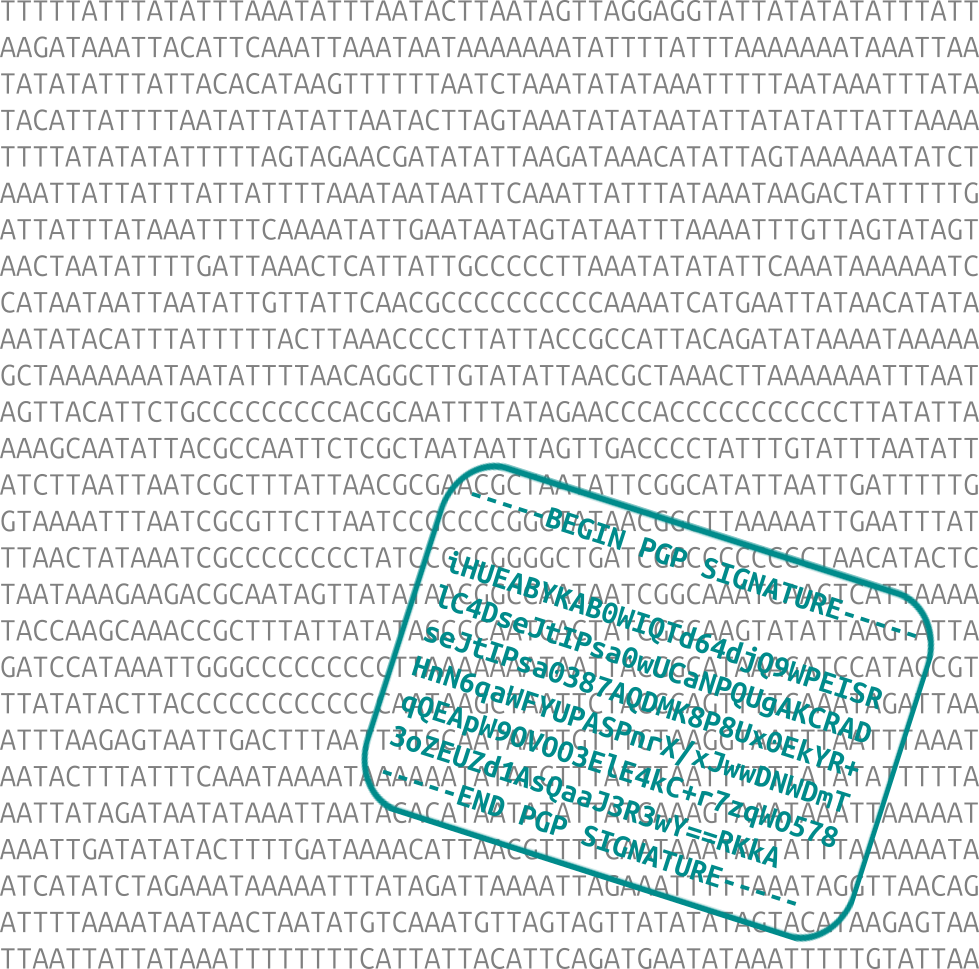

Sequensign provides ...
- A standardised method for creating a text string from a sequence (DNA, RNA or protein) for digital signature purposes.
- A standardised approach for storing signatures in (Genbank) sequence files.
- Tools for adding and reading signatures in (Genbank) sequence files.
Altogether these ensure that a sequence signature can be authenticated quickly and reliably, regardless of how the sequence is stored (e.g. upper- or lowercase, single- or multi-line).
pip install sequensignConverting nucleotide sequences:
- Convert to uppercase: while the Genbank format is in lowercase, FASTA, Biopython and other conventions are in uppercase.
- Keep letters the same (e.g. do not change IUPAC characters into N).
- Notify the user if there are non-standard (not ACGT|U) letters in the sequence.
- Warn the user if there are or non-IUPAC letters in the sequence.
Converting amino acid sequences:
- Convert to uppercase: while the Genbank format is in lowercase, amino acids are usually denoted with uppercase letters.
- Keep letters the same.
- Warn the user if there are non-standard letters in the sequence.
Storing sequences in text files:
- Write on one line, do not add rows or trailing newlines.
- Store signatures as text.
- Optionally use header and trailer lines/keywords, denoting the beginning and the end of the signature. For example:
@sequensign(begin)/@sequensign(end). This is useful for signatures without a header/trailer. - There can be multiple signatures associated with a sequence.
Store digital signatures in SeqRecord.annotations["comment"]. This becomes the COMMENT entry field when the record is written into a Genbank file.
Store digital signatures in the COMMENT entry field.
FASTA is not an optimal format for storing signatures. The options for storing digital signatures in FASTA are:
- Store in comment lines. These are lines that start with a semicolon (
;) at the beginning of the file. However, comment lines are a disused feature and not supported by many software. - Store in the description line. This requires the signature to contain no newlines, and the signature also becomes part of the description (sequence name).
- +1: Store as a separate signature text file. The disadvantage is separate sequence and signature files: the very problem this project addresses.
In this workflow we read a sequence file, then create a signature using a private key and add it to the file.
As a first step, create a private key with a cryptographic software. This will be used for signing sequences. Example for GPG:
gpg --generate-keyfrom Bio import SeqIO
record = SeqIO.read("example.gb", "genbank")
record.id = "example"
seq = sequensign.get_seq_from_record(record)
sequensign.write_seq_in_record_to_file(record)This creates a text file, using ID as the filename. Alternatively, use sequensign.write_seq_to_file(seq, "example.txt") to export a sequence string.
Next, create a signature with a cryptographic software. Example for GPG:
gpg --output example.asc --armor --detach-sig example.txtAdd signature to the record:
sig = sequensign.read_text_from_file("example.asc")
sequensign.add_sig_to_record(record, sig)
# saved in record.annotations["comment"]
with open("example.gb", "w") as output_handle:
    SeqIO.write(record, output_handle, "genbank")
The signature is now saved in the COMMENT entry of the Genbank record. Use a different filename if you don't wish to overwrite the original file.
In this example were read signatures in a sequence file and verify one of them using a public key.
from Bio import SeqIO
record = SeqIO.read("example.gb", "genbank")
record.id = "example"
sequensign.write_sigs_in_record_to_file(record)
This creates a separate text (.asc) file for each signature found, using the ID and a suffix (_1 ...) as filename.
The suffixes also ensure that any original .asc file in this directory (as created by the cryptographic software above) is not overwritten.
(Note: Biopython removes empty lines in Genbank COMMENTS. This can cause a problem with cryptographic software that requires these in signatures. Sequensign corrects this issue for PGP signatures, when it gets the signature from a SeqRecord.)
Verify the signature(s). Example for GPG:
gpg --verify example_1.asc example.txtHere, we use the previously exported sequence text. Alternatively, use sequensign.write_seq_in_record_to_file() to create a text file, as shown above.
Note that we already have the required public key from the key pair we generated. To test a signature with other (public) keys, import them first.
Planned features, ideas:
- Signatures for subsequences (as feature annotations).
- Header/trailer before the signature.
- FASTA file support.
Sequensign uses the semantic versioning scheme.
Copyright 2025 Edinburgh Genome Foundry, University of Edinburgh
Sequensign was written at the Edinburgh Genome Foundry by Peter Vegh, and is released under the GPLv3 license.