Add Terrain layer option that paints both layers#126
Closed
bjpicciano wants to merge 186 commits intoFacepunch:masterfrom
Closed
Add Terrain layer option that paints both layers#126bjpicciano wants to merge 186 commits intoFacepunch:masterfrom
bjpicciano wants to merge 186 commits intoFacepunch:masterfrom
Conversation


This commit imports the C# engine code and game files, excluding C++ source code.

[Source-Commit: ceb3d758046e50faa6258bc3b658a30c97743268]


…acepunch#3432)

Resolves Facepunch/sbox-issues#9604
…cene.PhysicsWorld (Facepunch#3433)

Resolves Facepunch/sbox-issues#9598 (Fixes issues where traces in the editor can throw NREs after exiting play mode)

* Skip menu editor code outside of the menu project
* Asset Browser: skip menu project assets in Everything and Recents
Add slight delay because windows may still briefly hold a lock on some files even after the process exited
…een different commits

* Refactor sync script

Use single filter repo call
Use globs instead of python madness
Ensure shallow clone is clean before working on it

* Add dry run option to sync script
* Add public gitattributes


* Fix leaky swapchain when resizing on game mode and dispose of handle after usage
VideoRecorder would get a strong handle copy of the swapchain every frame and retain it, causing native to fail to shutdown the copies from it
Made usage of getting native swapchain consistent on managed on other stuff, doing it like this ensures GC properly disposes of the strong handles even not disposing explicitly

Remove now unused ScreenRecorder.def and ScreenshotService.def

There are still optimizations to swapchain I'd like to send on another commit, game is allocating way more swapchains than needed even without the leak, has two completely different paths depending if you are MSAA or not, this can all be much simpler
https://files.facepunch.com/sampavlovic/1b1811b1/EjDyxbTahs.png

* Remove NativeLayerRenderTarget, was unused and fucked

* Keep it as an ITexture/HRenderTextureStrong in managed so we avoid IDisposable, ReadTextureAsync with ITexture
…h#3449)

* Support instanced tint on Blendable and Material::From( i )

Blendable supports vertex tint color, but was initially intended for world geometry so there was no point in working with instance color, now works fine

https://files.facepunch.com/sampavlovic/1b2611b1/sbox-dev_qkWlvBOXW8.png

* Build shaders
* More robust downloading of artifacts

Don't download to a temp file first
Try to retry download up to 3 times, if it fails
Fail Bootstrap if any download fails

* Fix contentbuilder and shadercompiler not forwarding to stdout
…eleted

Move filter implementation to python so we have more flexibility when implementing filters.
Make sure deleted files are properly filtered by evaluating globs in the filter itself not before.
Make sure deleted LFS files are accounted for by scanning the history of the shallow clone for delete/changed lfs files.
Whitelist some additional shaders.
* Fix terrain seams and optimize

Overlap LODs by one step to fix holes in LOD transitions
Reuse vertices that exist on same key when building diamond square

https://files.facepunch.com/sampavlovic/1b2411b1/8mb.video-eW2-tNb22a60.mp4

* Add NoTile class and make terrain use it
https://files.facepunch.com/sampavlovic/1b2411b1/sbox-dev_R1FwUmLhvu.mp4
https://files.facepunch.com/sampavlovic/1b2411b1/sbox-dev_YhKyIwvhve.mp4

* Sure why not Mr. Robot
This reverts commit dd44dc6.
* SceneEditorSession: make game vs editor scenes more distinct, Scene is whichever is currently active

* Route prefab update, model reload etc events to both scenes if needed

* SceneTree update checking a bit cleaner

* Bring back GameEditorSessions instead, so undo, selection etc can all be linked 1:1 with scenes again

* tweak and tidy
…llscreening at a low resolution preset (Facepunch#3457)
…e scene (Facepunch#3456)

Fixes Facepunch/sbox-issues#9567
Remove C++ crashreporter and reimplement in C#, add various session id tags and send payload to our own API
* Destroy ActiveScene early during game shutdown
* Don't call into native when deleting scenemaps

Co-authored-by: aidencurtis <109600275+aidencurtis@users.noreply.github.com>
Fixes public tests failing because of missing directory.
- Can now use modifier keys alongside the Mouse Wheel (lets you do CTRL+MWHEELUP, CTRL+MWHEELDOWN, ect)
- Keybinds are now captured on release instead of on press (Previously pressing CTRL+D would just capture CTRL so you'd have to hold CTRL before capturing and then press D)
…stead of source file


Fixes an overload of Gizmo.Draw.Model returning SceneObject instead of SceneModel

…epunch#3610)

---------

Co-authored-by: johncosfm <splatterbiker@gmail.com>

---------

Co-authored-by: DrakeFruit <foxflowgaming@gmail.com>
Co-authored-by: Copilot <175728472+Copilot@users.noreply.github.com>

…acepunch#3613)

* Fixes GameObject references in GameObjectSystem NetLists and NetDictionaries being null on clients.

* dotnet format

---------

Co-authored-by: Andy <10728824+andy013@users.noreply.github.com>

Tint pause button blue when the game is paused.
- `PolygonMesh.SetFaceTextureCoords()` now properly sets `IsDirty`
- Added `PolygonMesh.GetFaceTextureCoords()`
- Added `FastTextureWindow` (which extends RectEditor.Window) and `FastTextureSettings` classes
- Added `MeshRectangle` which is a RectEditor `Rectangle` that contains faces from a mesh unwrapped within the rectangle, reflecting any transform changes made back to the associated mesh faces
- Added `EdgeAwareFaceUnwrapper` class which handles all UV unwrapping
- Added a "Fast Texturing Tool" button to the Mapping Tool's Texture Mode which opens a FastTextureWindow with the selected faces. This can also be opened with the shortcut CTRL+G (from the Texture Mode OR the Face Mode)
- If a Fast Texturing Tool window is open and the faces are deselected (or the user exits the Mapping Tool) the window will automatically close itself
- Implemented U/V Alignment Settings (+ Horizontal/Vertical Flip)
- Implemented Inset X/Y Settings
- Implemented Square Unwrap, Planar Unwrap, and Use Existing mapping modes
- If the selected material has a rect asset, you can double-click on a rect to automatically fit your UV rectangle to the one you double-clicked. (You can also toggle the visibility of the material's rects)
- Implemented the "Pick Edge" button which allows you to select an edge from the unwrap and automatically orient the UVs so that the selected edge is aligned with the grid.
- Added `Rectangle,CanDelete`, used by MeshRectangles so they cant be deleted
- Fixed `RectView.DragResizeRect` behaviour so that resizing a rect will snap the dragged edges to the grid instead of just increasing/decreasing by the grid size
- Added Panning/Zooming to the Rect Editor
- Disabling the Grid in the RectEditor now disables grid snapping
- Can now resize rects in on themselves to resize in the other direction without making an invalid rect
- Added Tile View to RectView

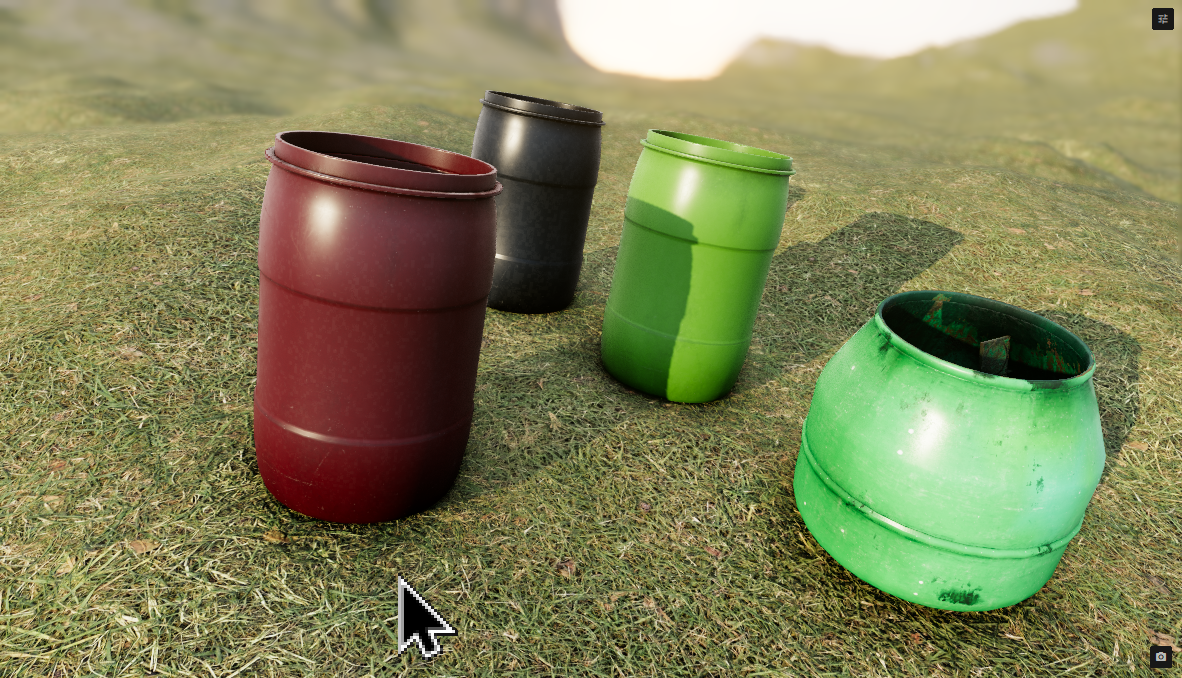
The Both TerrainLayer allows for quick and easy painting of one material

This file contains hidden or bidirectional Unicode text that may be interpreted or compiled differently than what appears below. To review, open the file in an editor that reveals hidden Unicode characters.
Learn more about bidirectional Unicode characters
Sign up for free
to join this conversation on GitHub.
Already have an account?
Sign in to comment
20 participants


Add this suggestion to a batch that can be applied as a single commit.This suggestion is invalid because no changes were made to the code.Suggestions cannot be applied while the pull request is closed.Suggestions cannot be applied while viewing a subset of changes.Only one suggestion per line can be applied in a batch.Add this suggestion to a batch that can be applied as a single commit.Applying suggestions on deleted lines is not supported.You must change the existing code in this line in order to create a valid suggestion.Outdated suggestions cannot be applied.This suggestion has been applied or marked resolved.Suggestions cannot be applied from pending reviews.Suggestions cannot be applied on multi-line comments.Suggestions cannot be applied while the pull request is queued to merge.Suggestion cannot be applied right now. Please check back later.
#399
The Both TerrainLayer allows for quick and easy painting of one material.
both.mp4