
- Install the C5 daughterboard + JST-SH cable, and fasten with 4 gold M2 screws (use the black hex key).
- Install the clear waterproof plug (Bottom RST insert) + 4 white rubber feet.
- Install the switch pad.
- Install the 6.25 silent stabilizer.
- Install one set of the modular gasket units. (3 sets included—choose one set to install; tweezers recommended.)
- Install the plate onto the PCB, then install switches + keycaps. (Never install or remove switches or keycaps while the PCB and plate assembly is inside the keyboard case. Otherwise, excessive pressure may BREAK the battery power switch on the top side of the pcb)
- Install the HAC-006 battery. Ensure the red wire is on the positive (+) side and the black wire is on the negative (−) side. Connecting a battery with reversed polarity may damage the PCB and could potentially become a fire hazard.
- Connect the cable from the daughterboard to the main PCB.
- Place the battery into the battery compartment (Optional: adding foam inside the compartment can help keep the battery firmly in place).
- Installing the HAC-006 Battery on the Vam05
- First, fit the black battery power switch on top of the PCB into the slot in the middle of the dark gray battery switch cover. Then place the plate and PCB assembly into the bottom case, seating all four gasket bases into the gasket slots.
- Make sure all four gasket bases are fully seated (check from the PC bottom side). If needed, use tweezers to adjust them to ensure proper seating.
- Install the top case and tighten 4× silver M3 screws (use the silver hex key). Use the two longer screws on the rear side, and the two shorter screws on the front side.
- Connect the keyboard to a computer, then open ZMK Studio in Chrome to check or change the keymap.
- Disconnect any existing connection.
- Turn on the keyboard power switch.
- Green LED flashes + blue LED flashes → pair/connect on your computer.
⬇️click the pic to watch the video

⬇️click the pic to watch the video
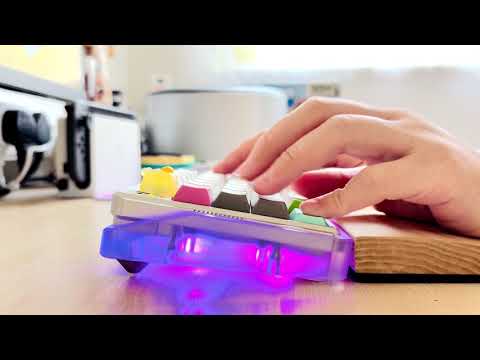
More details on the Vam05 PCB
-
Vam05 plate file - dxf
-
Vam05 plate file - thick & raised cnc version 3D model
Note: 0.5 mm raise, works better for low-profile keycaps such as PBS. You can also use switch spacers on each switch.
-
Monorial plate file - dxf
-
3D Printing File: Gasket Group
-
3D Printing File: Switch cover - base
-
3D Printing File: Dust Cover
-
3D Printing File: 7.5 Degree keeb feet