A Flutter plugin which helps you to open another app from your app. The package asks you for four parameters out of which two are mandatory.
Complete description to add this package to your project can be found here.
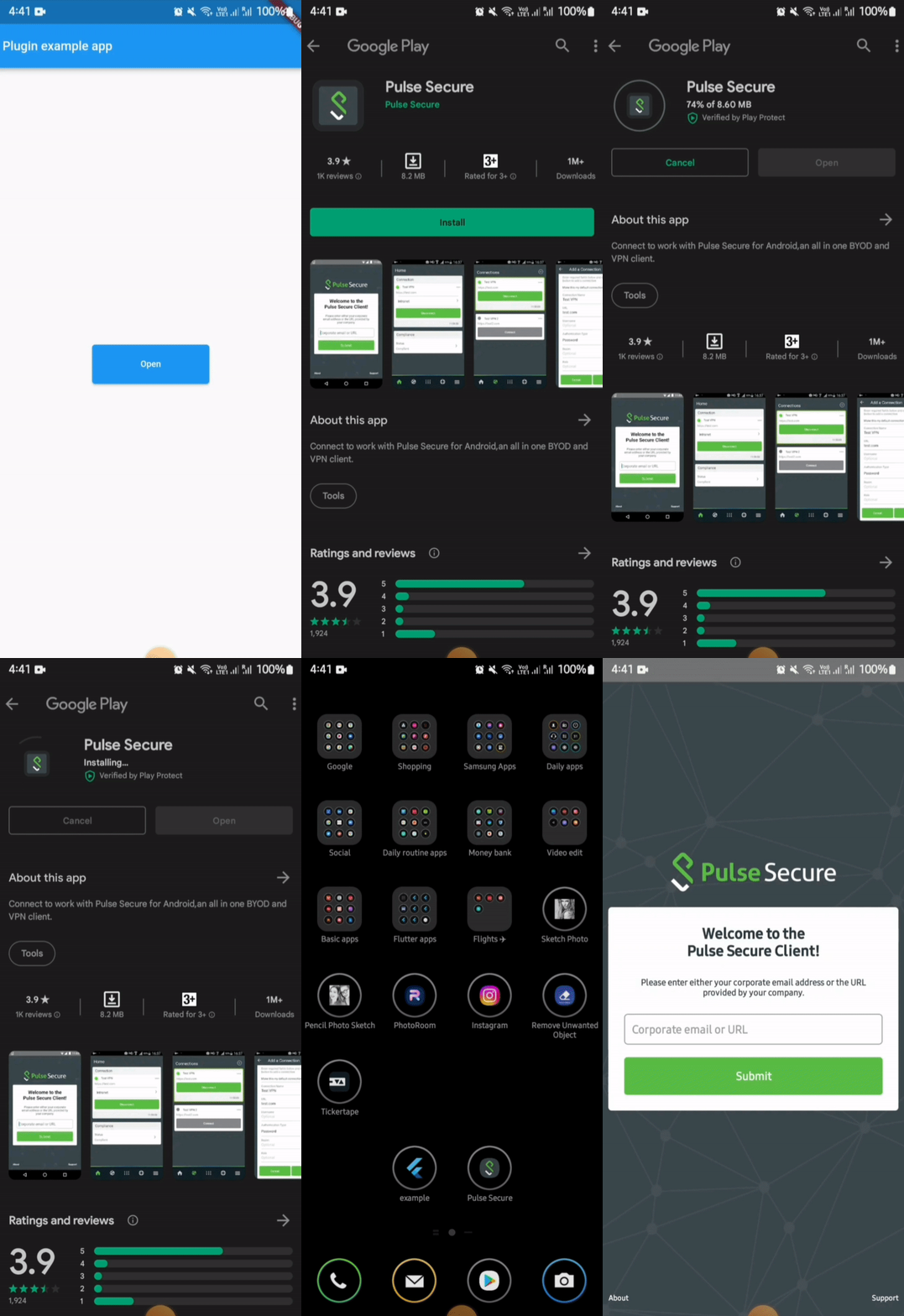
For opening an external app from your app in android, you need provide packageName of the app.
If the plugin finds the app in the device, it will be launched. But if the app is not installed in the device then it leads the user to playstore link of the app.
On Android 11 (API 30) and above, the OS restricts which packages your app can query. If you do not declare the target package in your AndroidManifest.xml, both isAppInstalled() and openApp() will silently behave as if the app is not installed — even if it is.
You must add a <queries> block above the <application> tag in your android/app/src/main/AndroidManifest.xml for every package you want to interact with:
<manifest xmlns:android="http://schemas.android.com/apk/res/android">

    <queries>
        <!-- Declare every package you want to check or launch -->
        <package android:name="net.pulsesecure.pulsesecure" />
        <package android:name="us.zoom.videomeetings" />
        <package android:name="com.instagram.android" />
        <!-- Add more packages as needed -->
    </queries>

    <application ...>
        ...
    </application>

</manifest>
Note: Without this declaration,
isAppInstalled('us.zoom.videomeetings')will always returnfalseon Android 11+ even if Zoom is installed.
Tip: If you want to query all apps (not recommended for privacy), you can use the
QUERY_ALL_PACKAGESpermission instead, but this requires justification when publishing to the Play Store.
On Android 10 (API 29) and above, the OS restricts apps from starting activities from the background (e.g. from background services, background broadcast receivers, or background notifications). Attempting to do so will result in a SecurityException being caught and a descriptive error message being returned.
If you need to launch external apps from background states, please review Android's guide on allowed exceptions for background starts.
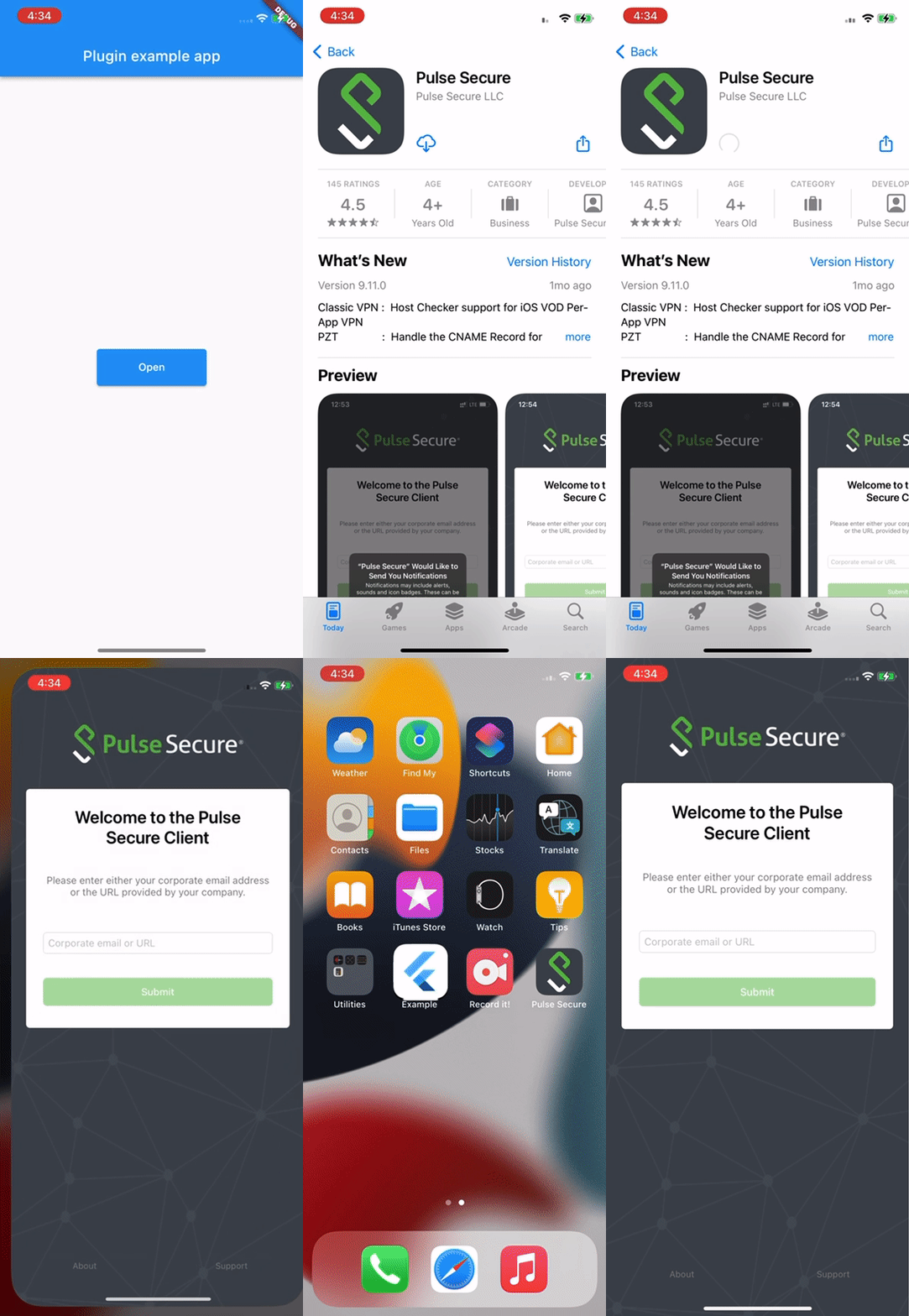
In iOS, for opening an external app from your app, you need to provide the URL scheme of the target app.
Due to iOS security sandboxing, it is impossible to launch or query external apps using package names/bundle IDs or without a registered custom URL scheme (e.g., instagram://).
- You must obtain the target app's custom URL scheme.
- If your app's deployment target is iOS 9 or above, you must also whitelist the scheme in your
Info.plistunderLSApplicationQueriesSchemes(see below).
To know more about URLScheme refer to this Link
Alternatively, you can launch Safari directly to open a website by calling:
await LaunchApp.openSafari(url: 'https://www.apple.com');Or by passing the web URL directly to the iosUrlScheme parameter in openApp.
To open a URL in Google Chrome on both platforms:
await LaunchApp.openUrlInChrome(url: 'https://www.example.com');On Android this targets the com.android.chrome package. On iOS it converts https:// → googlechromes://.
To target any specific browser on Android, or use a custom iOS scheme:
await LaunchApp.openUrlInBrowser(
  url: 'https://www.example.com',
  androidBrowserPackage: 'org.mozilla.firefox', // Firefox on Android
  iosUrlScheme: 'firefox://open-url?url=https://www.example.com', // Firefox on iOS
);
If the specified browser is not installed on Android, the system default browser is used as fallback.
If your deployment target is greater than or equal to 9, then you also need to update external app information in Info.plist.
<key>LSApplicationQueriesSchemes</key>
<array>
  <string>pulsesecure</string> // url scheme name of the app
</array>
But unlike in Android, it will not navigate to store (appStore) if app is not found in the device.
For doing so you need to provide the iTunes link of the app.
Apart from opening an external app, this package can also be used to check whether an app is installed in the device or not.
This can done by simply calling the function isAppInstalled
await LaunchApp.isAppInstalled(
  androidPackageName: 'net.pulsesecure.pulsesecure'
  iosUrlScheme: 'pulsesecure://'
);
This returns true and false based on the fact whether app is installed or not.
import 'package:flutter/material.dart';
import 'package:external_app_launcher/external_app_launcher.dart';

void main() {
  runApp(MyApp());
}

class MyApp extends StatefulWidget {
  @override
  _MyAppState createState() => _MyAppState();
}

class _MyAppState extends State<MyApp> {
  @override
  void initState() {
    super.initState();
  }

  Color containerColor = Colors.red;

  @override
  Widget build(BuildContext context) {
    return MaterialApp(
      home: Scaffold(
        appBar: AppBar(
          title: const Text('Plugin example app'),
        ),
        body: Center(
          child: Container(
            height: 50,
            width: 150,
            child: RaisedButton(
              color: Colors.blue,
              onPressed: () async {
                await LaunchApp.openApp(
                  androidPackageName: 'net.pulsesecure.pulsesecure',
                  iosUrlScheme: 'pulsesecure://',
                  appStoreLink: 'itms-apps://itunes.apple.com/us/app/pulse-secure/id945832041',
                  // openStore: false
                );

                // Enter the package name of the App you want to open and for iOS add the URLscheme to the Info.plist file.
                // The `openStore` argument decides whether the app redirects to PlayStore or AppStore.
                // For testing purpose you can enter com.instagram.android
              },
              child: Container(
                child: Center(
                  child: Text("Open",
                    textAlign: TextAlign.center,
                  ),
                ))),
          ),
        ),
      ),
    );
  }
}