A simple toolset to inspect and repair MLV files with trailing 00 bytes at the end of the file, which can cause invalid blockSize == 0 errors in MLV processing applications. This issue may appear if the camera remains out of space while recording.
This issue is described in the original MLV-App repository: MLV-App Issue #305.
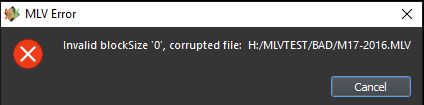
Some MLV files may end with extra zero bytes. When MLV processing tools (like MLV-App) read such files, they may encounter a block with blockSize == 0, which causes a corrupted file error:
This happens because the reader interprets the trailing zeros as a malformed block, crashing or refusing to process the file.
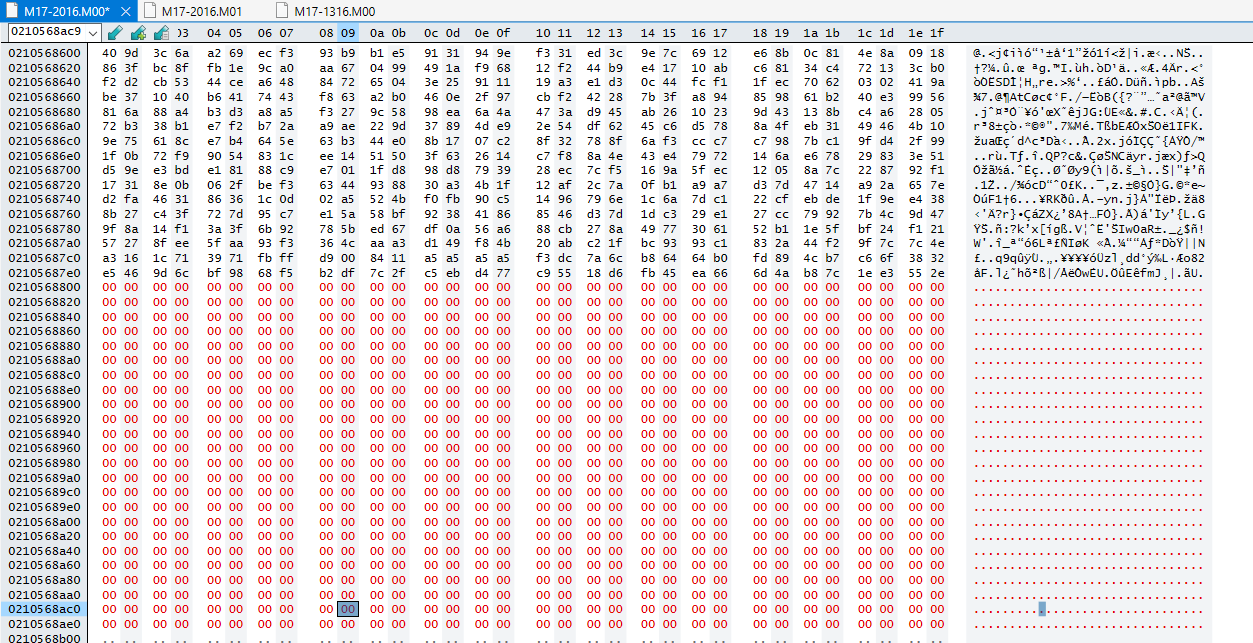
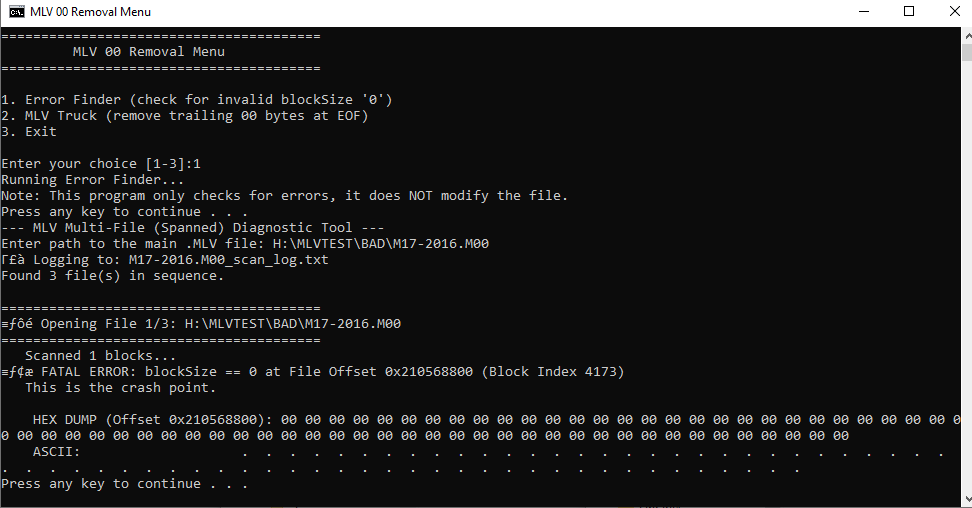
- Scans MLV files for invalid
blockSize == 0. - Does not modify files.
- Helps locate corrupted areas visually and in hex.
Example menu screenshot:
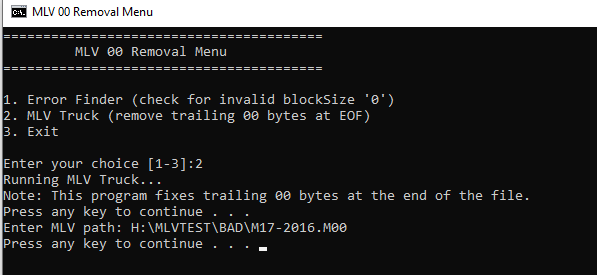
- Safely truncates trailing zero bytes at the end of MLV files.
- Fully portable and safe: writes changes to a temporary file before replacing the original.
Example menu screenshot:
- Start with Menu.bat
MLV_Fix/
└─ MLV 00 Removal/
├─ Menu.bat
├─ MLV_RepairC++/bin/Release/MLV_Error_Finder.exe
└─ MLV_Truck/bin/Release/MLV_Truck.exe
└─ src/
├─ blocksize '0'.png
├─ Menu_00_0.png
└─ Menu_00_1.png
-
Double-click
Menu.batto open the menu. -
Choose an option:
1→ Run Error Finder to check MLV file for blockSize errors.2→ Run MLV Truck to fix trailing zeros.3→ Exit.
-
Follow the on-screen instructions to provide the path of your MLV file.
- Many thanks to @masc4ii for providing the checking code for blockSize '0'.
- The Error Finder only detects errors; it will not modify your files.
- MLV Truck safely removes trailing zeros at EOF and will never delete more than necessary.
- Compatible with large MLV files (multi-GB).
- Make GUI for the App
- Sometimes, .M00 is missing. We should implement interpolation between the frames of the only file we have.
- Interpolation detection shall be notified. Applied only if the user want. Shall be a different menu in the GUI.
- Add the other graphical corrupted frames. Sometimes a single line is damaged, for only one frame. Other times, half of the image is completly black.