Interact with Cluster Director in natural language to use, monitor, maintain and benchmark your Clusters.
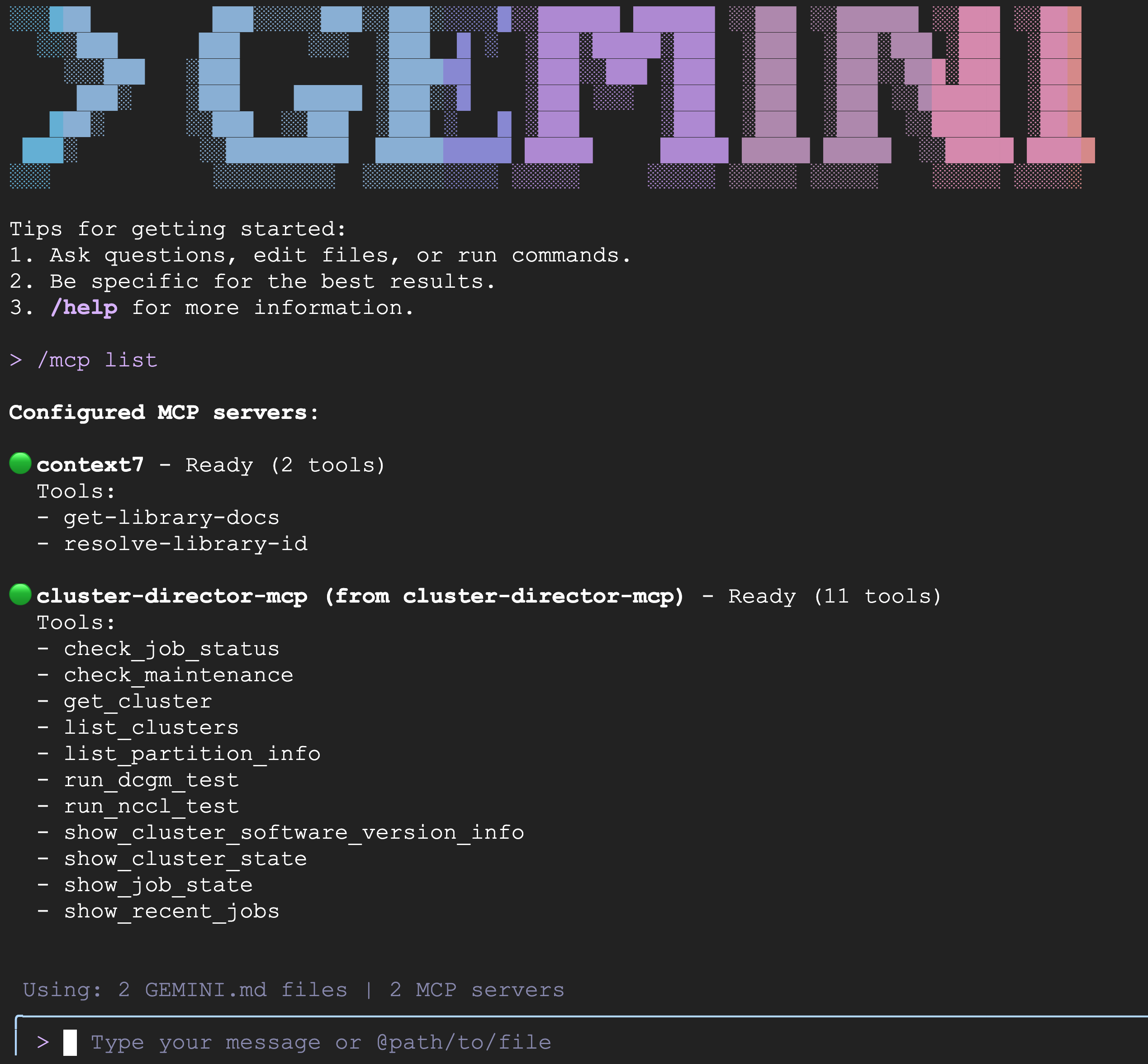
We install 2 MCP servers as part of this software stallation, they are:
- QA-Assistant : An Expert on AI-Hypercomputer that can answer questions. based on Uses context7 MCP server.
- cluster-director-mcp server: Agentic AI-Assistant that can execute tools (listed in MCP Tools section) on behalf of the user.
Cluster Director MCP Server is intended to be used on Google Cloud Shell as a Gemini CLI extension.
-
Request the following IAM roles from the owner of your GCP project roles/compute.osLogin roles/iam.serviceAccountUser roles/compute.instanceAdmin.v1 roles/iap.tunnelResourceAccessor
-
git clone https://github.com/GoogleCloudPlatform/cluster-director-mcp.git
-
Run gemini-cli with the necessary extensions (context7 and cluster-director-mcp) installed
cd cluster-director-mcp; ./run.shcheck_job_status: Shows the jobs running in cluster created using Cluster Director.check_maintenance: Checks for maintenance events for ALL the compute (GPU) nodes inthe cluster.get_cluster: Describe a cluster, i.e the type of compute nodes and storage provisioned.list_clusters: List clusters created using Cluster Director.list_partition_info: Shows information on a slurm partition in a cluster created using Cluster Director.run_dcgm_test: Runs DCGM tests on the cluster's GPU nodes to verify cluster health.run_nccl_test: Runs NCCL tests on the cluster's GPU nodes to verify cluster health.show_cluster_software_version_info: Show the software versions for ALL the compute (GPU) nodes in the cluster.show_cluster_state: Shows the state of the compute nodes in the cluster (idle, running jobs ..etc) created in Cluster Director.show_job_state: Shows the jobs running in cluster created using Cluster Director.show_recent_jobs: Shows the recent jobs that were run on the of cluster.
- context7 MCP server Known Issues: Sometimes the context7 MCP server used to fetch documentation on AI-Hypercomputer gets disconnected with the message ["MCP error (context7)"].

The fix is to run the following command in gemini-cli:
/mcp refresh