





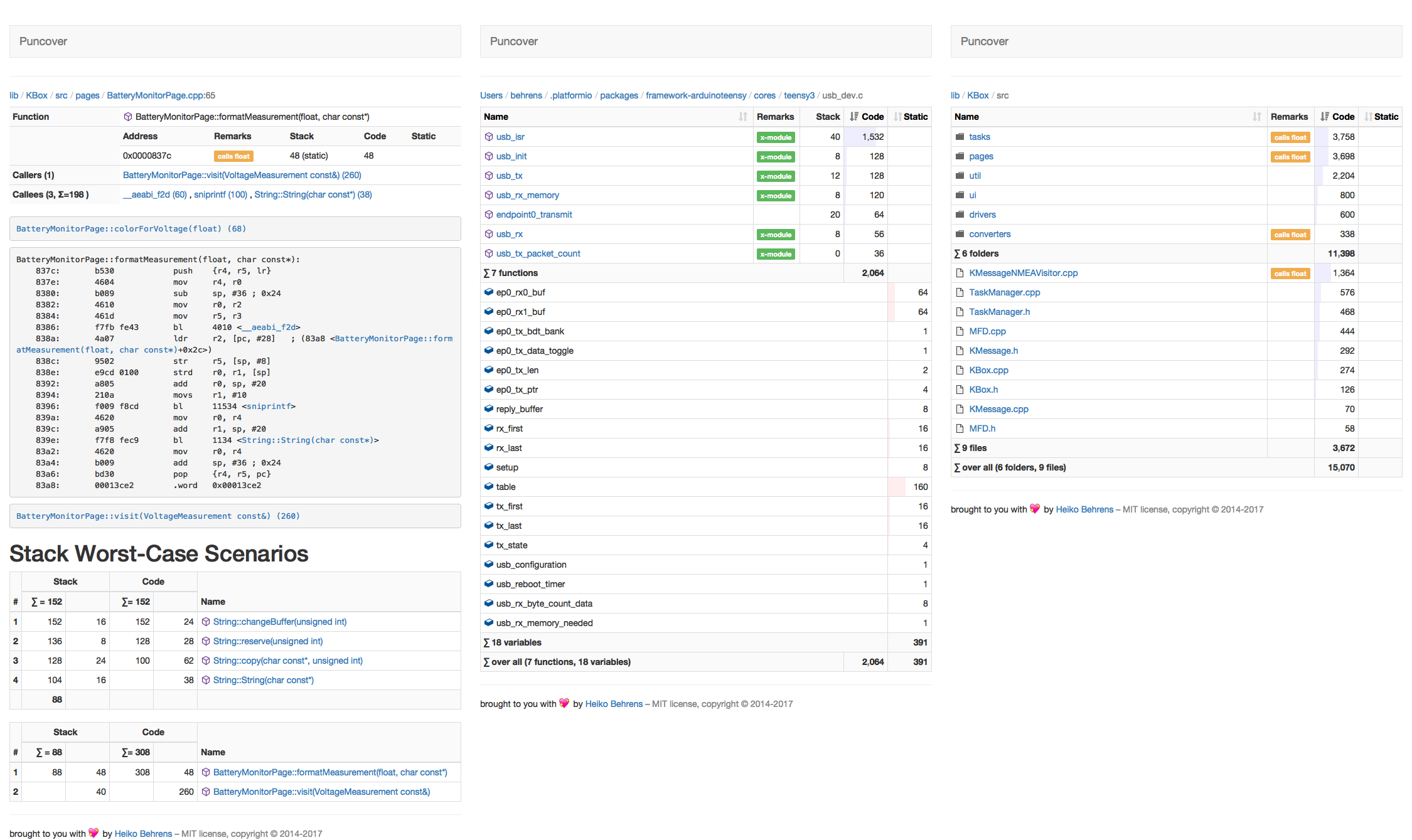
Analyzes C/C++ binaries for code size, static variables and stack usages. It creates a report with disassembler and call-stack analysis per directory, file, or function.
Install with pip:
pip install puncoverRun it by passing the binary to analyze:
puncover project.elf
...
* Running on http://127.0.0.1:5000/ (Press CTRL+C to quit)
Open the link in your browser to view the analysis.
You can also use uvx to run the script without installing globally:
uvx puncover project.elfTo monitor firmware changes in CI it can be useful to run puncover and save a JSON report.
To generate a report add these flags
--generate-report --non-interactive --report-type json and for a
distinguishing entry to save more than one report in one file also add a report
tag --report-tag $COMMIT_FEATURE. The report is saved under this tag as an
object entry.
To run the tests locally, you need to install the development dependencies. This
project uses uv to manage the python environment.
uv venv && source .venv/bin/activate
uv syncThen you can run the tests with tox (note that this will fail if any of the
supported python versions aren't found, see tox.ini):
toxor, to target only the current python on $PATH:
tox -e pySee release.sh for a script that automates the above steps. Requires
uv to be installed. This example will work
with the PyPi tokens (now required):
PUNCOVER_VERSION=0.3.5 PYPI_TOKEN=<pypi token> ./release.shOnly for reference, the release script should take care of all of this.
Click to expand
-
Update the version in
puncover/__version__.py. -
Commit the version update:
git add . && git commit -m "Bump version to x.y.z"
-
Create an annotated tag:
git tag -a {-m=,}x.y.z -
Push the commit and tag:
git push && git push --tags -
Either wait for the GitHub Action to complete and download the release artifact for uploading: https://github.com/HBehrens/puncover/actions OR Build the package locally:
python setup.py sdist bdist_wheel -
Upload the package to PyPI:
twine upload dist/* -
Create GitHub releases:
gh release create --generate-notes x.y.z- attach the artifacts to the release too:
gh release upload x.y.z dist/*
Contributions are welcome! Please open an issue or pull request on GitHub.