Releases: HOA-2/SlicerNeuroSegmentation
Releases · HOA-2/SlicerNeuroSegmentation
0.9.0

Slicer Segment Editor - Pen button interactions
Adds several interactions to Microsoft Surface Pen interactions:
- Eraser button single press: Move forward one slice slice in active view
- Eraser button double press: Move backward one slice in active view.
- Eraser button long press: Swap between the current and last active editor effect
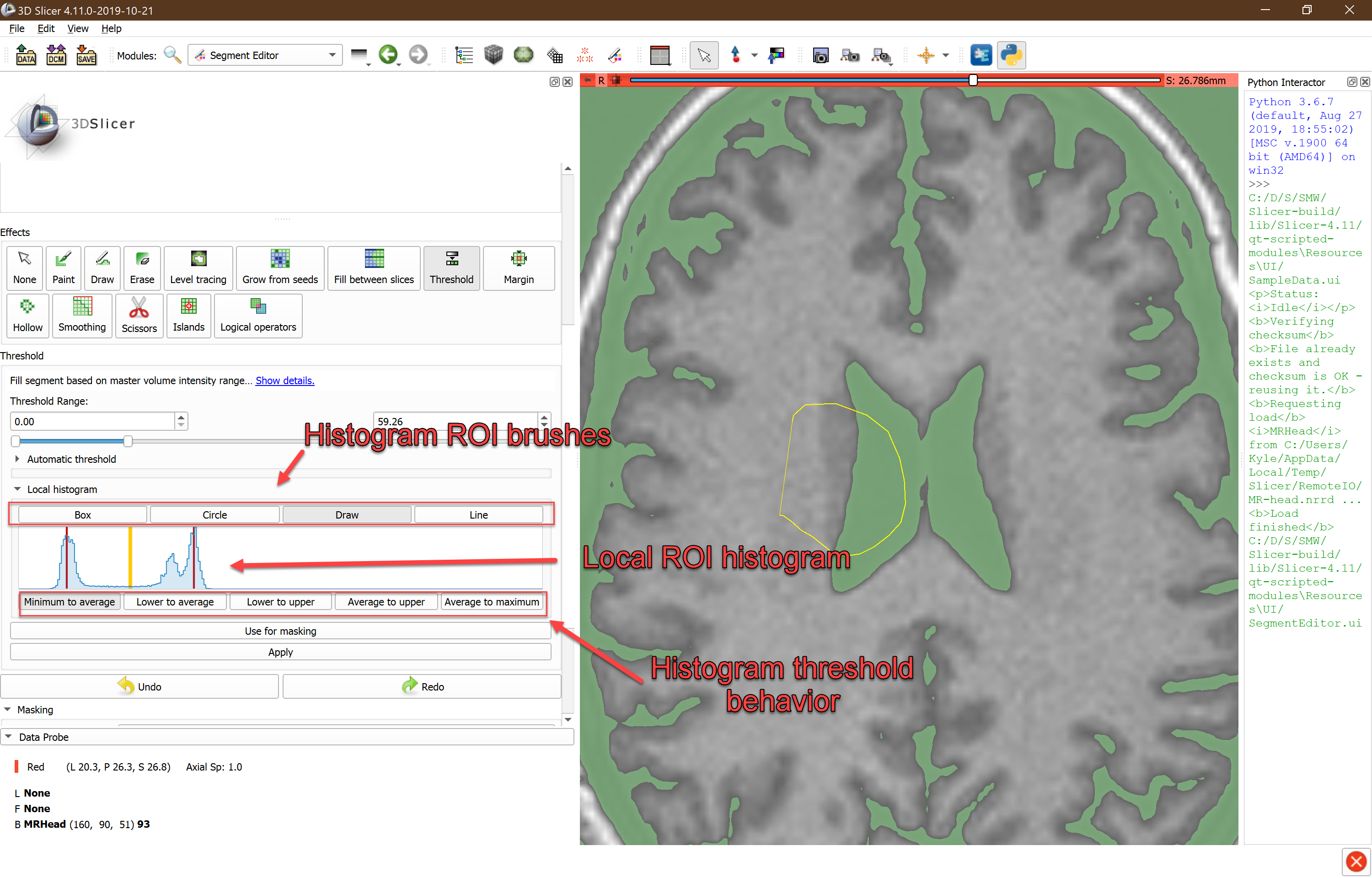
Slicer Segment Editor - Local Histogram Threshold
Slicer Segment Editor - Tablet Mode

-
Enable/Disable Tablet Mode: In tablet mode, mouse interaction with Segment Editor effects are disabled, and touching the screen with the eraser end of the pen will enable the erase effect.
-
Pressure Range: For paint and erase effects, the pressure range slider controls how large the brush can grow when applying pressure, relative to the initial brush size. At 0, the brush will remain the same size regardless of how much pressure is applied. At 1, the brush will grow to be 100% larger at maximum pressure.