Releases: Heroic-Games-Launcher/HeroicGamesLauncher
1.2.2 New Settings and BugFixes

Support this project:
Features
- Add option to run EXE inside prefix, to be able to install necessary dependencies for the game to run. It works exactly like the similiar Lutris option.
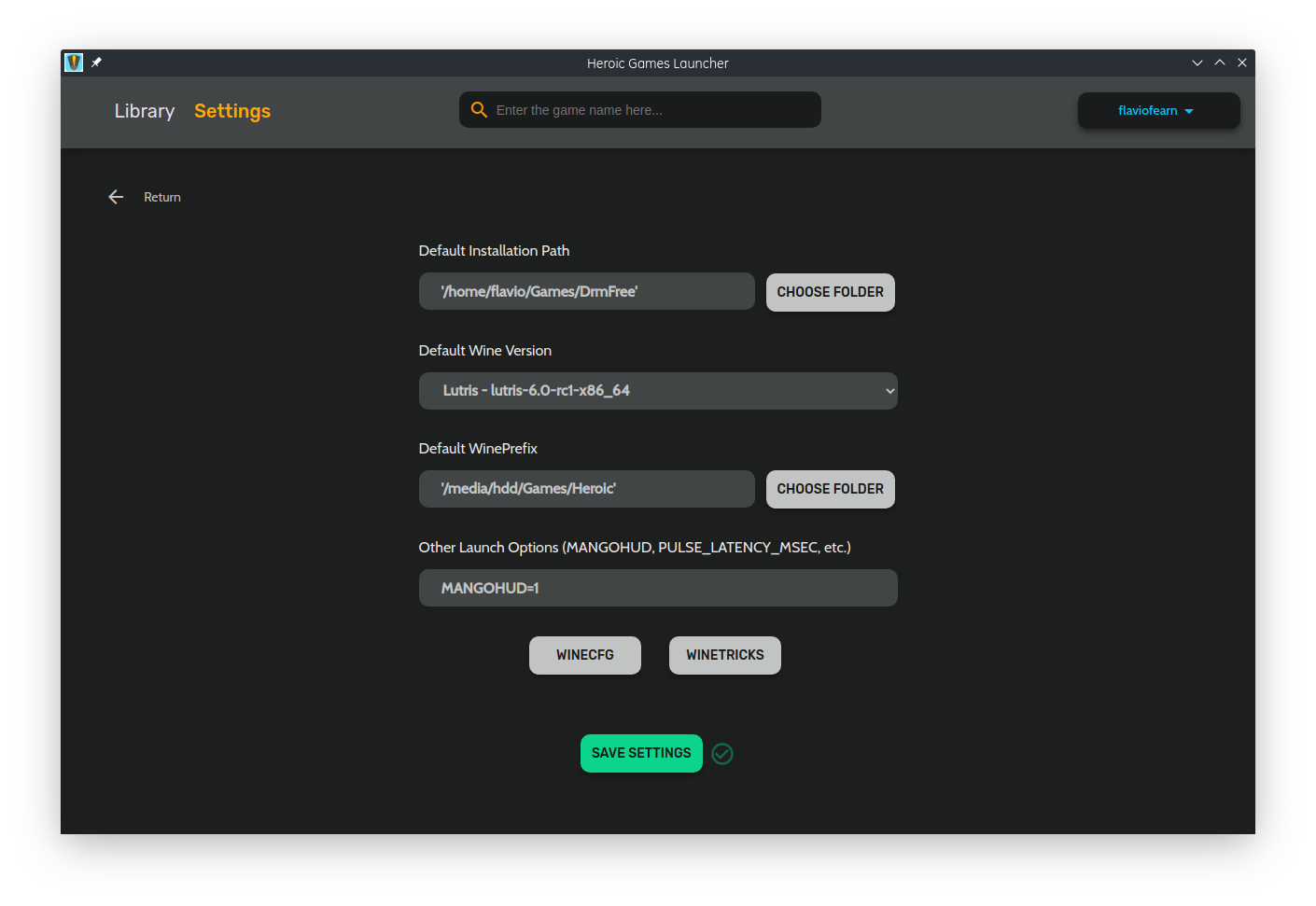
- Added more settings options like turn on MangoHud and Fix Audio.
- Added Launcher Arguments for the games. Can be used to set the language in Rocket League, skip intro or skip launcher depending on the game.
Fixes
- Fixes big downloads being interrupted while heroic was on background.
- Other minor fixes and optimizations


1.2.1 Bugfixes
Support this project:
Features
- Added option to close to Tray icon #103
- Warning before closing when there are remaining downloads, updates, etc. #104
- Tray Icon different for dark and light system colors #109 (If on plasma, it uses the GTK theme for that)
- Added Uninstalled filter
- Added Download estimated time on the game page
Fixes
- Settings not highlighted outside of general #110
- Proton wrapper wasn't being used after the latest release
- Show FPS wasn't working after the latest release
- Fix more than one instances at the same time #103
- Fix DXVK keeps installing #112
- Other minor fixes
Known bugs
- Since version 1.2.0, when downloading big games while Heroic is on the tray can lead to the process being stopped. So, to download big games like GTA V, is better to keep Heroic visible.
- Is recommended to remove the folder
.config/heroic/tools/DXVKand restart heroic in case you get some errors when installing DXVK. - As in the previous version, if a game doesn't want to launch, try going to settings and changing the proton/wine version to update the settings due to some internal name changes.
1.2.0 'Absalom'
Support this project:
This version basically finishes adding all main Legendary operations
Features
- Repair Installed Games
- Added Heroic folders for custom Wine/Proton
- Added Notification support.
- Added Tray Icon.
- Heroic will remember the last filter used when closing.
Bugfixes
- Returning to the library during update stops it: #98
- Proton not creating prefix folder: #96
- Proton Not using the right prefix for WineCfg and Winetricks
- Other minor fixes and optimizations
Known Bug
- If your game with proton stops working, just go to settings, select and re-select the proton version to update the configuration and it will get back to work. This can happen because of some changes in how the proton config is handled now.
1.1.3 - Other Bugfixes and Update Notification
1.1.2 - Game Update and BugFixes
Features:
- Added Downloading Progress information on the card
- Added info about the download size of the game while downloading
- Added the possibility to Update a game before launching it.
- Added a better filter for the library with Downloading on it.
- Added Wine and Winetricks as dependencies for deb, rpm, and pacman packages and on AUR.
Fixes
- Fix some errors when trying to install DXVK on Ubuntu. #82
- Fix Play button not changing state when killing a game #31
- Removed message about using proton on default wine prefix
- Other small fixes
- Other small optimizations

Thanks for all that contributed to the code this last week:
@thepedroferrari @wiryfuture @tomascarreira @Linux4Good
Buy me a Coffee: https://ko-fi.com/flavioislima
1.1.1 'Crocodile' Bugfixes
Features:
- Added several help boxes on the settings pages to help with the configuration.
Bugfixes:
- Fix: No logo on some game images
- Fix: Does not show Percent when downloading in some distros https://github.com/flavioislima/HeroicGamesLauncher/issues/27
Buy me a Coffee: https://ko-fi.com/flavioislima
1.1 'Crocodile'
New Features
- New Settings screen split into categories
- Sync with an existing Epic Games Store installation (on other partitions, for instance)
- Sync Saves both manually and automatically
- Added GameMode option https://github.com/flavioislima/HeroicGamesLauncher/issues/37
- Added Show FPS option (For DXVK HUD, Mangohud still works as an ENV variable)
- Added a lot of output when running Heroic from the terminal, so it can help with debugging. You should be able to check some legendary commands like install, launch, etc. Status of Sync-saves, install progress, etc.
BugFixes
- Proton could not be found on Steam Flatpak https://github.com/flavioislima/HeroicGamesLauncher/issues/49
- Proton wasn't using the
--wrapperargument, making it not work as intended. https://github.com/flavioislima/HeroicGamesLauncher/issues/28 - Refreshing library resets search field but not search results https://github.com/flavioislima/HeroicGamesLauncher/issues/51
- Added back the scrollbar https://github.com/flavioislima/HeroicGamesLauncher/issues/46
- Other minor fixes
Buy me a Coffee: https://ko-fi.com/flavioislima
Screenshots


1.0.3 - BugFixes
Bug Fixes
- Fix: Can't load a game page https://github.com/flavioislima/HeroicGamesLauncher/issues/38
- Fix: Launcher keeps loading and "skips" initial SID code view https://github.com/flavioislima/HeroicGamesLauncher/issues/36
- Fix: Play button doesn't update after game exits https://github.com/flavioislima/HeroicGamesLauncher/issues/31
Features:
- Add Button to check the latest Play Log
1.0.1 - Bugfixes and small tweaks
Support the project at Ko-Fi:
You can now support the Project on Ko-Fi: https://ko-fi.com/flavioislima
New Features
- Settings are saved automatically now
- Non installed games are shown as greyed out now and installed games in color.
Bugfixes:
- Fix: Games won't launch if wine path contains spaces https://github.com/flavioislima/HeroicGamesLauncher/issues/26
- Fix: Changing the default installation path has no effect https://github.com/flavioislima/HeroicGamesLauncher/issues/25
- Fix: Not Showing Proton installed on
steamapps/commonfolder. - Fix: Clear button always showing on the Search bar
- Fix: Not updating installing list after canceling the installation
- Fix: Stopping one installation was stopping all others
- General optimizations
1.0 'Enel'
So, after a few weeks of work, we reached our first Milestone 1.0. And yes, this is a Major version because I don't consider it just an MVP anymore, since it has most of the features that I wanted to include since the project started.
Now the next step is to figure out how to distribute the app on the official repositories of the main distros, I do appreciate it if someone can help us with that :D
Thanks for all the support we got from the Linux community!
Thanks @octoshrimpy for the help with the design as well.
Changelog and a few Screenshots:
- Completely changed the design based on the UX research we did
- Added Global and per Game Settings page to configure default wine (or proton), wine prefix, and launch options.
- Option to install the game on a default path(configurable), custom path, or import an already installed game.
- No need for Xterm anymore, all installation feedback is on the installation page now.
- Login screen redone
- Better menus for log out and refresh library
- Option to filter only installed games.
- Possibility to stop the installation
- Possibility to stop a running game
- Added Game description
- Several bugfixes
- Heroic creates a default config folder in $HOME/.config/heroic/config.json
- Both Game configs and Launch logs are saved for the debugging process in the config folder /GamesConfig
Bugs/Limitations:
- Right now the proton and wine version comes only from what is in the compatibilitytools.d folder for Steam and for Lutris it comes from .local/share/lutris/runners/wine. This will be fixed on the next release.
- It is possible to fix this creating a symlink like this:
ln -s $HOME/.steam/root/steamapps/common/Proton\ 5.0/ $HOME/.steam/root/compatibilitytools.d/ - Sometimes the library is not updated after installing/uninstalling a game. Just use the Refresh Library button under your userName.
- Just noticed that changing the default installation path is not working, it keeps installing in ~/Games/Heroic. I'll send a fix soon.