
The fastest path from idea to live site.
Start with a blank page. Tell AI what you want. Get a production site in minutes — not days.
Built on HugoBlox — the open-source framework where AI generates your pages and you own everything as Markdown.
Deploy Free (60s) | Build with AI | Live Demo


Part of the HugoBlox ecosystem · 150,000+ sites · Rated 4.9/5 (official survey) · Trusted since 2016
Other templates give you someone else's layout. This one gives you a blank page and an AI that builds exactly what you ask for.
|
Open Hugo Chat and describe your site in plain English:
Hugo Chat generates structured pages with correct front matter, blocks, and content — ready to paste in. |
Fine-tune with whichever workflow fits you: Ownable CMS — drag-and-drop editing inside VS Code. Rearrange blocks, update text, change design tokens. No terminal needed. Markdown — every page is a file you can read and edit. Change a heading, add a section, commit and push. Hugo Chat — come back anytime to generate new pages or refine existing ones. Push to GitHub. Your site builds and deploys automatically via GitHub Pages. Zero cost, zero config. |

This is a blank canvas with the full HugoBlox engine behind it. Add any combination of content types:
| Content type | URL | Use it for |
|---|---|---|
| Landing pages | any path | Hero sections, feature grids, CTAs, pricing — assembled from blocks |
| Blog | /blog/ |
Posts with dates, tags, categories, reading time |
| Projects | /projects/ |
Software, research projects, portfolio items |
| Publications | /publications/ |
Papers, articles, preprints with citation metadata |
| Events | /events/ |
Talks, webinars, workshops, conferences |
| Datasets | /datasets/ |
Research data with DOIs and download links |
| Case studies | /case-studies/ |
Customer stories, project showcases, impact reports |
| Changelog | /changelog/ |
Product updates, release notes, version history |
| Courses | /courses/ |
Lessons, tutorials, learning paths with breadcrumbs |
| Docs | /docs/ |
Documentation with sidebar navigation |
| FAQ | /faq/ |
Frequently asked questions |
| Slides | /slides/ |
Presentations from Markdown via reveal.js |
Every content type supports tags, categories, search, RSS, related content, and social sharing out of the box.
Option A: Launch in browser (fastest — no install needed)
Tip
Deploy a live site in 60 seconds — no software to install: Deploy Starter free
Option B: Use the CLI
# Requires Hugo Extended & Node.js
npx hugoblox create site --template starterOpen Hugo Chat and describe the pages you want. Paste the generated files into your content/ folder. Push to GitHub — your site updates automatically.
Install Ownable CMS in VS Code to edit pages visually — rearrange blocks, update content, and preview changes without touching code.
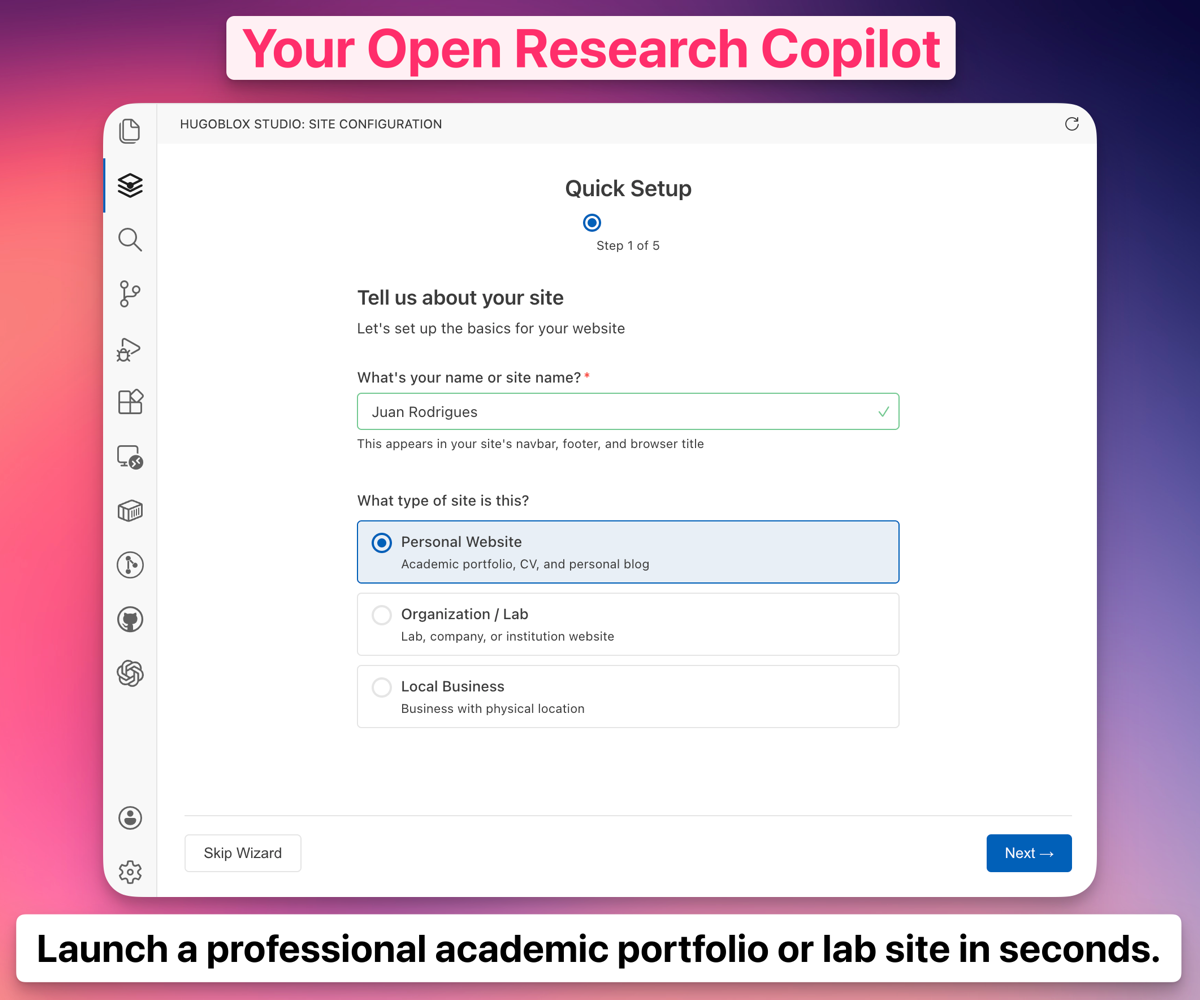 Ownable CMS: Drag-and-drop page builder inside VS Code.
Note
New to Hugo? No problem. You don't need to know Hugo — build with AI or edit visually. Hugo is the engine under the hood that makes your site fast, secure, and free to host. Learn more →
Why not just use WordPress, Webflow, or an AI builder like Lovable?
| AI builders (Lovable, v0) | CMS platforms (WordPress, Webflow) | HugoBlox | |
|---|---|---|---|
| AI generates your pages | Yes | No | Yes |
| You own the output as readable files | No — React code | No — database | Yes — Markdown |
| Free to host forever | No | No | Yes |
| Human-editable without the tool | Barely | No | Yes — it's Markdown |
| Open source | No | No | Yes — MIT licensed |
Important
Your content is plain Markdown files. No lock-in, no database, no vendor dependency. If you ever want to leave, take your files and go.
Do I need to know Hugo?
No. Build with Hugo Chat or edit visually with Ownable CMS. Hugo is the build engine — you don't need to touch it.Why use this instead of a purpose-built template?
If you know what you want — a CV, a blog, a docs site — use those templates. The starter is for when you want full control, or when you're building something that doesn't fit a predefined layout. It's also the ideal starting point for Hugo Chat, which generates exactly the pages you describe.Can I add any HugoBlox block?
Yes. The starter includes the full HugoBlox block library — hero, features, stats, testimonials, pricing, CTA, collection, and more. Assemble them in any combination.Can I host for free?
Yes. GitHub Pages, Netlify, Vercel, and Cloudflare Pages all have free tiers for static sites. This template ships with GitHub Pages deployment pre-configured.Can I migrate my content later?
Yes. Your site is just Markdown files in a folder. Copy them anywhere.What's Hugo Chat?
An AI assistant that understands Hugo and HugoBlox. Describe what you want and it generates the right pages with correct front matter, blocks, and content. Free to try.Deploy in 60 seconds. Build pages with AI. Own it as Markdown forever.
Deploy Starter — free | Build with AI
- 💬 Discord — ask questions, share your site
- 📚 Docs
- ⭐ Star HugoBlox — help others find it
- 🐦 Follow on X
❤️ Sponsor on GitHub | 🏢 Become a Partner
Copyright 2016-present Lore Labs. Released under the MIT License.
HugoBlox is a trademark of Lore Labs.