⚠️ Project Archived⚠️ This project is no longer actively maintained. The code is provided as-is for educational and archival purposes. The live site at OrdLite.io is no longer active or associated with this project. Pull requests and issues will not be reviewed. Feel free to fork the repository for your own use.
OrdLite.io was the first Ordinals explorer for the Litecoin blockchain. It provided a platform for users to explore, view, and inscribe data onto Litecoin.
Litecoin Ordinals are a way to create unique digital artifacts, similar to NFTs, by inscribing data (like images, text, or other files) onto individual lites—the smallest unit of Litecoin. This process creates a permanent, immutable record on the Litecoin blockchain. An explorer like OrdLite allows users to view and interact with these inscriptions.
- Explore Inscriptions: Search for Litecoin Ordinals by their ID, block, or address.
- Seamless Inscribing: Featured a direct BTCPayServer integration, allowing users to easily inscribe their own data.
- Real-Time Feed: Displayed a live feed of the most recent inscriptions on the network.
- Detailed Views: Provided detailed information for each inscription, including its content, metadata, and transaction history.
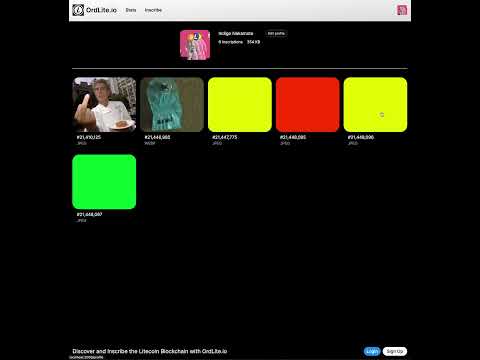
A quick walkthrough of OrdLite.io’s interface and core features—in under 180 seconds!
- Frontend: Next.js, TypeScript, Tailwind CSS
- Backend: Node.js, TypeScript, Express
- Database: PostgreSQL
- Payments: BTCPayServer
The following instructions are provided for those who wish to run the application locally for educational or research purposes.
Prerequisites:
- Node.js
- Docker and Docker Compose
- A running PostgreSQL instance
Backend Setup:
- Navigate to the
backend/directory. - Install dependencies:
npm install - Set up your
.envfile based on.env.example. - Run database migrations:
npx prisma migrate dev - Start the backend server:
npm run dev
Frontend Setup:
- Navigate to the
frontend/directory. - Install dependencies:
npm install - Set up your
.envfile based on.env.example. - Start the frontend development server:
npm run dev - Open your browser to
http://localhost:3000.
This project is licensed under the MIT License – see the LICENSE file for details.