

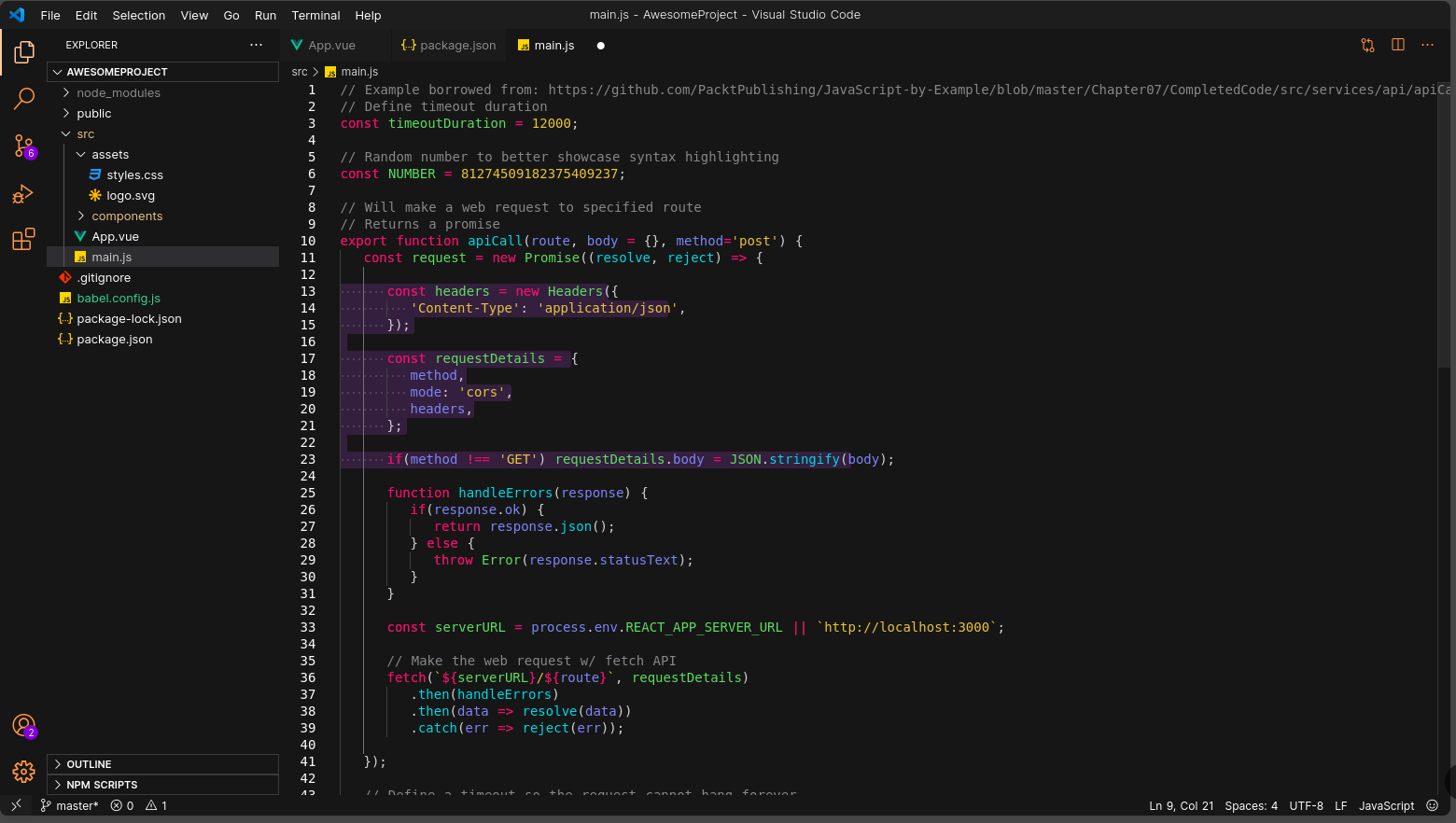
- Open Extensions sidebar panel in VS Code.
→ Extensions - Search for
pumpkin-color-theme- find the one by IvanPerez9 - make sure you have the right one! - Click Install to install it.
- Code > Preferences > Color Theme > pumpkin-color-theme
- Press Ctrl + P and execute
ext install IvanPerez9.pumpkin-color-theme
| Colors | Hex |
|---|---|
| Orange |  #f09756 |
| Light Orange |  #f0975662 |
| Purple |  #6529d1 |
| Light Purple |  #a676fb |
| Background Purple |  #a676fb2c |
This theme is new so if something is funky, please open an issue. There are many languages and parts of VS Code I don't use, so let me know!
These are the things we have control over. If you would like to change something, you can either open a PR and see if I'd like it added, or override the colours in your own pumpkin-color-theme.json file.
You can publish an extension using vsce with the publish command:
vsce publish
You can auto-increment an extension's version number when you publish by specifying the SemVer compatible number to increment: major, minor, or patch.
Or you can also specify a complete SemVer compatible version on the command line
vsce publish minor

vsce publish 2.0.1