
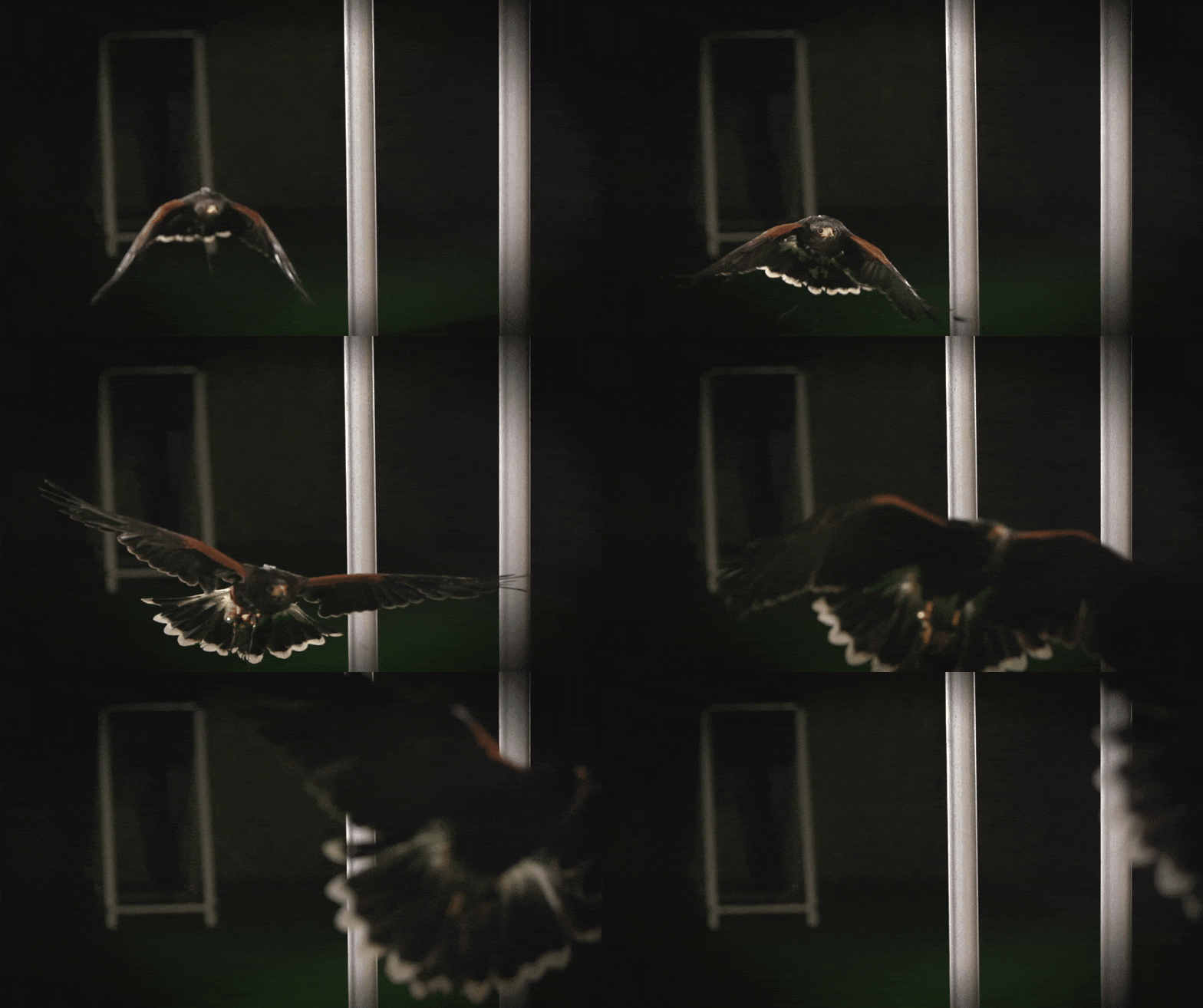
PCA-based decomposition of morphing shape changes in animal locomotion from motion capture data. Uses data from the wings and tails of 5 Harris' hawks in flights.
Interactive overview — explore the morphing modes and results in your browser.


Left: Morphing shape mode 4 (tail spreading). Right: 4-mode reconstruction (purple) overlaid on original data (grey).


Left: Harris' hawk wingbeat from motion capture. Right: Same morphing modes projected onto a barn owl morphology (from Harvey 2022 specimen measurements).
An interactive project page provides an overview of the morphing shape modes without requiring any code to be run.
To reproduce the full analysis, the notebooks can be run either in a browser via GitHub Codespaces or on a local machine.
| Route | Requirements | Setup time |
|---|---|---|
| GitHub Codespaces | GitHub account | ~5 min |
| Local machine | uv package manager | ~10 min |
The dataset (~2.3 GB) is archived on Figshare under DOI 10.6084/m9.figshare.32101528. It is currently embargoed; access requires a private share token provided in the manuscript's Data Availability section. Once the dataset is published the token will no longer be needed.
-
Click Open in GitHub Codespaces. Sign in with GitHub if prompted, then click Create codespace.

-
Wait ~3–5 min for the environment to build. A VS Code editor opens in the browser. The terminal (bottom) prints a welcome banner when ready.
-
In the terminal, run:
uv run python scripts/download_figshare_data.py
When prompted, paste the share token from the manuscript's Data Availability section (the full
https://figshare.com/s/…URL also works). The script downloads ~2.3 GB into./data/(~5 min on Codespaces).
-
Open any notebook under
examples/hawks/. Notebook 04 has interactive visualisations of the results. Click Run All to execute every cell.

The notebooks can be used in three ways:
- Overview —
04_MorphingShapeModes.ipynbcontains interactive 3D visualisations of the principal morphing shape modes and provides the most direct view of the main results. - Supplementary companion — each notebook header states which supplementary section it accompanies (e.g. "Supplementary §5"). The corresponding notebook can be run alongside the supplementary materials document.
- Sequential — the notebooks are numbered
00through15and can be run in order from00_ExperimentalSetup.ipynbto15_AlternativeMethods.ipynb.
- Overview —


Each notebook begins with a cleanup cell that frees memory from any previous notebook run in the same kernel. This cell is safe to re-run and is a no-op on a fresh kernel.
If the Codespace enters a bad state, it can be deleted from https://github.com/codespaces and recreated. Free GitHub accounts include 60 hours/month of 4-core Codespaces.
If you close your browser you can return to it later without needing to repeat the setup steps.
Step 1 — Install uv
uv is a single-binary Python package manager. No admin/sudo privileges are required.
Instructions per operating system:
macOS / Linux
curl -LsSf https://astral.sh/uv/install.sh | shClose and reopen the terminal so uv is on your PATH.
Windows (PowerShell)
powershell -ExecutionPolicy ByPass -c "irm https://astral.sh/uv/install.ps1 | iex"Close and reopen PowerShell.
Verify the installation:
uv --versionIf you already use git on your computer:
git clone https://github.com/LydiaFrance/kinematic-morphospace.git
cd kinematic-morphospace
Alternative: download as ZIP
On the GitHub page, click Code → Download ZIP, extract, then cd into the resulting directory.
uv syncThis reads uv.lock and creates an environment identical to the one used to produce the manuscript figures (~2 min).
uv run python scripts/download_figshare_data.pyWhen prompted, enter the share token from the manuscript's Data Availability section. The script accepts both the bare token and the full URL. Downloads ~2.3 GB into ./data/. The script is idempotent; already-downloaded files are skipped on re-run.
uv run jupyter labJupyterLab opens in the browser. 04_MorphingShapeModes.ipynb provides the most direct overview of the results; 00_ExperimentalSetup.ipynb is the starting point for a sequential run. Each notebook header states which supplementary section it accompanies.
The share token is in the manuscript's Data Availability section. The share URL ends with a 20-character hex string:
https://figshare.com/s/abcdef0123456789abcd
                       └────────┬─────────┘
                            share token
Either the bare token or the full URL is accepted by the download script.
| Notebook | Approximate run time | Description |
|---|---|---|
00_ExperimentalSetup |
~1 min | Dataset overview and validation |
01_MarkerReconstructionTrajectories |
~2 min | Marker trajectory visualisation |
02_BilateralShapePCA |
~1 min | Bilateral PCA |
03_RotationCorrection |
~2 min | Body-rotation correction |
04_MorphingShapeModes |
~1 min (PAPER_MODE: ~5 min) | Morphing-shape PCA and permutation tests |
05_BeforeAfterRotation |
<1 min | Effect of rotation correction |
06_RobustnessValidation |
~8–10 min (PAPER_MODE: ~15–25 min) | Permutation and bootstrap robustness |
07_MissingnessAndSamplingBias |
~11–12 min | Missingness diagnostics |
08_IndividualVsSharedModes |
~2 min (PAPER_MODE: ~10–20 min) | Individual vs shared morphing modes |
09_VisualisingModes |
<1 min | Mode visualisation |
10_MorphingSymmetry |
~1 min | Bilateral symmetry analysis |
11_MorphingScoresOverTime |
<1 min | Temporal score profiles |
12_FlightBehaviourContinuum |
~5 min | Flight behaviour continuum |
13_ExperimentalEffects |
<1 min | Experimental-design effects |
14_CrossSpeciesGeneralisation |
~3 min | Cross-species comparison |
15_AlternativeMethods |
~15 min | Comparison with alternative methods |
Run times measured on a 4-core Codespace. Local machines are typically 1.5–2× faster.
Notebooks 04, 06, and 08 include a PAPER_MODE flag near the top of their setup cell. The default (False) uses fewer permutation/bootstrap iterations for faster execution (~5–10× speedup) while still producing all figures. Set to True to reproduce the exact iteration counts used in the manuscript.
| Symptom | Solution |
|---|---|
| Windows: "running scripts is disabled on this system" | Use the install command as printed, including -ExecutionPolicy ByPass. |
| macOS: "cannot be opened because the developer cannot be verified" | System Settings → Privacy & Security → Allow. |
uv: command not found after install |
Close and reopen the terminal. |
uv sync hangs or times out |
A corporate proxy may be blocking connections. The Codespaces route bypasses local network restrictions. |
| Token rejected by Figshare | Ensure there are no leading/trailing spaces. The token is exactly 20 hex characters. |
| Out of memory | The default Codespace has 16 GB RAM. Switch to 32 GB via the … menu → Change machine type. |
To use the package as a library on other data:
uv add kinematic-morphospace
# with plotting extras:
uv add "kinematic-morphospace[plot]"
import kinematic_morphospace
data = kinematic_morphospace.load_data("path/to/markers.csv")
markers, frame_info = kinematic_morphospace.prepare_marker_data(data)
scaled, scaler = kinematic_morphospace.scale_data(markers)
rotated = kinematic_morphospace.undo_body_rotation(scaled)
pca_model, scores = kinematic_morphospace.run_PCA(rotated)
reconstructed = kinematic_morphospace.reconstruct(pca_model, scores, n_components=4)
kinematic_morphospace.plot_explained(pca_model) # requires [plot] extraTests (from a clone):
uv sync --extra test
uv run pytest tests/See CONTRIBUTING.md.
Distributed under the terms of the MIT licence.