Boot legacy PCs from NVMe storage: YouTube video with ThinkPad T43
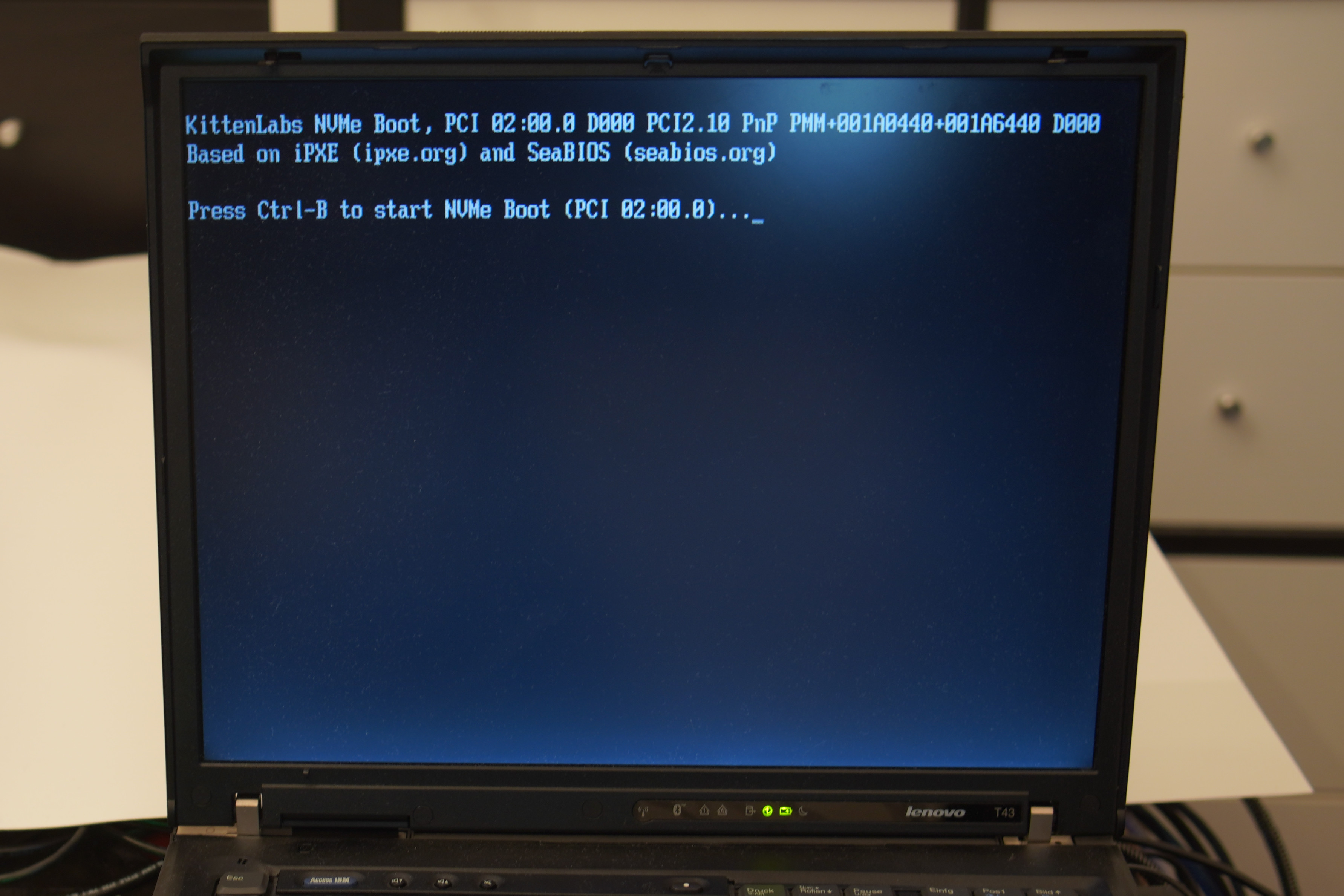
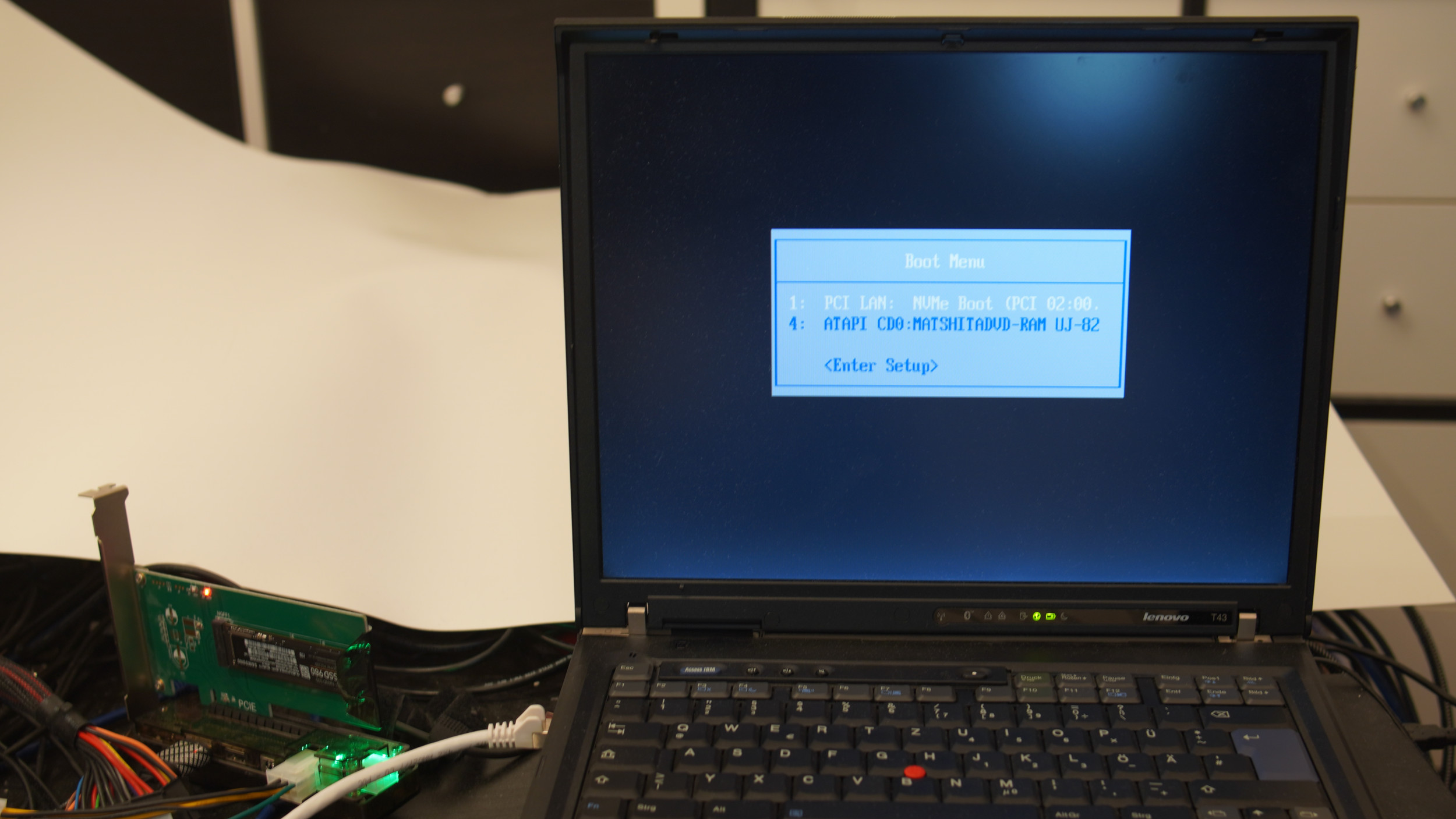
This project allows old x86 computers using a classic BIOS to boot from modern NVMe storage attached via PCI(e). It's a heavily modified version of iPXE (which usually allows for booting from the network), but instead of the network, this code uses a port of the SeaBIOS NVMe implementation to talk to a local NVMe drive.
Works™
Very little fault tolerance and testing on different devices.
It started out as a crazy proof-of-concept, but people just seemed to have success with it.
- Connect an NVMe drive to your computer (PCIe->PCI adapters are fine).
- Ensure the new PCI device is visible in the BIOS (or any OS).
- Check the releases page for the latest binary release:
Typically you'll want to try one of the following images (depending on your hardware):
1.44M floppy image: nvmeboot.ima
CD-ROM: nvmeboot.iso
Raw disk image (for CF cards, hard drives, ZIP disks, SD cards, USB flash drives, etc.): nvmeboot.dsk
PXE/network boot: nvmeboot.pxe
If you happen to have a network card (or another flashable PCI device), you can also flash one of the Option ROM images to it.
The images are named VID- and PID-specific, so you'll need to find the correct one for your hardware.
If there isn't an image for your hardware, either try to compile one yourself or open an issue with your specific PCI Vendor/Device ID.
Try to boot the image on your hardware. It'll try to boot from the first (and only the first) NVMe drive it finds. Your NVMe drive should already contain a bootable OS (Master Boot Record, etc.).
Warning
This project currently ships without any write-support at all!
Modern operating systems (Windows NT+, Linux, etc.) will boot by reading from the NVMe drive and then load their own internal drivers for NVMe.
At that point, normal read/write operations will work fine.
However, older operating systems (MS-DOS, Windows 9x, etc.) will not be able to write to NVMe drives.
Write support is disabled to reduce the risk of data corruption.
- IBM ThinkPad T43
- QEMU VM, i440fx
- ASUS P2B (Pentium 3), i440fx chipset
(any x86-based PC should work)
- Samsung SSD 980
- Samsung SSD 990PRO
- Corsair Force MP510
(any generic NVMe drive should work)
- Booting from NVMe storage in Legacy/BIOS mode
- Works on 32bit-only CPUs (Pentium 3, Atom, etc.)
- Option ROM, USB flash drive, SD card, CD-ROM, chainloading (e.g. from grub) booting supported
- Write support is currently disabled. The code is present, but it's additional danger for no benefit (for my usecase)
- Only 1 NVMe drive (with 1 namespace) is properly handled at the moment
There are 2 other Option ROMs publicly available:
- Samsung 950 Pro (exposed by the PCIe device, device-specific)
- community modded VMWare NVMe ROM (didn't work on my hardware, did work in QEMU)
This project is GPL-licensed, can be freely redistributed (both as binaries and source) and can be instrumented/debugged easily (as it's written in C).