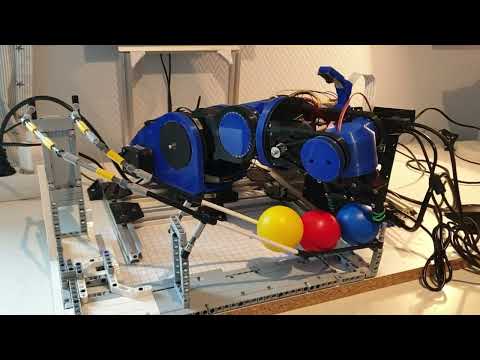
A 6‑DOF robot arm that can pick up stuff. Most parts are 3D‑printed, an Arduino Mega + RAMPS 1.4 drives the motors, and a Raspberry Pi with a Pi Camera is used for the object detection.

- 6‑joint arm (6‑DOF) that can grab small objects
- Mostly 3D‑printed parts
- Steppers for the big joints, a large servo for one joint, and a tiny servo for the gripper
- Limit switches on the stepper joints for homing
- Raspberry Pi + Pi Camera does the vision, talks to the Arduino over serial
- Forward and inverse kinematics baked in
- Pick‑and‑place demos included
Mechanics
- Nearly everything is 3D‑printed.
- DIY ball bearings: BB pellets inside printed races (cheap and good enough).
Motors
- Mix of NEMA‑17 steppers.
- One 28‑BYJ48 unipolar stepper for a light joint.
- One larger servo for a joint.
- One micro servo for the gripper.
Control + Sensors
- Arduino Mega + RAMPS 1.4 for motors and limit switches.
- Raspberry Pi + Pi Camera for object detection.

- Arduino firmware handles steppers/servos and homing.
- Raspberry Pi runs the vision code (OpenCV /
cv2) and sends target positions to the Arduino. - You can pick a region in the camera image, the code deskews it, and maps pixels to the arm’s XY plane with a quick calibration.
The forward and inverse kinematics are adapted from this project (tuned for this arm’s links and joint directions):
https://github.com/glumb/robot-gui/blob/master/js/Kinematics.js
- Uses OpenCV to find objects in the selected area.
- Right now it doesn’t consider object width or in‑plane rotation (that’s on the roadmap).
Video demo — Click the image to watch on YouTube
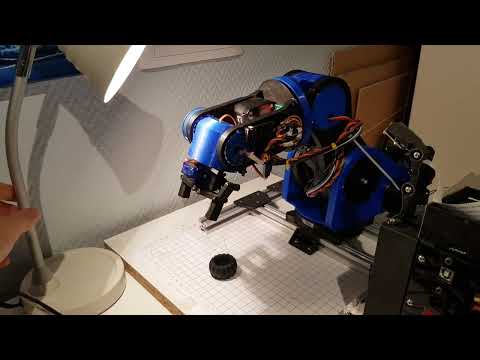
- In the UI, pick four points to mark the area where the arm should look.
- The code deskews that patch to handle camera angle.
- Give the system two known points (with their arm‑frame coordinates, arm center is
(0, 0)). From that, it scales/shifts so any pixel becomes an XY in the arm frame.


Mapping test video — Click the image to watch on YouTube
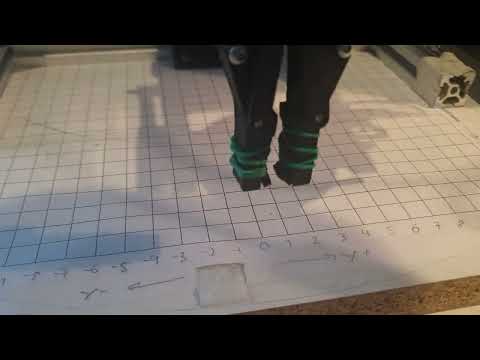
A small example where the arm picks up a ball and drops it somewhere else.
Pick & place video — Click the image to watch on YouTube