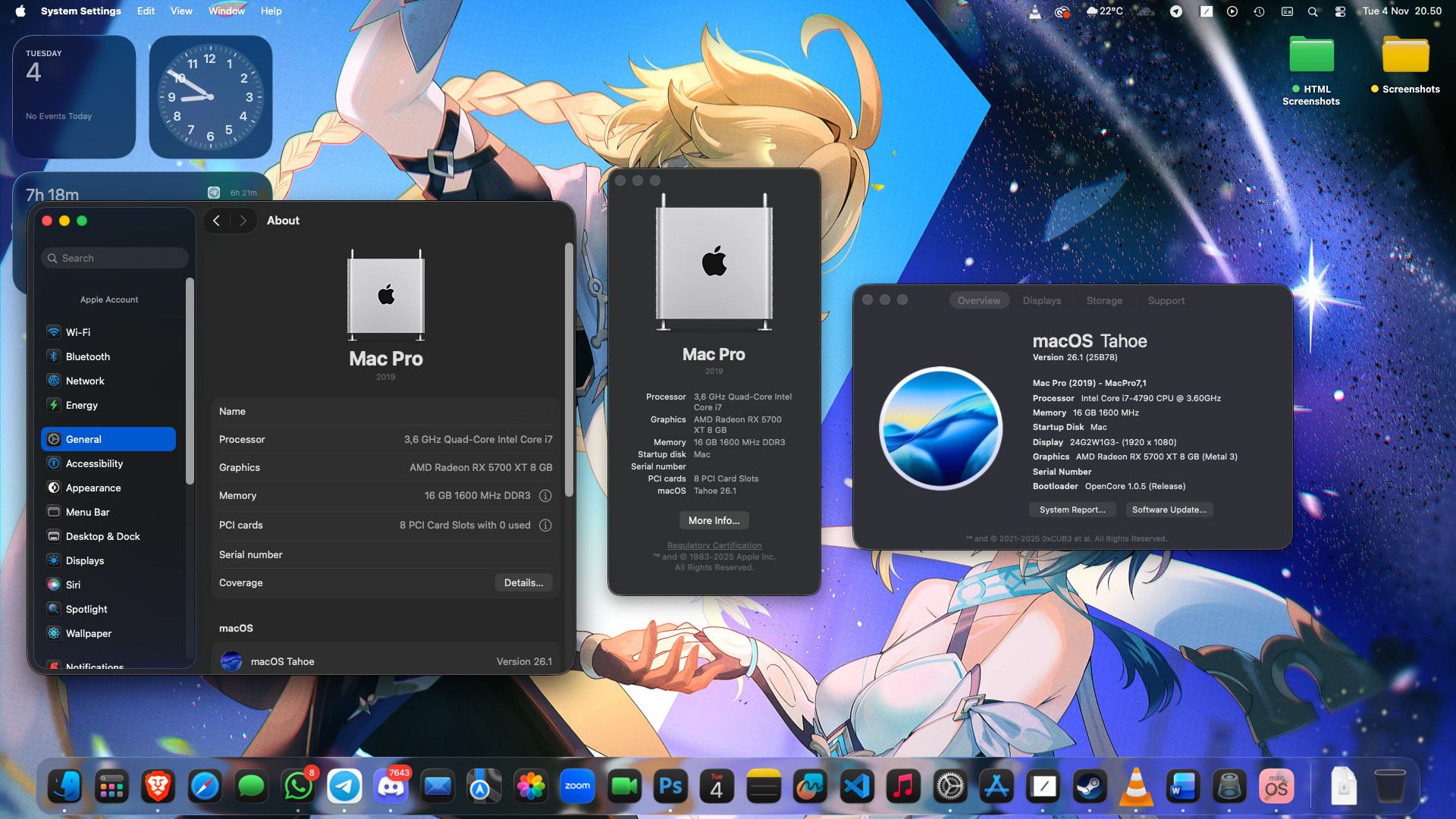
OpenCore EFI configuration to boot MacOS Tahoe on Intel Haswell system (also support for Sequioa and older).
Currently using OpenCore 1.0.5 (will be updated when new version released).
| Components | Name | Notes |
|---|---|---|
| CPU | Intel Core i7 4790 | |
| Motherboard | Asrock H97M Pro4 | |
| GPU | MSI Radeon RX 5700XT MECH OC | Kernel panic when using whatevergreen.kext |
| RAM | Kingston 2x8GB DDR3 | |
| Storage | SK Hynix NVME 512GB | |
| Ethernet | Intel Gigabit I218-V | |
| Audio | Realtek ALC892 | Currently not supported on MacOS 26 |
| OS | MacOS 26 | MacOS 26.1 (25B78) |
Important
If you want to use this config on different specs, you need to add kexts manually.
- Onboard LAN.
- GPU Metal 3 support.
- Onboard audio not working (AppleHDA was removed from Tahoe, use external audio like DAC or HDMI/DP audio).
- WhateverGreen was removed due to causing kernel panic.
- iService not fully tested (I can login and use my apple account without issue).
- iGPU not tested since I use external GPU (it should work if you configure the PciRoot section properly).
- Changed the GUI on boot section to make it looks like on every mac.
Note
Depending on your config or specs later might change the functionality.
If you want to use this OpenCore config but have a different specs (especially motherboard or cpu), you need to add the kexts manually. You can follow the steps below on how to configure yourself.
There are two file provided: Kexts and NoKexts
Kexts version if you have the exact same specs (Only for Tahoe). NoKexts if you have a different system or if you want to experiment with your own added kexts.
You can watch this full guide on what kexts you really need to use for your system.
Here's the kexts that (my guess) commonly needed for haswell system:
| Kext | Download | Notes |
|---|---|---|
| Lilu | Link | Required |
| VirtualSMC | Link | Required |
| SMCRadeonSensors | Link | Only for AMD GPU (not tested on Tahoe) |
| WhateverGreen | Link | Required for Sequioa and older (causes kernel panic on Tahoe don't use it) |
| AppleALC | Link | Adding support for many on-board audio controllers (not supported on Tahoe) |
| Ethernet | Intel Realtek | Many haswell motherboards either use intel or realtek ethernet |
| USBToolBox | Tool Kext | Highly recommended to map USB ports before installing Macos to avoid port limit issue |
| NVMeFix | Link | If you plan on using NVMe, you can add this kext |
| RestrictEvents | Link | Patch various functions of macOS, see the README for usage |
This is the confusing part when building your own efi config, if you missed something then you will ended up on kernel panic so watch carefully and have patience.
Read this haswell guide on how to properly configure your config.plist.
Dont forget, you need this tool:
- ProperTree
- Used for editing config.plist
- GenSMBIOS
- Used for generating SMBIOS data
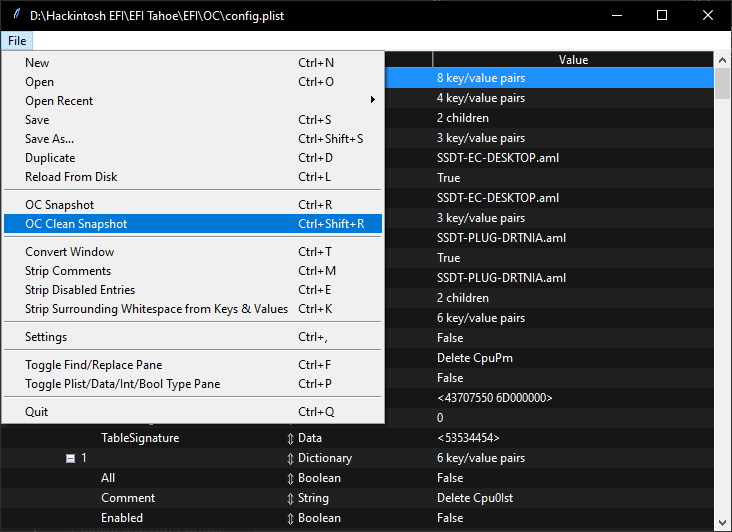
- Make sure you do OC Clean Snapshots to avoid any conflicts with kext or something.
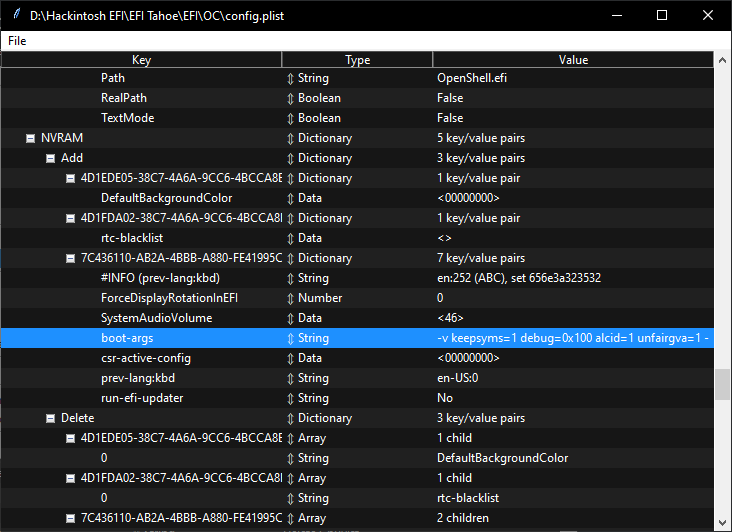
- You can edit the boot-args depending on what you really need
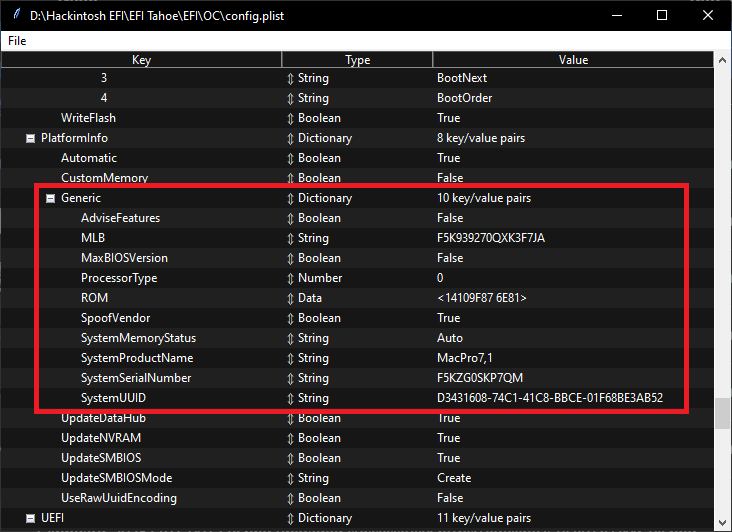
- Don't forget to generate your own SMBIOS using GenSMBIOS (use MacPro7,1 SMBIOS)