
Data power for everyone. Processing and visualizing electoral data from raw sources to interactive maps and charts in a software as a service business model, making affordable and accessible electoral data for everyone and making our democracy better.
Open Democracy is the first free platform to interactively visualize complex data for electoral purposes and designed to facilitate data analysis. This new service is first of all one for the people and to make democracy better, giving data power to everyone to be competitive in electoral campaigns, not just to the few that could afford it.
Open democracy consists of a part in the Back-end that is responsible for making requests to the database and delivering it in a special JSON format.
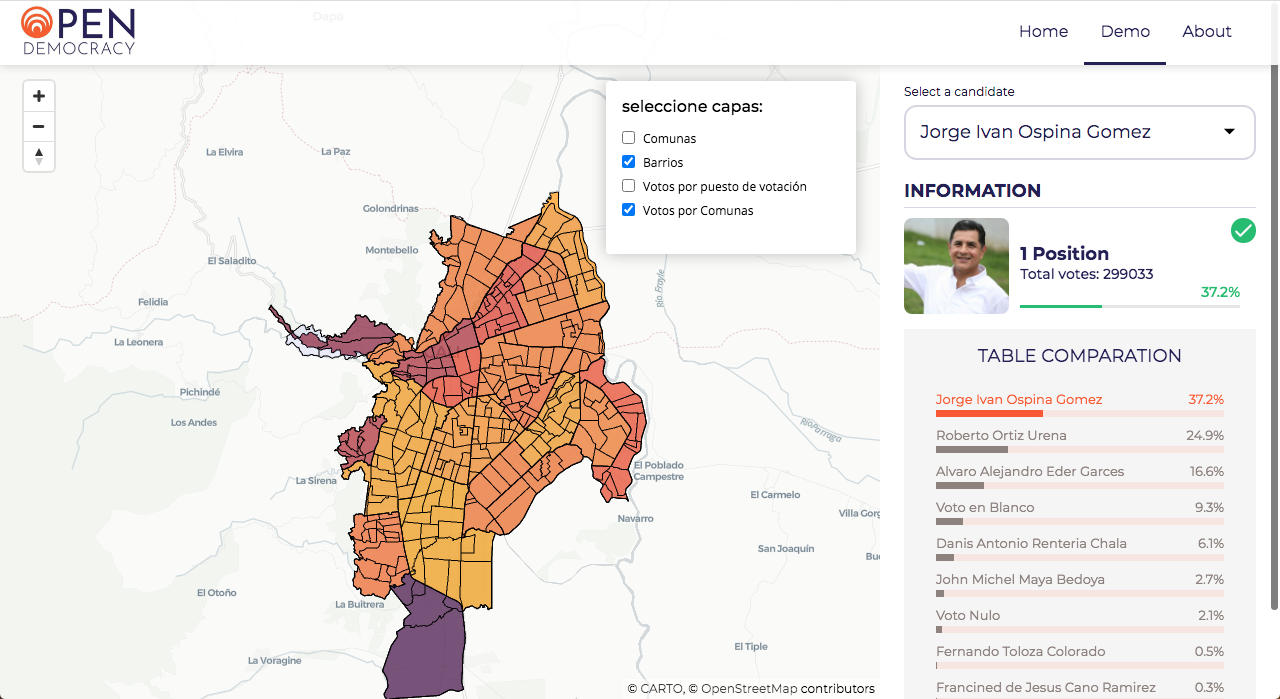
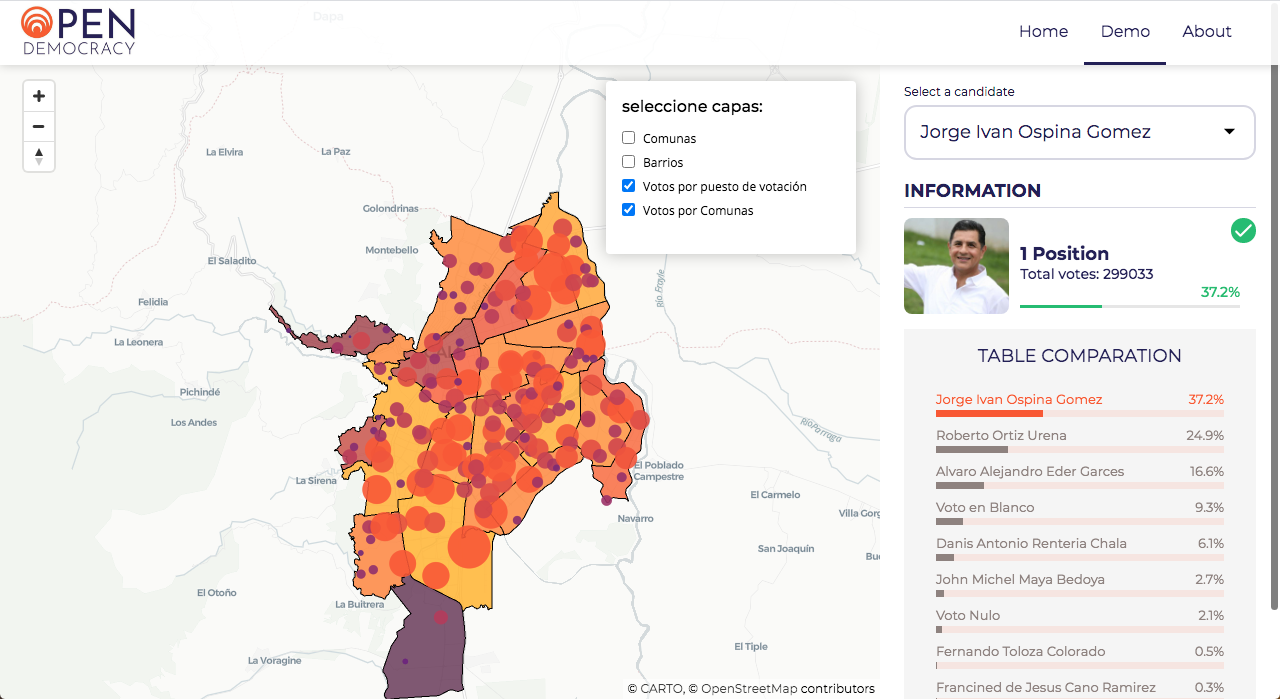
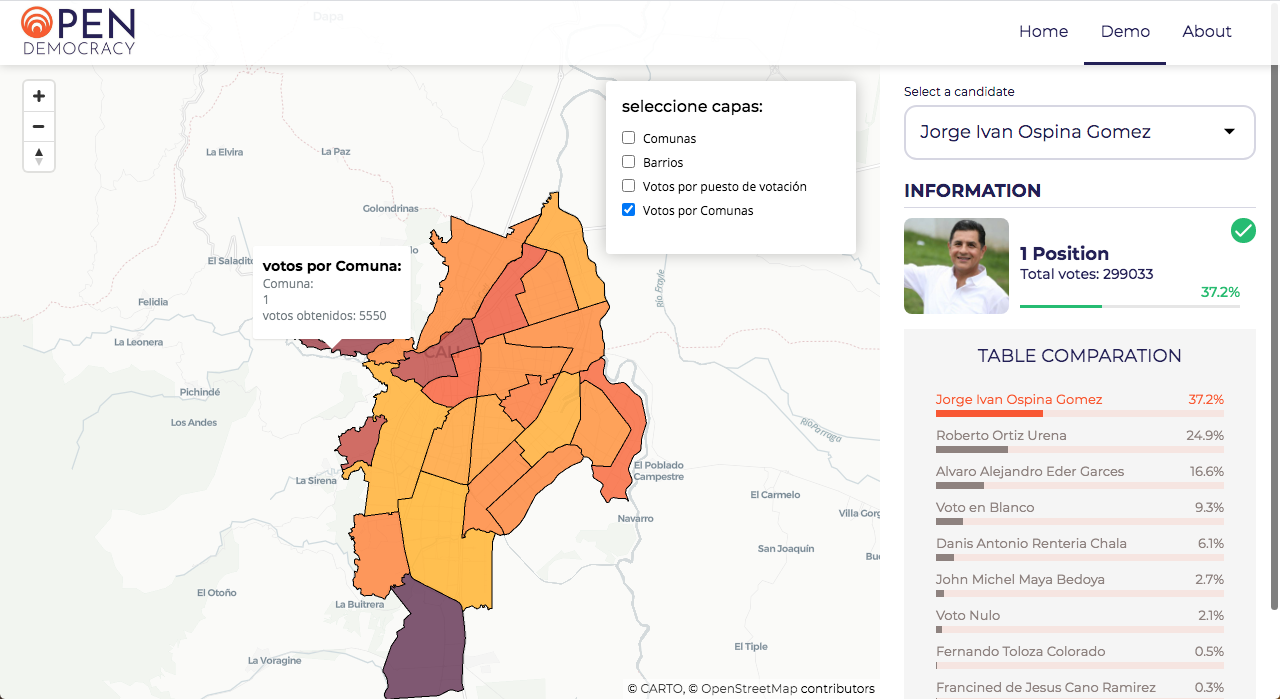
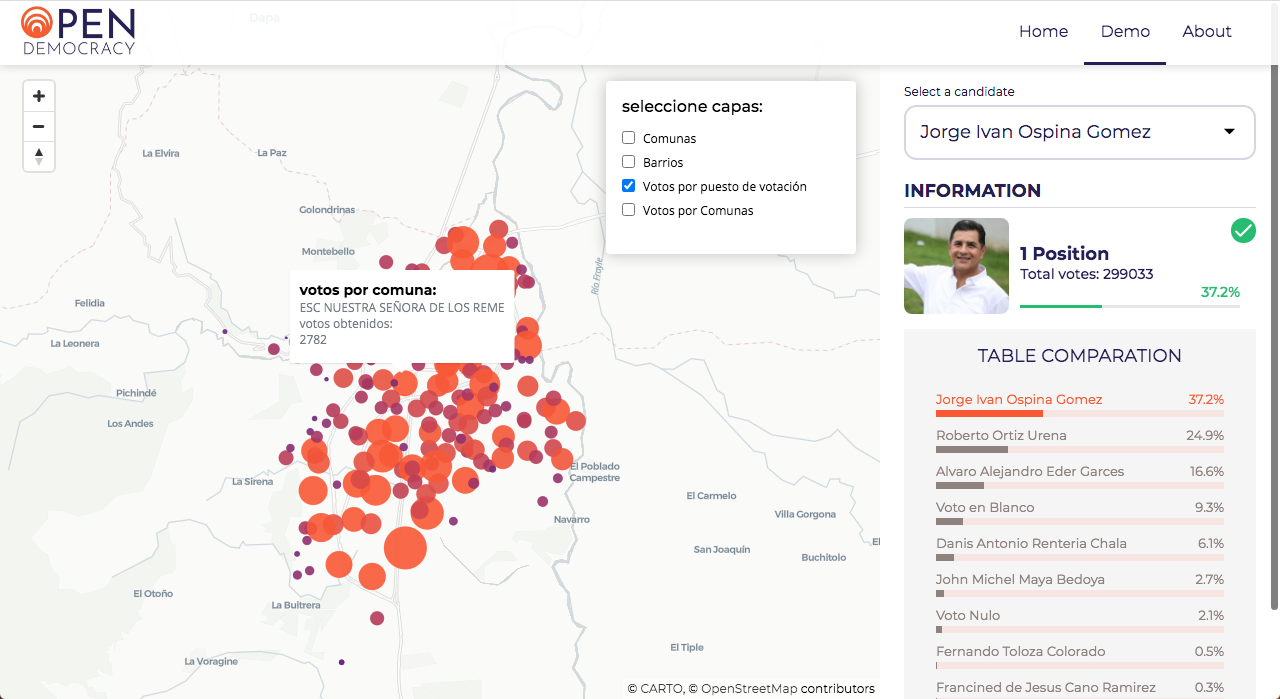
It also consists of its Front-End part in which a visualization of the map of Cali is built and on additional layers, the neighborhoods, communes and the votes of each candidate by voting point are shown.
Look Deployment for project deploy.
-
If for some reason your Ubuntu server doesn`t have Python installed, install it.
-
Pip is a package management system used to install and manage software packages written in Python:
sudo apt install -y python3-pip -
On the test servers we had problems installing or running services, specifically with locales. We just set them:
export LC_ALL="en_US.UTF-8"export LC_CTYPE="en_US.UTF-8" -
SQLAlchemy is the Python SQL toolkit and Object Relational Mapper that gives application developers the full power and flexibility of SQL:
pip3 install SQLAlchemy -
MySQLdb is an interface to the popular MySQL database server for Python:
sudo apt-get install -y python3-mysqldb -
Flask is a lightweight WSGI web application framework. It is designed to make getting started quick and easy, with the ability to scale up to complex applications. And Gunicorn 'Green Unicorn' is a Python WSGI HTTP Server for UNIX. It's a pre-fork worker model. The Gunicorn server is broadly compatible with various web frameworks, simply implemented, light on server resources, and fairly speedy. Install both:
pip3 install gunicorn flask -
Flasgger is a Flask extension to extract OpenAPI-Specification from all Flask views registered in our API:
pip3 install flasgger -
A Flask extension for handling Cross Origin Resource Sharing (CORS), making cross-origin AJAX possible.
pip3 install flask_cors -
Nginx is a lightweight, high-performance reverse proxy / web server and proxy for email protocols (IMAP / POP3):
sudo apt install nginxThe firewall software must be configured to allow access to the service. Nginx registers itself as a service with ufw upon installation, making allowing Nginx access easy:
sudo ufw allow 'Nginx HTTP'Nginx Full: This profile opens both port 80 (normal, unencrypted web traffic) and port 443 (encrypted TLS / SSL traffic):
sudo ufw allow 'Nginx Full'
MySQL
-
Step 1 - Install MySQL
sudo apt install -y mysql-server -
Step 2 - Configure MySQL - Run the security script:
sudo mysql_secure_installationThe next prompt will be to set a password for the MySQL root user. Enter and then confirm a strong password of your choice. From this point, you can press Y and then ENTER to accept the default settings for all subsequent questions. This will remove some anonymous users and the test database, disable remote root logins, and load these new rules so that MySQL will honor the changes you have made immediately.
You can run the script <setup_1.sql> to prepare the database:
cat setup_1.sql | mysql -hlocalhost -uroot -pIf you have problems with validate_password, just add the following settings to the file:
cd /etc/mysql/mysql.conf.dsudo vim mysqld.cnfvalidate_password.check_user_name=OFFvalidate_password.dictionary_file=validate_password.length=0validate_password.mixed_case_count=0validate_password.number_count=0validate_password.policy=LOWvalidate_password.special_char_count=0
Add a file called opendemocracy to the / etc / nginx / sites-available directory with the following configuration for our application:
`server { listen 80;
    server_name 0.0.0.0;

    location /api/v1 {
            include proxy_params;
            proxy_pass http://127.0.0.1:5005;
    }

    location /demo {
            include proxy_params;
            proxy_pass http://127.0.0.1:6005;
    }
    location /static {
            alias /home/ubuntu/Open_Democracy_v1/map/static;
    }
add_header X-Served-By '1516-web-01'; listen [::]:80 default_server; }`
First we need to start the flask application:
API INSTRUCTIONS
In Open Democracy path, Copy and paste the below code. Please note that the port 5005 must be free and that you are executing it from the Open_Democracy_1 directory.
Run the api:
ODEM_MYSQL_USER=odem_usr ODEM_MYSQL_PWD=odem_usr ODEM_MYSQL_HOST=0.0.0.0 ODEM_MYSQL_DB=odem_dev_db ODEM_TYPE_STORAGE=db ODEM_API_HOST=0.0.0.0 ODEM_API_PORT=5005 python3 -m api.v1.app
Run the Web:
ODEM_MYSQL_USER=odem_usr ODEM_MYSQL_PWD=odem_usr ODEM_MYSQL_HOST=0.0.0.0 ODEM_MYSQL_DB=odem_dev_db ODEM_TYPE_STORAGE=db ODEM_API_HOST=0.0.0.0 ODEM_API_PORT=6005 python3 -m map.index
After starting the flask server, we can make the calls to the api routes.
Get Route to check the status of the api:
curl -X GET http://0.0.0.0:5005/api/v1/status
Get total number of each class elements of the database:
curl -X GET http://0.0.0.0:5005/api/v1/stats
Get All resultados:
curl -X GET http://0.0.0.0:5005/api/v1/resultados
Bring a unique result by id:
curl -X GET http://0.0.0.0:5005/api/v1/resultados/<int>
Bring results by puesto with a candidate_id:
curl -X GET http://0.0.0.0:5005/api/v1/<int>
Bring results by comunas with a candidate_id:
curl -X GET http://0.0.0.0:5005/api/v1/resultado/comunas/<int>
The project is intended to be deployed on three servers. A Load Balancer to distribute the connections to two servers, each with its own database. Working as master and slave respectively.
- Carto - Library used to generate the interactive map
- Python - Language used to generate the scripts for the web server
- Flask - Lightweight WSGI web application framework to start Web app
- MySQL - Used to generate the Database
- SQLAlchemy - SQL toolkit and Object Relational Mapper
- MySQLdb - Interface to the MySQL database server
- Nginx - Used to generate the web server for HTTP and HTTPS requests
- Flasgger - Flask extension to extract OpenAPI-Specification from all Flask views registered in our API
Please read [CONTRIBUTING.md] (https://gist.github.com/ricarhincapie/Open_Democracy_v1) for details of our code of conduct, and the process for submitting pull requests.
- Ricardo Hincapie - Back-End -
- Camilo Moncada - Front-End -
- Cristian Nazareno - Front-End -
- Javier Charria - Back-End -
- Javier Jaramillo - Front-End -


You can also look at the list of all [contributors] (https://github.com/ricarhincapie/Open_Democracy_v1/contributors) who have participated in this project.
- Comenta a otros sobre este proyecto 📢
- Invita una cerveza 🍺 o un café ☕ a alguien del equipo.
- Da las gracias públicamente 🤓.
- etc.