Releases: SalatielSauer/SauerWebUI
01/11/2025 - JSquare Edition

01/11/2025 📌
-
Map .cfg generator
For a mapper, the most tedious step is probably setting up the .cfg file, all those unused default textures, all those manual replaces... not anymore.
SauerWUI now have edit commands to make it easy to remove unused assets and generate a custom cfg:
-
removeunusedtextures -
removeunusedmmodelsAs the name suggests, they remove all unused content from the map, giving you a clean texture browser and a clean mapmodel browser.
-
writemapcfg <name>A clean list of textures and models requires an appropriate cfg file; this command will take care of that for you, including not only textures and mapmodels, but also mapvars and mapsounds. The file is created in the
packages/basefolder using the map name by default if not provided.
-
-
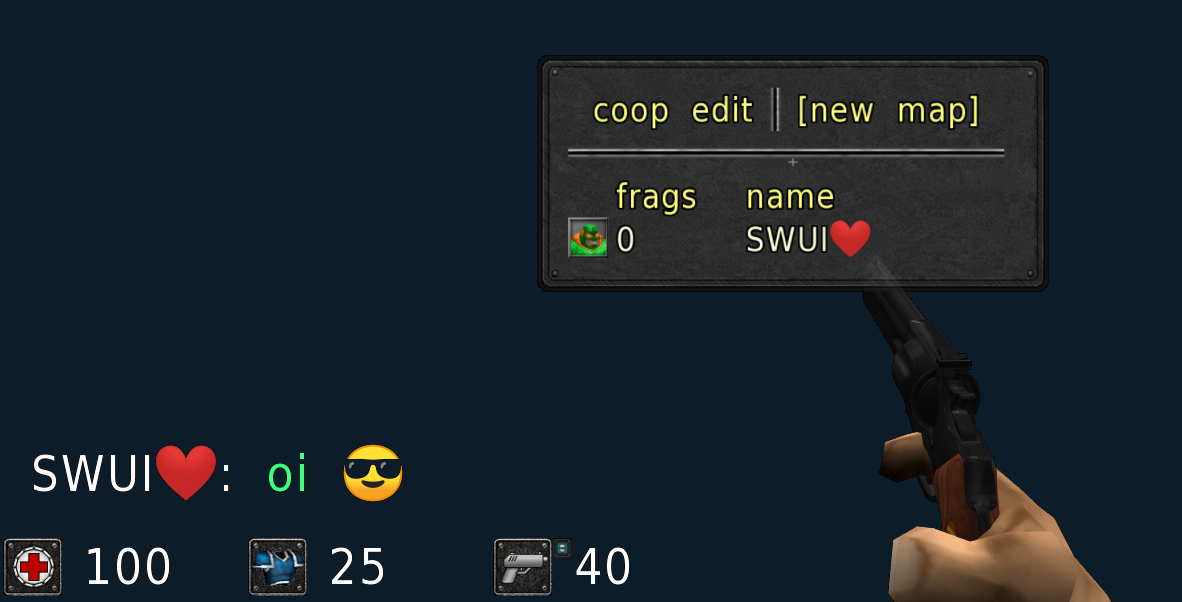
Emoji Support 💪
If words aren’t enough, now you can add an emoji to any text input using the <e:> marker with a Unicode value, like:
<e:1F438>.
-
radaroverlay <1/0>Option to display a copy of the radar in the center of the screen; you can adjust the size and transparency with
radaroverlaysizeandradaroverlayopacity. -
Frag Announcer sounds
Now you can feel more hyped while fragging! If you score the first blood or pull off a combo of 2 to 5 kills, you'll hear encouraging messages.
There’s also an Intermission announcement. -
Scoreboard Flag
Players carrying the flag are visible on the scoreboard accompanied by a flag icon, just to satisfy your curiosity.
-
Controller Support
If you're tired of blaming your keyboard or mouse, now you can blame your controller too; just plug it in and you should be ready to
suffergo.You can adjust the sensitivity and binds in your
autoexec.cfgfile (seedata/wui/joystickbinds.cfg, note: changes to this file will only take effect if you run it manually with/exec). -
Keep command history
You can use
maxhistorykeepto control how many commands will be retained across different sessions in your command history.
Check readme for full list of modifications
27/07/2025
A new cutscene system with a bunch of commands for all your filmmaker needs:
show cutscene commands
playcutsceneat <file> <start> <end>cutsceneplaybackstart <file> <start> <end>cutscenerecordstart <file>cutscenerecordover <file>cutscenerecordcontinuecutscenerecordpausecutscenerecordendcutscenerecordload <file>cutscenerecordrestartcutscenerecordsettime <minute:second>cutscenerecordsetframe <frame>cutscenecamdebug <1/0>cutscenecamdebugsize <0.25/4.0>cutscenecamdebugpath <1/0>cutscenecamdebugpathstep <1/100>cutscenecamlerpfromcutscenecamlerpto <ms>cutscenecamclear <direction>cutsceneactorclear <id>cutscenecurrentframecutsceneframeslencutscenecurrentfilecutscenestate <state> <time>
Not only that, cutscenes also allow dynamic display of subtitles, audio, images, and mapmodels!
All part of a custom format supported by SauerWUI: .ctscn. See more about cutscenes in the readme.
There is also a new .obpy format for exporting maps to Blender, including textures, vcommands, lightmaps, mapvars, and skybox:
writeobpy <name>(map)writemmobpy <name>(mapmodels)
Since it’s a custom format based on .obj, it requires an add-on to be imported into Blender:
Blender .obpy Importer.
07/07/2025
-
dumpmmodels <name> <optional texture path> -
dumpmaterials <name>commands to export all materials and mapmodels (with textures) of the current map as a single .obj and .mtl file;
-
particletex_IDnew mapvar-based particle that allows displaying dynamic texts with CubeScript. (/newent particle 14 <id> <size> <color> <orientation>).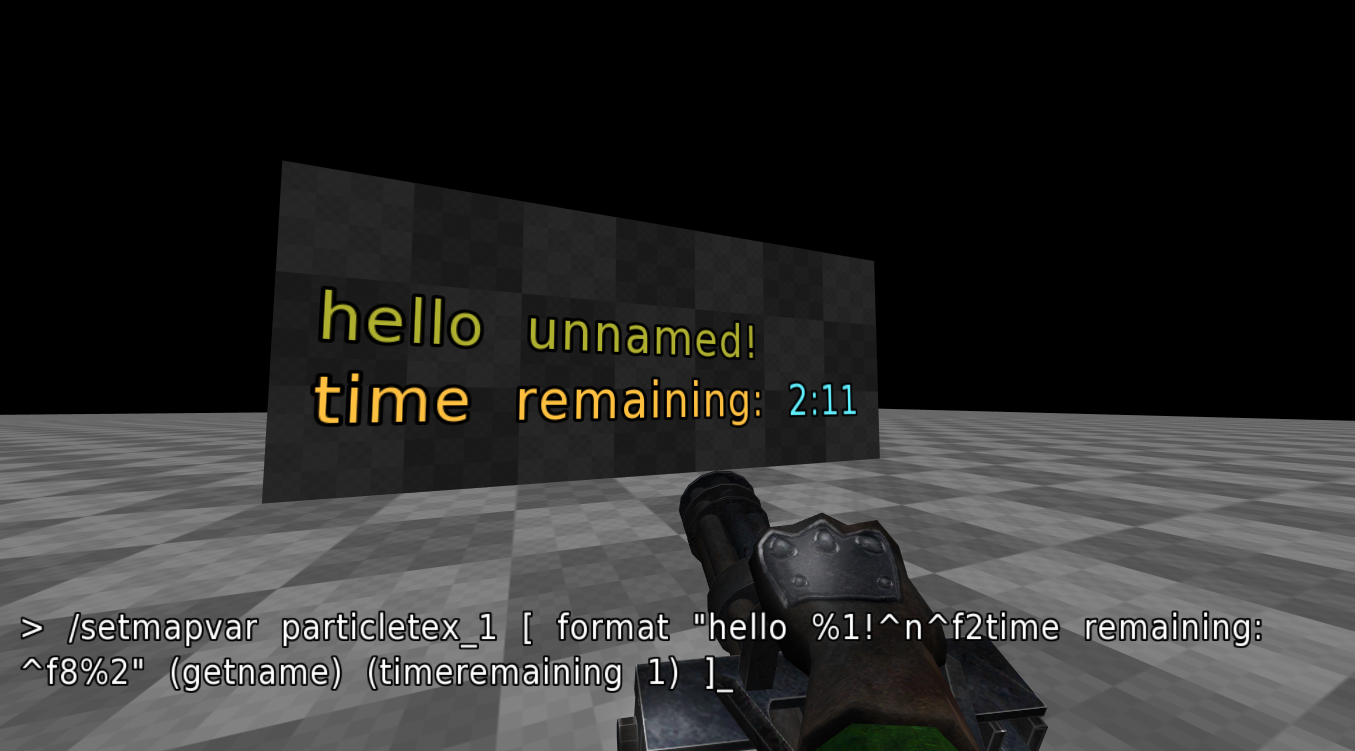
Check readme for full list of modifications
Known Issues
Currently it won't work if you install it side by side with a P1xbraten installation (reasons I still don't know), so I recommend installing it alongside the vanilla installation.
The installation is meant to go alongside the vanilla client, that's why essential folders like packages are not included.
When running the installer, select the folder where your Sauerbraten is (make sure you are not accidentally creating a directory inside it).
02/07/2025 - JSquare Edition
02/07/2025 📌
importobj <file> <size>now supports material colors (not all colors may be displayed depending on the size parameter you set);- to make things easier, the binary can now be downloaded with the updater; just restart the client as soon as an update finishes;
- new
writeobjuvmap <name> <dump lightmap texture 1/0>to export a map as a .obj file containing lightmap coordinates; - new
importlmsto replace the current map's lightmap with an external image (the image must be "indexed colors" type; see below for how to convert it using GIMP).
how to process lightmaps using GIMP

28/06/2025
- the updater can now ignore specific files;
- new experimental
level_monsteraifor custom ai scripting; - new
loadmonstercommand to load custom monsters from .cfg files; safedocan no longer assign aliases;- new
safemmodelcommand to load model cfgs with whitelisted commands.
Check readme for full list of modifications
Known Issues
Currently it won't work if you install it side by side with a P1xbraten installation (reasons I still don't know), so I recommend installing it alongside the vanilla installation.
The installation is meant to go alongside the vanilla client, that's why essential folders like packages are not included.
When running the installer, select the folder where your Sauerbraten is (make sure you are not accidentally creating a directory inside it).